
1. Úvod
Děkuji za nákupasing the Yoidesu Mini MP3 Music Player. This compact and portable device is designed for on-the-go music playback, featuring a back-clip design, an LCD screen, and support for expandable memory. This manual provides detailed instructions for setting up, operating, and maintaining your MP3 player to ensure optimal performance and longevity.
2. Konec produktuview
2.1. Obsah balení
- Yoidesu Mini MP3 Music Player
- USB kabel
- Sluchátka
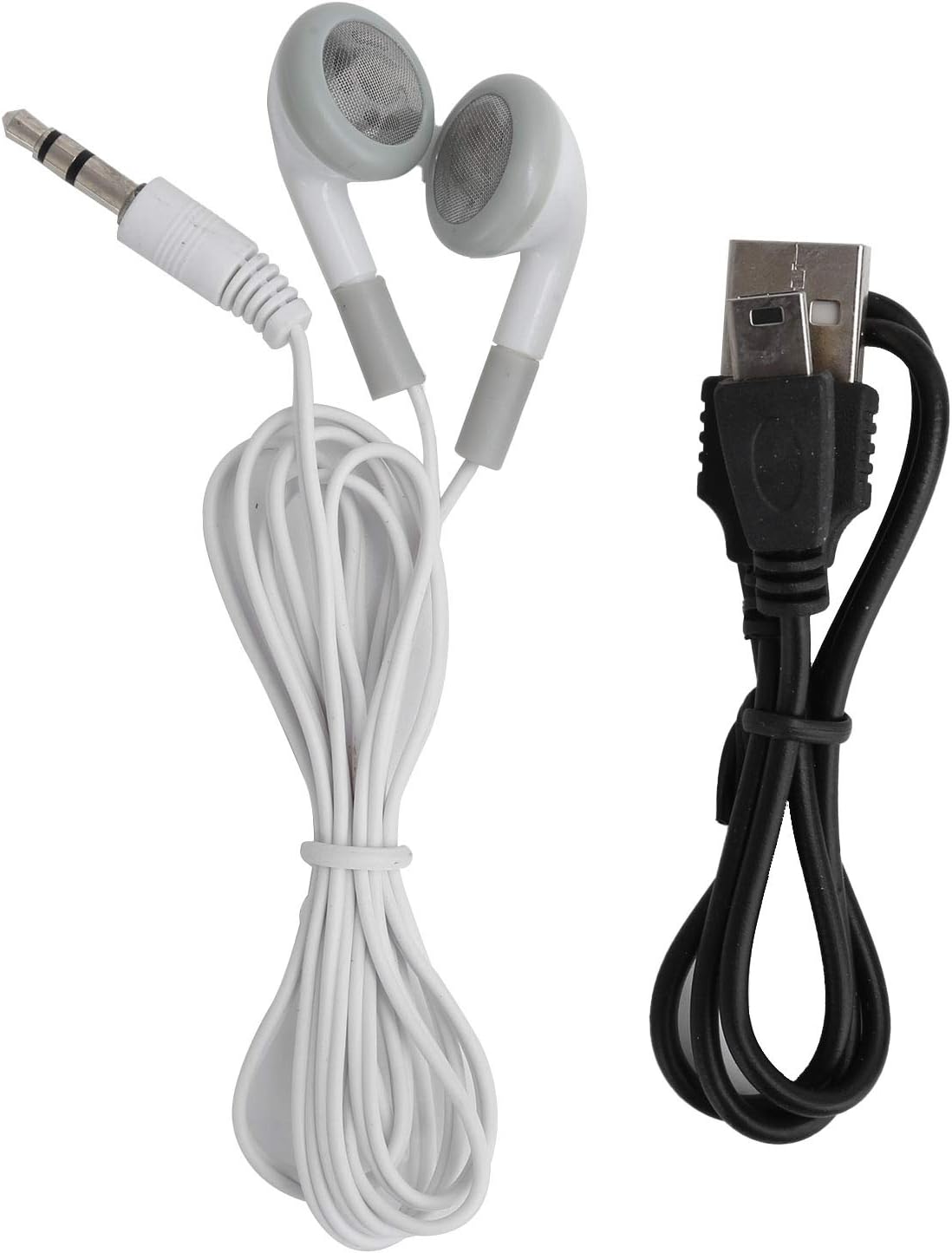
Image: Package contents including the MP3 player, USB cable, and earphones.
2.2. Uspořádání zařízení
Familiarize yourself with the buttons and ports on your MP3 player.

Obrázek: Přední strana view of the MP3 player. Visible are the LCD screen, circular control pad (Play/Pause, Next, Previous, Menu, Volume), headphone jack, and TF card slot on the side.

Obrázek: Boční view of the MP3 player, highlighting the USB charging/data transfer port.
- LCD obrazovka: Displays song information, playback progress, and menu options.
- Ovládací panel: Central button for Play/Pause. Directional buttons for Next Track, Previous Track, Menu (M), and Volume (VOL).
- Sluchátkový jack: 3.5mm port for connecting earphones.
- Slot na kartu TF: For inserting a microSD card to expand storage.
- USB port: Pro nabíjení zařízení a přenos files.
- Vypínač: Posuvný vypínač On/Off.
- Zadní klip: Pro připevnění přehrávače k oblečení nebo příslušenství.
2.3. Klíčové vlastnosti
- Rozšiřitelná paměť: Supports up to 32GB via a microSD (TF) card (not included).
- Dlouhá výdrž baterie: Provides over 5 hours of continuous music playback on a full charge.
- Lehký a bezpečný: Ultra-light design with a back-clip for stable attachment during activities.
- Přehledný LCD displej: Displays song progress and menu for easy navigation.
- Odolná konstrukce: Constructed from aluminum alloy for enhanced durability.
3. Nastavení
3.1. Charging the MP3 Player
- Connect the small end of the included USB cable to the USB port on the MP3 player.
- Connect the standard USB end of the cable to a computer's USB port or a compatible USB wall adapter (not included).
- The device will begin charging. The LCD screen may indicate charging status.
- A full charge typically takes approximately 2-3 hours. The battery indicator will show full when charging is complete.
3.2. Inserting a MicroSD (TF) Card
The MP3 player requires a microSD card to store music files. The device supports cards up to 32GB.
- Locate the TF card slot on the side of the MP3 player.
- Opatrně vložte kartu microSD do slotu zlatými kontakty směrem dolů, dokud nezacvakne na místo.
- To remove the card, gently push it in again until it springs out.

Image: A visual guide demonstrating how to insert a microSD card into the player's dedicated slot.
3.3. Přenos hudby Files
- Ensure a microSD card is inserted into the MP3 player.
- Připojte MP3 přehrávač k počítači pomocí dodaného kabelu USB.
- The computer should recognize the MP3 player as a removable disk.
- Open the removable disk folder.
- Drag and drop your desired MP3 music files into the player's storage.
- Jednou filePřed odpojením kabelu USB bezpečně vyjměte vyměnitelný disk z počítače.
3.4. Připojení sluchátek
- Insert the 3.5mm jack of your earphones into the headphone port on the MP3 player.
- Ujistěte se, že připojení je bezpečné.
4. Návod k obsluze
4.1. Zapnutí/vypnutí
- Zapnutí: Slide the power switch to the "ON" position. The LCD screen will light up.
- Vypnutí: Slide the power switch to the "OFF" position. The screen will turn off.
4.2. Základní ovládací prvky přehrávání

Image: Close-up of the circular control pad with Play/Pause, Next, Previous, Menu, and Volume buttons clearly labeled.
- Přehrát/pozastavit: Stisknutím středového tlačítka spustíte nebo pozastavíte přehrávání.
- Další skladba: Stiskněte tlačítko >> | tlačítko pro přechod na další skladbu.
- Předchozí skladba: Stiskněte tlačítko |< button to go back to the beginning of the current song, or to the previous song if pressed again within a few seconds.
- Zvýšit hlasitost: Stiskněte tlačítko VOL tlačítko a poté >> | tlačítko pro zvýšení hlasitosti.
- Snížit hlasitost: Stiskněte tlačítko VOL tlačítko a poté |< tlačítko pro snížení hlasitosti.
4.3. Navigace v menu
Stiskněte tlačítko M (Menu) button to access different modes or settings. Use the Next/Previous buttons to navigate through options and the Play/Pause button to select.
- Hudební režim: Default mode for playing music.
- Mód opakování: Options may include Repeat One, Repeat All, Shuffle.
- Nastavení EQ: Adjust equalizer presets (if available).
Specific menu options may vary slightly. Refer to the LCD screen for available selections.
5. Údržba
5.1. Čištění
- Otřete zařízení měkkým suchým hadříkem.
- Nepoužívejte tekuté čisticí prostředky, aerosoly ani rozpouštědla.
- Udržujte porty bez prachu a nečistot.
5.2. Skladování
- Přehrávač MP3 skladujte na chladném a suchém místě mimo dosah přímého slunečního záření a extrémních teplot.
- Neskladujte v prašném nebo vlhkém prostředí.
5.3. Péče o baterie
- Pravidelně baterii nabíjejte, i když ji nepoužíváte, abyste ji udrželi v dobrém stavu.
- Vyhněte se častému úplnému vybíjení baterie.
6. Řešení problémů
6.1. Device Will Not Turn On
- Ujistěte se, že je vypínač v poloze „ON“.
- Nabíjejte zařízení alespoň 30 minut. Baterie může být zcela vybitá.
6.2. Žádný zvuk
- Check if earphones are properly plugged into the headphone jack.
- Increase the volume using the VOL button.
- Zajistěte hudbu file is not corrupted and is in a supported format (e.g., MP3).
- Try different earphones to rule out faulty headphones.
6.3. Nelze převést Files to Device
- Ensure the MP3 player is properly connected to the computer via the USB cable.
- Verify that a microSD card is correctly inserted into the player.
- Check if the computer recognizes the device as a removable disk. If not, try a different USB port or cable.
- Ensure there is sufficient space on the microSD card.
6.4. Screen is Blank or Frozen
- Try turning the device off and then on again using the power switch.
- If the issue persists, allow the battery to fully drain and then recharge it.
7. Specifikace
| Funkce | Detail |
|---|---|
| Značka | Yoidesu |
| Název modelu | Yoidesuq7cangr03w-12 |
| Technologie připojení | USB |
| Kapacita paměti | Up to 32 GB (via microSD card) |
| Barva | Černý |
| Velikost obrazovky | 1 inch (LCD) |
| Podporované standardy | MP3 |
| Životnost baterie | Přibližně 5 hodiny |
| Zahrnuté komponenty | USB Cable, Earphones |
| Materiál | Hliníková slitina |
8. Záruka a podpora
Na tento produkt se vztahuje standardní záruka výrobce. Konkrétní záruční podmínky naleznete v dokumentaci dodané při nákupu nebo se obraťte na svého prodejce.
For technical support or further assistance, please contact Yoidesu customer service through your purchase platform or the official Yoidesu webmísto.
Uschovejte si prosím doklad o koupi pro uplatnění záruky.