
ToughTested MOAB 65
ToughTested MOAB 65 Portable Charger User Manual
Model: MOAB 65
Zavedení
The ToughTested MOAB 65 is a high-capacity, rugged portable charger designed to provide reliable power for laptops, smartphones, and other USB-powered devices. With its 40,000mAh battery and advanced fast-charging capabilities, it is an ideal companion for outdoor adventures, remote work, and extended travel. This manual provides essential information for the safe and efficient use of your MOAB 65 portable charger.
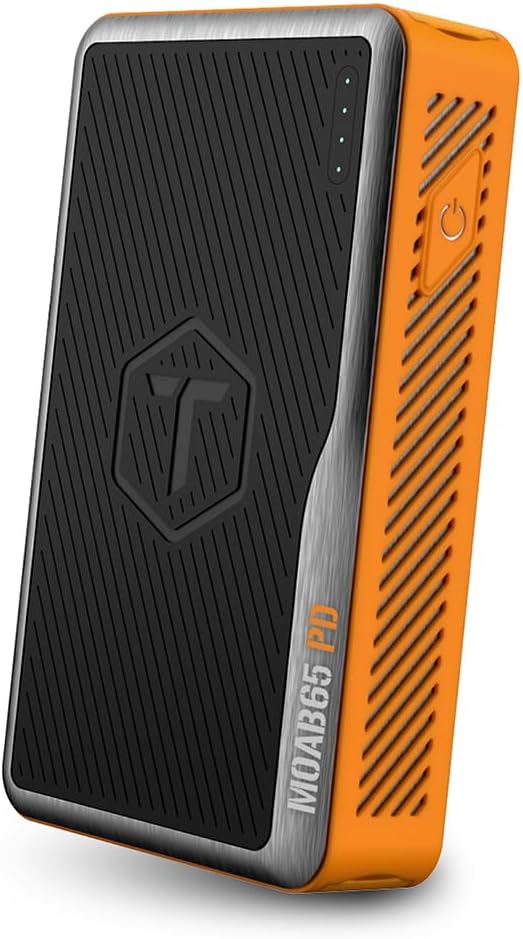
Image: The ToughTested MOAB 65 Portable Charger, showcasing its rugged design and power indicator lights.
Bezpečnostní informace
Před použitím tohoto produktu si prosím přečtěte všechna bezpečnostní varování a pokyny, abyste předešli zranění nebo poškození.
- Do not expose the power bank to extreme temperatures (above 60°C/140°F or below -10°C/14°F).
- Do not disassemble, modify, or attempt to repair the device. This will void the warranty and may cause harm.
- Keep away from water and liquids. While the MOAB 65 is IP64 rated for dust and water resistance, it is not designed for submersion.
- Zabraňte pádu zařízení na zem nebo jeho vystavení silným nárazům.
- Používejte pouze certifikované nabíjecí kabely a adaptéry.
- Uchovávejte mimo dosah dětí.
- Dispose of the power bank responsibly according to local regulations. Do not dispose of in household waste.
Obsah balení
Ověřte, zda jsou v balení přítomny všechny položky:
- ToughTested MOAB 65 Portable Charger
- Heavy-duty USB-C to USB-C Power Delivery PET Cable
- Uživatelská příručka (tento dokument)
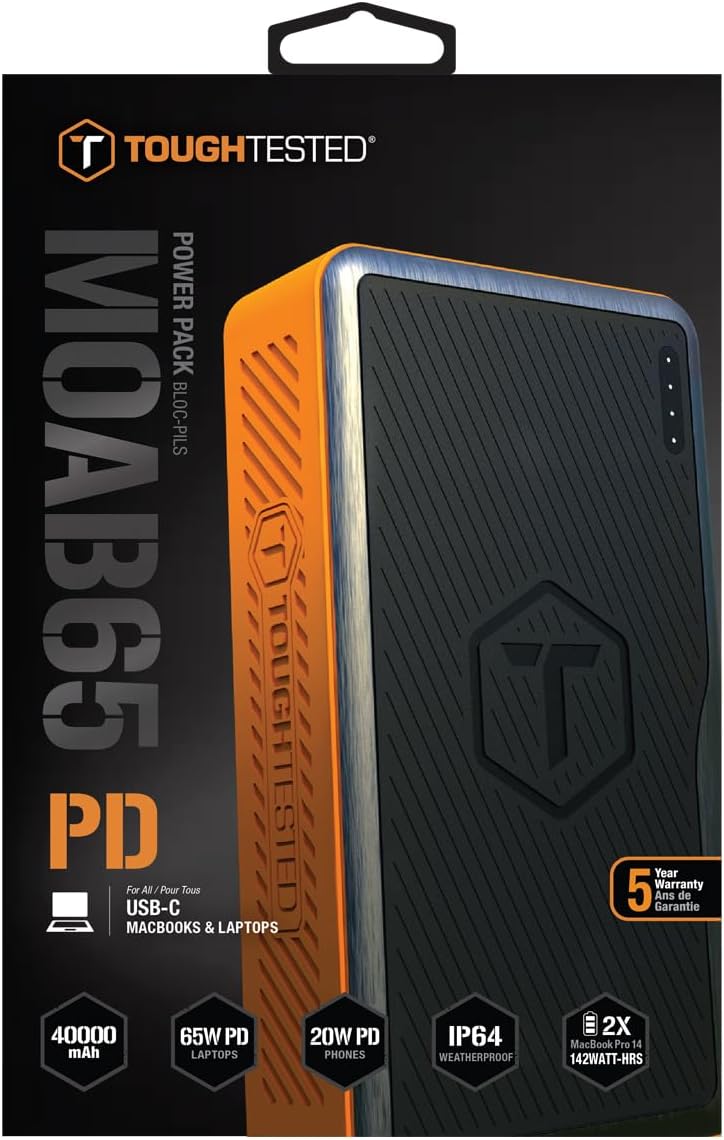
Image: The included heavy-duty USB-C to USB-C Power Delivery PET cable.
Konec produktuview
Familiarize yourself with the components of your MOAB 65 portable charger.
| Komponent | Popis |
|---|---|
| Tlačítko napájení | Aktivuje powerbanku a kontroluje stav baterie. |
| LED indikátory napájení | Zobrazuje zbývající kapacitu baterie. |
| USB-C PD (Input/Output) Port | 65W Power Delivery for charging laptops and rapid charging of the power bank itself. |
| USB-C PD (Output) Port | 20W Power Delivery for fast charging smartphones and other compatible devices. |
| Port USB-A QC 3.0 | Quick Charge 3.0 output for fast charging non-Type C devices. |
| Sealed Port Covers | Protects ports from dust and water, maintaining IP64 rating. |

Obrázek: Boční view of the MOAB 65 showing the USB-A and USB-C output ports with their protective covers.
Nastavení
Charging the MOAB 65 Portable Charger
Before first use, fully charge your MOAB 65. It is recommended to use a 65W USB-C PD wall charger (not included) for the fastest charging time.
- Open the sealed port cover for the USB-C PD (Input/Output) port.
- Connect the included USB-C to USB-C cable to the USB-C PD (Input/Output) port on the MOAB 65.
- Connect the other end of the cable to a compatible USB-C PD wall charger.
- The LED power indicators will illuminate and blink to show charging progress. All four LEDs will be solid when fully charged.
A full charge can take several hours depending on the power of your wall charger.
Návod k obsluze
Kontrola úrovně baterie
Press the power button once to check the remaining battery capacity. The LED indicators will light up:
- 4 LED diod: 75-100 %
- 3 LED diod: 50-75 %
- 2 LED diod: 25-50 %
- 1 LED: 0-25% (Recharge soon)
Nabíjecí zařízení
The MOAB 65 features multiple output ports for versatile charging.
- For Laptops (USB-C PD 65W):
Open the sealed port cover for the USB-C PD (Input/Output) port. Connect your laptop's USB-C charging cable to this port and to your laptop. The MOAB 65 will automatically begin charging.

Image: The MOAB 65 connected to a laptop via its USB-C PD port, demonstrating laptop charging capability.

Image: Visual representation highlighting the 65W USB-C Power Delivery input/output for laptops.
- For Smartphones & Tablets (USB-C PD 20W or USB-A QC 3.0):
Open the sealed port cover for the desired output port (USB-C or USB-A). Connect your device's charging cable to the MOAB 65 and to your device. The Instasense Processor will automatically detect your device and deliver optimal charging power.
Image: Close-up of the MOAB 65's output ports, including the 20W USB-C PD and QC3 USB-A, designed for fast phone charging.
- Současné nabíjení:
You can charge multiple devices simultaneously using the available output ports. The MOAB 65 will intelligently distribute power.

Image: Two MOAB 65 units shown side-by-side, illustrating the capability to fast charge laptops and phones concurrently.
Note: For optimal fast charging, ensure your device and cable support Power Delivery (PD) or Quick Charge (QC) technology.
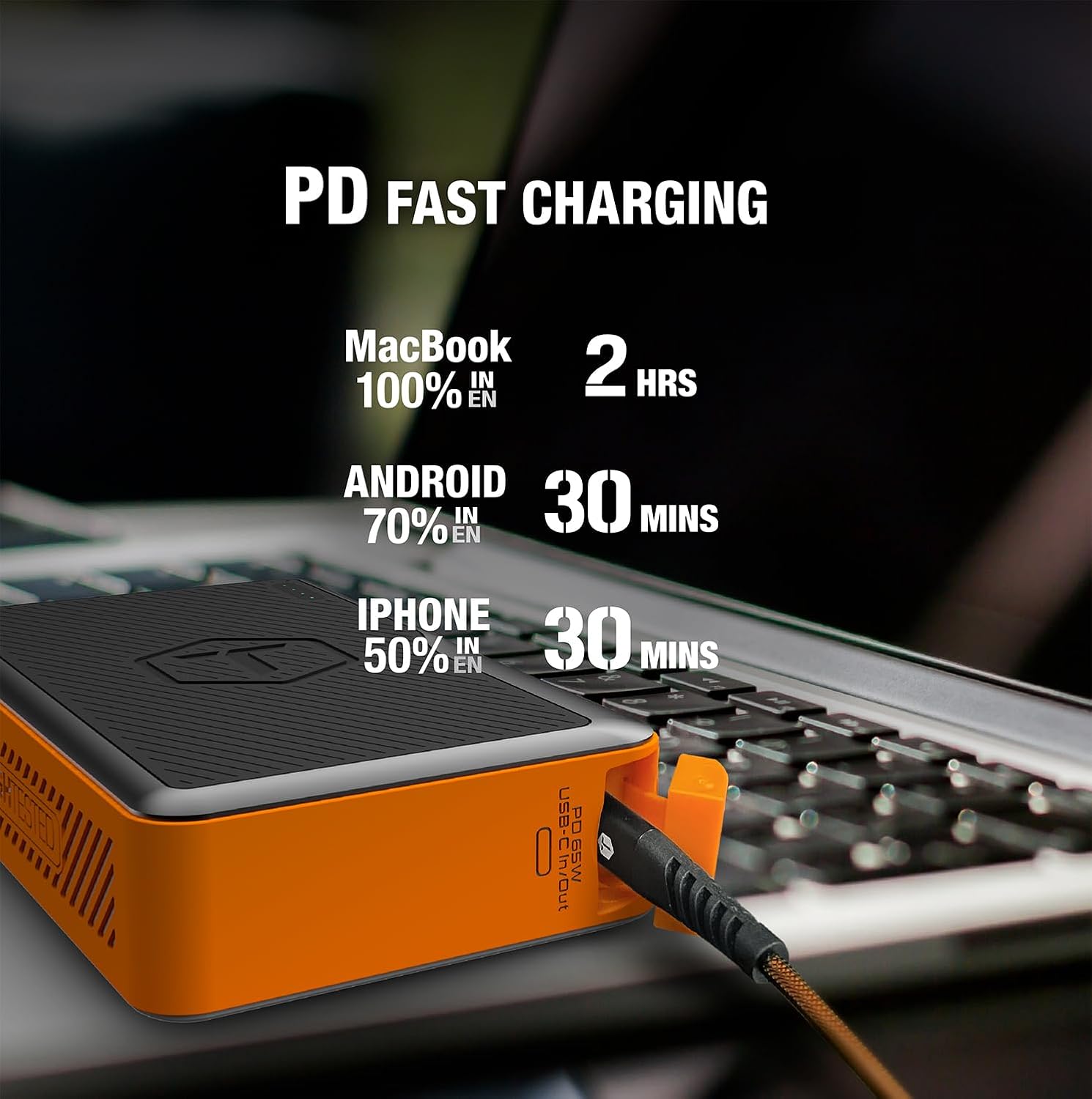
Image: Infographic detailing fast charging times for various devices: MacBook 100% in 2 hours, Android 70% in 30 minutes, iPhone 50% in 30 minutes.
Údržba
- Čištění: Wipe the exterior with a soft, dry cloth. Do not use harsh chemicals or abrasive materials. Ensure port covers are closed before cleaning.
- Skladování: Store the power bank in a cool, dry place away from direct sunlight and extreme temperatures. For long-term storage, charge the power bank to about 50-75% every 3-6 months to maintain battery health.
- Kryty portů: Always ensure the sealed port covers are securely closed when not in use, especially in dusty or wet environments, to maintain the IP64 rating.

Image: The MOAB 65 with water droplets on its surface, illustrating its IP64 weatherproof and dustproof capabilities.
Odstraňování problémů
| Problém | Možná příčina | Řešení |
|---|---|---|
| Powerbanka se nenabíjí | Cable or adapter issue; power bank fully discharged; faulty port. | Try a different USB-C cable and wall adapter. Ensure the adapter is powerful enough (e.g., 65W PD). Allow a few minutes for a deeply discharged unit to respond. |
| Zařízení se nenabíjí z powerbanky | Power bank low on charge; incorrect cable; device not compatible; power bank in standby. | Check power bank battery level. Ensure cable is securely connected and functional. Try a different port. Press the power button to activate output. |
| Pomalé nabíjení | Cable not supporting fast charge; device not supporting fast charge; multiple devices connected. | Use a certified PD/QC compatible cable. Ensure your device supports fast charging. Disconnect other devices if faster charging is needed for one specific device. |
| LED indikátory nefungují | Minor software glitch; internal issue. | Try fully discharging and then recharging the power bank. If the issue persists, contact customer support. |
Specifikace
| Funkce | Detail |
|---|---|
| Model | MOAB 65 |
| Kapacita baterie | 40,000 142 mAh (XNUMX Wh) |
| USB-C PD (Input/Output) | Příkon 65W |
| USB-C PD (Output) | Příkon 20W |
| USB-A (výstup) | Rychlé nabíjení 3.0 |
| Rozměry | 7 x 4 x 1.5 palce |
| Hmotnost | 1.8 libry |
| Hodnocení IP | IP64 (Dustproof & Water Resistant) |
| Typ baterie | Lithium Ion |
| Barva | Černá / oranžová |
Záruka a podpora
The ToughTested MOAB 65 Portable Charger comes with a 5-letá záruka, což zajišťuje spolehlivost a klid. Tato záruka se vztahuje na vady materiálu a zpracování při běžném používání.
For warranty claims, technical support, or any questions regarding your MOAB 65, please contact ToughTested customer service:
- Webmísto: Visit the official ToughTested webweb s podpůrnými zdroji a kontaktními informacemi. www.toughtested.com
- E-mail: Refer to the ToughTested webwebu, kde najdete nejaktuálnější e-mailovou adresu podpory.
- Telefon: Refer to the ToughTested webwebu, kde najdete nejaktuálnější telefonní číslo podpory.
Please have your product model (MOAB 65) and proof of purchase ready when contacting support.

Image: ToughTested "Built for Every Adventure" logo, emphasizing the brand's commitment to durability.
Ask a question about this manual
Ask about setup, troubleshooting, compatibility, parts, safety, or missing instructions. Manuals+ will review the question and use this page’s manual context to help answer it.