
1. Úvod
Děkuji za nákupasing the Sharp GX-BT390 Crystal Clear Series Bluetooth Speaker. This portable speaker is designed to deliver high-quality audio with enhanced bass, featuring IP67 waterproof and dustproof capabilities, LED light modes, and True Wireless Stereo (TWS) pairing. This manual provides essential information for setup, operation, and maintenance to ensure optimal performance and longevity of your device.
2. Obsah balení
Zkontrolujte prosím, zda jsou přítomny všechny položky:
- Bluetooth reproduktor Sharp GX-BT390
- Nabíjecí kabel (USB-C)
- Uživatelská příručka
3. Konec produktuview
Familiarize yourself with the various parts of your Sharp GX-BT390 speaker.
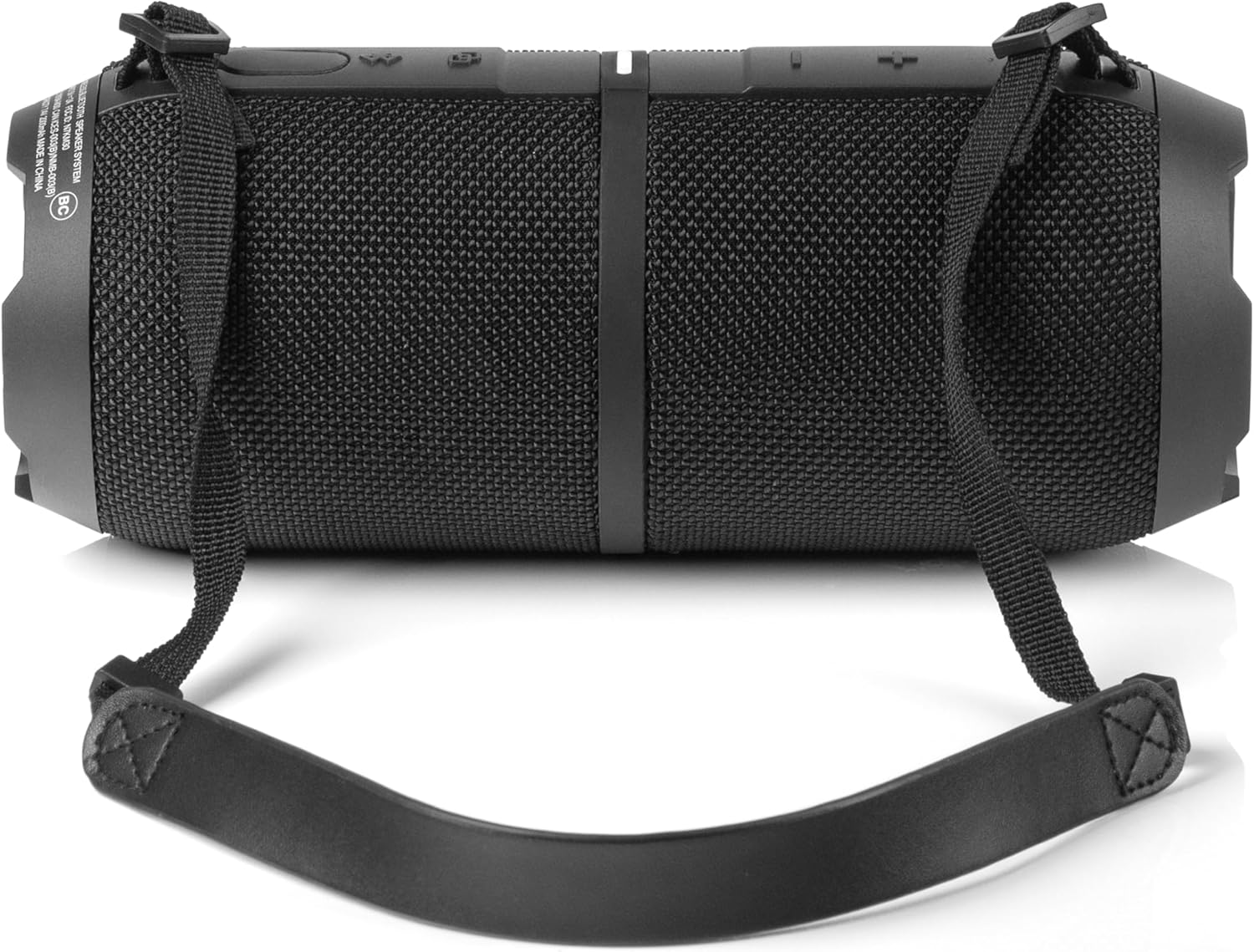
Obrázek 3.1: Přední strana view of the Sharp GX-BT390 speaker, highlighting the control panel with volume buttons, play/pause, and power indicator.

Obrázek 3.2: Zpět view of the Sharp GX-BT390 speaker, illustrating the sealed charging port and attachment points for the carrying strap.

Obrázek 3.3: Strana view of the Sharp GX-BT390 speaker, showing the textured surface and the adjustable carrying strap.

Figure 3.4: The Sharp GX-BT390 speaker with its end cap illuminated, displaying the Sharp logo and an active LED light mode.
Ovládací prvky a indikátory:
- Vypínač: Stiskněte a podržte pro zapnutí/vypnutí.
- Zvýšení hlasitosti (+): Zvyšte hlasitost.
- Snížit hlasitost (-): Snížit hlasitost.
- Tlačítko Přehrát/Pozastavit: Play or pause music, answer/end calls.
- Tlačítko párování Bluetooth: Spusťte režim párování Bluetooth.
- LED indikátor: Zobrazuje stav napájení, stav nabíjení a stav připojení Bluetooth.
- Tlačítko světelného režimu: Cycle through LED light modes.
4. Nastavení
4.1 Nabíjení reproduktoru
- Open the protective cover on the back of the speaker to access the USB-C charging port.
- Připojte dodaný kabel USB-C k nabíjecímu portu reproduktoru.
- Připojte druhý konec kabelu USB-C ke kompatibilnímu napájecímu adaptéru USB (není součástí balení).
- The LED indicator will show charging status. A full charge typically takes approximately 3-4 hours.
- Once fully charged, disconnect the cable and securely close the protective cover to maintain IP67 water and dust resistance.
4.2 Zapnutí/vypnutí
- Zapnutí: Press and hold the Power button for approximately 2 seconds until you hear an audible tone and the LED indicator illuminates.
- Vypnutí: Press and hold the Power button for approximately 2 seconds until you hear an audible tone and the LED indicator turns off.
4.3 Párování Bluetooth
- Ujistěte se, že je reproduktor zapnutý a nachází se do 1 metru od vašeho zařízení Bluetooth.
- The speaker will automatically enter Bluetooth pairing mode when first powered on, or if no device is connected. The LED indicator will flash rapidly.
- Na svém zařízení Bluetooth (chytrý telefon, tablet atd.) povolte Bluetooth a vyhledejte dostupná zařízení.
- Select "Sharp GX-BT390" from the list of devices.
- Once paired, you will hear a confirmation tone, and the LED indicator will glow solid blue.
- Pokud se párování nezdaří, vypněte reproduktor i zařízení a poté kroky zopakujte.
5. Návod k obsluze
5.1 Přehrávání hudby
- Přehrát/pozastavit: Stiskněte jednou tlačítko Přehrát/Pozastavit.
- Zvýšit hlasitost: Stiskněte tlačítko „+“.
- Snížit hlasitost: Stiskněte tlačítko „-“.
- Další skladba: Stiskněte a podržte tlačítko „+“.
- Předchozí skladba: Stiskněte a podržte tlačítko „-“.
5.2 Volání bez použití rukou
The Sharp GX-BT390 features a built-in microphone for hands-free calls when connected to your smartphone.
- Přijmout hovor: Stiskněte jednou tlačítko Přehrát/Pozastavit.
- Ukončit hovor: Během hovoru stiskněte jednou tlačítko Přehrát/Pozastavit.
- Odmítnout hovor: Stiskněte a podržte tlačítko Přehrát/Pozastavit po dobu 2 sekund.
5.3 Párování s pravým bezdrátovým stereo (TWS) systémem
You can pair two Sharp GX-BT390 speakers together for a stereo sound experience.
- Ensure both GX-BT390 speakers are powered on and not connected to any Bluetooth device.
- On one speaker (this will be the primary speaker), press and hold the Bluetooth pairing button for 3 seconds. You will hear a tone.
- Dva reproduktory se automaticky vyhledají a spojí. Po připojení uslyšíte potvrzovací tón.
- Nyní připojte zařízení Bluetooth k primárnímu reproduktoru, jak je popsáno v části 4.3.
5.4 LED světelných režimů
The speaker features two LED mood lighting effects that synchronize with the music.
- Press the Light Mode button to cycle through the available light modes.
- Press the Light Mode button again to select the next mode or turn off the lights.

Obrázek 5.1: Přesview of key features including hands-free calling, LED light effects, IP67 rating, 10-hour playtime, 30W power output, and Bluetooth connectivity.
6. Údržba
To ensure the longevity and performance of your Sharp GX-BT390 speaker, follow these maintenance guidelines:
- Čištění: Reproduktor otřete měkkým, damp tkanina. Nepoužívejte abrazivní čisticí prostředky nebo rozpouštědla.
- Odolnost proti vodě a prachu (IP67): The speaker is rated IP67, meaning it is protected from dust ingress and can withstand immersion in water up to 1 meter for 30 minutes. Ensure the charging port cover is securely closed to maintain this rating. Avoid prolonged exposure to water or extreme conditions.
- Skladování: Reproduktor skladujte na chladném a suchém místě mimo dosah přímého slunečního záření a extrémních teplot.
- Péče o baterie: To preserve battery life, charge the speaker regularly, even if not in use for extended periods. Avoid fully discharging the battery frequently.

Figure 6.1: Visual representation of the speaker's IP67 waterproof and dustproof capabilities.
7. Řešení problémů
Pokud narazíte na problémy s reproduktorem, podívejte se na následující běžné problémy a jejich řešení:
| Problém | Možná příčina | Řešení |
|---|---|---|
| Reproduktor se nezapne | Slabá baterie; Tlačítko napájení nebylo stisknuto dostatečně dlouho. | Nabijte reproduktor; Stiskněte a podržte tlačítko napájení po dobu 2 sekund |
| Žádný zvuk | Volume too low; Device not paired; Speaker muted | Increase volume on speaker and device; Re-pair Bluetooth; Check device mute settings |
| Párování Bluetooth se nezdařilo | Speaker too far from device; Device Bluetooth off; Interference | Ensure speaker is within 1 meter; Turn device Bluetooth on/off; Move away from other wireless devices |
| Špatná kvalita zvuku | Low battery; Device too far; Obstructions | Charge speaker; Move device closer; Remove obstructions between speaker and device |
| Párování TWS se nezdařilo | Speakers not in pairing mode; Already connected to another device | Ensure both speakers are disconnected from other devices; Follow TWS pairing steps carefully |
8. Specifikace
Detailed technical specifications for the Sharp GX-BT390 Bluetooth Speaker:
| Funkce | Specifikace |
|---|---|
| Název modelu | GX-BT390(K) |
| Typ reproduktoru | Venkovní, přenosný Bluetooth reproduktor |
| Technologie připojení | Bluetooth |
| Technologie bezdrátové komunikace | Bluetooth |
| Maximální výstupní výkon reproduktoru | 60 wattů (30 W RMS) |
| Režim zvukového výstupu | Stereo (s párováním TWS) |
| Speciální funkce | Zvýraznění basů, Vestavěný mikrofon, Prachotěsný, LED světlo, Lehký |
| Úroveň odolnosti proti vodě | IP67 (vodotěsný a prachotěsný) |
| Zdroj napájení | Napájení baterií (1 lithium-iontová baterie je součástí balení) |
| Životnost baterie | Až 10 hodin |
| Maximální dosah | 33 10 stop (XNUMX XNUMX metrů) |
| Kontrolní metoda | Dotyková tlačítka |
| Rozměry produktu | 4"H x 8.5"Š x 4"V (10.16 cm H x 21.59 cm Š x 10.16 cm V) |
| Hmotnost položky | 1.75 libry (28 uncí) |

Figure 8.1: Internal component diagram illustrating the speaker drivers responsible for 30-watt rich bass and powerful sound.
9. Záruka a podpora
The Sharp GX-BT390 Bluetooth Speaker comes with a Limited Warranty. Please refer to the warranty card included in your package for specific terms and conditions. For technical support or service inquiries, please contact Sharp customer service through their official webwebu nebo kontaktních informací uvedených v dokumentaci k produktu.