
Alpine INE-W970HD
Alpine INE-W970HD & PXE-C80-88 User Manual
Komplexní průvodce instalací, provozem a údržbou
1. Úvod
This manual provides detailed instructions for the installation, operation, and maintenance of your Alpine INE-W970HD Audio/Video/Navigation System and Alpine PXE-C80-88 OPTIM8 8-Channel Hi-Res DSP Ampzáchranář. Před použitím výrobku si pečlivě přečtěte tento návod k obsluze, abyste zajistili jeho správný a bezpečný provoz.
The Alpine INE-W970HD is an advanced in-dash unit compatible with Apple CarPlay and Android Auto, offering comprehensive audio, video, and navigation functionalities. The Alpine PXE-C80-88 OPTIM8 is a high-resolution digital sound processor amplifier designed to enhance your vehicle's audio system with precise sound tuning capabilities.
2. Bezpečnostní informace
Vždy dodržujte následující bezpečnostní opatření, abyste předešli zranění nebo poškození jednotky:
- Neovládejte systém způsobem, který by vás odváděl od řízení.
- Ensure proper wiring and connections to avoid electrical shorts or fire hazards.
- Pokud si nejste jisti některým krokem instalace, poraďte se s odborníkem.
- Chraňte jednotku před vlhkostí a extrémními teplotami.
3. Obsah balení
Ověřte, zda jsou v balení přítomny všechny položky:
- Alpine INE-W970HD Audio/Video/Nav System
- Alpine PXE-C80-88 OPTIM8 8-Channel Hi-Res DSP Ampdoživotní
- Kabelové svazky
- Montážní hardware
- GPS Antenna (for INE-W970HD)
- Prodlužovací kabel USB
- Uživatelské příručky (tento dokument)

Image: The Alpine INE-W970HD head unit and the Alpine PXE-C80-88 DSP amplifier, showing both main components of the bundle.
4. Nastavení a instalace
Professional installation is highly recommended for these components. Incorrect wiring can cause damage to the units or your vehicle's electrical system.
4.1. INE-W970HD Installation
The INE-W970HD is designed for in-dash mounting. Ensure adequate space and proper ventilation.
- Příprava: Před zahájením jakýchkoli elektrických prací odpojte záporný pól baterie vozidla.
- Montáž: Securely mount the INE-W970HD into the vehicle's double-DIN opening using the provided mounting brackets.
- Zapojení: Connect the main power harness, speaker wires, and other input/output cables (RCA, USB, HDMI, GPS antenna) as per the wiring diagram provided in the separate installation guide.
- Připojení antény: Connect the GPS antenna and radio antenna. Position the GPS antenna in a location with a clear view z nebe.

Image: The Alpine INE-W970HD head unit displaying the Apple CarPlay interface, showing various app icons.
4.2. PXE-C80-88 OPTIM8 Installation
The PXE-C80-88 OPTIM8 should be mounted in a dry, well-ventilated area, such as under a seat or in the trunk.
- Místo montáže: Choose a location that is protected from moisture and excessive heat, and allows for proper cable routing.
- Připojení napájení: Connect the power and ground wires directly to the vehicle's battery, ensuring proper fusing.
- Vstupní připojení: Connect the audio input signals from the INE-W970HD (or other source) to the PXE-C80-88. This can be done via RCA or speaker-level inputs.
- Výstupní připojení: Connect the speaker outputs from the PXE-C80-88 to your vehicle's speakers.

Obrázek: Podrobný view of the Alpine PXE-C80-88 OPTIM8 DSP amplifier, highlighting its compact design and connection ports.
5. Návod k obsluze
5.1. INE-W970HD Basic Operation
- Zapnutí/vypnutí: Stiskněte a podržte tlačítko napájení (obvykle umístěné na předním panelu) pro zapnutí nebo vypnutí zařízení.
- Ovládání hlasitosti: Use the rotary encoder or on-screen controls to adjust the volume.
- Výběr zdroje: Tap the "Source" icon on the touchscreen or use the physical buttons to select between Radio, USB, Bluetooth Audio, HDMI, Apple CarPlay, Android Auto, and other inputs.
- Navigace: Access the built-in navigation system by tapping the "NAV" button. Enter destinations, view maps, and follow turn-by-turn directions.
- Apple CarPlay / Android Auto: Connect your compatible smartphone via USB. The system will automatically launch the respective interface, allowing access to phone functions, messaging, music, and navigation apps.

Image: The Alpine INE-W970HD head unit displaying the Android Auto interface, showing various app icons like Maps, Spotify, and YouTube Music.
5.2. PXE-C80-88 OPTIM8 Sound Tuning
The OPTIM8 offers advanced sound tuning capabilities. It can be configured via a PC application or an iOS app.
- Připojení aplikace: Connect your PC or iOS device to the PXE-C80-88 via USB or Bluetooth (if applicable).
- Automatické ladění: Utilize the "5 Minute Self-Tuning" feature for quick and optimized sound calibration. This process uses a microphone (sold separately) to analyze your vehicle's acoustics.
- Ruční ladění: For advanced users, the PC App provides comprehensive control over equalization, crossovers, time correction, and level adjustments for each of the 8 channels.
- Správa předvoleb: Save and recall custom sound presets for different music genres or listening preferences.

Obrázek: Pohled shora dolů view of the Alpine PXE-C80-88 OPTIM8 DSP ampoživitel, showcasing its sleek design and central branding.
6. Údržba
Pravidelná údržba zajišťuje dlouhou životnost a optimální výkon vašeho systému Alpine.
- Čištění displeje: K otření dotykové obrazovky použijte měkký, suchý hadřík. V případě odolných šmouh lehceampOtřete hadřík vodou nebo čističem obrazovek určeným pro elektroniku. Nepoužívejte abrazivní čisticí prostředky.
- Aktualizace softwaru: Pravidelně kontrolujte Alpine website for firmware updates for both the INE-W970HD and PXE-C80-88. Updates can improve performance, add features, and fix bugs.
- Připojení kabelů: Občas zkontrolujte všechna kabelová připojení, abyste se ujistili, že jsou bezpečná a bez koroze.
- Větrání: Ensure that the PXE-C80-88's ventilation fins are not obstructed to prevent overheating.
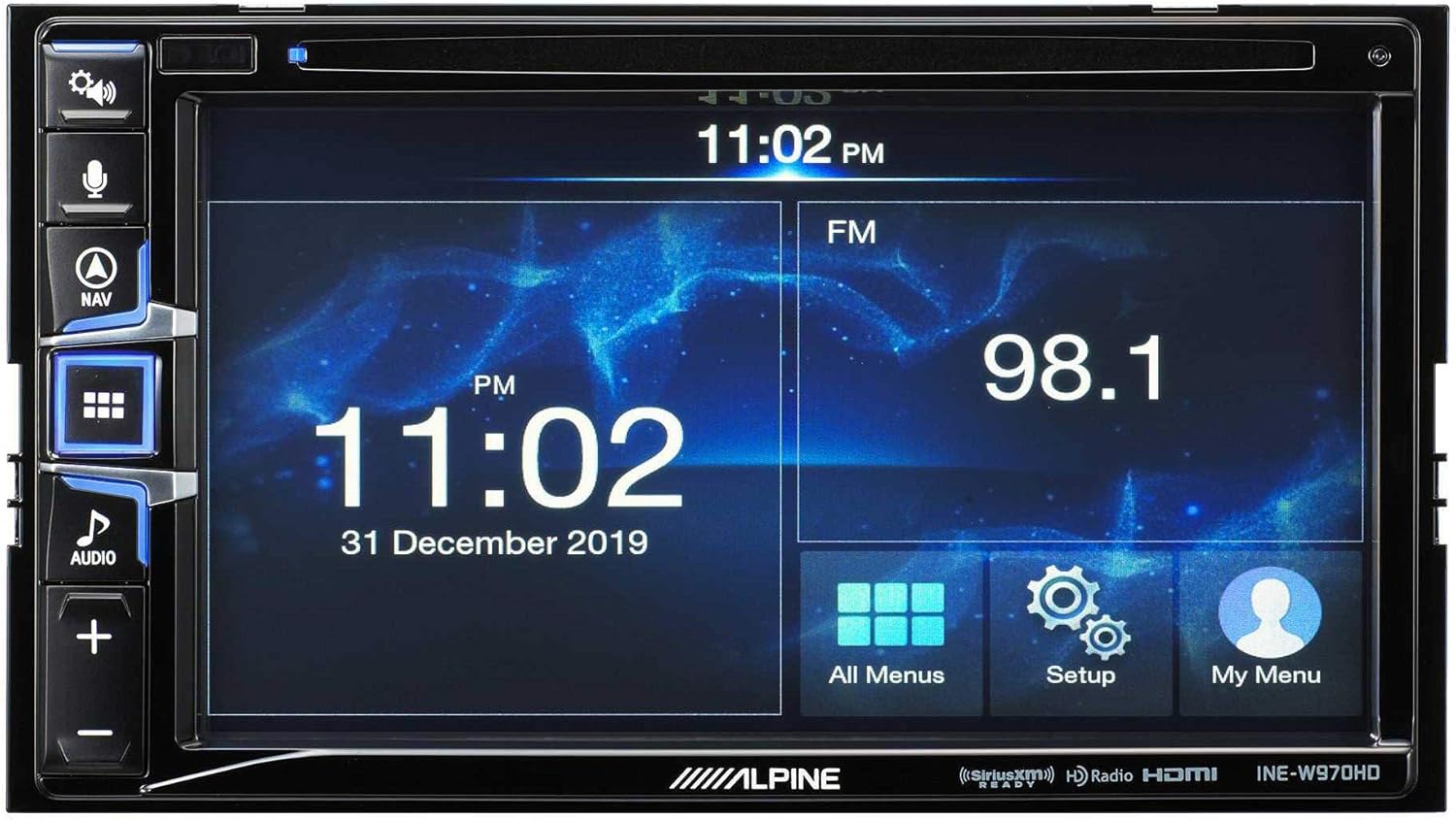
Image: The Alpine INE-W970HD head unit displaying the radio interface, showing frequency and time information.
7. Řešení problémů
Pokud narazíte na problémy, podívejte se na následující běžné problémy a jejich řešení:
| Problém | Možná příčina | Řešení |
|---|---|---|
| Žádná síla | Blown fuse, loose power connection. | Check vehicle fuses and unit's inline fuse. Verify power and ground connections. |
| Žádný zvuk | Muted, incorrect source, loose speaker wires, DSP not configured. | Check mute function. Select correct audio source. Verify speaker connections. Ensure PXE-C80-88 is properly configured via its app. |
| Navigation Not Working | GPS antenna not connected or obstructed. | Ujistěte se, že je anténa GPS bezpečně připojena a má volný signál. view z nebe. |
| CarPlay/Android Auto se nepřipojuje | Faulty USB cable, phone not compatible, software glitch. | Try a different USB cable. Ensure your phone's OS is up to date. Restart both phone and head unit. |

Image: The Alpine INE-W970HD head unit displaying a navigation map with route information.
8. Specifikace
8.1. Alpine INE-W970HD
- Zobrazit: Dotyková obrazovka
- Konektivita: USB, HDMI, Ethernet, optical audio, component video, RCA
- Kompatibilita: Apple CarPlay, Android Auto
- Režim výstupu zvuku: Stereo, prostorový zvuk
- Konfigurace kanálu prostorového zvuku: 7.1
- Kódování videa: H.264, H.265/HEVC
8.2. Alpine PXE-C80-88 OPTIM8
- Amplifier kanály: 8-kanál
- Výkon: 50W x 6 @ 2Ω + 300W x 2 @ 2Ω
- Zpracování: Hi-Res Digital Sound Processor (96kHz/24Bit)
- tuning: Automatic (5-minute self-tuning) & Manual via PC/iOS App

Obrázek: Strana view of the Alpine PXE-C80-88 OPTIM8 DSP amplifier, showing its compact profile a spojovací body.
9. Informace o záruce
Alpine products are covered by a limited warranty. Please refer to the warranty card included with your product or visit the official Alpine website for detailed terms and conditions. Typically, the warranty covers defects in materials and workmanship for a specified period from the date of purchase.
Uschovejte si doklad o koupi (účtenku), bude potřebný pro případné reklamace.
10. Zákaznická podpora
Pro technickou pomoc, řešení problémů nad rámec této příručky nebo dotazy týkající se záruky kontaktujte zákaznickou podporu Alpine:
- Webmísto: Návštěva www.alpine-usa.com/support pro časté dotazy, soubory ke stažení softwaru a kontaktní informace.
- Telefon: Viz Alpine webweb s nejaktuálnějšími telefonními čísly zákaznického servisu.
- Autorizovaní prodejci: Your authorized Alpine dealer can also provide support and service.
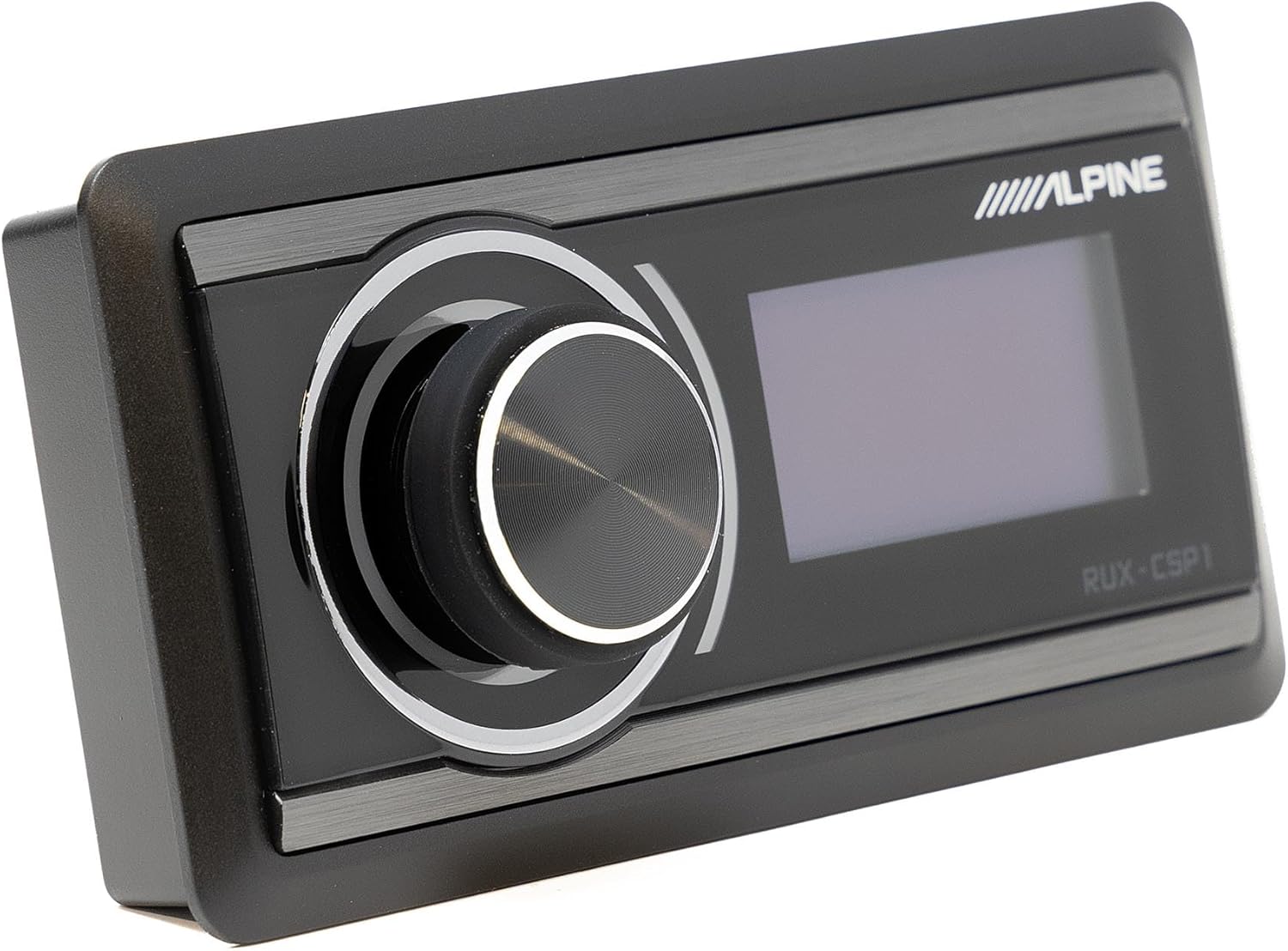
Image: The Alpine RUX-CSP1 remote control, an optional accessory for the DSP, featuring a rotary knob and display.
Ask a question about this manual
Ask about setup, troubleshooting, compatibility, parts, safety, or missing instructions. Manuals+ will review the question and use this page’s manual context to help answer it.