
1. Úvod
This manual provides essential information for the safe and efficient operation of your Walfront 4KW 5.5KW Variable Frequency Drive (VFD). This device is designed to control the speed of motors in various industrial applications, offering precise and reliable performance. Please read this manual thoroughly before installation, operation, or maintenance.
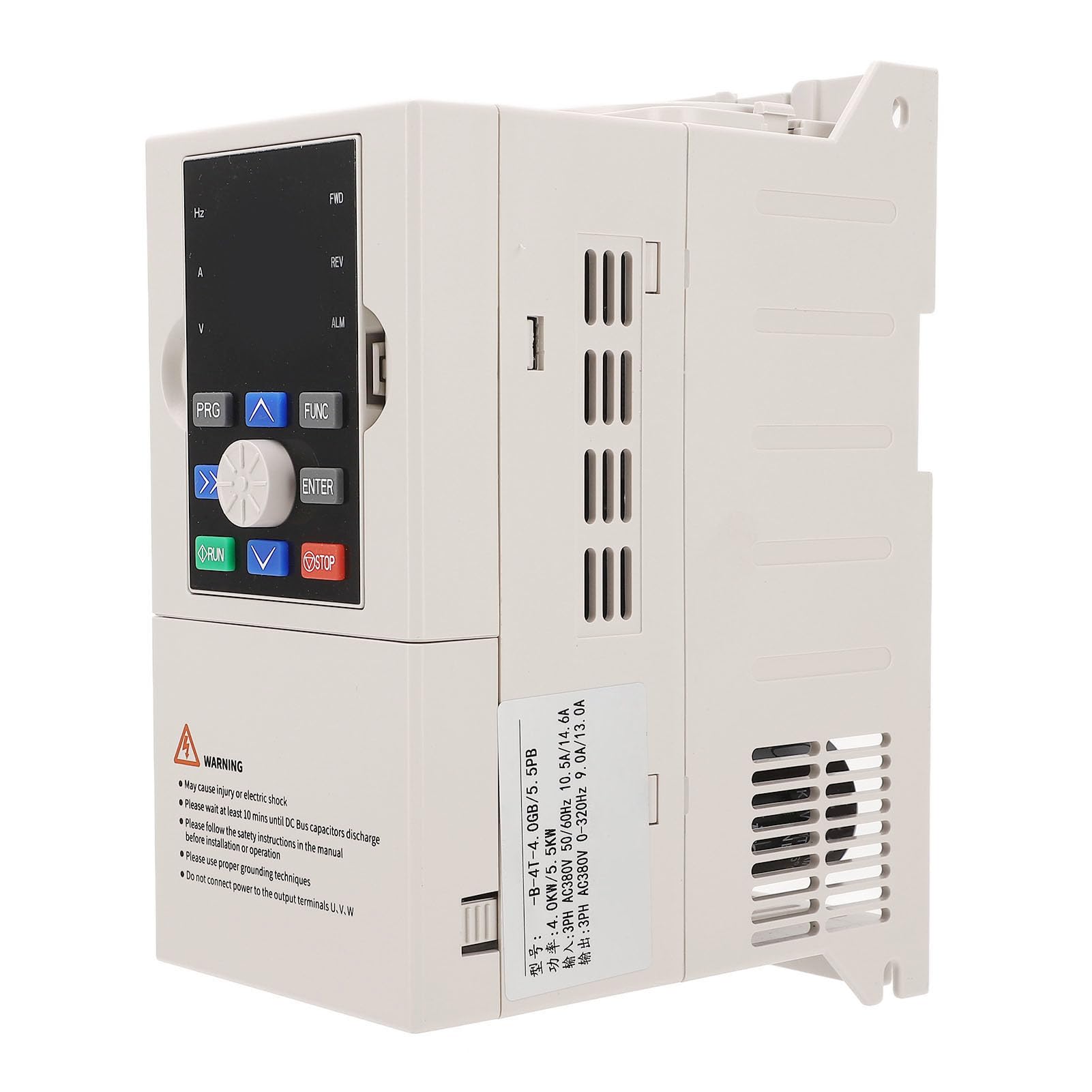
Figure 1: Walfront Variable Frequency Drive (VFD) with visible control panel and warning label.
2. Bezpečnostní informace
WARNING: Improper installation or operation may cause injury or electric shock.
- Always ensure the power supply is disconnected before any installation, wiring, or maintenance procedures.
- Wait at least 10 minutes after disconnecting power until the DC Bus capacitors have fully discharged. Verify with a multimeter before touching any components.
- Strictly follow all safety instructions provided in this manual and any local electrical codes.
- Use proper grounding techniques as specified in the installation section to prevent electric shock.
- Do not connect the main power supply to the output terminals (U, V, W). These terminals are for motor connection only.
- Instalaci a údržbu by měl provádět pouze kvalifikovaný personál.

Obrázek 2: Vnitřní view of the VFD showing terminal connections and a prominent warning label regarding electrical safety.
3. Konec produktuview
The Walfront VFD is a robust and versatile device designed for precise motor speed control. Key features include:
- Efektivní chlazení: Equipped with a large heat sink and a low-noise fan for effective heat dissipation.
- Inteligentní digitální displej: Provides clear and intuitive monitoring and control.
- User-Friendly Keyboard: Features a logical layout for convenient operation.
- Snadné dálkové ovládání: Detachable design allows for flexible remote operation.
- Široká aplikace: Suitable for various industrial uses such as CNC routers, milling machines, drilling machines, and wing spreaders.
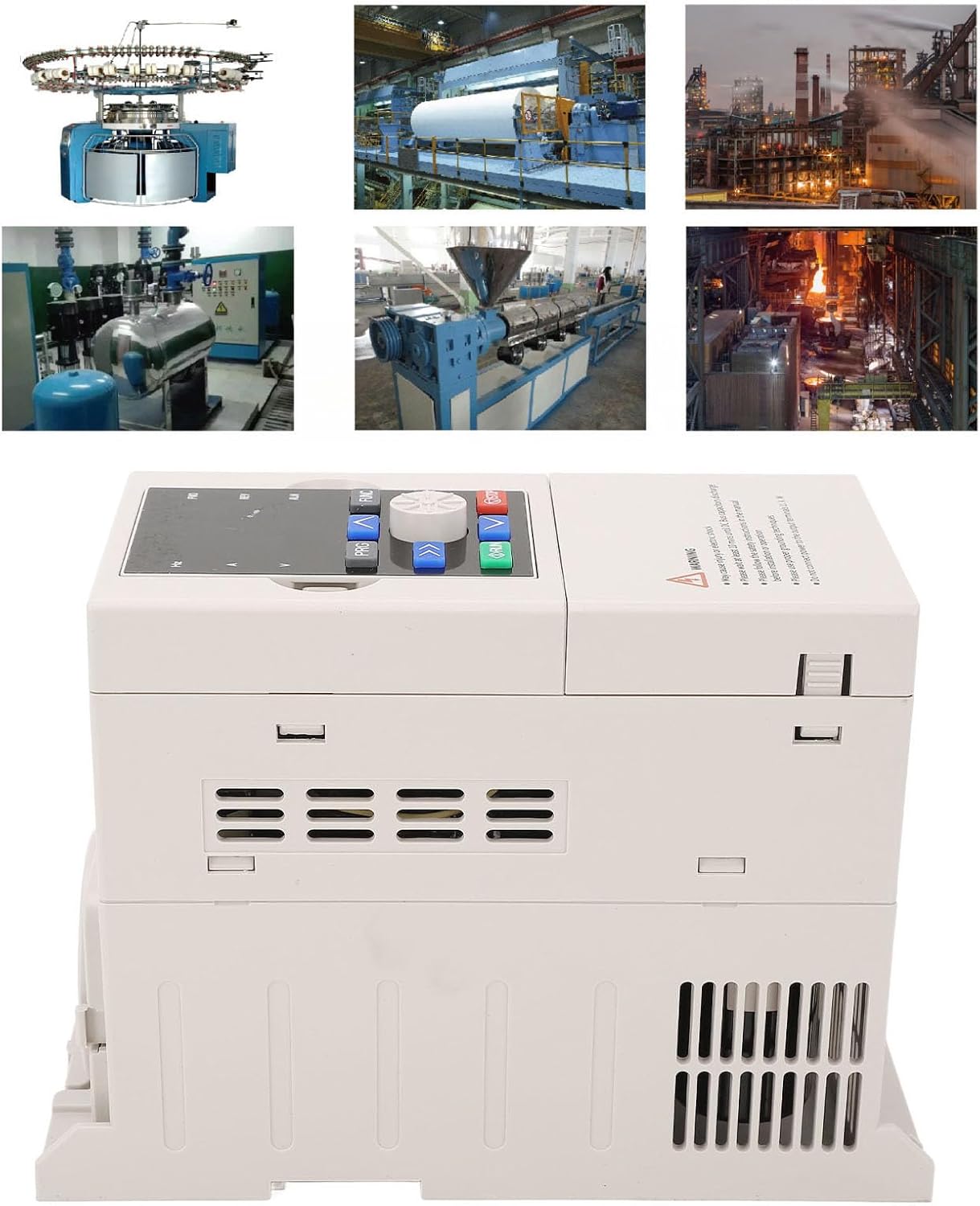
Figure 3: The VFD shown in context with examples of its wide range of industrial applications.
4. Nastavení a instalace
Careful installation is crucial for the proper functioning and longevity of the VFD. Ensure all safety precautions are followed.
4.1 Vybalení a kontrola
Upon receiving the product, carefully unpack it and inspect for any signs of damage during transit. Report any damage to your supplier immediately.
4.2 Montáž
Mount the VFD in a location that meets the environmental requirements specified in Section 7. Ensure adequate space for ventilation and access to terminals.
4.3 Zapojení
Connect the input power supply (AC380V, 50/60Hz) to the designated input terminals. Connect the motor to the output terminals U, V, W. Ensure all connections are secure and correctly polarized. Refer to the wiring diagram in the full product manual for detailed instructions.
4.4 Uzemnění
Proper grounding is essential for safety and to minimize electromagnetic interference. Connect the VFD to a reliable earth ground using a dedicated grounding terminal. Ensure the grounding wire is of appropriate gauge and securely fastened.
5. Návod k obsluze
The VFD features an intuitive control panel for easy operation.
5.1 Ovládací panel Overview
The control panel includes a digital display, function buttons (PRG, FUNC), navigation buttons (up, down, left, right, ENTER), and RUN/STOP buttons.

Obrázek 4: Detailní view of the VFD's user-friendly control panel.
5.2 Základní obsluha
- Zapnutí: Ensure all connections are correct and secure, then apply power to the VFD. The digital display will illuminate.
- Nastavení parametrů: Use the PRG (Program) button to enter the parameter setting mode. Navigate through parameters using the up/down arrows and adjust values using the left/right arrows. Press ENTER to confirm changes.
- Spouštěcí motor: Stiskněte tlačítko BĚH tlačítko pro spuštění motoru.
- Zastavení motoru: Stiskněte tlačítko ZASTÁVKA tlačítko pro zastavení motoru.
- Nastavení frekvence: Adjust the output frequency (motor speed) using the designated frequency adjustment controls on the panel or via remote input.
5.3 Pokročilé funkce
The VFD supports several advanced functions:
- Vícerychlostní ovládání: Features 16 programmable multi-speed control options.
- Swing Frequency: Allows for preset frequency, adjustable center frequency, and state memory with recovery after power outage.
- PID regulace: Built-in PID controller for process control applications.
- RS485 Komunikace: Standard RS485 communication function with multiple protocol options for linkage synchronization control.
5.4 Dálkové ovládání
The detachable design of the control panel facilitates convenient remote control operation. Refer to the full manual for instructions on connecting and configuring remote control interfaces.
6. Údržba
Pravidelná údržba zajišťuje optimální výkon a prodlužuje životnost vašeho frekvenčního měniče.
6.1 Chladicí systém
The VFD utilizes a large heat sink and a fan for cooling. Periodically inspect the fan and cooling vents for dust accumulation. Clean as necessary to ensure unobstructed airflow. A clogged cooling system can lead to overheating and reduced performance.
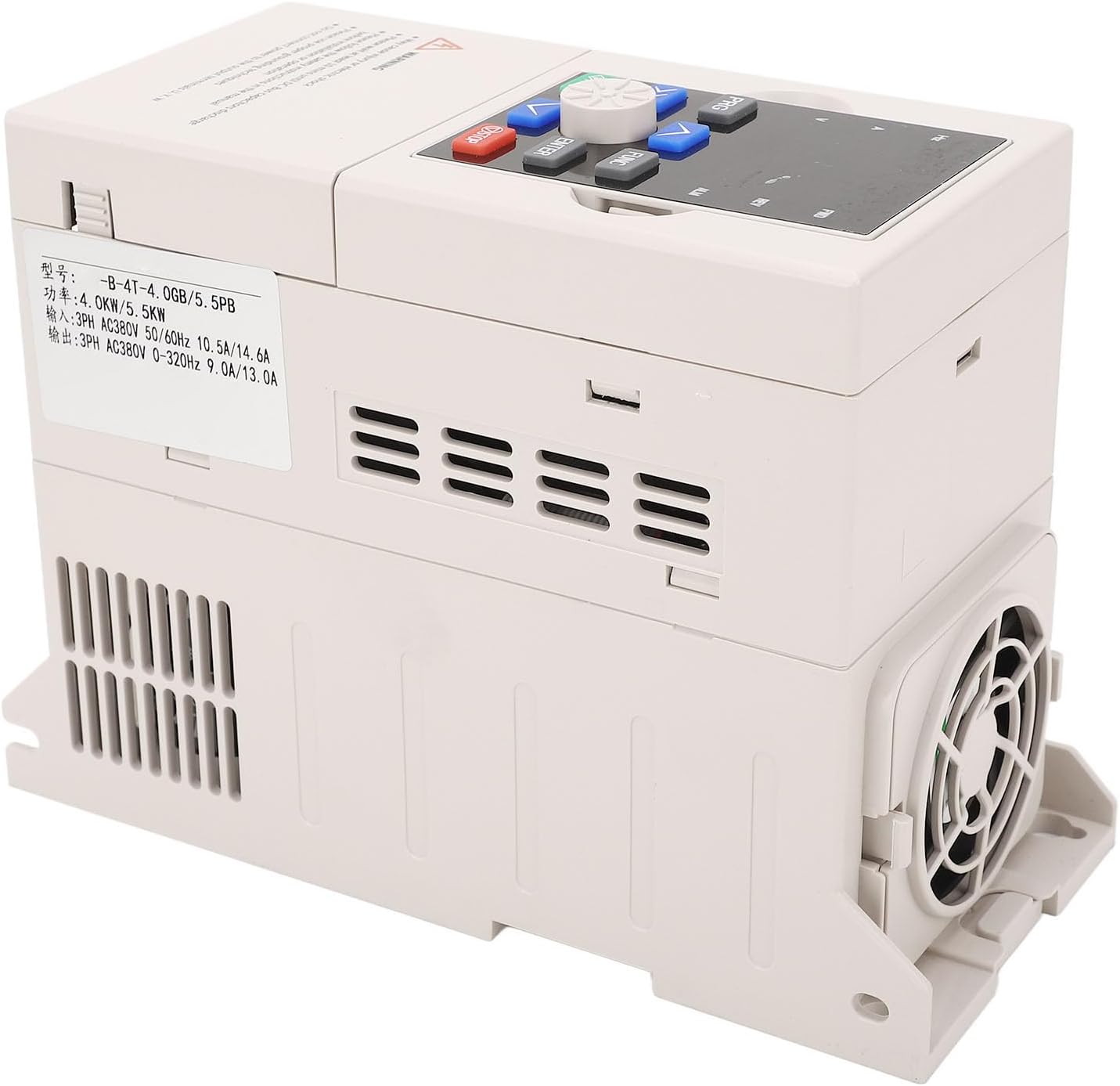
Obrázek 5: Strana view of the VFD highlighting the cooling fan and ventilation grilles.
6.2 Podmínky prostředí
Ensure the VFD operates within the specified environmental conditions to prevent damage. Avoid exposure to direct sunlight, excessive dust, flammable gases, oil mist, and corrosive substances. Maintain ambient temperature and humidity within the recommended ranges.
6.3 Připojení terminálu
Periodically check all terminal connections for tightness. Loose connections can cause intermittent operation or damage.
7. Specifikace
Detailed technical specifications for the Walfront Variable Frequency Drive:
| Parametr | Specifikace |
|---|---|
| Typ položky | Pohon s proměnnou frekvencí |
| Materiál | Aluminum alloy, PC flame retardant |
| Model | JLS B 4T 4.0GB 5.5PB |
| Vstupní objemtage | AC380V 50 / 60Hz |
| Výstupní objemtage | AC380V 0-320Hz |
| Input Current (4.0KW) | 10.5A |
| Input Current (5.5KW) | 14.6A |
| Výstupní proud (4.0 kW) | 9.0A |
| Výstupní proud (5.5 kW) | 13.0A |
| Adaptive Motor Power | 4.0 kW / 5.5 kW |
| Okolní teplota | -10℃ to +40℃ (derating for 40℃ to 50℃) |
| Surrounding Humidity | 5% až 95% RH, žádná kondenzace |
| Okolní prostředí | Indoor (without direct sunlight, dust, flammable gases, oil mist, stain) |
| Nadmořská výška | Derated for use above 1000 meters (10% derating per 1000m increase) |
| Stupeň | IP20 |
| Způsob chlazení | Air cooled, with fan control |
| Rozměry balení | 10.24 x 8.27 x 5.91 palce |
| Hmotnost položky | 3.34 libry |

Figure 6: Product label showing model number and key electrical specifications.
8. Řešení problémů
This section provides general guidance for common issues. For specific error codes or complex problems, refer to the comprehensive troubleshooting guide in the full product manual.
- Bez napájení: Check input power connections, circuit breakers, and fuses. Ensure the VFD is correctly wired.
- Motor neběží: Verify motor connections, check VFD parameters (e.g., frequency setting, run command), and ensure no fault codes are displayed.
- Přehřívání: Inspect cooling fan operation and ensure vents are clear. Check ambient temperature and VFD load.
- Abnormální hluk: Check motor and VFD mounting for vibrations. Verify motor parameters and load.
If you encounter persistent issues, contact Walfront customer support or a qualified technician.
9. Záruka a podpora
For warranty information, technical support, or service inquiries, please refer to the documentation included with your purchase or contact Walfront customer service directly. Ensure you have your product model number (JLS B 4T 4.0GB 5.5PB) and purchase details available when seeking support.