
Inwa MZ633
Inwa MZ633 Bluetooth Audio Stereo Amplifier Uživatelská příručka
Model: MZ633
1. Úvod
The Inwa MZ633 is a compact yet powerful 2.0 channel Hi-Fi stereo amplifier designed to enhance your home audio experience. It features multiple input options including HDMI (ARC), Optical, Coaxial, USB, RCA, and Bluetooth 5.3, allowing connection to various audio sources. With 100W RMS per channel at 4 ohms, it delivers clear and high-quality sound to passive speakers. The amplifier also includes bass and treble controls, a digital LED display, and a remote control for convenient operation.
2. Obsah balení
- Inwa MZ633 Stereo AmpLifikační jednotka
- Dálkový ovladač
- Napájecí adaptér
- Anténa Bluetooth
- Uživatelská příručka
3. Konec produktuview
3.1 Přední panel
The front panel features the digital display, bass and treble control knobs, and a multi-function volume/mode/on-off knob.

Obraz: Přední a zadní panel Overview. This image displays the front panel with its digital display, bass, treble, and volume/mode/on-off controls, and the rear panel with all input and output ports.
- Digitální displej: Shows current input mode and volume level.
- Ovladač basů: Upravuje nízkofrekvenční zvukový výstup.
- Knoflík pro ovládání výšek: Upravuje vysokofrekvenční zvukový výstup.
- Volume/Mode/On-Off Knob: Rotates to adjust volume. Short press to cycle through input modes. Long press to power on/off.
3.2 Zadní panel
The rear panel provides all connection ports for audio input, speaker output, and power.

Obraz: Detailní view z amplifier's rear panel, highlighting the Bluetooth antenna port, HDMI (ARC), USB, Optical, Coaxial, RCA (Audio Input), DC IN, Speaker Output terminals, and Power Switch.
- Anténa BT: Connect the included Bluetooth antenna for optimal wireless reception.
- Vstup HDMI (ARC): Connect to a TV's HDMI ARC port for audio return channel functionality.
- Vstup USB: Connect a USB drive for audio playback.
- Optický vstup: Connect to devices with optical digital audio output.
- Koaxiální vstup: Connect to devices with coaxial digital audio output.
- RCA (Audio Input): Connect to analog audio sources using RCA cables.
- DC IN: Připojte napájecí adaptér.
- Speaker Output (L+/L-, R+/R-): Connect passive speakers using speaker wire.
- Vypínač: Main power toggle for the ampživější.
4. Pokyny k nastavení
Follow these steps to set up your Inwa MZ633 ampživější:
- Připojení reproduktorů: Connect your passive speakers to the Speaker Output terminals on the rear panel. Ensure correct polarity (positive to positive, negative to negative).
- Connect Bluetooth Antenna: Screw the Bluetooth antenna into the "BT Ant" port on the rear panel.
- Připojení zdroje zvuku: Choose your desired audio input method (HDMI ARC, USB, Optical, Coaxial, or RCA) and connect the corresponding cable from your audio source device to the ampzadní panel záchranáře.

Obraz: Connection diagram illustrating how to connect various audio sources (TV, phone, tablet, PC, laptop, projector) via Bluetooth, HDMI (ARC), Optical, Coaxial, AUX (RCA), and USB to the amplifier, and then to dual-channel speakers.
- Připojte napájení: Connect the power adapter to the "DC IN" port on the rear panel, then plug the adapter into a power outlet.
- Zapnutí: Flip the main Power Switch on the rear panel to the "ON" position. The amplifier přejde do pohotovostního režimu.
For a visual guide on connecting inputs and operating the amplifier, please refer to the video below:
Video: This video demonstrates the physical connection of various audio inputs (HDMI ARC, USB, Optical, RCA) and speaker outputs to the Inwa MZ633 amplifier. It also shows how to power on the device, switch between different input modes (Bluetooth, USB, AUX, Optical, Coaxial, ARC) using the remote or front knob, and adjust volume. The video concludes by demonstrating how to enter standby mode and power off the ampživější.
5. Návod k obsluze
5.1 Zapnutí/vypnutí a pohotovostní režim
- Chcete-li zapnout amplifier from standby, short press the Power button on the remote control or the Volume/Mode/On-Off knob on the front panel.
- To enter standby mode, short press the Power button on the remote control or the Volume/Mode/On-Off knob on the front panel while the unit is active.
- To completely power off the amplifier, flip the main Power Switch on the rear panel to the "OFF" position.
5.2 Výběr vstupního režimu
You can switch between input modes using the remote control or the front panel knob.
- Používání dálkového ovládání: Press the "Mode" button on the remote to cycle through available inputs (Bluetooth, USB, Optical, Coaxial, HDMI ARC, RCA).
- Using Front Panel Knob: Short press the Volume/Mode/On-Off knob to cycle through input modes.
5.3 Ovládání hlasitosti
- Používání dálkového ovládání: Použijte tlačítka pro zvýšení hlasitosti (+) a snížení hlasitosti (-).
- Using Front Panel Knob: Rotate the Volume/Mode/On-Off knob clockwise to increase volume, counter-clockwise to decrease volume.
5.4 Nastavení basů a výšek
Adjust the bass and treble levels to customize your audio output.
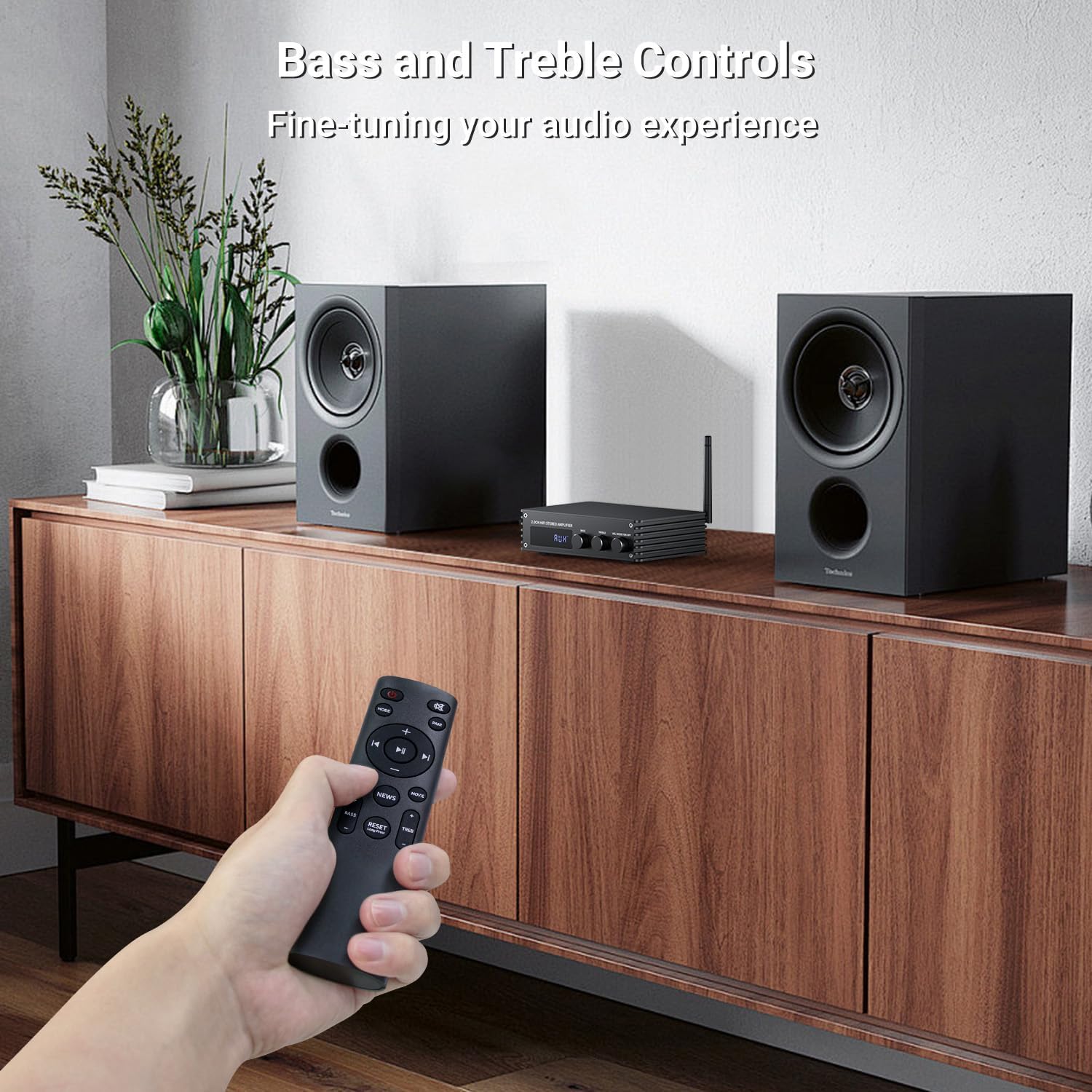
Obraz: A hand holding the remote control, pointing towards the amplifier. The image highlights the bass and treble control knobs on the amplifier's front panel, indicating fine-tuning capabilities.
- Ovladač basů: Rotate to increase or decrease bass frequencies.
- Knoflík pro ovládání výšek: Rotate to increase or decrease treble frequencies.
5.5 Výběr zvukového režimu
The amplifier offers three distinct sound modes to optimize your listening experience:
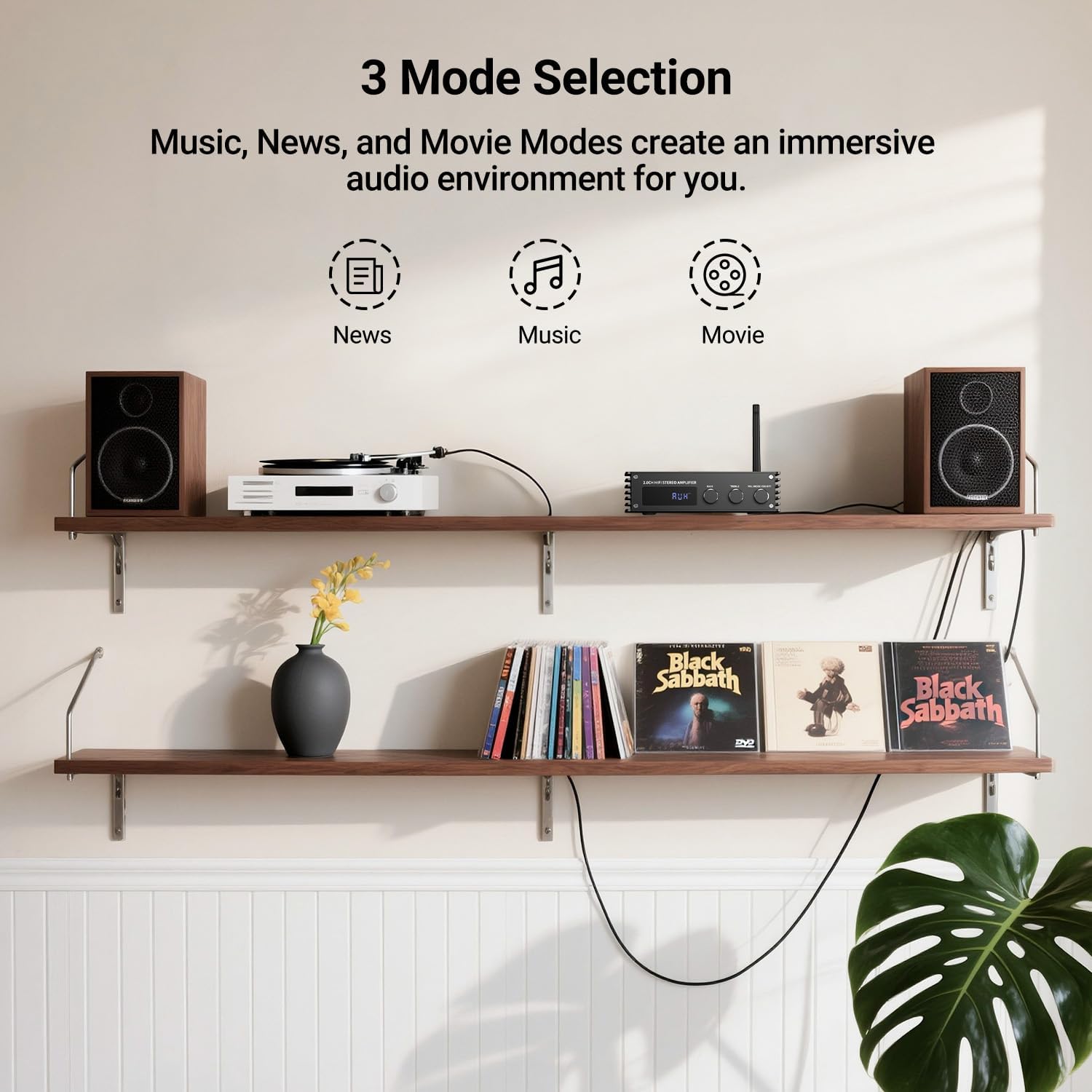
Obraz: Visual representation of the three sound modes: News, Music, and Movie. Each mode has an icon and a brief description of its audio characteristics, such as enhancing vocals for News, providing high-quality sound for Music, and offering 3D surround for Movie mode.
- Režim zpráv: Enhances vocal clarity for spoken content.
- Hudební režim: Provides a balanced, high-quality sound for general music listening.
- Režim filmu: Offers a 3D surround effect for an immersive cinematic experience.
- Pro přepínání mezi těmito režimy použijte vyhrazená tlačítka na dálkovém ovladači.
6. Párování Bluetooth
To connect your Bluetooth device to the Inwa MZ633 ampživější:
- Ensure the Bluetooth antenna is securely connected to the ampživější.
- Přepněte amplifier to Bluetooth input mode (BT) using the remote or front knob. The digital display will show "BT".
- Na svém mobilním zařízení (telefonu, tabletu atd.) povolte Bluetooth a vyhledejte dostupná zařízení.
- Select "Inwa MZ633" from the list of devices.
- Po spárování bude amplifier will indicate a successful connection, and you can begin streaming audio.
- The Bluetooth 5.3 technology ensures stable connectivity up to 50ft/15m.
7. Specifikace
| Funkce | Detail |
|---|---|
| Výstupní výkon | 100W RMS x 2 (at 4 ohms) |
| Kanály | 2.0 kanál |
| Verze Bluetooth | 5.3 |
| Dosah Bluetooth | Až 50 stop / 15 m |
| Vstupy | HDMI (ARC), USB, Optical, Coaxial, RCA, Bluetooth |
| Ovládání zvuku | Bass, Treble, Volume, 3 Sound Modes (News, Music, Movie) |
| Zobrazit | Digitální LED displej |
| Rozměry | 4.8 x 7.08 x 1.85 palce |
| Hmotnost položky | 2.2 libry |
| Číslo modelu | MZ633 |
| Výrobce | Inwa |
8. Řešení problémů
If you encounter issues with your Inwa MZ633 ampzáchranář, podívejte se prosím na následující běžná řešení:
- Bez napájení:
- Ujistěte se, že je napájecí adaptér bezpečně připojen k oběma ampzáchranář a funkční elektrickou zásuvku.
- Check that the main Power Switch on the rear panel is in the "ON" position.
- Ověřte funkčnost elektrické zásuvky zapojením jiného zařízení.
- Žádný zvuk:
- Confirm that the speakers are correctly connected to the amplifier's output terminals with proper polarity.
- Check that the correct input mode is selected on the amplifier (e.g., "BT" for Bluetooth, "ARC" for HDMI ARC).
- Zvyšte hlasitost na obou amplifier a vaše zařízení, které je zdrojem zvuku.
- Ensure audio cables (HDMI, Optical, Coaxial, RCA) are securely connected and not damaged.
- If using HDMI ARC, ensure your TV's ARC function is enabled and the amplifier is selected as the audio output device in your TV settings.
- If using Bluetooth, ensure the device is successfully paired and not connected to another ampživější.
- Zkreslený zvuk:
- Snižte hlasitost na obou amplifier and the audio source to prevent clipping.
- Zkontrolujte připojení reproduktorů, zda nejsou uvolněné vodiče nebo zda není polarita nesprávná.
- Ujistěte se, že zdroj zvuku poskytuje čistý signál.
- Adjust bass and treble controls to a neutral position or to your preference.
- Problémy s připojením Bluetooth:
- Zajistěte ampZařízení Liferier je v režimu Bluetooth.
- Přesuňte zařízení Bluetooth blíže k amplifier pro zlepšení síly signálu.
- Disconnect and re-pair the device.
- Ujistěte se, že k němu nejsou aktivně připojena žádná jiná zařízení. ampzvlhčovač přes Bluetooth.
- Zkuste restartovat oba amplifier a vaše zařízení Bluetooth.
9. Údržba
To ensure the longevity and optimal performance of your Inwa MZ633 ampzáchranáře, dodržujte tyto pokyny pro údržbu:
- Čištění: K čištění vnějších částí používejte měkký, suchý hadřík ampNepoužívejte tekuté čisticí prostředky, aerosoly ani abrazivní materiály, protože by mohly poškodit povrchovou úpravu nebo vnitřní součásti.
- Větrání: Zajistěte amplifier is placed in a well-ventilated area. Do not block the ventilation openings, as this can lead to overheating.
- Umístění: Umístěte ampUmístěte zařízení na stabilní, rovný povrch mimo dosah přímého slunečního záření, zdrojů tepla a vlhkosti.
- Vypnutí, když se nepoužívá: Pokud amplifier will not be used for an extended period, power it off using the rear switch and unplug it from the power outlet.
- Správa kabelů: Udržujte všechny kabely úhledně uspořádané a bez zauzlení nebo nadměrného napětí, abyste předešli poškození.
10. Záruka a podpora
Inwa products are designed for reliability and performance. For warranty information, technical support, or service inquiries, please refer to the warranty card included with your product or visit the official Inwa webUschovejte si účtenku jako doklad o koupi pro případ reklamace.
Výrobce: Inwa
Ask a question about this manual
Ask about setup, troubleshooting, compatibility, parts, safety, or missing instructions. Manuals+ will review the question and use this page’s manual context to help answer it.