
Zavedení
This manual provides essential information for the safe and efficient operation of your Genmitsu 4040 Reno CNC Router. It covers assembly, basic operation, maintenance, and troubleshooting. Please read this manual thoroughly before using the machine to ensure proper functionality and safety.
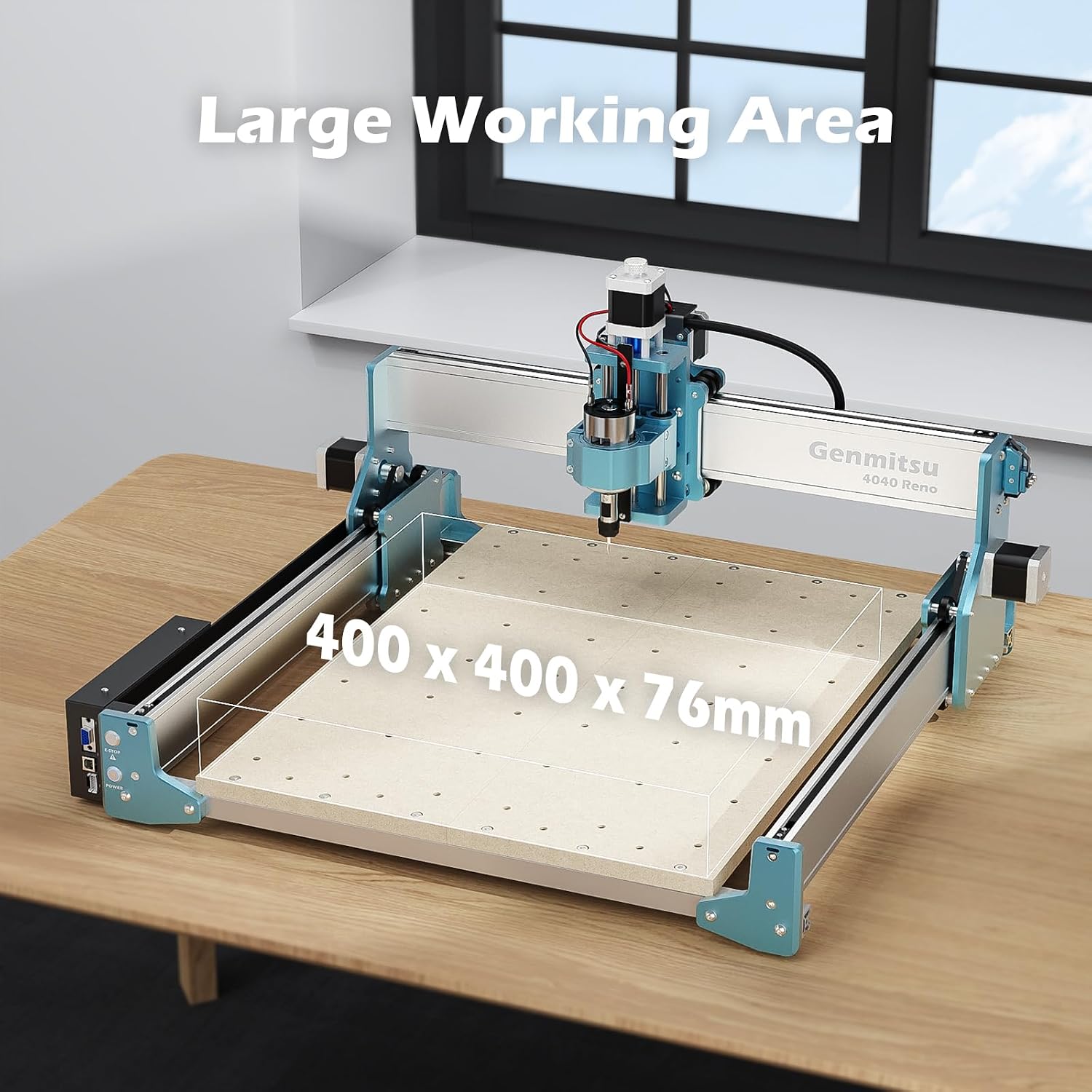
Image: The Genmitsu 4040 Reno CNC Router showcasing its large working area of 400 x 400 x 76mm, suitable for various projects.
Bezpečnostní informace
Always prioritize safety when operating the CNC router. Failure to follow safety guidelines can result in injury or damage to the machine.
- Ochrana očí: Always wear safety glasses to protect against flying debris.
- Ochrana sluchu: Use ear protection during operation, especially during prolonged use.
- Respirátor: Wear a dust mask to avoid inhaling fine particles generated during carving.
- Zajištění obrobku: Ensure the material is firmly clamped to the workbed to prevent movement during cutting.
- Vyčistit pracovní prostor: Keep the area around the machine clear of obstructions and flammable materials.
- Nouzové zastavení: Seznamte se s umístěním a obsluhou tlačítka nouzového zastavení.
- Odpojte, když se nepoužívá: Disconnect power before performing any maintenance, adjustments, or when the machine is not in use.
Obsah balení
Verify that all components are present upon unboxing. The Genmitsu 4040 Reno CNC Router typically includes the main machine frame, spindle motor, control board, power supply, various cables, and a set of basic tools and bits for initial use. Refer to the packing list provided in your box for a detailed inventory.

Image: An exploded diagram showing the modular components of the Genmitsu 4040 Reno, emphasizing its all-aluminum construction and ease of assembly.
Pokyny pro nastavení
Follow these steps for the initial assembly and setup of your Genmitsu 4040 Reno CNC Router.
1. Montáž
Assemble the main frame components according to the included assembly guide. Ensure all screws are tightened securely. The modular design facilitates straightforward construction.
2. Připojení vodičů
Connect all motor cables, limit switches, and the spindle motor to the control board. Ensure correct polarity and secure connections to prevent electrical issues.
Video: An instructional video demonstrating the wiring connections for a Genmitsu CNC machine, including the spindle and limit switches.
3. Instalace softwaru
Install the necessary control software (e.g., Candle, GRBL Control) on your computer. Drivers for the USB connection may also be required. Refer to the software guide for detailed installation steps and initial configuration.
4. Počáteční kalibrace
Perform initial calibration steps, including setting the home position and verifying axis movement. This ensures accurate carving and engraving.
Návod k obsluze
This section outlines the general steps for operating your CNC router.
1. Preparing Your Design
Create or import your design using CAD/CAM software. Generate the G-code file that the CNC machine will interpret.
2. Securing the Workpiece
Place your material on the spoil board and secure it firmly using clamps. Ensure it is stable and will not shift during operation.
3. Tool Installation and Zeroing
Insert the appropriate carving bit into the spindle collet and tighten it. Manually or automatically set the X, Y, and Z zero points for your workpiece.
Video: A demonstration of automatic tool setting on a CNC machine, showing how to accurately set the Z-axis zero point.
4. Running the G-code
Load the G-code file into your control software and initiate the carving process. Monitor the machine closely during operation.

Image: The Genmitsu 4040 Reno CNC Router configured with an optional 4th axis module, enabling rotary engraving and more complex geometries.

Image: An illustration of the Genmitsu 4040 Reno's accessory ecosystem, including an offline controller, Z-probe, 4th axis, and dust shoe, highlighting its expandability.

Image: The Genmitsu 4040 Reno CNC Router in operation, emphasizing its quiet performance and high accuracy of 0.1mm for precise results.
Údržba
Pravidelná údržba zajišťuje dlouhou životnost a optimální výkon vaší CNC frézky.
- Čištění: Regularly clean dust and debris from the machine, especially from lead screws, rails, and the spindle area. Use compressed air or a soft brush.
- Mazání: Apply a thin layer of appropriate lubricant to the lead screws and linear rails periodically to ensure smooth movement.
- Napnutí řemene: Check the tension of the drive belts. They should be taut but not overly tight. Adjust as needed to prevent slipping or excessive wear. The Genmitsu 4040 Reno features a new patented belt design for easy adjustment.
- Kontrola bitů: Inspect carving bits for wear or damage before each use. Replace dull or broken bits to maintain cut quality and prevent machine strain.
- Elektrické připojení: Periodically check all electrical connections for looseness or signs of wear.

Obrázek: Podrobný view of the Genmitsu 4040 Reno's new patented belt design, illustrating the simple one-click adjustment mechanism for maintaining optimal belt tension.
Odstraňování problémů
Tato část se zabývá běžnými problémy, se kterými se můžete setkat.
| Problém | Možná příčina | Řešení |
|---|---|---|
| Stroj nereaguje | Loose cables, software error, power issue | Check all connections, restart software and machine, verify power supply. |
| Inaccurate carving | Loose belts, incorrect zeroing, dull bit, unstable workpiece | Adjust belt tension, re-zero axes, replace bit, secure workpiece firmly. |
| Vřeteno se neotáčí | Spindle cable disconnected, power issue, faulty spindle | Check spindle wiring, verify power, contact support if spindle is faulty. |
| Nadměrný hluk/vibrace | Loose components, worn bearings, incorrect cutting parameters | Tighten all screws, lubricate moving parts, adjust feed rate/depth of cut. |
Specifikace
Key technical specifications for the Genmitsu 4040 Reno CNC Router.
- Značka: Genmitsu
- Číslo modelu: 4040RENO
- Pracovní oblast: 400 x 400 x 76 mm (přibližně 15.75 x 15.75 x 3.0 palce)
- Zdroj napájení: Elektrický kabel
- svtage: 240 voltů
- Amperage: 4 A
- Hmotnost položky: 13.05 kg
- Spindle Compatibility: Supports 10W Laser Module, 300W Spindle Motor, and Φ69 Trimmer Router.
- Konstrukce: Celý hliník
- Přesnost: 0.1 mm high precision

Obrázek: Podrobný view of the Genmitsu 4040 Reno's spindle mounting area, illustrating its wide compatibility with various tools including a 10W laser, 300W spindle motor, and Φ69 trimmer router.
Záruka a podpora
For warranty information, please refer to the documentation included with your product or visit the official Genmitsu website. If you encounter any issues or require technical assistance, please contact Genmitsu customer support through their official channels. Provide your model number (4040RENO) and purchase details for efficient service.