
ATTACK SHARK X3PRO
Uživatelská příručka k lehké bezdrátové herní myši ATTACK SHARK X3PRO 4K/8K
Model: X3PRO | Brand: ATTACK SHARK
1. Úvod
This manual provides detailed instructions for the setup, operation, and maintenance of your ATTACK SHARK X3PRO Wireless Gaming Mouse. The X3PRO features tri-mode connectivity (wired, 2.4GHz wireless, Bluetooth), a Pixart PAW3395 optical sensor, and adjustable DPI up to 26,000.
2. Obsah balení
Ověřte, zda jsou v balení přítomny všechny položky:
- ATTACK SHARK X3PRO Wireless Gaming Mouse
- Nabíjecí kabel USB (USB-C)
- USB přijímač (2.4 GHz)
- Grip Tape (optional, if included with your model)
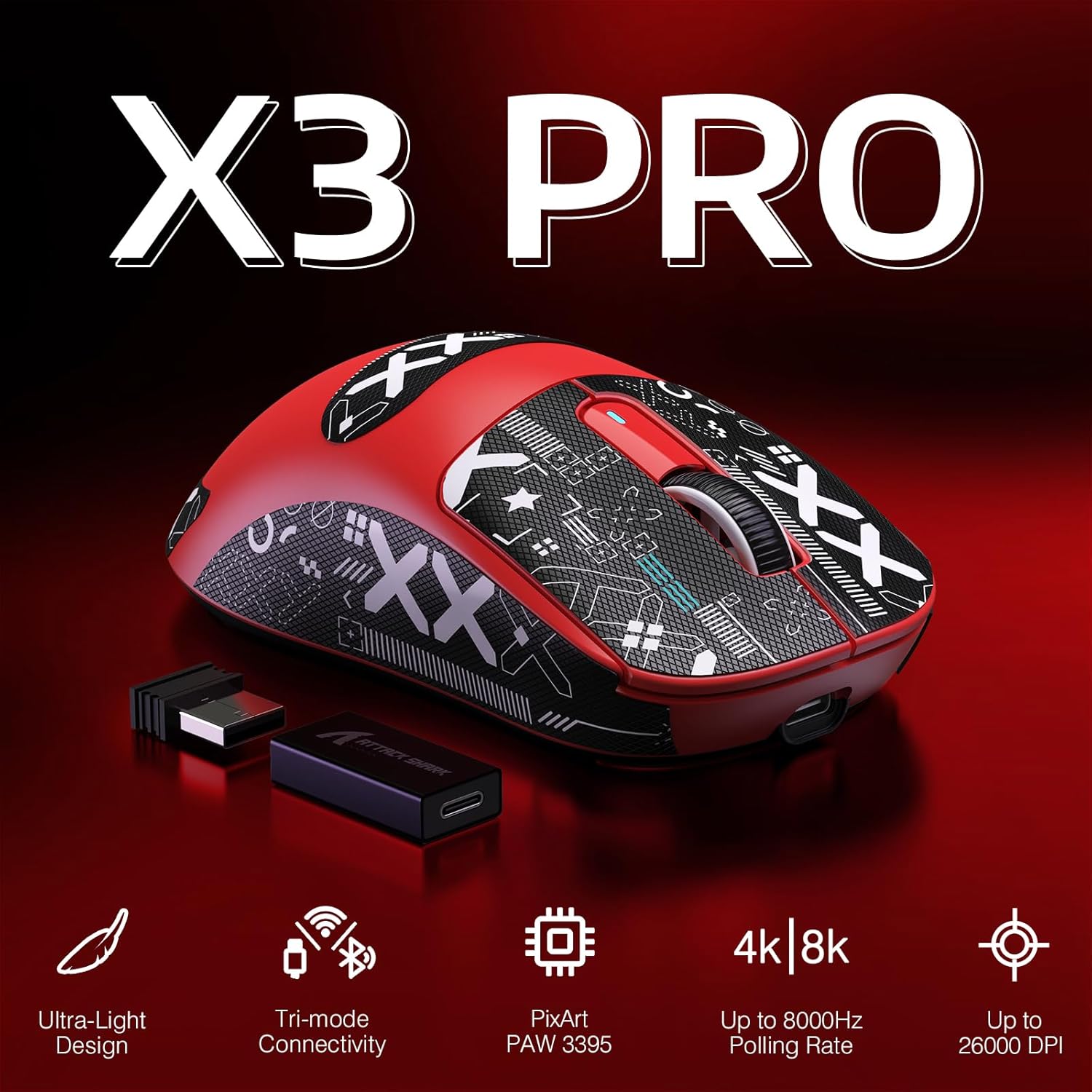
Image: ATTACK SHARK X3PRO mouse with its included USB receiver, USB-C cable, and grip tape.
3. Konec produktuview
Familiarize yourself with the components of your X3PRO mouse:

Image: Detailed diagram showing the DPI indicator light, flexible paracord cable, DPI button, USB receiver, mode switch button, mode indicator light, and Type-C to USB-A adapter. The mouse dimensions are 118.5*39.7*61 mm.
- Tlačítko DPI: Upravuje citlivost myši (DPI).
- DPI Indicator Light: Shows the current DPI setting.
- Tlačítko pro přepnutí režimu: Přepíná mezi bezdrátovým připojením 2.4G, Bluetooth a režimem Vypnuto.
- Kontrolka režimu: Indicates the active connection mode.
- USB přijímač: Stores securely under a cover on the mouse's underside for 2.4G wireless connection.
- Port USB-C: Pro kabelové připojení a nabíjení.
- Boční tlačítka: Programovatelná tlačítka pro vlastní funkce.
4. Nastavení
4.1. Bezdrátové připojení 2.4 GHz
- Open the cover on the underside of the mouse and remove the USB receiver.
- Vložte USB přijímač do volného USB portu na vašem počítači.
- Slide the mode switch button on the mouse to the "2.4G" position. The mode indicator light will illuminate.
- Your computer should automatically detect the mouse.
4.2. Připojení Bluetooth
- Slide the mode switch button on the mouse to the "BT" position. The mode indicator light will flash, indicating pairing mode.
- V počítači přejděte do nastavení Bluetooth a vyhledejte nová zařízení.
- Select "ATTACK SHARK X3PRO" from the list of available devices to pair.
- The mode indicator light will become solid once connected.
4.3. Kabelové připojení
- Připojte dodaný kabel USB-C k portu USB-C myši.
- Připojte druhý konec kabelu USB-C k volnému portu USB v počítači.
- Myš se automaticky přepne do kabelového režimu a začne se nabíjet.
5. Návod k obsluze
5.1. Přepínání režimů připojení
Use the mode switch button on the underside of the mouse to cycle between 2.4G wireless, Bluetooth, and wired (when connected via cable) modes. The mode indicator light will confirm the active mode.
5.2. Nastavení DPI (citlivosti)
Press the DPI button on the underside of the mouse to cycle through the preset DPI levels (800/1600/2400/3200/5000/26000). The DPI indicator light will change to reflect the current setting.
5.3. Míra hlasování
The X3PRO supports up to 4000Hz wireless polling rate and 8000Hz wired polling rate. Higher polling rates reduce input delay. To utilize 4K/8K polling rates, your computer should have an Intel Core i5 or higher CPU, AMD Ryzen 5 or higher CPU, and a USB 3.0 or higher port.
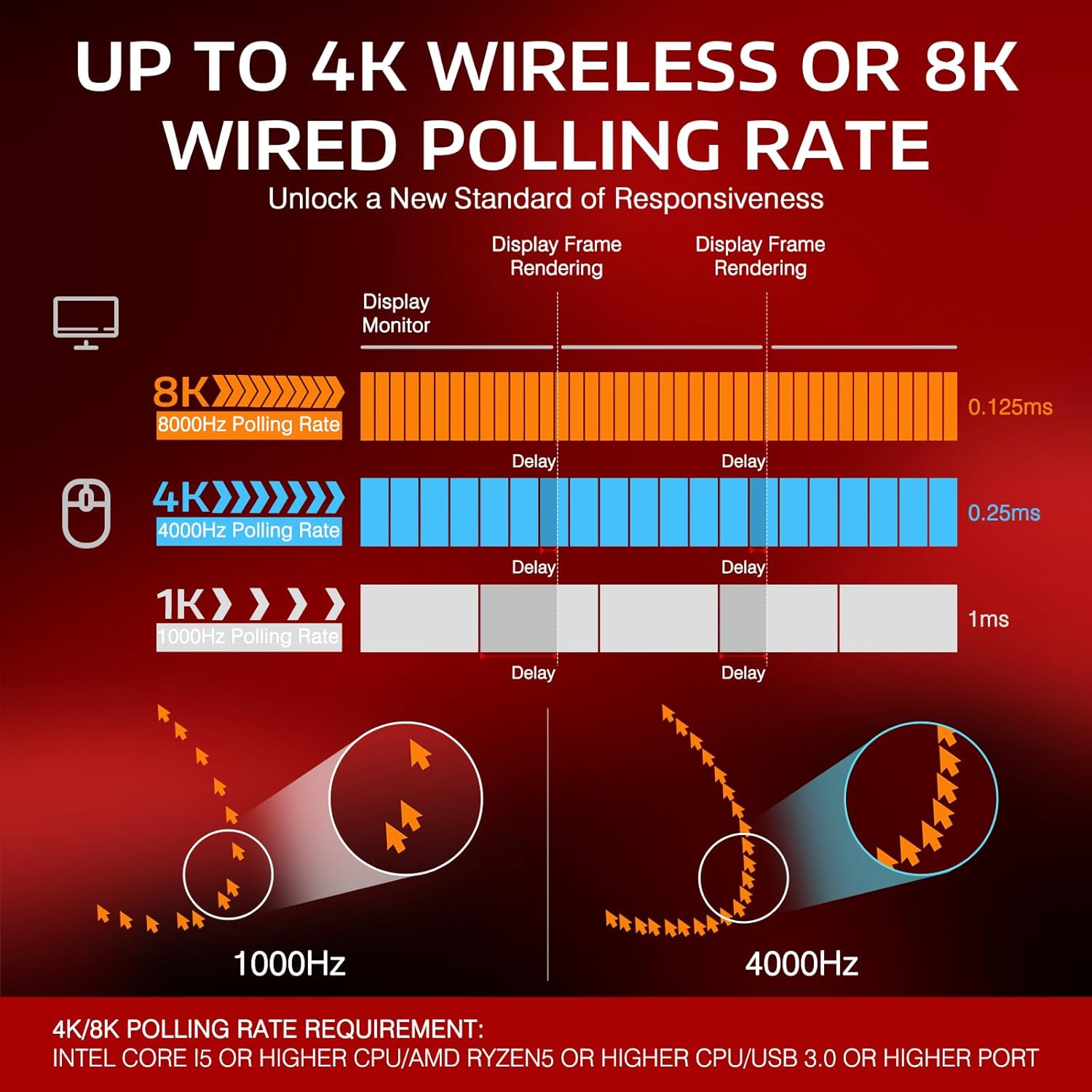
Image: Diagram illustrating the difference in delay between 1000Hz, 4000Hz, and 8000Hz polling rates, showing reduced delay with higher rates.
5.4. Nabíjení myši
Connect the mouse to your computer using the provided USB-C cable. The mouse will charge while connected. A full charge can provide up to 68 hours of continuous use.

Image: The ATTACK SHARK X3PRO mouse with an overlay indicating up to 68 hours of battery life.
5.5. Programovatelná tlačítka
The X3PRO features 5 programmable buttons. Download the official ATTACK SHARK software to customize DPI settings, polling rate, Lift-Off Distance (LOD), shortcuts, and macros.
6. Údržba
- Čištění: K čištění myši používejte měkký, suchý hadřík. Vyhněte se agresivním chemikáliím nebo abrazivním materiálům.
- Skladování: Pokud myš nepoužíváte, skladujte ji na chladném a suchém místě.
- Péče o baterie: To prolong battery life, avoid fully discharging the mouse frequently. Charge it when the battery level is low.
- PTFE patky: The mouse features 100% virgin grade PTFE feet for smooth gliding. Avoid scratching or damaging them.
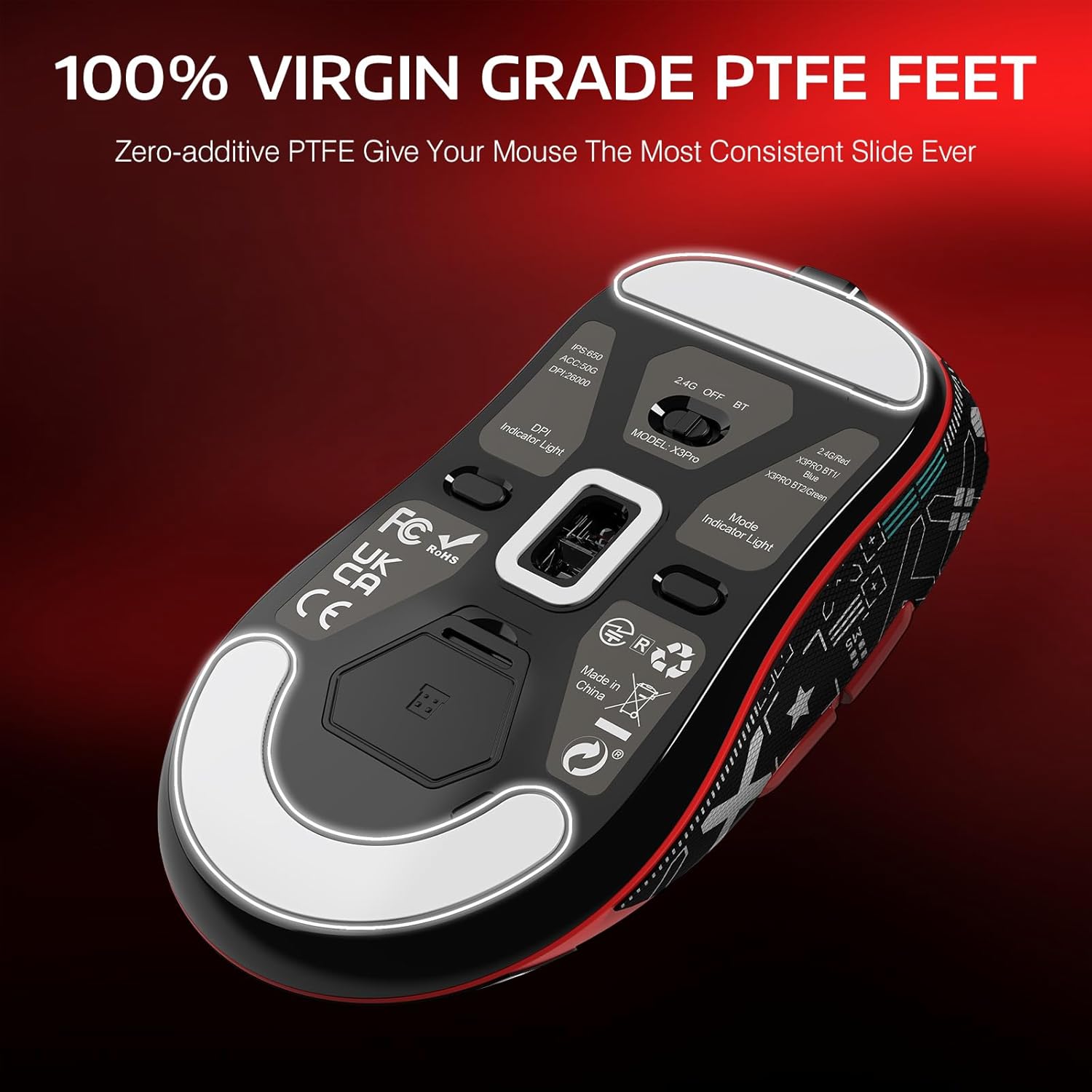
Image: The underside of the ATTACK SHARK X3PRO mouse, highlighting the 100% virgin grade PTFE feet for consistent glide.
7. Řešení problémů
| Problém | Řešení |
|---|---|
| Mouse not responding in 2.4G wireless mode. |
|
| Myš se nepřipojuje přes Bluetooth. |
|
| Inconsistent tracking or movement. |
|
| Myš se nenabíjí. |
|
8. Specifikace
| Funkce | Detail |
|---|---|
| Značka | ÚTOČNÉHO ŽRALOKA |
| Model | X3PRO |
| Technologie připojení | Bluetooth, bezdrátové připojení 2.4 GHz, kabelové připojení USB-C |
| Senzor | Pixart PAW3395 Optical Sensor |
| DPI (citlivost) | Adjustable: 800/1600/2400/3200/5000/26000 |
| Míra hlasování | Up to 4000Hz (Wireless), Up to 8000Hz (Wired) |
| Rychlost sledování | 650 IPS |
| Akcelerace | 50G |
| Spínače | Kailh GM8.0 Micro Switches (80 million click lifespan) |
| Kodér | TTC Scroll Wheel Encoder |
| Tlačítka | 7 (5 programovatelných) |
| Hmotnost | 49 gramů |
| Životnost baterie | Až 68 hodin (nepřetržité používání) |
| Kompatibilní operační systémy | Windows XP / VISTA / 7 / 8 / 10 / MAC |
9. Představení produktu
Pro vizuální představu se podívejte na toto videoview of the ATTACK SHARK X3PRO Wireless Gaming Mouse.
Video: A demonstration of the ATTACK SHARK X3PRO 4K/8K Lightweight Wireless Gaming Mouse, showcasinjeho vlastnosti a design.
10. Záruka a podpora
For warranty information, technical support, or to download the latest software and drivers, please visit the official ATTACK SHARK webnebo se obraťte na jejich zákaznický servis. Uschovejte si doklad o koupi pro případ reklamace.
Oficiální Webmísto: Obchod ATTACK SHARK na Amazonu
Ask a question about this manual
Ask about setup, troubleshooting, compatibility, parts, safety, or missing instructions. Manuals+ will review the question and use this page’s manual context to help answer it.