
1. Úvod
This manual provides detailed instructions for the installation, operation, and maintenance of your Luqeeg Digital Door Viewer. Please read this manual thoroughly before using the product to ensure proper function and safety. Keep this manual for future reference.
2. Vlastnosti produktu
- 2.4palcový LCD displej: Provides a clear and vivid view of visitors at your door.
- 0.3MP Professional Camera: Captures crisp images for easy identification, even in low light conditions.
- 120° širokoúhlý objektiv: Offers a broad view of your doorstep, minimizing blind spots and enhancing security.
- Odolná konstrukce ze slitiny zinku: Engineered for superior wear resistance and impact strength, preventing prying and smashing.
- Duální napájení: Operates using either 3 x 1.5V AAA batteries (not included) or a 5V 1A USB power source for continuous operation.
- Automatická aktivace displeje: The screen automatically displays the outside view when the doorbell is pressed, providing convenience for all users.
3. Obsah balení
Ověřte, zda jsou v balení přítomny všechny položky:
- 1 x Digital Door Viewer Camera Unit
- 1 x Digital Door Viewer Monitor Unit
- 1 x Accessory Kit (includes 2 x Washers, 8 x Screws)
- 1 x Uživatelská příručka
Note: AAA batteries and a small memory card are not included and must be purchased separately.
4. Konec produktuview
Familiarize yourself with the components of your Luqeeg Digital Door Viewehm.

Figure 4.1: Monitor Unit Components
- LCD obrazovka: Zobrazuje živě view z kamery.
- Monitoring/Power On/Off Button: Press to activate the screen or power the device on/off.
- USB rozhraní: For connecting a 5V 1A USB power source.
- Small Memory Card Slot: Insert a memory card (not included) for potential recording features (if supported by firmware).

Figure 4.2: Monitor Unit Rear View (Přihrádka na baterie)
- Přihrádka na baterie: Houses 3 x AAA batteries (not included).
5. Instalační příručka
The Luqeeg Digital Door Viewer is designed for simple installation, fitting standard door peephole holes without requiring special tools.
5.1 Příprava
- Ensure your door has an existing peephole or a suitable hole for installation.
- Gather necessary components: Camera unit, Monitor unit, washers, and screws.
- Prepare 3 x AAA batteries (not included) or a 5V 1A USB power source.
5.2 kroky instalace

Obrázek 5.1: Instalaceview
- Step 1: Remove Existing Peephole (if applicable)
Carefully unscrew and remove any existing traditional peephole from your door. - Step 2: Insert Camera Unit
From the outside of the door, insert the camera unit through the peephole hole. Ensure the camera is facing outwards and is flush with the door surface. - Step 3: Secure Monitor Unit
From the inside of the door, connect the cable from the camera unit to the monitor unit. Align the monitor unit with the camera unit and secure it to the door using the provided screws and washers. Ensure the monitor is firmly attached and stable.
5.3 Napájení zařízení
- Napájení baterie: Open the battery compartment on the back of the monitor unit and insert 3 x AAA batteries, observing correct polarity.
- Napájení USB: Connect a 5V 1A USB power adapter (not included) to the USB interface on the side of the monitor unit. This can serve as a backup or primary power source.
6. Návod k obsluze
6.1 Zapnutí/vypnutí
- Zapnutí: Press and hold the Monitoring/Power On/Off button located below the LCD screen until the screen illuminates.
- Vypnutí: Press and hold the Monitoring/Power On/Off button until the screen turns off.
6.2 Viewnávštěvníci
- Manuál View: Press the Monitoring/Power On/Off button once to activate the screen and view the outside area. The screen will automatically turn off after a short period of inactivity to conserve power.
- Automatický View: When someone presses your doorbell (if connected and compatible, or if the device detects motion/sound, depending on model features), the screen will automatically activate and display the outside view.
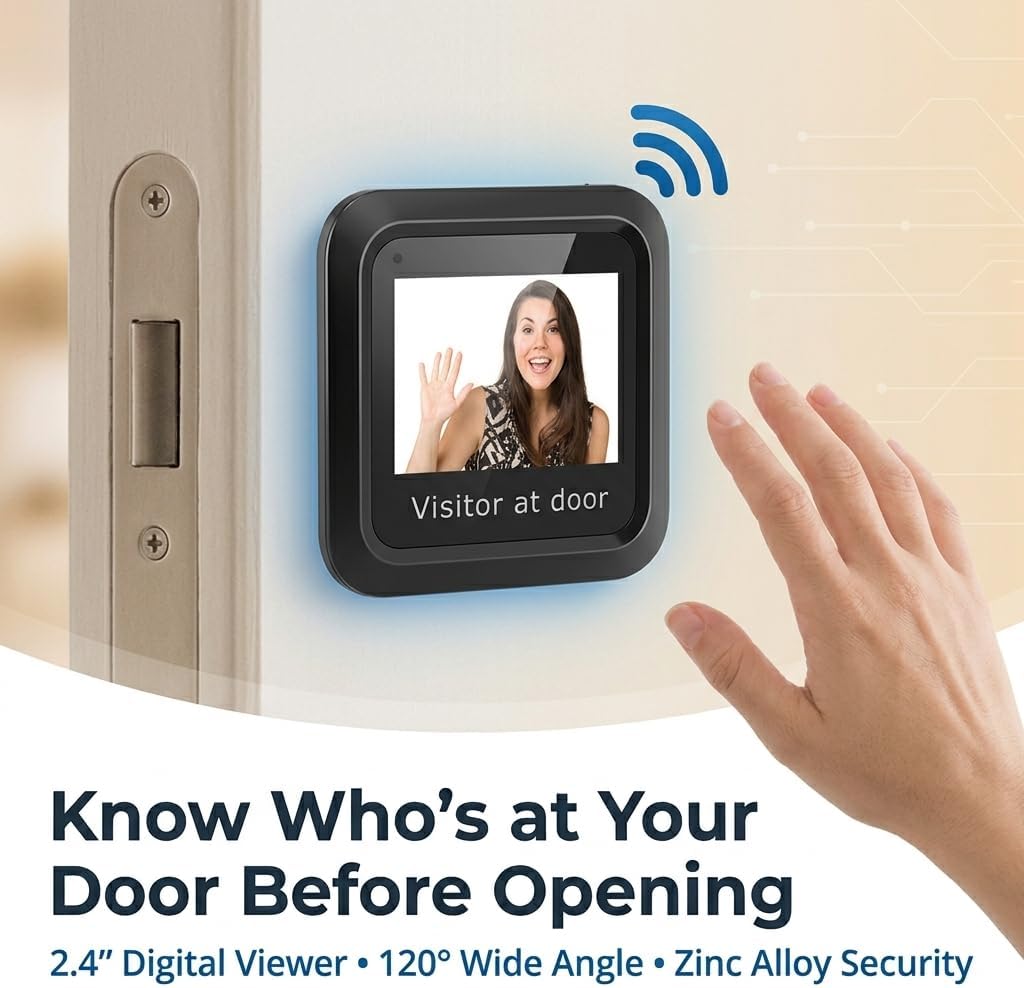
Obrázek 6.1: Viewing a Visitor
6.3 Memory Card Usage (Optional)
If your model supports recording and you have inserted a small memory card into the slot:
- Refer to the on-screen menu or additional documentation for specific instructions on how to initiate recording, view playback, or manage stored footage.
7. Údržba
- Čištění: K čištění obrazovky a objektivu fotoaparátu používejte měkký, suchý hadřík. Nepoužívejte abrazivní čisticí prostředky ani rozpouštědla.
- Výměna baterie: When the battery indicator shows low power, replace all 3 AAA batteries simultaneously. Do not mix old and new batteries.
- Podmínky prostředí: Zajistěte, aby zařízení nebylo vystaveno extrémním teplotám, delšímu přímému slunečnímu záření nebo nadměrné vlhkosti.
8. Řešení problémů
| Problém | Možná příčina | Řešení |
|---|---|---|
| Zařízení se nezapne. | Slabé nebo vybité baterie. Nesprávná polarita baterie. USB power not connected or faulty. | Vyměňte baterie za nové, dbejte přitom na správnou polaritu. Check USB cable and power adapter connection. |
| Screen is blank or blurry. | Čočka fotoaparátu je znečištěná. Poor connection between camera and monitor. Nedostatečné osvětlení venku. | Očistěte čočku fotoaparátu měkkým hadříkem. Ensure the camera and monitor cables are securely connected. The device performs best in adequate lighting. |
| No image when doorbell is pressed. | Doorbell not connected or incompatible. Nastavení zařízení. | Verify doorbell connection and compatibility with the digital viewehm. Check device settings for automatic activation options. |
| Image quality is poor compared to expectations. | Environmental factors (e.g., glare, extreme darkness). Camera lens obstruction. | Ujistěte se, že je objektiv fotoaparátu čistý a ničím nerušený. Image quality may vary based on external lighting conditions. |
9. Specifikace
| Funkce | Detail |
|---|---|
| Číslo modelu | Luqeegbupzxet1rs |
| Velikost displeje | 2.4 palců |
| Rozlišení fotoaparátu | 0.3 megapixelů |
| Viewúhel | 120 stupňů |
| Stavební materiál | Slitina zinku |
| Napájení | 3 x 1.5V AAA Batteries (not included) or 5V 1A USB |
| Hmotnost položky | 8.1 unce |
| Rozměry balení | 7.87 x 4.72 x 1.97 palce |
| Zahrnuté komponenty | 1 x Camera, 1 x Monitor, 1 x Accessory Kit (2 x Washers, 8 x Screws), 1 x Manual |
10. Podpora
For any questions, technical assistance, or support regarding your Luqeeg Digital Door Viewer, please refer to the contact information provided with your purchase or visit the official Luqeeg webwebu. Náš tým zákaznické podpory je vám k dispozici.