
JODNO F11
Uživatelská příručka k přenosnému ručnímu ventilátoru JODNO F11
Model: F11
Konec produktuview
The JODNO F11 Portable Handheld Fan is a versatile and compact personal cooling device designed for various uses. It features a foldable design, multiple speed settings, a rechargeable battery, and a digital display for convenience. This manual provides detailed instructions for its setup, operation, and maintenance.

Image: The JODNO F11 Portable Handheld Fan, available in black and pink, demonstrating its multi-functional design for handheld, neck-worn, and desk use.
Klíčové vlastnosti
- 3-in-1 Multi-function Design: Can be used handheld, worn around the neck with the included lanyard, or folded for use as a desk fan with 180-degree rotation.
- 2400mAh dobíjecí baterie: Provides 3-12 hours of operation on a full charge, rechargeable via USB-C.
- Powerful 5-Speed Setting: Equipped with a copper brushless motor for strong airflow, adjustable via a single power button.
- Super tichý provoz: Noise reduction technology ensures operation below 20dB at top speed.
- Visualized Digital Display: Shows current wind speed and remaining battery level.
- Vylepšené materiály: Features PP material blades and a high-quality ABS plastic body with a non-slip ergonomic handle.

Image: Illustration of the fan's 5-speed adjustable wind settings, ranging from 2600r/min to 4500r/min.
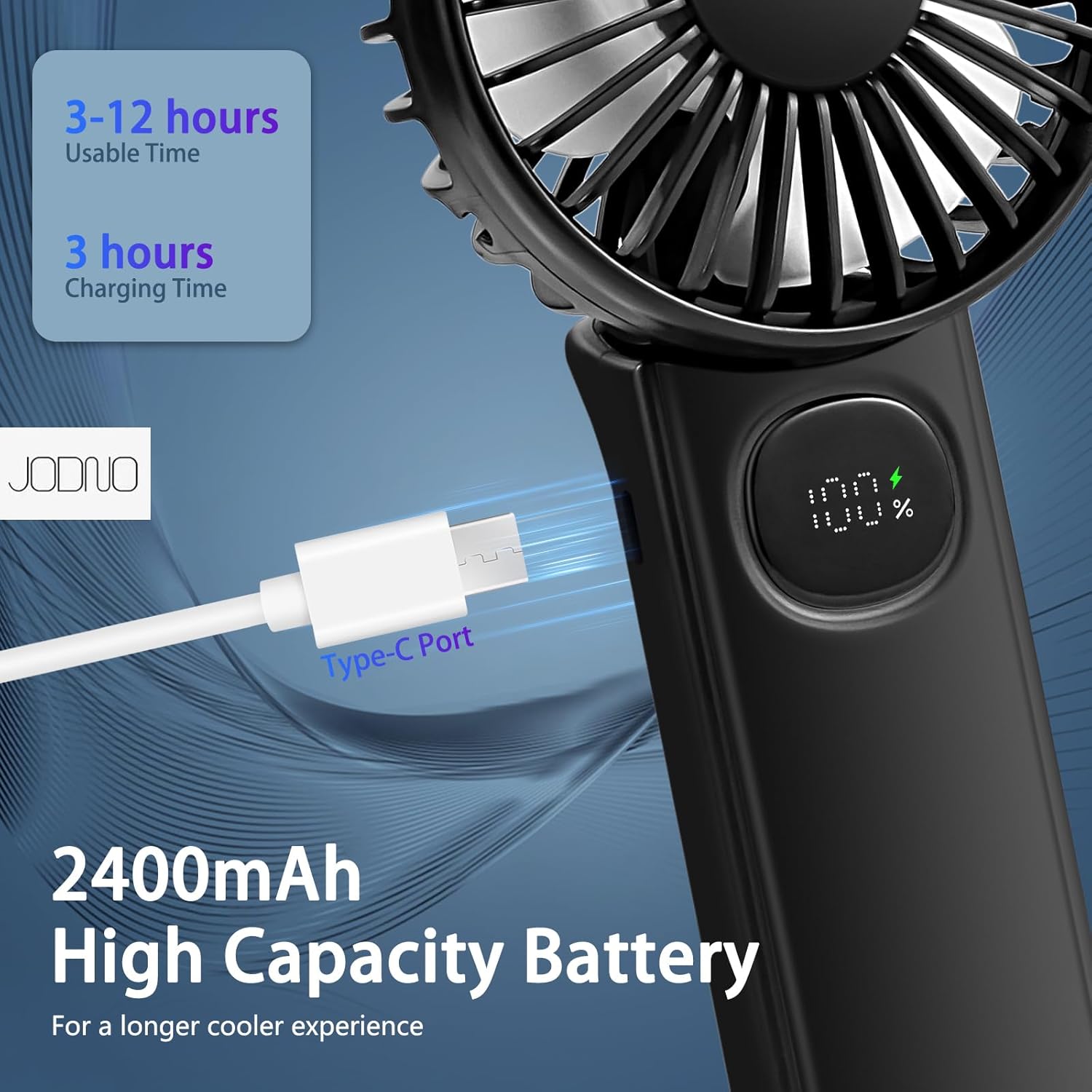
Image: The fan's 2400mAh high-capacity battery and USB Type-C charging port, providing 3-12 hours of usable time after a 3-hour charge.

Image: The fan's super-quiet operation, with noise levels as low as 10dB on the lowest setting and under 20dB on the top setting, ensuring minimal disturbance.
Nastavení
- Rozbalení: Carefully remove the fan, USB-A to USB-C cable, and lanyard from the packaging.
- Počáteční poplatek: Before first use, fully charge the fan using the provided USB-C cable. Connect the USB-C end to the fan's charging port (located on the side of the handle) and the USB-A end to a compatible USB power source (e.g., wall charger, power bank, computer USB port). The digital display will show the charging progress. A full charge typically takes about 3 hours.
- Připojte šňůrku (volitelné): If desired, attach the lanyard to the designated loop on the fan's handle for hands-free carrying around the neck.
Image: The fan's USB Type-C charging port, indicating where to connect the charging cable for initial setup and recharging.
Návod k obsluze
- Zapnutí/vypnutí: Press the power button (located on the handle below the digital display) once to turn the fan on to Speed 1. To turn off, long-press the power button.
- Nastavení rychlosti ventilátoru: While the fan is on, short-press the power button repeatedly to cycle through the 5 available wind speeds (1-5). The digital display will show the current speed setting.
- Kontrola stavu baterie: When the fan is idle (off), a short press of the power button will briefly display the remaining battery percentage on the digital screen.
- Using as a Handheld Fan: Držte ventilátor za rukojeť.
- Using as a Neck Fan: Unfold the fan head to a 90-degree angle, then attach the lanyard to the designated loops and wear it around your neck.
- Using as a Desk Fan: Fold the handle back completely (180-degree rotation) to form a stable base. Place the fan on a flat surface. The fan head can be adjusted to direct airflow.

Image: Demonstrations of the fan's diverse applications, including handheld use, worn around the neck with the lanyard, and folded for desk use.
Video: Official demonstration of the JODNO F11 Portable Foldable Handheld Fan, showcasing its features and various modes of operation.
Údržba
- Čištění: The front mesh shell of the fan is detachable for easy cleaning of the blades. Gently twist or unclip the front cover to remove it. Use a soft, dry cloth to wipe the blades and the interior. Ensure the fan is completely dry before reattaching the cover and using it.
- Skladování: When not in use for extended periods, store the fan in a cool, dry place away from direct sunlight and extreme temperatures. Ensure the battery is partially charged (around 50%) before storage to prolong battery life.
- Péče o baterie: Avoid fully discharging the battery frequently. Recharge the fan when the battery level is low to maintain optimal battery health.

Image: The fan's design details, including the detachable mesh shell for easy cleaning and the intelligent LED display.
Odstraňování problémů
| Problém | Možná příčina | Řešení |
|---|---|---|
| Ventilátor se nezapne. | Baterie je vybitá. | Charge the fan using the provided USB-C cable. Check the digital display for battery level. |
| Slabé proudění vzduchu. | Ventilátor je na nízké rychlosti. | Press the power button to increase the speed setting (up to 5). |
| Digitální displej nefunguje. | Fan is off or battery is very low. | Short-press the power button to check battery level. If still unresponsive, try charging the fan. |
| Ventilátor vydává neobvyklý zvuk. | Ucpání lopatek ventilátoru nebo vnitřní problém. | Turn off the fan immediately. Check for any obstructions (e.g., hair, debris) and carefully remove them. If the issue persists, discontinue use and contact customer support. |
Specifikace
| Funkce | Detail |
|---|---|
| Název modelu | F11 |
| Značka | JODNO |
| Zdroj napájení | Napájení z baterie (dobíjecí) |
| Kapacita baterie | 2400 XNUMX mAh |
| Nabíjecí port | USB Type-C |
| Počet rychlostí | 5 |
| Úroveň hluku | Less than 20dB (at top speed) |
| Rozměry produktu | 1"D x 1"W x 1"H (folded/compact) |
| Hmotnost položky | 6.8 uncí |
| Materiál | ABS Plastic (body), PP (blades) |
| Kontrolní metoda | Touch (button) |

Image: Detailed dimensions of the JODNO F11 fan, showing its compact size for portability.
Záruka a podpora
JODNO products are designed for quality and reliability. For any questions, concerns, or warranty claims regarding your F11 Portable Handheld Fan, please contact JODNO customer support through the retailer's platform or the official JODNO webwebu. Uschovejte si prosím doklad o koupi pro ověření záruky.
Nejnovější informace o podpoře naleznete na JODNO Store on Amazon.
Ask a question about this manual
Ask about setup, troubleshooting, compatibility, parts, safety, or missing instructions. Manuals+ will review the question and use this page’s manual context to help answer it.