
1. Úvod
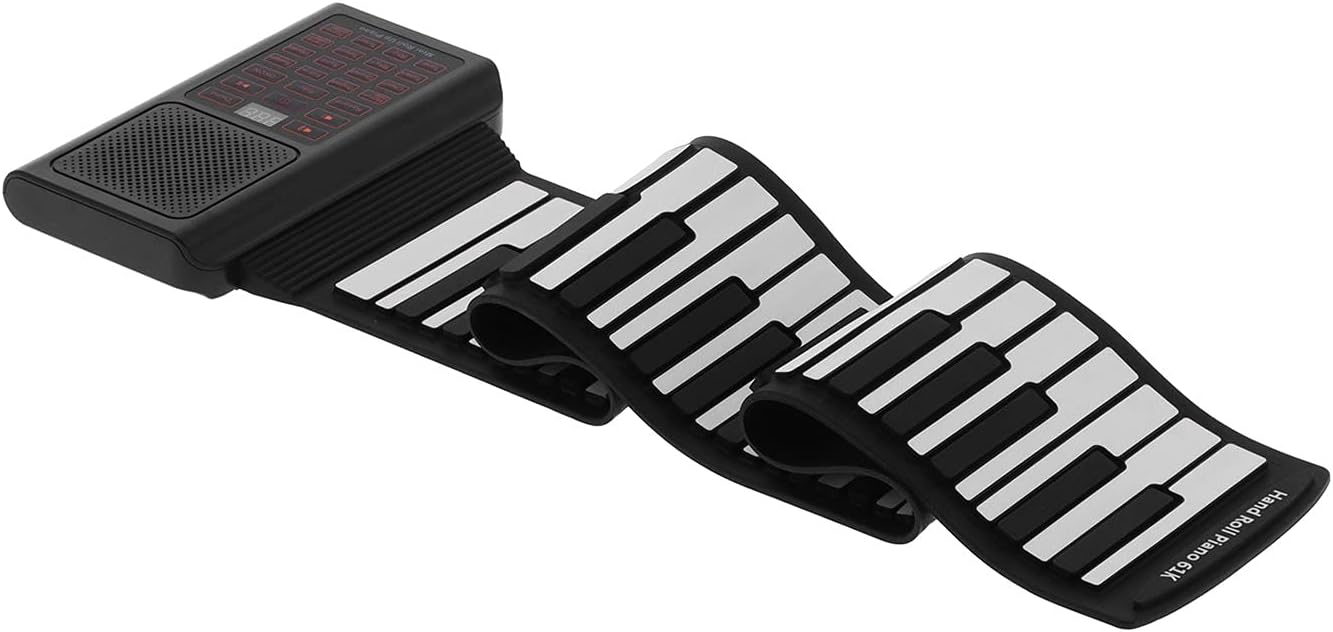
Thank you for choosing the Walfront 61-Key Hand-Rolled Electronic Piano. This portable and versatile instrument is designed for beginners and enthusiasts alike, offering a wide range of tones, rhythms, and features in a compact design. This manual provides essential information for the safe and effective use of your new electronic piano.
Obsah balení:
- 1 x 61-Key Hand-Rolled Piano
- 1 x Sustain pedál
- 1 x USB kabel
- 1 x anglická uživatelská příručka

2. Nastavení
2.1 Nabíjení piana
- Before first use, fully charge the built-in lithium battery.
- Connect the provided USB cable to the piano's charging port and a suitable USB power adapter (not included) or computer USB port.
- A červený LED indikátor will illuminate during charging.
- The LED indicator will turn zelený když je baterie plně nabitá.
2.2 Zapnutí/vypnutí
Press the power button located on the control panel to turn the piano on or off.
2.3 Připojení sustain pedálu
Insert the sustain pedal's plug into the designated sustain pedal jack on the piano's control unit.

2.4 Bezdrátové připojení (Bluetooth)
The piano supports Bluetooth connectivity, allowing wireless connection with mobile phone software, such as the 'Bubble Piano' application, and other compatible devices.

2.5 MIDI and External Device Connection
The hand-rolled piano can be connected to a microphone, speakers, other power amplifier devices, computers, tablets, and mobile phones via its MIDI function.
3. Návod k obsluze

3.1 Základní přehrávání
Once powered on, you can begin playing the piano by pressing the keys. The piano simulates a realistic piano sound through its high-fidelity stereo speakers.
3.2 Nastavení tónu
Stiskněte tlačítko Tón key to cycle through the 128 available tones. The screen will display a number indicating the currently selected tone.
3.3 Rhythm Adjustment
Stiskněte tlačítko Rhy key to select from the available rhythms. The screen will display a number indicating the currently selected rhythm.
3.4 demo skladeb
Stiskněte tlačítko Demo key to play pre-recorded demonstration songs. The screen will display a number indicating the current demo song.
3.5 Zvukové efekty
The piano includes sustain, vibrato, and drum sound effects. Refer to the control panel for specific buttons to activate these features.
4. Údržba
To ensure the longevity and optimal performance of your Walfront 61-Key Hand-Rolled Electronic Piano, follow these general maintenance guidelines:
- Čištění: Use a soft, dry cloth to wipe the surface of the piano. Avoid using abrasive cleaners or solvents, as they may damage the finish.
- Skladování: When not in use, roll up the piano gently and store it in a cool, dry place away from direct sunlight and extreme temperatures.
- Zacházení: Avoid sharp objects or excessive force on the keys and control panel.
5. Řešení problémů
5.1 Low Battery Indication and Automatic Shutdown
The built-in lithium battery has a protection function. If the voltage drops below 2.9V, the piano may not turn on, or it may automatically shut down shortly after being turned on. This is to protect the lithium battery from deep discharge.
Řešení: If this occurs, immediately connect the piano to a power source using the USB cable and charge it fully. Refer to Section 2.1 for charging instructions.
6. Specifikace
| Funkce | Detail |
|---|---|
| Typ položky | 61-Key Hand-Rolled Electronic Piano |
| Značka | Walfront |
| Název modelu | WALFRONTok9q6dvp32 |
| Materiál | ABS+Silicone+Electronic Components |
| Počet kláves na klávesnici | 61 |
| Tóny | 128 |
| Rytmy | 128 |
| Zvukové efekty | Sustain, Vibrato, Drum Sounds |
| Konektivita | Bluetooth, MIDI |
| Typ zdroje napájení | USB External Power Supply / Lithium Battery |
| Kapacita lithiové baterie | 1000 mAh (vestavěná) |
| Hmotnost položky | 2.86 libry |
| Rozměry balení | 12.6 x 9.06 x 3.54 palce |
7. Záruka a podpora
Information regarding product warranty and customer support is not available in the provided product data. Please refer to the seller's or manufacturer's website for details on warranty coverage and how to obtain support for your Walfront 61-Key Hand-Rolled Electronic Piano.