
1. Úvod
Thank you for choosing the OSCAL PowerMax 3600 Portable Power Station and PM200 Solar Panel. This manual provides essential information for the safe and efficient operation, setup, and maintenance of your device. Please read this manual thoroughly before use and retain it for future reference.
Bezpečnostní opatření
- Jednotku nerozebírejte, neopravujte ani neupravujte.
- Chraňte jednotku před ohněm, vodou a extrémními teplotami.
- Během používání a nabíjení zajistěte dostatečné větrání.
- Zabraňte pádu jednotky na zem nebo jejímu vystavení silným nárazům.
- Uchovávejte mimo dosah dětí a domácích zvířat.
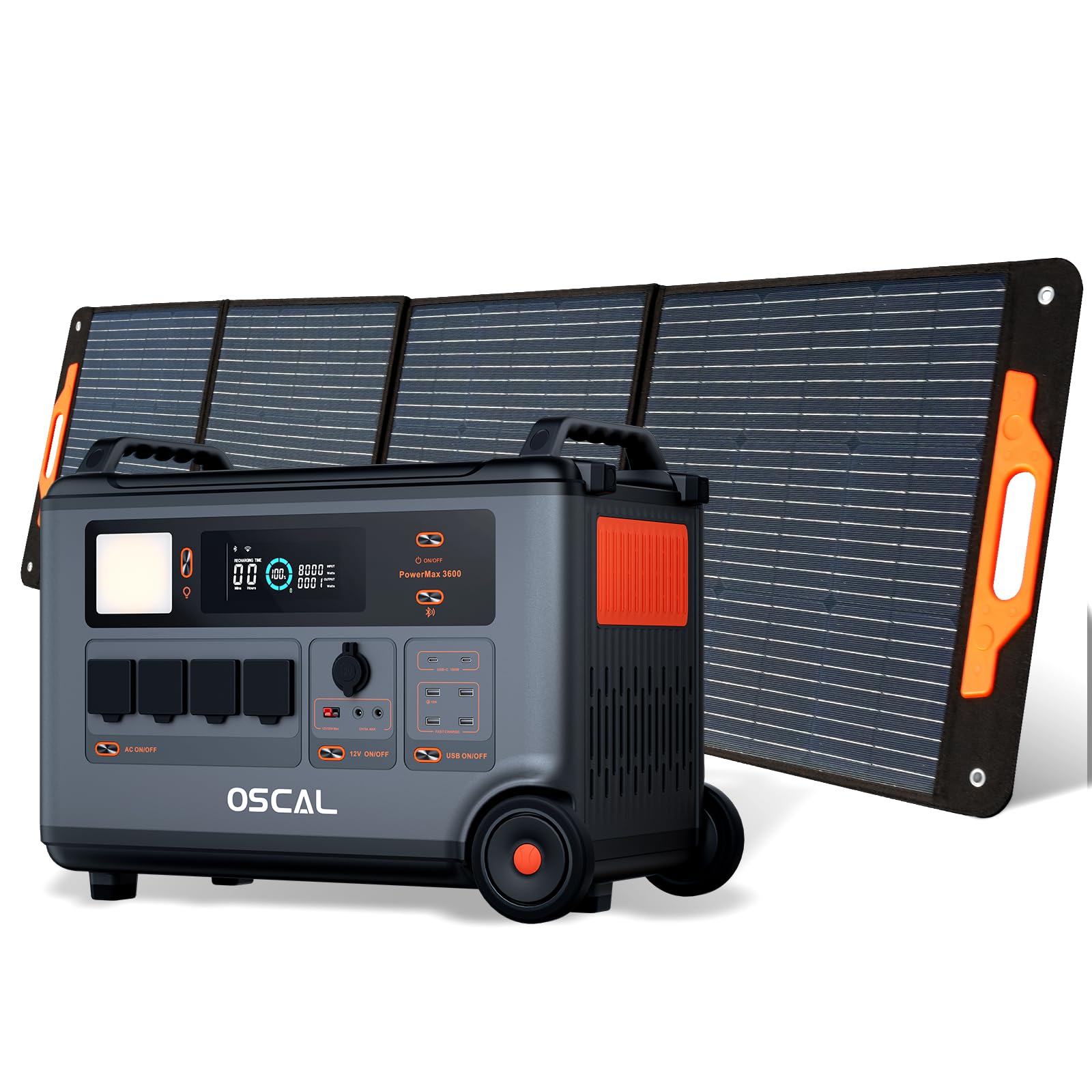
2. Konec produktuview
The OSCAL PowerMax 3600 is a high-capacity portable power station designed for various applications, from outdoor adventures to emergency home backup. It features a robust LiFePO4 battery and multiple output ports.
Klíčové vlastnosti:
- Vysoká kapacita: 3600 Wh base capacity, expandable up to 57,600 Wh with additional batteries.
- Výkonný výstup: 6000 W peak output, capable of powering most household appliances.
- LiFePO4 baterie: Safe, stable, and durable with over 3500 charge cycles (to 80% capacity).
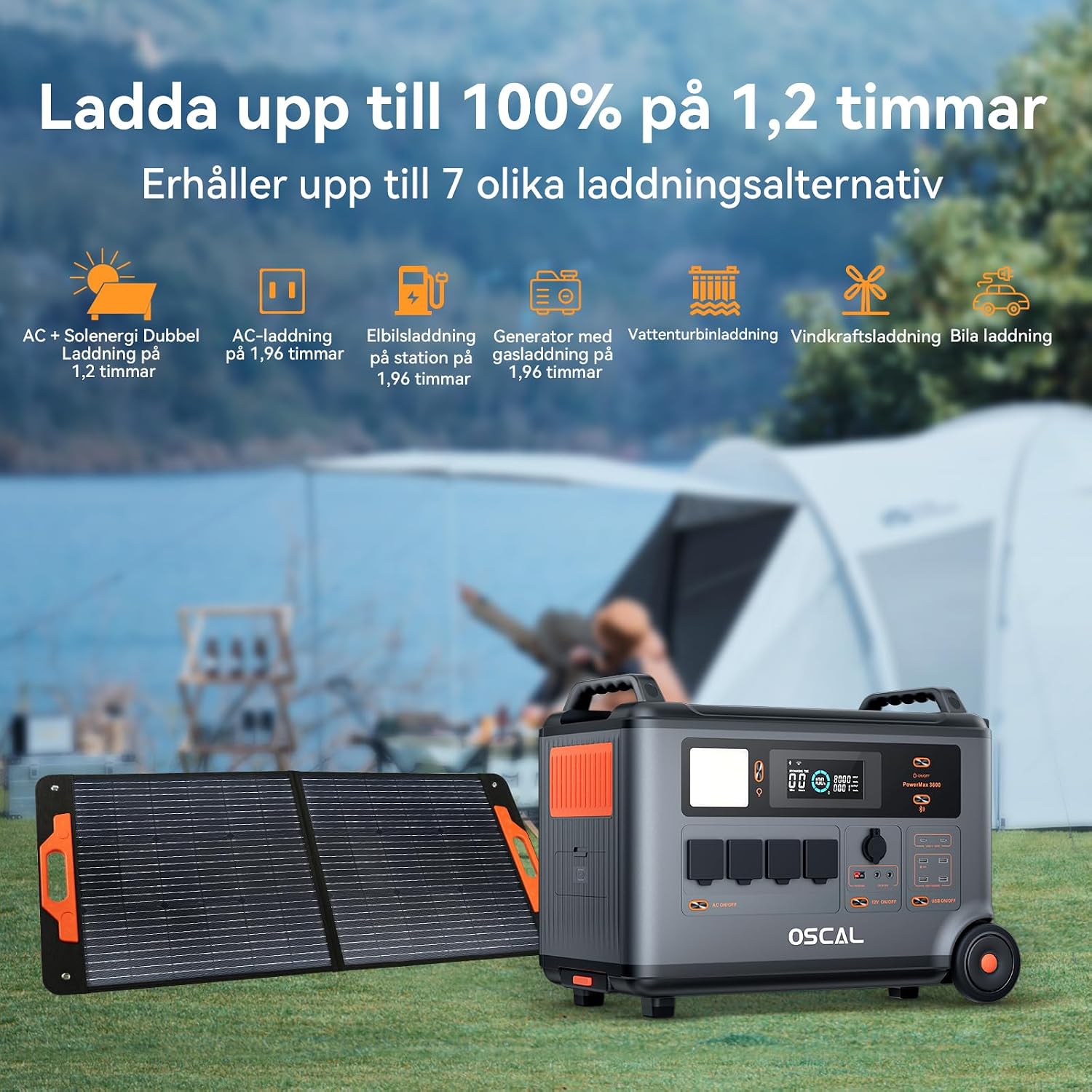
- Rychlé nabíjení: Fully charged in 1.2 hours with dual AC and solar input.
- Nepřerušitelný zdroj napájení (UPS): Automatic switchover in 5-8 ms during power outages.
- Inteligentní ovládání: Monitor and control via the OSCAL smartphone application (Wi-Fi/Bluetooth).
- Odolný design: Splash-proof, dust-proof, 0.8M vertical drop protection, UV-resistant, and UL94V-0 fire rating.

3. Nastavení
3.1 Vybalení a počáteční kontrola
Carefully remove all components from the packaging. Verify that all items listed in the 'What you will get' section are present and undamaged. If any items are missing or damaged, contact customer support immediately.
3.2 Počáteční nabíjení
Before first use, fully charge the PowerMax 3600. Connect the AC charging cable to the unit's AC input port and then to a standard wall outlet. The display will indicate the charging status. A full charge typically takes 1.2 hours with combined AC and solar input, or 1.96 hours with AC only.
3.3 Connecting the PM200 Solar Panel
To charge using solar power, unfold the PM200 solar panel and position it in direct sunlight. Connect the MC4 to Anderson cable (or other compatible cable) from the solar panel to the PowerMax 3600's solar input port. The unit will automatically detect the solar input and begin charging.

4. Návod k obsluze
4.1 Zapnutí/vypnutí
Stiskněte a několik sekund podržte hlavní tlačítko napájení pro zapnutí nebo vypnutí jednotky. Po aktivaci se rozsvítí displej.
4.2 Použití střídavých výstupů
Press the AC power button to activate the AC outlets. Plug your devices into the available AC ports. The PowerMax 3600 provides a pure sine wave output, suitable for sensitive electronics. The unit has 4 AC outlets.
4.3 Using DC Outputs (USB-A, USB-C, 12V)
Press the DC power button to activate the DC outputs. Connect your USB-powered devices to the 4 USB-A ports or 2 USB-C ports (100W each). The 12V car port and other DC outputs are also available for compatible devices.

4.4 Porozumění zobrazení
The integrated display shows real-time information including battery level, input/output wattage, remaining run time, and active ports. Refer to the on-screen icons for specific indicators.
4.5 Funkce nepřerušitelného zdroje napájení (UPS)
When connected to an AC wall outlet and powering devices, the PowerMax 3600 acts as a UPS. In the event of a power outage, it automatically switches to battery power within 5 to 8 milliseconds, ensuring continuous operation for connected devices like computers or medical equipment (e.g., CPAP machines).

4.6 Smart Remote Control (OSCAL App)
Download the OSCAL application from your smartphone's app store. Pair the PowerMax 3600 via Wi-Fi or Bluetooth to monitor battery status, control outputs, and perform firmware updates remotely.

5. Způsoby nabíjení
The PowerMax 3600 supports multiple charging methods to ensure you always have power.
- AC nástěnná zásuvka: Connect the included AC charging cable to a standard wall outlet.
- Solární nabíjení: Use the PM200 solar panel or other compatible solar panels via the MC4 input.
- Nabíjení auta: Charge from your vehicle's 12V cigarette lighter port using the included car charging cable.
- Nabíjecí stanice EV: The unit can be charged at an electric vehicle charging station (up to 2200W input).
- Generátor: Connect to a gasoline generator for charging (up to 2200W input).
- Olověná baterie: Supports charging from lead-acid batteries for emergency situations.


6. Údržba
6.1 Péče o baterii
The PowerMax 3600 uses LiFePO4 batteries, known for their longevity. To maximize battery lifespan:
- Vyhněte se častému úplnému vybíjení baterie.
- Store the unit with a charge level between 50% and 80% if not used for extended periods.
- Recharge the unit every 3-6 months during storage to prevent deep discharge.

6.2 Čištění
Use a dry, soft cloth to clean the exterior of the unit. Do not use abrasive cleaners or solvents. Ensure all ports are free from dust and debris.
6.3 Skladování
Store the PowerMax 3600 in a cool, dry place, away from direct sunlight and extreme temperatures. Ensure the unit is turned off during storage.
7. Řešení problémů
Pokud se s PowerMaxem 3600 setkáte s problémy, podívejte se na následující běžné problémy a jejich řešení:
| Problém | Možná příčina | Řešení |
|---|---|---|
| Jednotka se nezapne | Baterie je zcela vybitá; Tlačítko napájení nebylo stisknuto dostatečně dlouho. | Nabijte zařízení pomocí síťového napájení; stiskněte a podržte tlačítko napájení po dobu 3–5 sekund. |
| Žádný výstup z portů AC/DC | AC/DC output not activated; Device draws too much power; Overload protection triggered. | Press the respective AC/DC button; Check device wattage; Restart the unit and reduce load. |
| Solární nabíjení nefunguje | Insufficient sunlight; Incorrect panel connection; Damaged solar panel/cable. | Ensure direct sunlight; Verify cable connections; Test with another solar panel/cable if possible. |
| Problémy s připojením aplikace | Bluetooth/Wi-Fi off; Unit too far from phone; App not updated. | Ensure Bluetooth/Wi-Fi is on; Move phone closer to unit; Update the OSCAL app. |
If the problem persists, please contact OSCAL customer support.
8. Specifikace
| Funkce | Detail |
|---|---|
| Značka | OSCAL |
| Číslo modelu | BP3600-PM3600 (PowerMax 3600) |
| Typ baterie | LiFePO4 |
| Kapacita | 3600 Wh (expandable up to 57,600 Wh) |
| Výstupní výkon AC | 3600 W (Rated), 6000 W (Peak) |
| Celkový počet zásuvek střídavého proudu | 4 |
| USB-A výstupy | 4 |
| USB-C výstupy | 2 (100 W each) |
| Vstupní objemtage | 12 Volts (DC input for car/solar) |
| Frekvence | 60 Hz |
| Doba nabíjení (AC + solární energie) | 1.2 hodiny (až 100 %) |
| Charging Time (AC only) | 1.96 hodiny (až 100 %) |
| Čas přepínání UPS | 5-8 ms |
| Životnost | 3500+ cycles (to 80% capacity) |
| Rozměry (D x Š x V) | 48 cm x 44 cm x 35 cm |
| Hmotnost | 44.45 kg |
| Materiál | ABS |
| Speciální funkce | Extra-long battery life, Energy efficient, BMS protection (over-voltage, pod-voltage, over-current, over-charge, low/high temperature, short-circuit) |
9. Záruka a podpora
9.1 Informace o záruce
OSCAL PowerMax 3600 je dodáván s 5letá záruka výrobceTato záruka se vztahuje na vady materiálu a zpracování při běžném používání. Uschovejte si prosím doklad o koupi pro případ uplatnění záruky.
9.2 Součásti balení
Balíček obsahuje:
- PowerMax 3600 Portable Charging Station
- PM200 Portable Solar Panel
- AC nabíjecí kabel
- Nabíjecí kabel do auta
- Solar Charging Cable (MC4 to Anderson, MC4 to 7909, 6530, XT60, 5521)
- Uživatelská příručka
- Záruční list
9.3 Zákaznická podpora
For technical assistance, warranty claims, or any questions regarding your OSCAL PowerMax 3600, please refer to the contact information provided on your warranty card or visit the official OSCAL website. 24-hour after-sales support is available.


