
Zavedení
Welcome to the Joyway 20-Inch Carry-On Luggage user manual. This guide provides essential information for the proper setup, operation, and maintenance of your new luggage. Please read these instructions carefully to ensure optimal performance and longevity of your product.

Image: Joyway 20-Inch Carry-On Luggage with key features highlighted.
Konec produktuview
The Joyway 20-inch Carry-On Luggage is designed for convenience and durability, featuring a hardside construction and smart travel functionalities.
Klíčové vlastnosti:
- Odolná konstrukce: Made from PP+ABS material for lightweight strength and impact resistance.
- Rozšiřitelný design: Offers 20% more packing space for increased capacity.
- 360° otočná kola: Dual, lockable wheels provide smooth, multi-directional movement.
- Nastavitelná teleskopická rukojeť: Ergonomic 3-step handle for comfortable maneuvering.
- Integrated Smart Features: Includes a smart cup holder, USB and USB-C charging ports (power bank not included), and front/side hooks.
- Kombinovaný zámek TSA: Ensures security and compliance with travel regulations.
- Organizovaný interiér: Features mesh pockets and elastic cross straps for secure packing.

Image: Visual representation of key features: expansion, wheels, handle.
Nastavení
Počáteční kontrola:
Upon receiving your Joyway luggage, inspect it for any signs of damage during transit. If any damage is found, please contact customer support immediately.
Setting the TSA Combination Lock:
Your luggage is equipped with a 3-digit TSA combination lock. The default combination is 0-0-0.
- Ensure the dials are set to the original numbers, 0-0-0.
- Locate the reset button (b), usually a small hole on the side of the lock. Use a pen or a pointed tool to press down the reset button until you hear a "click" sound.
- While the reset button is pressed, set your desired 3-digit combination by turning the dials (a). For example, 8-8-8.
- Push the button (c) in the direction of the arrow. You will hear another "click" sound, indicating your new combination is set.
Remember your new combination. If you forget it, you will need to contact customer support for assistance.

Image: Step-by-step instructions for setting the TSA lock.
Návod k obsluze
Using the Expandable Design:
To increase your packing capacity by 20%, locate the expansion zipper around the perimeter of the luggage. Unzip this zipper to expand the luggage compartment. Zip it back up to return to the standard size.

Image: Luggage demonstrating the 20% expansion feature.
USB nabíjecí porty:
Your luggage includes external USB and USB-C charging ports. To use these, connect your own power bank (not included) to the internal cable located within the luggage. Then, connect your device to the external port to charge.
Smart Cup Holder and Hooks:
- Držák poháru: A retractable cup holder is located on the back of the luggage. Gently pull it out to hold your beverage and push it back in when not in use.
- Front Portable Hook: Use the front hook to hang small bags or accessories, freeing your hands.
- Boční hák: A dedicated side hook is provided for easy access to items like boarding passes.

Image: Close-up of the cup holder, USB ports, and hooks.
Spinner Wheels:
The four dual spinner wheels rotate 360 degrees, allowing for effortless movement in any direction. The wheels are also lockable for stability when stationary. To lock, press down on the small lever located on each wheel. To unlock, lift the lever.

Image: Illustration of the 360-degree spinner wheels and their lockable function.
Teleskopická rukojeť:
The ergonomic 3-step telescoping handle can be adjusted to different heights for comfortable pulling. Press the button on the handle to extend or retract it.
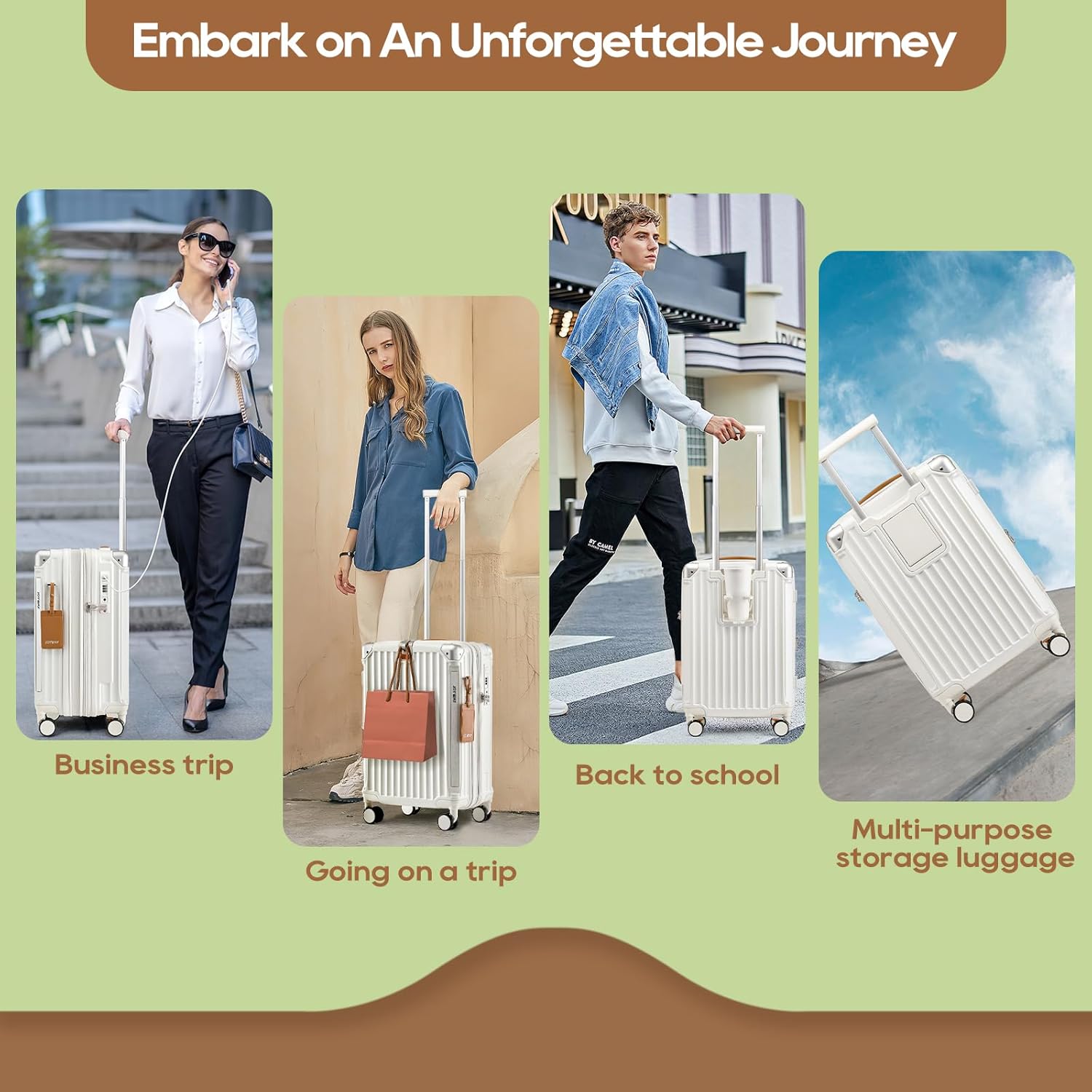
Image: The adjustable telescoping handle and integrated hooks.
Organizace interiéru:
The luggage interior features a fully-lined compartment with mesh pockets and X-type elastic straps to keep your belongings organized and secure during travel.

Obrázek: Interiér view showcasing mesh pockets and elastic straps.
Údržba
Čištění:
To clean the exterior of your hardside luggage, wipe it with a soft cloth dampened with warm water and mild soap. For stubborn marks, a gentle cleaner suitable for ABS/PP plastics can be used. Avoid abrasive cleaners or solvents that may damage the surface. For the interior, vacuum or wipe with a damp hadříkem podle potřeby.
Skladování:
Store your luggage in a cool, dry place away from direct sunlight and extreme temperatures. Ensure it is clean and dry before storage to prevent mold or mildew.
Odstraňování problémů
Kola se neotáčejí hladce:
Check for debris (hair, lint, dirt) caught in the wheel mechanisms. Clean the wheels thoroughly. If the issue persists, ensure the wheels are not locked.
Teleskopické rukojeti:
Ensure no items are obstructing the handle mechanism inside the luggage. Gently extend and retract the handle a few times. Avoid forcing the handle.
TSA Lock Issues:
If you cannot open the lock, double-check your combination. If you have forgotten your combination, there is no universal reset code; you may need to contact Joyway customer service for guidance.
USB port se nenabíjí:
Verify that your power bank is fully charged and correctly connected to the internal cable. Ensure your device's charging cable is securely plugged into the external USB port.
Specifikace
| Funkce | Detail |
|---|---|
| Číslo modelu | TR014 |
| Rozměry produktu | 13.8 x 7.9 x 21.6 palce (35 x 20 x 55 cm) |
| Hmotnost položky | 7.78 libry (3.53 kg) |
| Kapacita | 39 litrů |
| Materiál | PP+ABS Hardshell |
| Kola | Double Spinner Wheels (360° rotation, lockable) |
| Typ zámku | 3místný kombinační zámek TSA |
| Nabíjecí porty | USB, USB-C (Power bank not included) |

Image: Size reference for various Joyway luggage models.
Záruka a podpora
For warranty information, product support, or to inquire about replacement parts, please contact Joyway customer service. Details can typically be found on the official Joyway webwebu nebo prostřednictvím vaší nákupní platformy.
You can visit the official Joyway store for more information: Joyway Store