
1. Úvod
This manual provides detailed instructions for the Edifier X5 Pro Active Noise Cancelling Earbuds. These earbuds feature hybrid active noise cancellation, AI-enhanced call clarity, fast charging, a dedicated game mode, app customization, and IP55 water resistance, all powered by True Wireless Bluetooth 5.3 technology.

Figure 1: Edifier X5 Pro Ivory Earbuds and Charging Case
2. Co je v krabici
The Edifier X5 Pro package includes the following components:
- Edifier X5 Pro Earbuds
- Nabíjecí pouzdro
- USB nabíjecí kabel
- Ear Tips x 3 pairs (S, M, L)
- Uživatelská příručka

Figure 2: Included components of the Edifier X5 Pro package.
3. Nastavení
3.1 Počáteční párování
- Otevřete nabíjecí pouzdro. Sluchátka se automaticky přepnou do režimu párování.
- Na svém zařízení (chytrém telefonu, tabletu atd.) povolte Bluetooth.
- Hledat "EDIFIER X5 Pro" in the list of available Bluetooth devices and select it to connect.
- Po připojení se ve sluchátkách ozve potvrzovací zvuk.
3.2 Edifier ConneX App Installation
For enhanced features and customization, download the Edifier ConneX App from your device's app store. The app allows for personalized control settings, EQ adjustments, game mode activation, and the 'Find My Earbuds' function.

Figure 3: Edifier ConneX App interface for customization.
4. Návod k obsluze
4.1 Aktivní potlačení hluku (ANC) a okolní zvuk
The Edifier X5 Pro utilizes Hybrid ANC Technology to reduce ambient noise. You can switch between ANC On, Ambient Sound, and ANC Off modes via the Edifier ConneX App or through the touch controls on the earbuds.
- ANC zapnuto: Blocks out most surrounding noise for an immersive audio experience.
- Okolní zvuk: Umožňuje vám slyšet okolí a zároveň poslouchat zvuk, což je užitečné pro lepší pozornost v rušném prostředí.
- ANC vypnuto: Vypne potlačení hluku.

Obrázek 4: Používání aktivního potlačení hluku.

Figure 5: Comparison of sound before and after ANC activation.
4.2 Pohlcující zvukový zážitek
The earbuds are equipped with 10mm large-size dynamic drivers and Titanium-coated diaphragms, delivering natural and balanced audio across various music genres.

Figure 6: Internal structure of the 10mm dynamic driver.
4.3 Clear Calls with AI Algorithm
The built-in microphone, enhanced with an AI algorithm, effectively reduces unwanted background noise, ensuring clear and faithful reproduction of the human voice during calls.

Figure 7: AI-enhanced call clarity.
4.4 Battery Life and Fast Charging
The earbuds offer up to 7 hours of playtime on a single charge. The charging case extends the total playtime to 31 hours. A quick 15-minute charge provides an additional 1 hour of playback time.
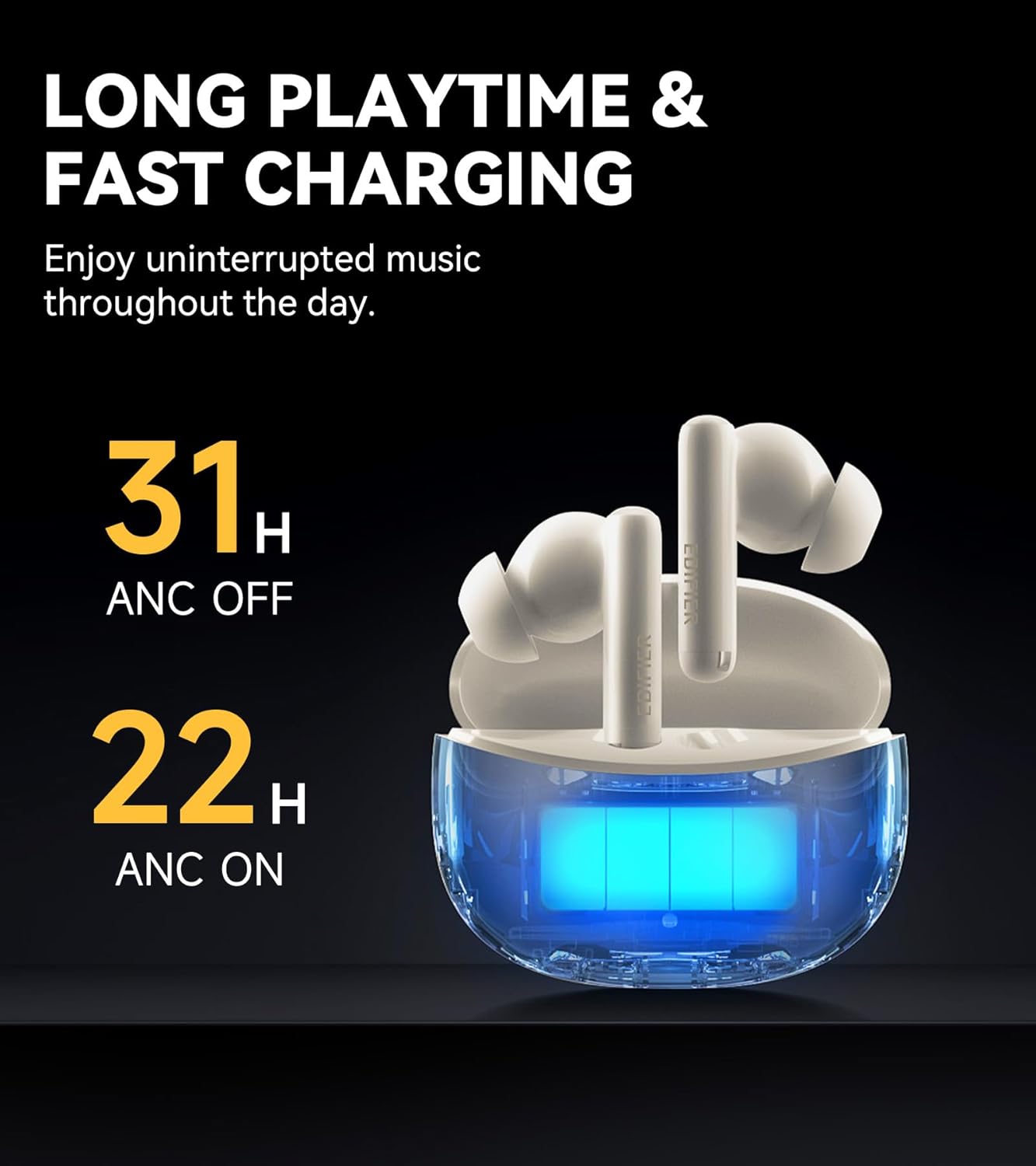
Figure 8: Battery life indicators for ANC on/off.
4.5 Advanced Bluetooth 5.3 Connectivity
Equipped with an advanced Bluetooth 5.3 chipset, the earbuds provide a fast and stable connection, ensuring smooth music playback, a seamless gaming experience, and clear calls with significantly low latency.

Figure 9: Bluetooth 5.3 chipset for stable connection.
4.6 App Customization and Game Mode
The Edifier ConneX App allows users to personalize control settings, select preset EQ modes, and activate a low-latency game mode for an optimized gaming experience. The app also includes a feature to locate your earbuds.

Figure 10: Low latency game mode for enhanced gaming.
4.7 Odolnost proti vodě a prachu IP55
The earbuds are rated IP55 for dust and water resistance, making them suitable for use during workouts or in light rain conditions.

Figure 11: IP55 rating for dust and splash proofing.
5. Údržba
- Pravidelně čistěte sluchátka a nabíjecí pouzdro měkkým, suchým hadříkem.
- Nevystavujte sluchátka extrémním teplotám nebo přímému slunečnímu záření po delší dobu.
- Ujistěte se, že nabíjecí port je bez prachu a nečistot.
- Když sluchátka nepoužíváte, uložte je do nabíjecího pouzdra, abyste je ochránili a zachovali životnost baterie.
6. Řešení problémů
6.1 Problémy s připojením
- Sluchátka se nespárují: Ensure the earbuds are charged and within range of your device. Turn Bluetooth off and on again on your device. Try resetting the earbuds (refer to the app or Edifier support for specific reset instructions).
- Přerušované připojení: Move closer to your device. Avoid environments with strong electromagnetic interference.
6.2 Problémy se zvukem
- Žádný zvuk: Zkontrolujte úroveň hlasitosti na zařízení i ve sluchátkách. Ujistěte se, že jsou sluchátka správně připojena.
- Špatná kvalita zvuku: Ensure ear tips are correctly sized for a good seal. Clean any debris from the earbud nozzles.
6.3 Problémy s nabíjením
- Sluchátka se nenabíjejí: Ensure the charging case has power. Check that the earbuds are correctly seated in the charging case. Clean the charging contacts on both the earbuds and the case.
- Nabíjecí pouzdro se nenabíjí: Use the provided USB cable and a compatible power adapter. Check the cable and port for damage.
7. Specifikace
| Funkce | Specifikace |
|---|---|
| Název modelu | X5 Pro |
| Značka | Edifier |
| Kontrola hluku | Aktivní potlačení hluku |
| Technologie připojení | Bezdrátový |
| Technologie bezdrátové komunikace | Bluetooth V5.3 |
| Dosah Bluetooth | 10 metrů |
| Velikost zvukového ovladače | 10 milimetrů |
| Typ zvukového ovladače | Dynamický ovladač |
| Impedance | 32 ohmů |
| Kontrolní metoda | Aplikace, dotyk |
| Úroveň odolnosti proti vodě | IP55 (vodotěsný) |
| Hmotnost položky | 100 gramů |
| Barva | Slonová kost |
| Datum první dostupnosti | 11. března 2024 |
8. Oficiální video produktu
Video 1: Edifier X5 Pro Active Noise Cancelling Earbuds - An overview of features and design by EdifierDirect.
9. Záruka a podpora
The Edifier X5 Pro comes with a one-year warranty, ensuring product performance and providing reliable support. For further assistance, please refer to the official Edifier webwebu nebo kontaktujte zákaznickou podporu.