
1. Úvod
This manual provides essential information for the safe and efficient use of your DOOGEE T30SE Android 14 Tablet. Please read this manual thoroughly before operating the device and retain it for future reference.
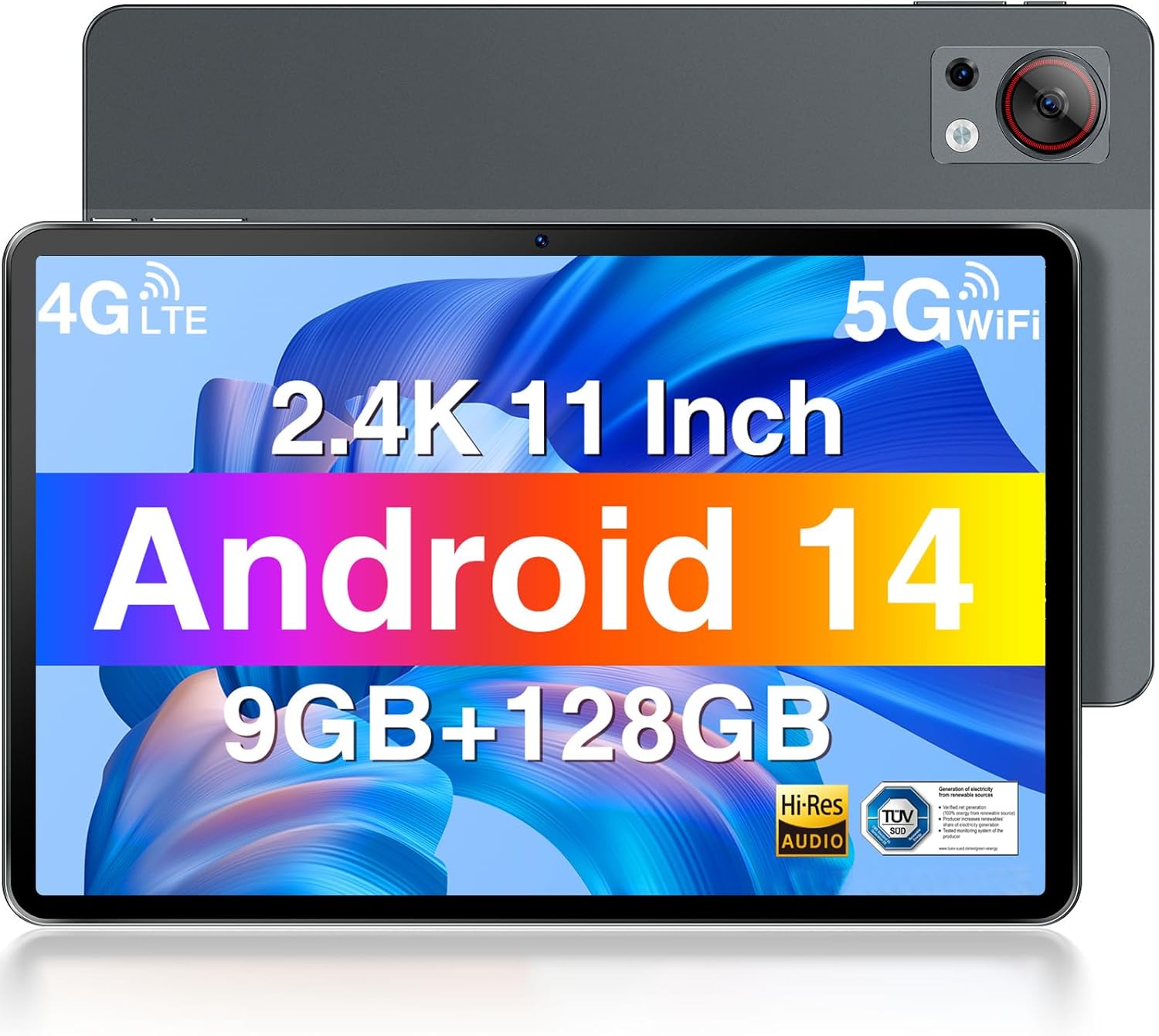
Přední a zadní view of the DOOGEE T30SE tablet, highlighting its display and camera module.
2. Obsah balení
Ověřte, zda jsou v balení přítomny všechny položky:
- DOOGEE T30SE Tablet
- Napájecí adaptér
- Kabel USB typu C
- Nástroj pro vysunutí SIM karty
- Stručný průvodce (může se lišit v závislosti na regionu)
3. Nastavení
3.1 Počáteční nabíjení
Before first use, fully charge the tablet using the provided power adapter and USB Type-C cable. The battery indicator on the screen will show charging status.
3.2 Zapnutí/vypnutí
- Zapnutí: Stiskněte a podržte tlačítko napájení, dokud se nezobrazí logo DOOGEE.
- Vypnutí: Stiskněte a podržte tlačítko Napájení a poté z možností na obrazovce vyberte možnost „Vypnout“.
- Restartovat: Stiskněte a podržte tlačítko Napájení a poté z možností na obrazovce vyberte „Restartovat“.
3.3 Instalace SIM karty a karty MicroSD
The DOOGEE T30SE supports dual Nano SIM cards or one Nano SIM card and one MicroSD/TF card for expanded storage.
- Vyhledejte držák SIM karty na boku tabletu.
- Vložte nástroj pro vysunutí SIM karty do malého otvoru vedle zásobníku a jemně zatlačte, dokud zásobník nevyskočí.
- Place the Nano SIM card(s) and/or MicroSD card into the tray with the gold contacts facing down, ensuring they are correctly oriented.
- Opatrně zatlačte zásobník zpět do tabletu, dokud nezacvakne na místo.

Diagram illustrating the DOOGEE T30SE's storage and connectivity options, including 9GB RAM, 128GB ROM, 1TB expandable storage, dual-band Wi-Fi, and 4G Dual SIM support.
3.4 Průvodce počátečním nastavením
Po prvním zapnutí postupujte podle pokynů na obrazovce:
- Vyberte svůj jazyk.
- Připojte se k síti Wi-Fi.
- Přihlaste se pomocí svého účtu Google nebo si vytvořte nový.
- Nastavte zámek obrazovky a další bezpečnostní funkce.
4. Návod k obsluze
4.1 Funkce displeje
The DOOGEE T30SE features an 11-inch 2.4K IPS display (1920 x 1200 pixels) with a 16:10 aspect ratio, offering vibrant colors and a wide viewing angle. It includes TÜV SÜD Low Blue Light Certification for reduced eye strain during prolonged use.

The DOOGEE T30SE tablet displaying a high-resolution video, emphasizing its 2.4K IPS display, quad stereo speakers, and Hi-Res Audio support.

A user working on the DOOGEE T30SE tablet with an external keyboard, demonstrating the TÜV SÜD Low Blue Light certified display for eye protection.
The tablet also supports Widevine L1, enabling high-definition streaming from compatible services.
4.2 Výkon a operační systém
Powered by an Octa-Core processor and running Android 14, the T30SE offers a smooth user experience. Android 14 provides enhanced privacy controls, multi-user profiles, parental controls, and split-screen functionality for improved multitasking.
- BERAN: 9GB (4GB base + 5GB expansion) for efficient app handling.
- ROM: 128GB internal storage, expandable up to 1TB via MicroSD/TF card.

Screenshot of the Android 14 interface on the DOOGEE T30SE, highlighting features like parental control, privacy settings, and multi-tasking capabilities.
4.3 Konektivita
- Wi-Fi: Supports 2.4G and 5G dual-band Wi-Fi for stable and fast internet access.
- 4G LTE: Dual SIM support allows for mobile data and calling capabilities.
- Bluetooth 5.0: Pro připojení bezdrátového příslušenství, jako jsou sluchátka a reproduktory.
- GPS/AGPS: Integrated for precise navigation and location services.
- Porty: 1x USB Type-C port for charging and data transfer, 1x 3.5mm AUX headphone jack.
4.4 Fotoaparát
The tablet is equipped with a 13MP rear camera for capturing photos and videos, and a 5MP front camera suitable for video calls and selfies.

Details of the DOOGEE T30SE's camera system, featuring a 13MP rear camera and a 5MP front camera, alongside the 3.5mm headphone jack.
4.5 Správa baterie
Baterie s kapacitou 15 600 mAh poskytuje delší dobu používání. Pro optimalizaci výdrže baterie:
- Upravte jas obrazovky.
- Zavřete nepoužívané aplikace.
- Pokud Wi-Fi, Bluetooth nebo GPS nepoužíváte, vypněte je.
- Utilize power-saving modes.

Visual representation of the DOOGEE T30SE's 8580mAh large capacity battery, indicating extended usage and standby times.
4.6 zvuk
The T30SE is equipped with 4 stereo speakers, delivering clear and immersive audio for media consumption.
5. Údržba
- Čištění: K čištění obrazovky a těla přístroje používejte měkký hadřík, který nepouští vlákna. Vyhněte se agresivním chemikáliím.
- Aktualizace softwaru: Pravidelně kontrolujte a instalujte aktualizace systému, abyste zajistili optimální výkon a zabezpečení. Přejděte do Nastavení > Systém > Aktualizace systému.
- Správa úložiště: Pravidelně odstraňujte nepotřebné files and apps to maintain sufficient storage space. The Memory Manager provides cleaning suggestions.
- Podmínky prostředí: Nevystavujte tablet extrémním teplotám, přímému slunečnímu záření nebo nadměrné vlhkosti.
6. Řešení problémů
| Problém | Možné řešení |
|---|---|
| Tablet se nezapne | Ujistěte se, že je baterie nabitá. Připojte ji k nabíječce alespoň na 30 minut a poté ji zkuste znovu zapnout. |
| Problémy s připojením Wi-Fi | Restart the tablet and your Wi-Fi router. Check Wi-Fi settings on the tablet to ensure correct network selection and password. |
| Pomalý výkon | Close unused apps. Clear cache and junk files using the Memory Manager. Restart the tablet. |
| Aplikace padá nebo zamrzávají | Update the app to the latest version. Clear the app's cache and data (Settings > Apps > [App Name] > Storage). If the issue persists, uninstall and reinstall the app. |
| Obrazovka nereaguje | Restart the tablet by holding the power button for approximately 10-15 seconds until it reboots. |
7. Specifikace

Comparison illustrating the DOOGEE T30SE's 11-inch display size and its ultra-thin 7.6mm profile a hmotnost 506 g.
| Funkce | Detail |
|---|---|
| Model | DOOGEE T30SE |
| Operační systém | Android 14 |
| Zobrazit | 11-inch IPS 2.4K (1920 x 1200 pixels) |
| Procesor | Octa-Core (6x 1.6 GHz Cortex-A55, 2x 1.6 GHz Cortex-A75), Mali-G57 GPU |
| BERAN | 9 GB (4 GB + 5 GB rozšíření) |
| Interní úložiště (ROM) | 128 GB |
| Rozšiřitelné úložiště | Až 1 TB přes kartu MicroSD/TF |
| Zadní kamera | 13 MP |
| Přední kamera | 5 MP |
| Baterie | 8580 XNUMX mAh |
| Konektivita | Wi-Fi (2.4G/5G), 4G LTE (Dual SIM), Bluetooth 5.0, GPS/AGPS |
| Porty | USB Type-C, 3.5mm AUX Headphone Jack |
| Rozměry | 26 x 17 x 0.76 cm |
| Hmotnost | 506 g |
8. Záruka a podpora
DOOGEE provides the following support for your T30SE tablet:
- 30denní záruka vrácení peněz: For eligible returns.
- 2letá omezená záruka: Kryje výrobní vady.
- Nepřetržitá online podpora: For technical assistance and inquiries.
For detailed warranty terms and to contact support, please visit the official DOOGEE webwebu nebo se podívejte na záruční list dodaný s vaším produktem.