
1. Úvod
This manual provides detailed instructions for the installation, operation, and maintenance of your NUCOUN VCP-8370 Thermal Receipt Printer. Please read this manual thoroughly before using the printer to ensure proper function and longevity.

Image: The NUCOUN VCP-8370 Thermal Receipt Printer, a compact device designed for efficient receipt printing.
2. Vlastnosti produktu
- Široká kompatibilita: Supports ESC/POS commands and is compatible with Windows (2003/XP/7/8/10/11), Mac, and Linux operating systems, as well as OPOS. Note: Does not support Wi-Fi, Bluetooth, Square, or PayPal systems.
- Vysokorychlostní tisk: Achieves print speeds up to 220 mm/s. Utilizes thermal printing technology, eliminating the need for ink cartridges or ribbons, which reduces operating costs.
- Vysoce kvalitní výstup: Features a high-definition print head with a resolution of 203 DPI, ensuring clear print quality with low operational noise.
- Automatická řezačka: Equipped with an auto-cutter designed for continuous use up to 1 million cuts, preventing manual tearing and label damage.
- Multi-function Interfaces: Includes USB, LAN (Ethernet), and RJ11 cash drawer interfaces (suitable for DC 24V/2.5A cash drawers).
- Cenově výhodný design: Simple, elegant, dustproof, and waterproof button design. Features a sound and light alarm system to prevent missed receipts.
- Prostorově úsporná instalace: Two keyhole slots are provided for wall mounting, optimizing counter space.
- Všestranné aplikace: Suitable for various environments including supermarkets, restaurants, medical facilities, banking, and government services.
3. Obsah balení
Po otevření balení se prosím ujistěte, že obsahuje všechny následující položky:
- Tepelná tiskárna účtenek NUCOUN VCP-8370
- Napájecí kabel
- USB datový kabel
- Návod k použití
- Thermal Paper Roll (initial roll)

Image: The printer and its included accessories: power cord, USB data cable, and instruction manual.
4. Konec produktuview
Familiarize yourself with the various components and interfaces of the VCP-8370 printer:

Image: Labeled diagram of the printer's front and rear panels, highlighting buttons and connection ports.
- Přepínací tlačítko: Power on/off the printer.
- Kontrolka: Displays printer status (e.g., power on, error, printing).
- Tlačítko Feed: Manually feeds paper.
- Tlačítko pro otevření krytu: Releases the top cover for paper loading.
- USB port: Connects the printer to a computer via USB cable.
- LAN port: Connects the printer to a network via Ethernet cable.
- CASH Port (RJ11): Connects to a compatible cash drawer (DC 24V/2.5A).
- Napájecí port: Připojuje napájecí adaptér.
5. Pokyny k nastavení
5.1. Instalace papírové role
- Press the "Cover Open Button" to open the printer's top cover.
- Insert the 80mm thermal paper roll into the paper compartment, ensuring the paper feeds out from the top and the leading edge is straight.
- Pull a small amount of paper past the cutter.
- Pevně zavřete horní kryt, dokud nezacvakne na místo.

Obrázek: Podrobný view of the paper compartment, illustrating the correct placement for an 80mm thermal paper roll.
5.2. Připojení tiskárny
- Připojení napájení: Připojte napájecí adaptér k napájecímu portu tiskárny a poté jej zapojte do elektrické zásuvky.
- USB připojení: For direct connection to a computer, use the provided USB data cable to connect the printer's USB port to an available USB port on your computer.
- LAN (Ethernet) Connection: Pro síťový tisk připojte ethernetový kabel z portu LAN tiskárny k síťovému routeru nebo přepínači.
- Připojení pokladní zásuvky: If using a cash drawer, connect its RJ11 cable to the printer's CASH port. Ensure the cash drawer is compatible with DC 24V/2.5A.
5.3. Instalace ovladače
To use the printer with your computer, you must install the appropriate drivers. Drivers are available for Windows, Mac, and Linux operating systems.
- Visit the official NUCOUN webmísto (např. www.nucoun.com) and navigate to the "Support" or "Downloads" section.
- Locate and download the driver package specific to the VCP-8370 model and your operating system.
- Follow the on-screen instructions to complete the driver installation. A successful installation will allow your computer to recognize the printer.
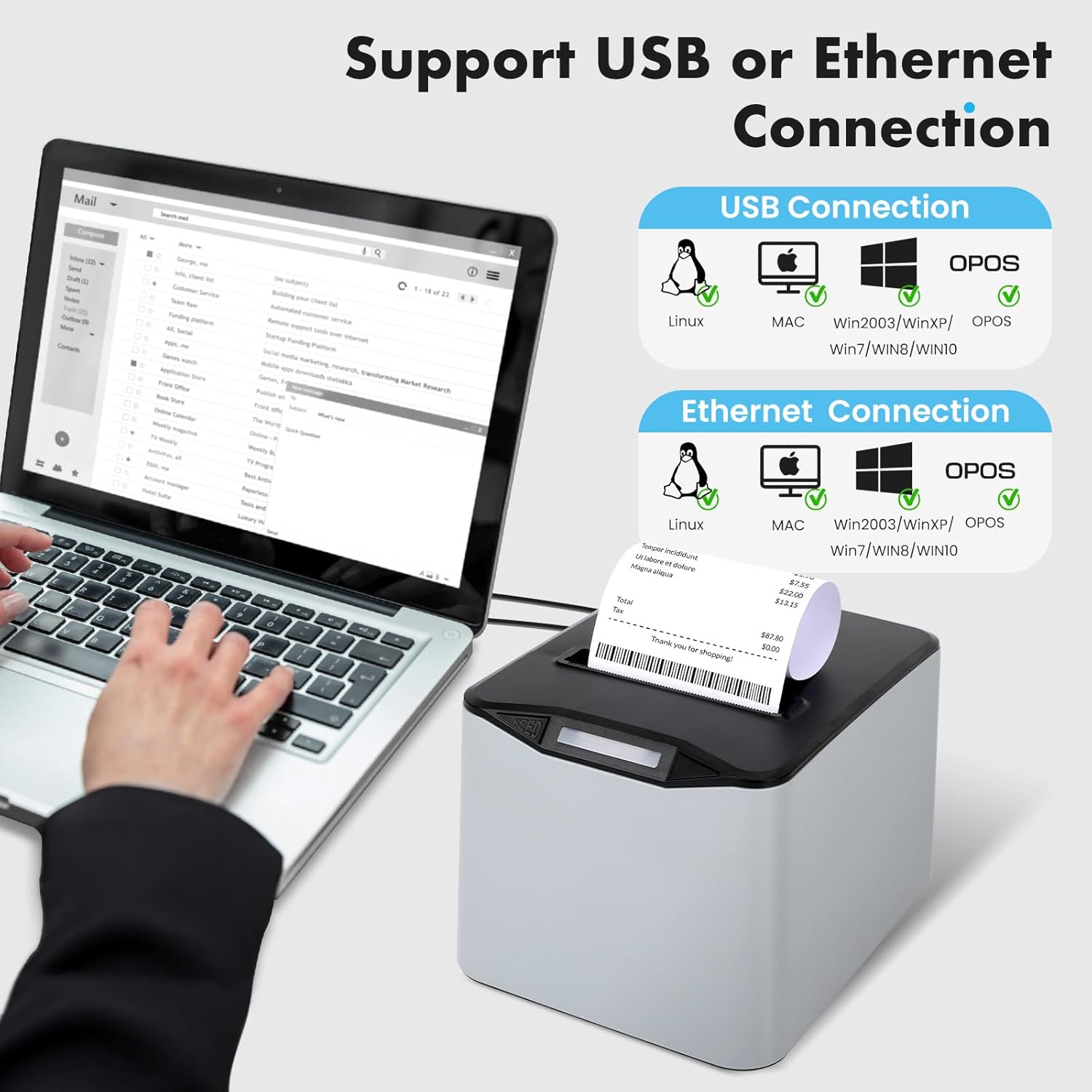
Image: Visual representation of USB and Ethernet connectivity options and supported operating systems.
6. Návod k obsluze
6.1. Zapnutí/vypnutí
- To power on, press the "Switch Button". The indicator light will illuminate.
- To power off, press the "Switch Button" again. The indicator light will turn off.
6.2. Základní tisk
Once the printer is connected and drivers are installed, you can print receipts from your POS software or application. The printer will automatically cut the receipt after printing.

Image: The printer in operation, demonstrating its fast and clear printing of receipts.
6.3. Manual Paper Feed
Press the "Feed Button" to manually advance the paper roll by a small increment.
6.4. Poplašný systém
The printer is equipped with a sound and light alarm system to notify users of printing status:
- A blue light flash indicates the printer is powered on.
- A red light flash indicates active printing or a potential error, ensuring no receipts are missed.
7. Kompatibilita
The NUCOUN VCP-8370 Thermal Receipt Printer offers broad compatibility:
- Operační systémy: Windows (Win2003, WinXP, Win7, Win8, Win10, Win11), Mac, and Linux.
- Sada příkazů: ESC/POS compatible.
- Rozhraní: USB, LAN (Ethernet), and RJ11 for cash drawers.
Important Note: This printer does NOT support Wi-Fi, Bluetooth, Square, or PayPal systems.
8. Údržba
Regular maintenance ensures optimal performance and extends the lifespan of your thermal receipt printer.
8.1. Čištění tiskové hlavy
- Vypněte tiskárnu a odpojte napájecí kabel.
- Open the printer cover and remove the paper roll.
- Gently wipe the thermal print head (the ceramic strip) with a cotton swab lightly dampened with isopropyl alcohol. Allow it to dry completely before closing the cover and reconnecting power.
8.2. Cleaning the Roller
- With the printer off, use a soft, lint-free cloth dampened with isopropyl alcohol to clean the rubber roller.
- Rotate the roller manually to clean its entire surface.
8.3. Generální úklid
- Vnější povrch tiskárny otřete měkkým, suchým hadříkem. Nepoužívejte abrazivní čisticí prostředky ani rozpouštědla.
- Ensure no dust or debris accumulates in the paper exit slot or around the auto-cutter mechanism.
9. Řešení problémů
Tato část se zabývá běžnými problémy, se kterými se můžete s tiskárnou setkat.
| Problém | Možná příčina | Řešení |
|---|---|---|
| Tiskárna se nezapne. | Napájecí kabel není připojen; zásuvka je vadná. | Ensure power cord is securely connected. Test the power outlet with another device. |
| No printing output. | No paper; paper loaded incorrectly; driver not installed; printer not selected. | Check paper roll and reload if necessary. Verify driver installation and printer selection in your software. |
| Špatná kvalita tisku (bledé, prázdné řádky). | Low quality thermal paper; dirty print head; print head damage. | Use high-quality thermal paper. Clean the print head as described in the Maintenance section. If problem persists, contact support. |
| Zaseknutý papír. | Papír je nesprávně vložen; v dráze papíru je cizí předmět. | Turn off printer, open cover, carefully remove jammed paper. Ensure paper is loaded correctly. |
| Zásuvka na peníze se neotevírá. | Incorrect connection; cash drawer not compatible; software command issue. | Verify RJ11 cable connection. Ensure cash drawer is DC 24V/2.5A compatible. Check POS software settings. |
| Driver installation issues. | Incorrect driver version; corrupted download. | Stáhněte si nejnovější ovladače z www.nucoun.com (Support section) and ensure it matches your OS. |
10. Technické specifikace
| Funkce | Specifikace |
|---|---|
| Název modelu | VCP-8370 |
| Značka | NUCOUN |
| Technologie tisku | Tepelný |
| Rozlišení tisku | 203 DPI |
| Maximální rychlost tisku | 220 mm/s |
| Šířka papíru | 80 mm (3 1/8 palce) |
| Maximální velikost média | 80mm x 230mm (supports larger 230' rolls) |
| Konektivita | USB, Ethernet (LAN) |
| Port zásuvky na peníze | RJ11 (DC 24V/2.5A compatible) |
| Životnost automatické řezačky | 1 miliony škrtů |
| Kompatibilita operačního systému | Windows (2003/XP/7/8/10/11), Mac, Linux, OPOS |
| Rozměry produktu | 8 x 7.52 x 5.47 palce (20.32 x 19.10 x 13.89 cm) |
| Hmotnost položky | 2.7 libry (1.22 kg) |
| Speciální funkce | Auto Cutter, Sound and Light Alarm |
11. Záruka a podpora
11.1. Informace o záruce
The NUCOUN VCP-8370 Thermal Receipt Printer comes with a omezená záruka. Please refer to the warranty card included in your package or visit the official NUCOUN webstránky pro podrobné podmínky.
11.2. Zákaznická podpora
For technical assistance, troubleshooting, or any inquiries regarding your NUCOUN product, please contact our professional after-sales support team. You can find contact information on the official NUCOUN webwebu nebo v přiložené dokumentaci.
Webmísto: www.nucoun.com