
HP HP 17
Uživatelská příručka k 17.3palcovému notebooku HP
Model: HP 17
Zavedení
This manual provides essential information for setting up, operating, and maintaining your HP 17.3 Inch Laptop. Designed for productivity and entertainment, this laptop features a 13th Gen Intel Core i7 processor, a vibrant 17.3-inch HD+ touchscreen, 36GB RAM, and a 1TB SSD, running on Windows 11 Pro.
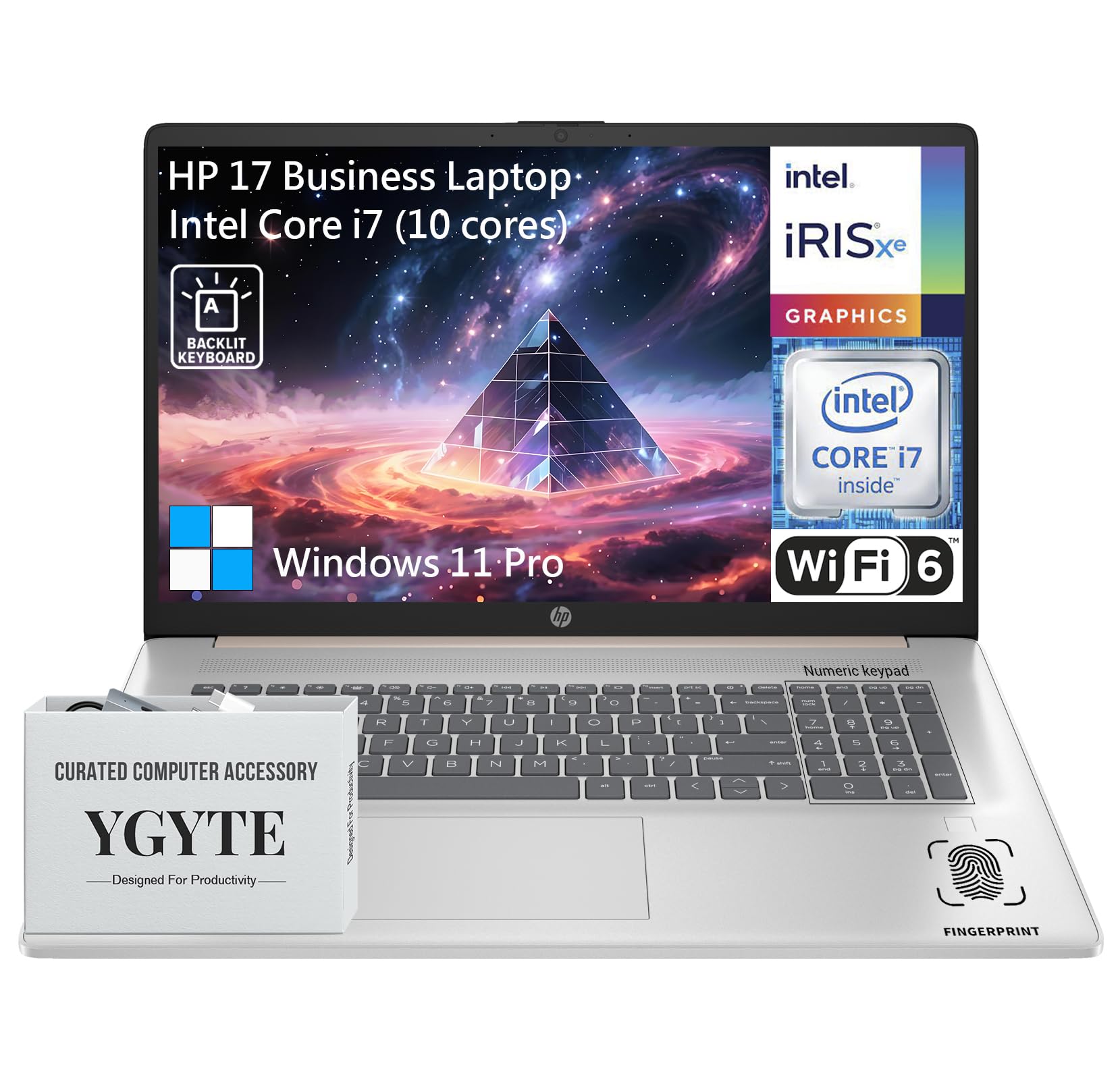
Generál view of the HP 17.3 Inch Laptop, showcasing its design and large display.

Nadview of the HP 17.3 Inch Laptop, highlighting its core components: Intel Core i7 processor, Intel Iris Xe Graphics, and Windows 11 Pro operating system.
Co je v krabici
Upon unpacking your HP 17.3 Inch Laptop, ensure all the following items are present:
- 17.3palcový notebook HP
- Napájecí adaptér
- Dokumentace (Stručná úvodní příručka, Záruční informace)
Nastavení
1. První zapnutí a nabíjení
- Připojte napájecí adaptér: Zapojte napájecí adaptér do napájecího portu notebooku a poté do zásuvky ve zdi.
- Nabijte baterii: Před prvním použitím nechte notebook nabíjet alespoň 30 minut nebo dokud indikátor baterie neukazuje dostatečné nabití.
- Zapnutí: Otevřete víko notebooku a stiskněte tlačítko napájení, které se obvykle nachází na klávesnici.
2. Nastavení systému Windows 11 Pro
Follow the on-screen instructions to complete the Windows 11 Pro setup process. This includes:
- Výběr regionu a rozložení klávesnice.
- Připojování k síti Wi-Fi.
- Přihlášení k účtu Microsoft nebo jeho vytvoření.
- Nastavení PINu nebo hesla.
- Konfigurace nastavení soukromí.
3. Síťové připojení
Your laptop supports Wi-Fi 6 for fast wireless connectivity. During Windows setup, you will be prompted to connect to a Wi-Fi network. If you need to connect later:
- Klikněte na ikonu Wi-Fi na hlavním panelu.
- Vyberte požadovanou síť ze seznamu.
- Pokud se zobrazí výzva, zadejte bezpečnostní klíč sítě (heslo).
- Klikněte Připojit.
Ovládání notebooku
Zobrazit
The HP 17.3 Inch Laptop features a 17.3-inch HD+ (1600 x 900) BrightView Touchscreen. This display offers crisp details and vibrant colors, providing ample space for multitasking and immersive viewzkušenosti.

The 17.3-inch HD+ touchscreen display offers a resolution of 1600x900 pixels with BrightView technology for enhanced visual clarity.
Výkon
Your laptop is equipped with a 13th Gen Intel Core i7 processor (10 cores, 12 threads, up to 5.0GHz) and Intel Iris Xe Graphics. This configuration provides robust performance for demanding applications, multitasking, and immersive entertainment.

Details of the Intel Core i7-1355U processor, including its 10 cores, 12 threads, 12MB cache, and a maximum turbo frequency of 5.0 GHz, designed for fast response and processing speed.
Storage and Multitasking
With 36GB of high-bandwidth DDR4 RAM, the laptop allows for seamless switching between applications. The 1TB high-speed SSD provides rapid boot times, quick application loading, and ampúložiště pro vaše files.

The laptop features 36GB DDR4 RAM for swift multitasking efficiency, a 1TB SSD for fast access and ample storage, and Wi-Fi 6 for faster wireless connectivity.
Konektivita
The HP 17.3 Inch Laptop offers a range of ports and wireless technologies to keep you connected:
- USB-C: SuperSpeed USB-C (5Gbps signaling rate) for data transfer and power delivery.
- USB-A: Two SuperSpeed USB-A ports (5Gbps signaling rate).
- HDMI 1.4b: Pro připojení k externím displejům.
- Wi-Fi 6: Advanced wireless networking for faster and more reliable internet.
- Bluetooth: Pro připojení bezdrátových periferií.
- Kombinovaný konektor pro sluchátka/mikrofon: Pro audio vstup a výstup.
- Chytrý PIN pro AC: Pro připojení napájecího adaptéru.

Boční profíkfile of the HP 17.3 Inch Laptop illustrating the placement of USB Type-A, HDMI 1.4b, headphone/microphone combo, USB Type-C, and AC smart pin ports, along with its dimensions and weight.
Zvuk a kamera
Engage in clear video calls and enjoy immersive audio with the integrated features:
- HP Wide Vision 720p HD Camera: Provides clear visuals for video conferencing.
- Dvoupolečkové digitální mikrofony: Ensures your voice is captured clearly.
- B&O Dual Speakers: Delivers rich, authentic audio tuned by Bang & Olufsen.

The HP 17.3 Inch Laptop features an HP True Vision 720p HD camera, dual array digital microphones, and B&O dual speakers for enhanced communication and audio experience.
Klávesnice a touchpad
The full-size backlit keyboard includes a 10-key number pad for comfortable and efficient typing. The larger trackpad provides precise navigation.
Čtečka otisků prstů
For enhanced security and quick login, utilize the integrated fingerprint reader. You can set this up through Windows Hello in your laptop's settings.
Údržba
Proper maintenance ensures the longevity and optimal performance of your HP laptop:
- Čištění: K čištění obrazovky a vnějšího povrchu použijte měkký hadřík, který nepouští vlákna. V případě odolných šmouh použijteampOtřete hadřík vodou nebo čističem obrazovek. Vyhněte se agresivním chemikáliím.
- Aktualizace softwaru: Pravidelně kontrolujte a instalujte aktualizace systému Windows a aktualizace ovladačů HP, abyste zajistili stabilitu a zabezpečení systému.
- Péče o baterie: To prolong battery life, avoid extreme temperatures. If storing the laptop for an extended period, charge the battery to about 50-70%.
- Větrání: Ujistěte se, že větrací otvory notebooku nejsou zakryty, aby nedošlo k jeho přehřátí. Používejte notebook na tvrdém a rovném povrchu.
- Záloha dat: Pravidelně zálohujte důležitá data na externí disk nebo cloudové úložiště, abyste předešli jejich ztrátě.
Odstraňování problémů
Zde jsou některé běžné problémy a jejich řešení:
| Problém | Řešení |
|---|---|
| Notebook se nezapne. | Ensure the power adapter is securely connected to both the laptop and a working power outlet. Check if the power outlet is functional. Try a different outlet. |
| Obrazovka je prázdná nebo černá. | Press the power button to ensure the laptop is on. Connect an external monitor to check if the display output is working. Adjust screen brightness using function keys. |
| Problémy s připojením k Wi-Fi. | Ensure Wi-Fi is enabled in Windows settings. Restart your router and modem. Check for updated Wi-Fi drivers. Try connecting to a different network if available. |
| Pomalý výkon. | Close unnecessary applications. Check for background processes consuming high resources (Task Manager). Ensure Windows and drivers are up to date. Run a disk cleanup. |
| Klávesnice nebo touchpad nereaguje. | Restart the laptop. Check for any physical obstructions. Ensure drivers are updated. |
Specifikace
| Funkce | Detail |
|---|---|
| Značka | HP |
| Název modelu | Essential 17 (HP 17) |
| Velikost obrazovky | 17.3 palce |
| Rozlišení obrazovky | 1600 x 900 pixelů (HD+) |
| Procesor | 13th Gen Intel Core i7 (10 Cores, up to 5.0 GHz) |
| BERAN | 36 GB DDR4 |
| Skladování | 1 TB SSD (PCIe x 16 interface) |
| Grafický koprocesor | Grafická karta Intel Iris Xe (integrovaná) |
| Operační systém | Windows 11 Pro |
| Bezdrátový typ | 802.11ax (Wi-Fi 6) |
| Konektivita | USB-C (5Gbps), 2x USB-A (5Gbps), HDMI 1.4b, Headphone/Microphone Combo |
| Speciální funkce | Backlit Keyboard, Fingerprint Reader, Touchscreen |
| Hmotnost položky | 4.61 libry |
| Rozměry produktu (DxŠxV) | 15.78 x 10.15 x 0.78 palce |
| Barva | Růžové zlato |
| Baterie | 1 lithium-iontová baterie (součástí balení) |
Záruka a podpora
Your HP 17.3 Inch Laptop comes with a standard manufacturer's warranty. For detailed warranty terms and conditions, please refer to the documentation included with your product or visit the official HP support webmísto.
Pro technickou pomoc, stažení ovladačů nebo další podporu navštivte oficiální stránky podpory HP. webmísto:
Užitečné zdroje a komunitní fóra můžete také najít na webu HP. webmísto.
Ask a question about this manual
Ask about setup, troubleshooting, compatibility, parts, safety, or missing instructions. Manuals+ will review the question and use this page’s manual context to help answer it.