
1. Úvod
The Foscam FNA108HE is an 8-channel Network Video Recorder (NVR) designed for surveillance systems. It supports up to 8 PoE (Power over Ethernet) IP cameras, allowing for simplified installation with power and data transmission over a single Ethernet cable. This NVR records video at up to 8MP resolution per channel and utilizes H.264+ video compression for efficient storage. It offers continuous, motion-detection, and scheduled recording options, and supports a hard drive up to 16TB (not included) for extensive storage. View and manage your surveillance system locally via HDMI/VGA monitor or remotely through a web rozhraní.
2. Obsah balení
- Foscam FNA108HE 8-Channel PoE NVR
- Napájecí adaptér
- USB myš
- Ethernetový kabel
- Rychlý průvodce
- Mounting Screws for HDD (Hard Disk Drive not included)
3. Konec produktuview
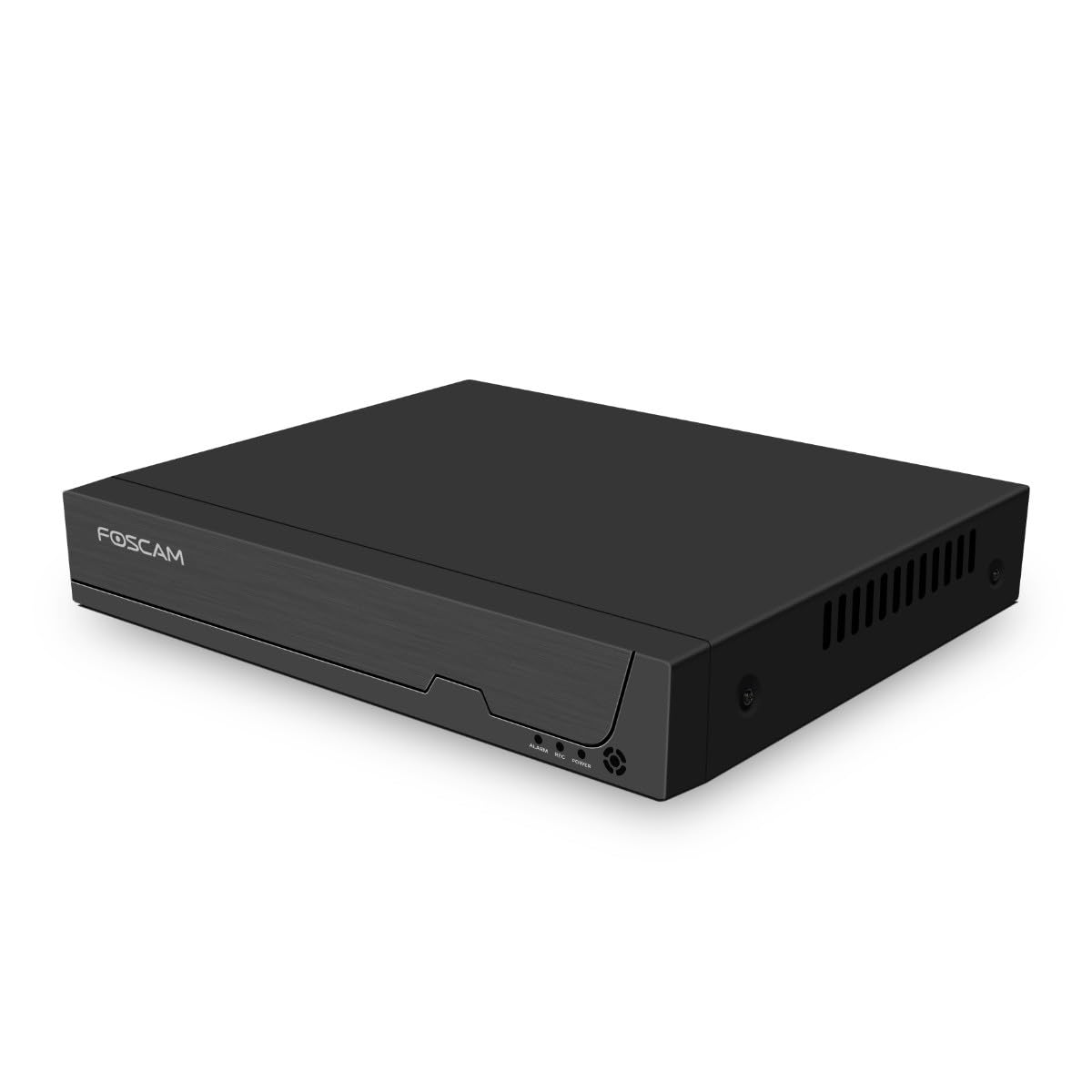
Obrázek 3.1: Přední panel
This image shows the front of the Foscam FNA108HE NVR, featuring the Foscam logo on the left and indicator lights (ALARM, REC, POWER) on the right, along with a navigation button.

Obrázek 3.2: Úhlové View
An angled perspective of the Foscam FNA108HE NVR, highlighting its compact design and the Foscam branding.

Obrázek 3.3: Zadní panel
This image displays the rear panel of the Foscam FNA108HE NVR, showing various ports including the power switch, DC 48V power input, 8 PoE ports, LAN port, A-OUT (audio output), VGA port, HD-OUT (HDMI port), and two USB ports.
3.1 Indikátory na předním panelu
- MOC: Indicates the NVR is powered on.
- REC: Flashes when video is being recorded.
- POPLACH: Illuminates when an alarm event (e.g., motion detection) is triggered.
3.2 Porty na zadním panelu
- Přepínač ON/OFF: Powers the NVR on or off.
- DC 48V: Power input for the NVR.
- PoE porty (1-8): Connect PoE IP cameras. These ports provide both power and data.
- LAN port: Připojuje NVR k vaší místní síti/routeru pro přístup k internetu a vzdálené ovládání. viewIng.
- A-OUT (audio výstup): Connects to an external speaker for audio output.
- VGA port: Connects to a VGA monitor for local display.
- HD-OUT (HDMI Port): Connects to an HDMI monitor or TV for local display.
- USB porty (x2): Connect a USB mouse for local control and for USB backup devices.
4. Nastavení
4.1 Hard Drive Installation (Optional, HDD not included)
For video recording, a 3.5-inch SATA hard drive is required. Ensure the NVR is powered off before installation.
- Odšroubujte a sejměte horní kryt NVR.
- Připojte datové a napájecí kabely SATA z NVR k pevnému disku.
- Připevněte pevný disk k šasi NVR pomocí dodaných šroubů.
- Nasaďte horní kryt a upevněte jej šrouby.
4.2 Hardwarové připojení
- Connect your PoE IP cameras to the PoE ports (1-8) on the NVR's rear panel using Ethernet cables.
- Připojte monitor k portu HD-OUT (HDMI) nebo VGA na NVR.
- Připojte USB myš k jednomu z USB portů NVR.
- Připojte LAN port NVR k routeru nebo síťovému přepínači pomocí ethernetového kabelu.
- Connect the power adapter to the DC 48V input on the NVR and then plug it into a power outlet.
- Press the ON/OFF switch to power on the NVR.
5. Provoz
5.1 Počáteční nastavení a přístup
Upon first boot, the NVR will guide you through an initial setup wizard (password creation, network settings, etc.). You can access the NVR interface locally via the connected monitor and mouse, or remotely via a web prohlížeč na počítači připojeném ke stejné síti.
5.2 Živě View
After logging in, the NVR will display the live video feeds from connected cameras. You can switch between single-camera view, mřížka s více kamerami view, and customize the display layout.
5.3 Režimy nahrávání
The NVR supports the following recording modes:
- Nepřetržité nahrávání: Nahrává 24 hodin denně, 7 dní v týdnu bez přerušení.
- Záznam detekce pohybu: Nahrává pouze tehdy, když kamery detekují pohyb.
- Plánované nahrávání: Records according to a predefined schedule (e.g., specific hours of the day).
Configure these settings in the NVR's menu under 'Record' or 'Schedule'.
5.4 Přehrávání
Na review zaznamenané footage:
- Access the 'Playback' menu on the NVR interface.
- Vyberte požadovanou kameru (kamery) a rozsah data/času.
- Use the timeline to navigate through recordings and play back events.
5.5 Vzdálený přístup
Vzdálený přístup k NVR:
- Ujistěte se, že je NVR připojen k internetu.
- Configure network settings (e.g., port forwarding) on your router if necessary, or use Foscam's cloud service/P2P feature if available.
- Use the Foscam web interface or mobile application to view live feeds and manage settings from anywhere.
6. Údržba
6.1 Správa pevných disků
Regularly check the status of your hard drive in the NVR's storage settings. If the hard drive is new or has issues, it may need to be formatted through the NVR interface. Ensure sufficient free space for continuous recording.
6.2 aktualizací firmwaru
Pravidelně kontrolujte oficiální stránky Foscamu. website for firmware updates. Keeping your NVR's firmware updated ensures optimal performance, security, and access to new features. Follow the instructions provided with the firmware update carefully.
7. Řešení problémů
- Bez zobrazení videa: Check HDMI/VGA cable connections, ensure monitor is on and set to correct input. Verify NVR is powered on.
- Cameras Not Showing: Ensure cameras are properly connected to PoE ports. Check camera power and network status. Verify camera IP addresses are within the NVR's range.
- Bez nahrávání: Confirm a hard drive is installed and formatted. Check recording schedules and motion detection settings. Ensure HDD has free space.
- Problémy se vzdáleným přístupem: Verify NVR has internet access. Check network settings, port forwarding, or P2P status. Ensure correct login credentials.
- NVR Not Powering On: Check power adapter connection and power outlet. Ensure the ON/OFF switch is in the 'ON' position.
8. Specifikace
| Funkce | Specifikace |
|---|---|
| Číslo modelu | FNA108HE |
| Značka | Foscam |
| Počet kanálů | 8 |
| Max. úložná kapacita | 16 TB (Hard Drive not included) |
| Komprese videa | H.264 + |
| Typ vstupu videa | PoE IP kamera |
| Video výstup | hdmi, vga |
| Zvukový výstup | A-OUT |
| USB porty | 2 |
| Technologie připojení | HDMI, USB, VGA, Ethernet (LAN, PoE) |
| Kompatibilní zařízení | Camera, Smartphone, Television |
| Hmotnost položky | 880 gramů |
| Dostupnost náhradních dílů | 1 rok |
9. Záruka a podpora
This Foscam NVR (Model FNA108HE) typically comes with a manufacturer's warranty. Spare parts are available for 1 year. For detailed warranty information, technical support, or service inquiries, please refer to the official Foscam webwebu nebo se obraťte přímo na jejich zákaznickou podporu. Uschovejte si doklad o koupi pro případ reklamace.