
1. Úvod
This manual provides detailed instructions for the installation, operation, and maintenance of your Kolink Unity Solar ARGB Mesh Midi Tower Case. Please read this manual thoroughly before beginning installation to ensure proper setup and safe usage. This case is designed to house standard PC components, offering efficient cooling and customizable ARGB lighting.
2. Bezpečnostní informace
- Před instalací nebo demontáží jakýchkoli součástí vždy odpojte napájecí kabel ze zásuvky.
- Handle all components with care to prevent damage from electrostatic discharge (ESD). Consider using an anti-static wrist strap.
- Avoid placing the case in direct sunlight, near heat sources, or in environments with excessive dust or humidity.
- Do not attempt to modify the case or its components. Unauthorized modifications may void your warranty and pose safety risks.
- Keep small parts, such as screws, away from children.
3. Obsah balení
Ověřte, zda jsou v balení přítomny všechny položky:
- Kolink Unity Solar ARGB Mesh Midi Tower Case
- Accessory Box (containing screws, cable ties, and standoffs)
- Uživatelská příručka (tento dokument)
4. Konec produktuview
The Kolink Unity Solar ARGB Mesh Midi Tower Case features a mesh front panel for optimal airflow, pre-installed ARGB fans, and a tempered glass side panel to showcase your build.
4.1 Externí Views

Obrázek 4.1.1: Přední strana view of the Kolink Unity Solar ARGB Mesh Midi Tower Case, highlighting the mesh front panel and three illuminated ARGB fans.
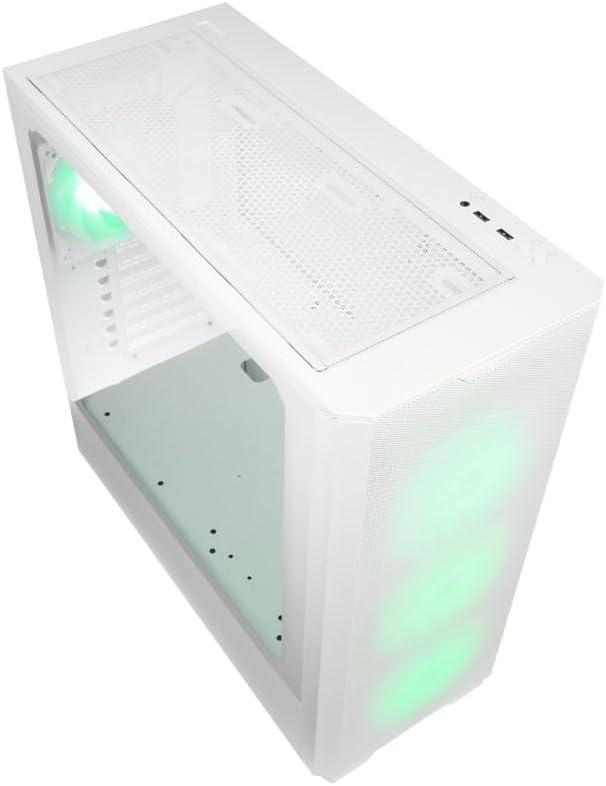
Obrázek 4.1.2: Nahoru view of the case, showing the top mesh panel and front I/O ports.
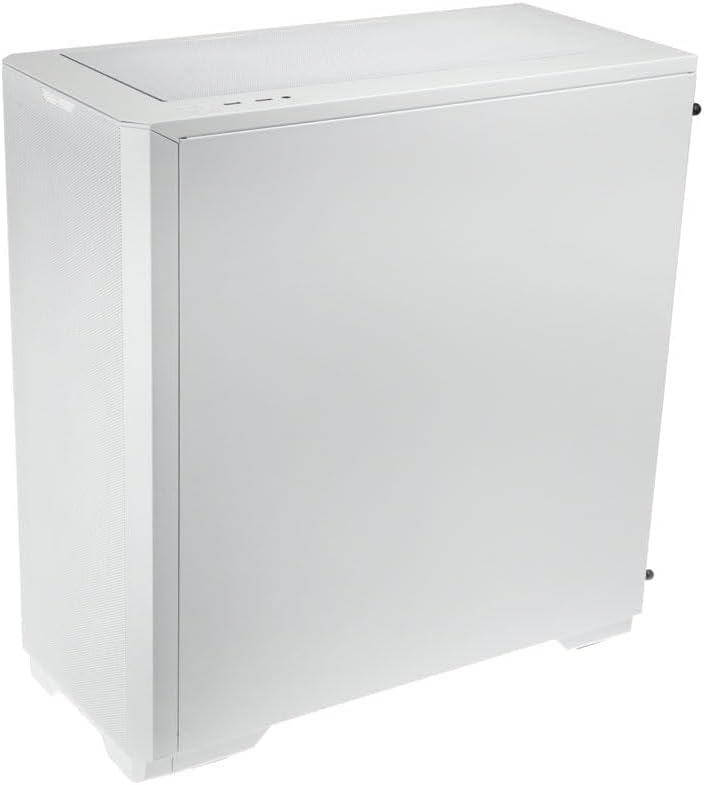
Obrázek 4.1.3: Zadní strana view of the case, illustrating the solid right side panel.

Obrázek 4.1.4: Composite image showing the front, rear, and tempered glass side panel of the case.
4.2 Přední I/O porty

Obrázek 4.2.1: Close-up of the top-mounted front I/O panel, featuring audio jacks, USB ports, and control buttons.
The front I/O panel typically includes:
- Tlačítko napájení
- Tlačítko Reset
- Porty USB 3.0 (x1)
- Porty USB 2.0 (x2)
- HD audio konektory (sluchátka/mikrofon)
- ARGB Control Button (for pre-installed fans)
4.3 Internal Layout

Obrázek 4.3.1: Interiér view of the case, showing the motherboard tray, front fan mounts, and PSU shroud.

Obrázek 4.3.2: Další interiér view, highlighting the rear fan mount and the spacious main chamber.

Obrázek 4.3.3: Close-up of the pre-installed ARGB fans at the front of the case.

Obrázek 4.3.4: View behind the motherboard tray, showing space for cable management and drive mounts.
5. Průvodce nastavením a instalací
Follow these steps to install your PC components into the Kolink Unity Solar case.
5.1 Příprava případu
- Umístěte pouzdro na rovný a stabilní povrch.
- Remove the tempered glass side panel by unscrewing the thumbscrews at the rear and carefully pulling it away. Set it aside on a soft, non-abrasive surface.
- Remove the solid right side panel by unscrewing its thumbscrews and sliding it off.
5.2 Instalace základní desky
- Nainstalujte kryt I/O (pokud je k dispozici) do zadního otvoru skříně.
- Ensure the correct standoffs are installed for your motherboard form factor (ATX, Micro-ATX, Mini-ITX). Adjust or add standoffs as needed using the provided tools.
- Carefully align your motherboard with the standoffs and I/O shield.
- Zajistěte základní desku dodanými šrouby. Nepřetahujte je.
5.3 Instalace jednotky napájecího zdroje (PSU)
- Vyhledejte montážní oblast pro zdroj v zadní spodní části skříně.
- Slide your PSU into the designated bay from the rear of the case.
- Zarovnejte zdroj s otvory pro šrouby a upevněte jej dodanými šrouby.
5.4 Storage Drive Installation (HDDs/SSDs)
Pouzdro podporuje více úložných jednotek. Konkrétní montážní materiál naleznete na krabici s příslušenstvím.
- 2.5" SSD disky: Mount directly onto the SSD trays located behind the motherboard tray or on the PSU shroud. Secure with screws.
- 3.5" pevné disky: Install into the drive cage located under the PSU shroud. Slide the drive into the tray and secure it.
5.5 Instalace grafické karty (GPU) a rozšiřující karty
- Odstraňte potřebné kryty slotů PCIe ze zadní strany skříně.
- Vložte grafickou kartu nebo jiné rozšiřující karty do příslušných slotů PCIe na základní desce.
- Secure the cards with the provided screws or retention clips.
5.6 Cable Management and Connections
- Connect all necessary power cables from the PSU to your motherboard, CPU, GPU, and storage drives.
- Connect the front I/O cables (USB, Audio, Power/Reset switches, ARGB control) to their respective headers on the motherboard. Refer to your motherboard manual for header locations.
- Route cables through the cutouts and tie-down points behind the motherboard tray to maintain a clean interior and optimize airflow. Use the included cable ties.
- Ensure the pre-installed ARGB fans are connected to the integrated ARGB controller or directly to an ARGB header on your motherboard (if supported).
6. Ovládání osvětlení ARGB
The Kolink Unity Solar case comes with pre-installed ARGB fans. You can control their lighting effects in two ways:
- Case ARGB Button: Use the dedicated ARGB control button on the front I/O panel to cycle through various lighting modes and colors.
- Software základní desky: If your motherboard has a 3-pin 5V ARGB header and compatible software (e.g., ASUS Aura Sync, MSI Mystic Light, Gigabyte RGB Fusion), you can connect the case's ARGB controller to the motherboard and synchronize lighting effects with other components. Refer to your motherboard manual for instructions on ARGB header connection and software usage.
7. Údržba
Pravidelná údržba pomáhá zajistit optimální výkon a dlouhou životnost komponent vašeho počítače.
- Prachové filtry: The case features removable dust filters on the front, top, and bottom. Periodically remove and clean these filters with compressed air or by rinsing them with water (ensure they are completely dry before reinstallation).
- Čištění interiéru: Use compressed air to remove dust from inside the case, especially from fan blades, heatsinks, and other components. Perform this cleaning in a well-ventilated area.
- Čištění exteriéru: Vnější povrchy otřete měkkým, damp hadříkem. Nepoužívejte agresivní chemikálie ani abrazivní čisticí prostředky.
8. Řešení problémů
Pokud narazíte na problémy, postupujte podle následujících běžných kroků pro řešení potíží:
- Počítač se nezapíná: Double-check all power connections from the PSU to the motherboard, CPU, and GPU. Ensure the front panel power switch cable is correctly connected to the motherboard header. Verify the PSU switch is in the 'ON' position.
- Fans not spinning/ARGB not lighting up: Check fan power connections and ARGB connections. Ensure ARGB cables are connected to the correct 3-pin 5V ARGB headers (not 4-pin 12V RGB headers). If using the case controller, ensure it is powered.
- Žádný výstup na displej: Ensure your graphics card is properly seated in its PCIe slot and all necessary power cables are connected. Verify your monitor cable is connected to the graphics card, not the motherboard's integrated graphics port (unless you are using integrated graphics).
9. Specifikace
Key specifications for the Kolink Unity Solar ARGB Mesh Midi Tower Case:
| Funkce | Specifikace |
|---|---|
| Značka | Koli |
| Název modelu | Unity Solar |
| Číslo modelu položky | UNITYSOLARWHT |
| Typ pouzdra | Střední věž |
| Barva | Bílý |
| Kompatibilita základní desky | ATX, Micro ATX, Mini ITX |
| Způsob chlazení | Vzduch |
| Typ montáže napájecího zdroje | Spodní montáž |
| Počet portů USB 2.0 | 2 |
| Celkový počet portů USB | 2 (Note: Product description indicates 1x USB 3.0, 2x USB 2.0. Please verify with product packaging.) |
| Total Internal Bays | 4 (Mixed 2.5"/3.5" support) |
| Hmotnost položky | 2.2 libry |
10. Záruka a podpora
For warranty information and technical support, please refer to the official KOLINK webnebo se obraťte na prodejce. Uschovejte si doklad o koupi pro případ reklamace.