
Zavedení
The Vieta Pro Way 3 headphones are designed to provide a versatile audio experience with multiple connectivity options and features. This device supports Bluetooth wireless connection, an Aux-in port for wired use, an integrated microphone for hands-free communication, a dedicated gaming mode, and Dual Pairing functionality. With an impressive battery life of up to 50 hours, these headphones are suitable for extended listening sessions.
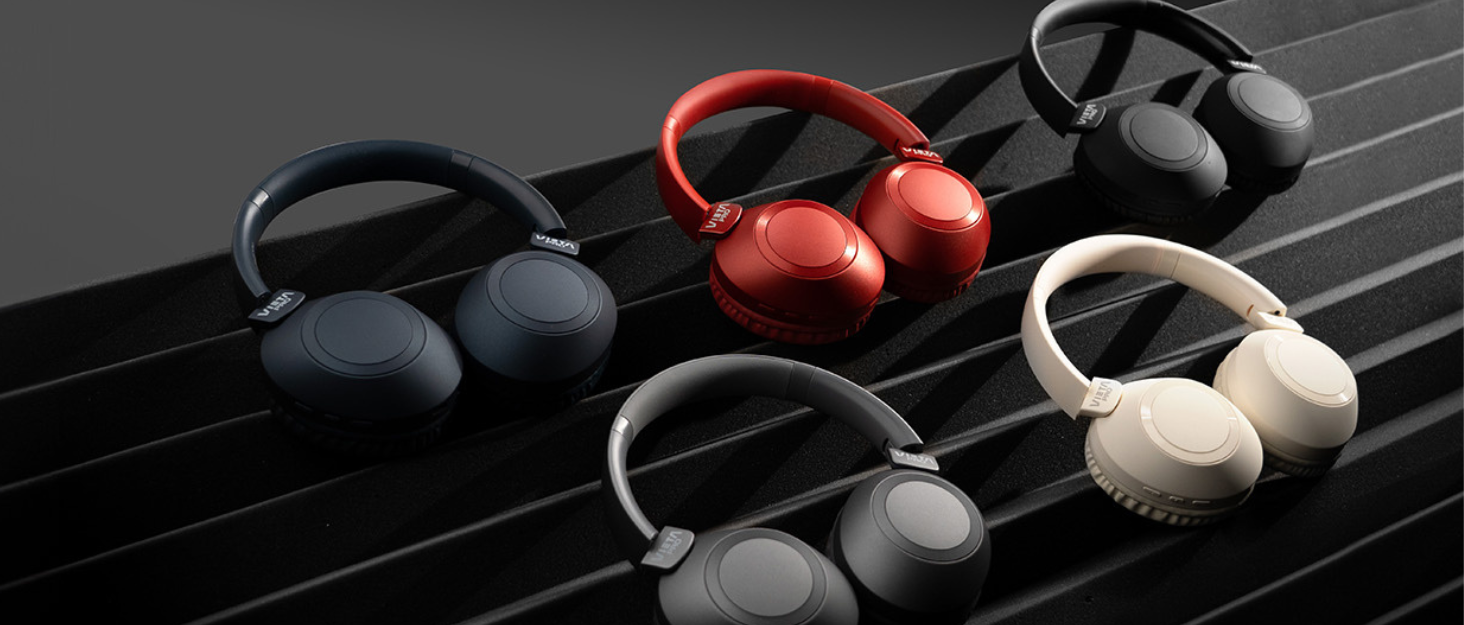
Image: Vieta Pro Way 3 headphones displayed in multiple color options.
Nastavení
1. Nabíjení sluchátek
Before initial use, ensure the headphones are fully charged. The Vieta Pro Way 3 headphones support wireless charging. A full charge provides up to 50 hours of continuous playback.
- Connect the provided charging cable to the charging port on the headphones and to a compatible USB power source.
- Alternatively, place the headphones on a compatible wireless charging pad.
- The indicator light will show the charging status and turn off or change color once fully charged.
2. Zapnutí/vypnutí
- Zapnutí: Stiskněte a podržte tlačítko napájení přibližně 3 sekundy, dokud se nerozsvítí kontrolka.
- Vypnutí: Stiskněte a podržte tlačítko napájení přibližně 3 sekundy, dokud kontrolka nezhasne.
3. Párování Bluetooth
Chcete-li bezdrátově připojit sluchátka k zařízení:
- Ujistěte se, že jsou sluchátka vypnutá.
- Stiskněte a podržte tlačítko napájení po dobu přibližně 5–7 sekund, dokud kontrolka nezačne rychle blikat, což signalizuje režim párování.
- Na smartphonu, tabletu nebo počítači povolte Bluetooth a vyhledejte dostupná zařízení.
- Select "Vieta Pro Way 3" from the list of found devices.
- Once connected, the indicator light will stop flashing and remain solid or flash slowly.
4. Připojení Aux-in
For a wired connection, use a 3.5mm audio cable:
- Připojte jeden konec 3.5mm audio kabelu k portu Aux-in na sluchátkách.
- Connect the other end to the 3.5mm audio output of your audio source.
- The headphones will automatically switch to Aux-in mode when a cable is detected.
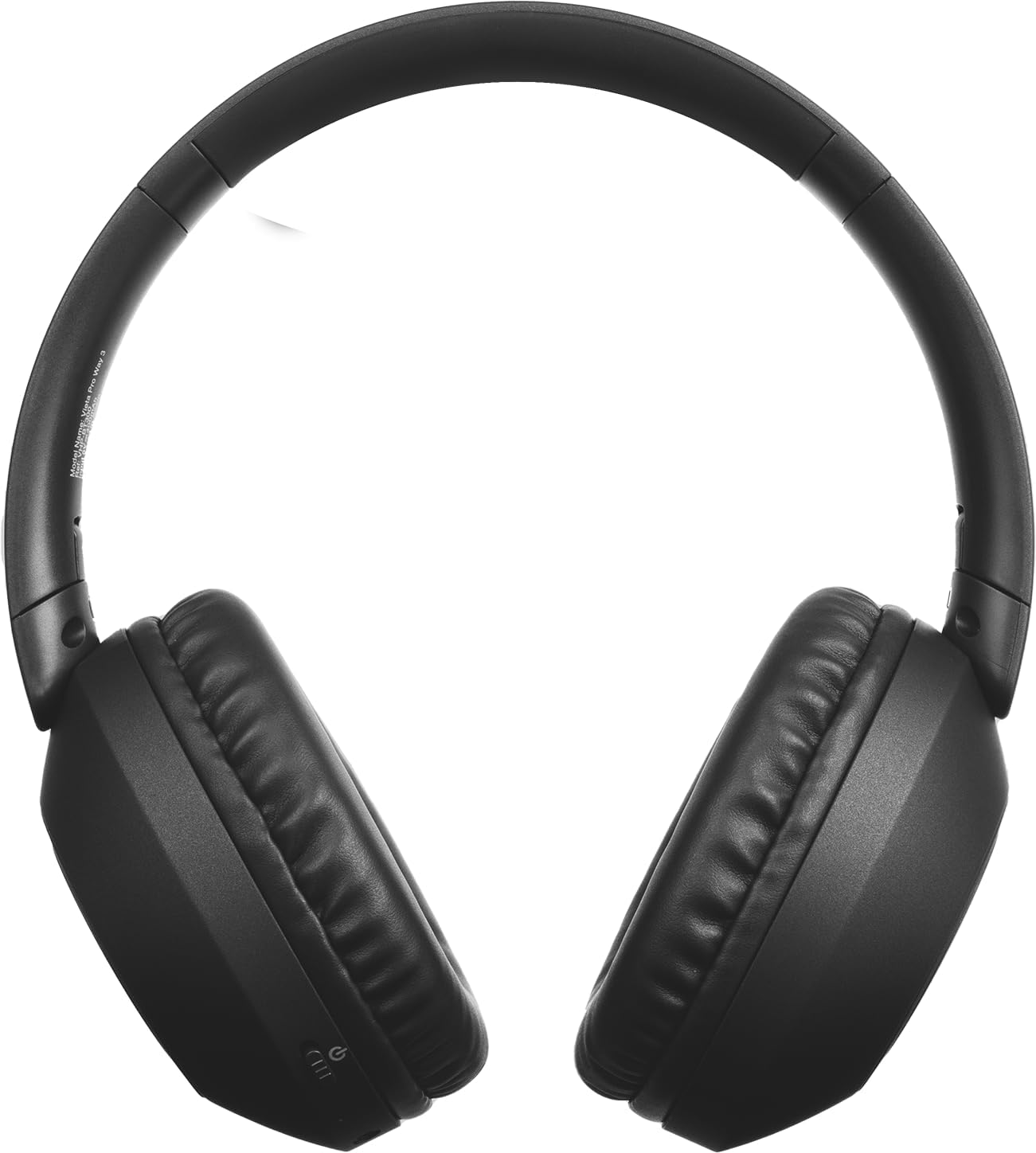
Obrázek: Přední strana view of the Vieta Pro Way 3 headphones, showing the earcups and headband.
Návod k obsluze
1. Přehrávání hudby
When connected via Bluetooth or Aux-in, you can control your music:
- Přehrát/pozastavit: Stiskněte jednou multifunkční tlačítko.
- Další skladba: Stiskněte a podržte tlačítko pro zvýšení hlasitosti.
- Předchozí skladba: Stiskněte a podržte tlačítko snížení hlasitosti.
- Zvýšit hlasitost: Krátce stiskněte tlačítko pro zvýšení hlasitosti.
- Snížit hlasitost: Krátce stiskněte tlačítko pro snížení hlasitosti.
2. Správa hovorů
The integrated microphone allows for hands-free calls when connected via Bluetooth:
- Přijmout/ukončit hovor: Stiskněte jednou multifunkční tlačítko.
- Odmítnout hovor: Stiskněte a podržte multifunkční tlačítko po dobu 2 sekund.
- Hlasový asistent: Dvojitým stisknutím multifunkčního tlačítka aktivujete hlasového asistenta zařízení.
3. Herní režim
Activate the dedicated gaming mode for optimized audio performance during gameplay, reducing latency and enhancing sound effects.
- Aktivace herního režimu: Refer to the specific button or gesture indicated in the quick start guide for your model. (Typically a dedicated button or a long press on a volume button).
4. Dvojité párování
The Dual Pairing feature allows the Vieta Pro Way 3 headphones to connect to two different Bluetooth devices simultaneously. This enables seamless switching between audio sources without the need to disconnect and re-pair.
- Pair the headphones with your first device following the Bluetooth Pairing instructions.
- Dočasně odpojte Bluetooth na prvním zařízení.
- Spárujte sluchátka s druhým zařízením.
- Znovu povolte Bluetooth na prvním zařízení. Sluchátka by nyní měla být připojena k oběma zařízením.
- Audio will play from the active source, and you can switch by pausing one and playing the other.

Image: A person wearing the Vieta Pro Way 3 headphones, demonstrating comfortable use.
Údržba
1. Čištění
- Sluchátka otřete měkkým, suchým hadříkem, který nepouští vlákna.
- Do not use abrasive cleaners, solvents, or strong chemicals, as these may damage the surface or internal components.
- Zabraňte vniknutí vlhkosti do jakýchkoli otvorů.
2. Skladování
- Sluchátka skladujte na chladném a suchém místě, mimo dosah přímého slunečního záření a extrémních teplot.
- When not in use for extended periods, store them in their protective case (if included) to prevent dust and damage.
3. Péče o baterie
- To prolong the lifespan of the battery, avoid fully discharging the headphones frequently.
- Charge the headphones regularly, even if not in frequent use.
Odstraňování problémů
1. Žádný zvuk
- Ujistěte se, že jsou sluchátka zapnutá a nabitá.
- Check the volume levels on both the headphones and the connected device.
- Verify that the headphones are properly paired via Bluetooth or securely connected via the Aux-in cable.
- Zkuste restartovat sluchátka i zařízení, které je zdrojem zvuku.
2. Problémy s párováním
- Ensure the headphones are in Bluetooth pairing mode (indicator light flashing rapidly).
- Vypněte a znovu povolte Bluetooth na vašem zařízení.
- Move the headphones closer to your device to ensure a strong signal.
- Clear previous Bluetooth connections from your device's Bluetooth settings and try pairing again.
3. Problémy s nabíjením
- Verify that the charging cable is securely connected to both the headphones and the power source, or that the headphones are correctly placed on the wireless charging pad.
- Ensure the power source (USB adapter, computer port, wireless charger) is functional.
- Check the charging port on the headphones for any debris that might obstruct the connection.
Specifikace
| Značka | Vieta Pro |
| Model | Způsob 3 |
| Form Factor | Over-ear (Headband) |
| Technologie připojení | Wireless (Bluetooth), Wired (Aux-in) |
| Bezdrátová komunikace | Bluetooth |
| Životnost baterie | Až 50 hodin (přehrávání) |
| Speciální funkce | Wireless Charging, Built-in Microphone, Gaming Mode, Dual Pairing |
| Výrobce | FRAMASON AUDIO SA |
| ASIN | B0CRL99NBD |
Poznámka: Specifikace se mohou změnit bez předchozího upozornění.
Záruka a podpora
For detailed warranty information, product registration, or technical assistance, please refer to the official Vieta Pro website or contact their customer support directly. It is recommended to retain your purchase receipt as proof of purchase for any warranty claims.
- Oficiální Webmísto: Návštěva www.vietapro.com (or relevant regional site) for support resources.
- Služby zákazníkům: Contact information can typically be found on the official webmísto.