
Walfront WALFRONTyrz27s9i4p
Walfront 12-Hour Mechanical Outlet Timer User Manual
Model: WALFRONTyrz27s9i4p
Zavedení
The Walfront 12-Hour Mechanical Outlet Timer is designed to provide convenient and energy-efficient control over your home appliances. This device allows you to set specific operating times for various electrical items, helping to conserve energy and automate your daily routines. Its simple plug-and-play design and intuitive dial make it easy to use for a wide range of applications.

Obrázek: Přední strana view of the Walfront 12-Hour Mechanical Outlet Timer, showing the 12-hour dial and two-prong plug.
Klíčové vlastnosti
- Odolná konstrukce: Made with environmental-friendly ABS material for safety and longevity.
- Snadná obsluha: Simple plug-and-play design with an intuitive rotary knob for time setting.
- Úspora energie: Allows precise control of appliance operation within a 0-12 hour range, reducing unnecessary power consumption.
- Nízká spotřeba energie v pohotovostním režimu: Consumes less than 1W in standby mode, contributing to energy efficiency.
- Všestranná aplikace: Suitable for controlling various home appliances such as water dispensers, heaters, air conditioners, fans, rice cookers, and more.
- Clear Time Scale: Large, easy-to-read dial for quick and accurate time setting.
Pokyny pro nastavení
- Vybalte časovač: Carefully remove the timer from its packaging. Inspect for any visible damage.
- Identify the Dial: Locate the large rotary dial on the front of the timer. This dial is marked with numbers from 0 to 12, representing hours, and an "OFF" position.
- Zapojte do zásuvky: Insert the two-prong plug of the timer into a standard wall outlet. Ensure it is securely seated.
- Připojit spotřebič: Plug the appliance you wish to control into the timer's socket.

Obrázek: Úhlový view of the timer, showing the plug and the dial, ready for setup.
Návod k obsluze
The Walfront Mechanical Outlet Timer operates on a simple 0-12 hour cycle. Follow these steps to set the desired operating time for your appliance:
- Determine Desired ON Duration: Decide how many hours you want your appliance to remain ON. The timer supports durations from 0 to 12 hours.
- Rotate the Dial: Gently turn the rotary dial clockwise to the desired number of hours. For example, if you want the appliance to run for 3 hours, turn the dial to the '3' mark. The timer will begin counting down immediately.
- Poloha „VYPNUTO“: To turn the appliance off immediately, rotate the dial to the "OFF" position.
- Automatické vypnutí: Once the set time has elapsed, the timer will automatically turn off the connected appliance.
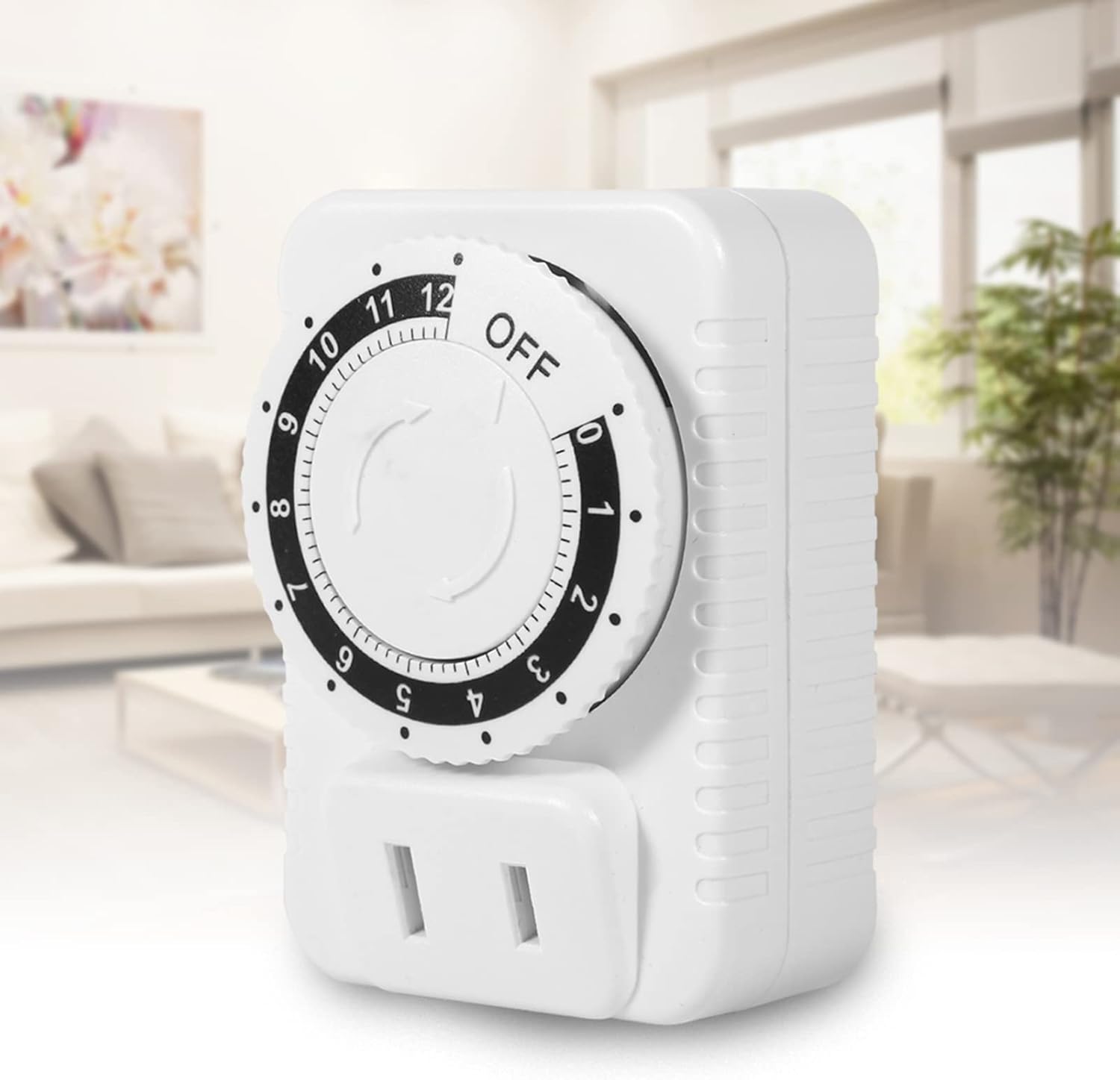
Image: The timer plugged into an outlet in a home environment, demonstrating its practical application.
Údržba
To ensure the longevity and proper functioning of your Walfront Mechanical Outlet Timer, follow these simple maintenance guidelines:
- Čištění: Disconnect the timer from the power outlet before cleaning. Use a soft, dry cloth to wipe the exterior. Do not use liquid cleaners, sprays, or abrasive materials, as these can damage the device.
- Skladování: Pokud časovač delší dobu nepoužíváte, skladujte jej na chladném a suchém místě mimo dosah přímého slunečního záření a extrémních teplot.
- Vyhněte se přetížení: Do not connect appliances that exceed the timer's maximum power rating (2500W) or current rating (10A).
- Podmínky prostředí: Avoid exposing the timer to water, high humidity, or dusty environments.
Odstraňování problémů
If you encounter issues with your Walfront Mechanical Outlet Timer, refer to the following common problems and solutions:
| Problém | Možná příčina | Řešení |
|---|---|---|
| Časovač se nezapne. | No power from the wall outlet. | Check the wall outlet with another appliance. Ensure the outlet is live. |
| Appliance does not turn on when plugged into the timer. | Timer dial is set to "OFF" or has completed its cycle. Appliance itself is not working. | Rotate the dial to a desired ON time. Check if the appliance works when plugged directly into a wall outlet. |
| Timer does not turn off after set time. | Internal mechanism issue (rare). | Unplug the timer and plug it back in. If the issue persists, contact customer support. |
| Číselník se otáčí ztuha nebo obtížně. | Drobné nečistoty nebo výrobní tolerance. | Ensure no foreign objects are obstructing the dial. Apply gentle, consistent pressure. Do not force. |
Technické specifikace
| Atribut | Detail |
|---|---|
| Číslo modelu | WALFRONTyrz27s9i4p |
| Značka | Walfront |
| Barva | Bílý |
| Materiál pláště | Akrylonitrilbutadienstyren (ABS) |
| svtage | AC 250V |
| Maximální výkon | 2500W |
| Maximální proud | 10A |
| Rozsah nastavení času | 0-12 hodin |
| Spotřeba energie v pohotovostním režimu | Méně než 1W |
| Hmotnost položky | 0.5 kilogramu (přibližně 1.1 liber) |
| Rozměry balení | 3.15 x 2.76 x 1.97 palce |
| Země původu | Čína |

Obrázek: Boční view of the timer showing approximate dimensions (5cm, 7cm, 4.8cm).
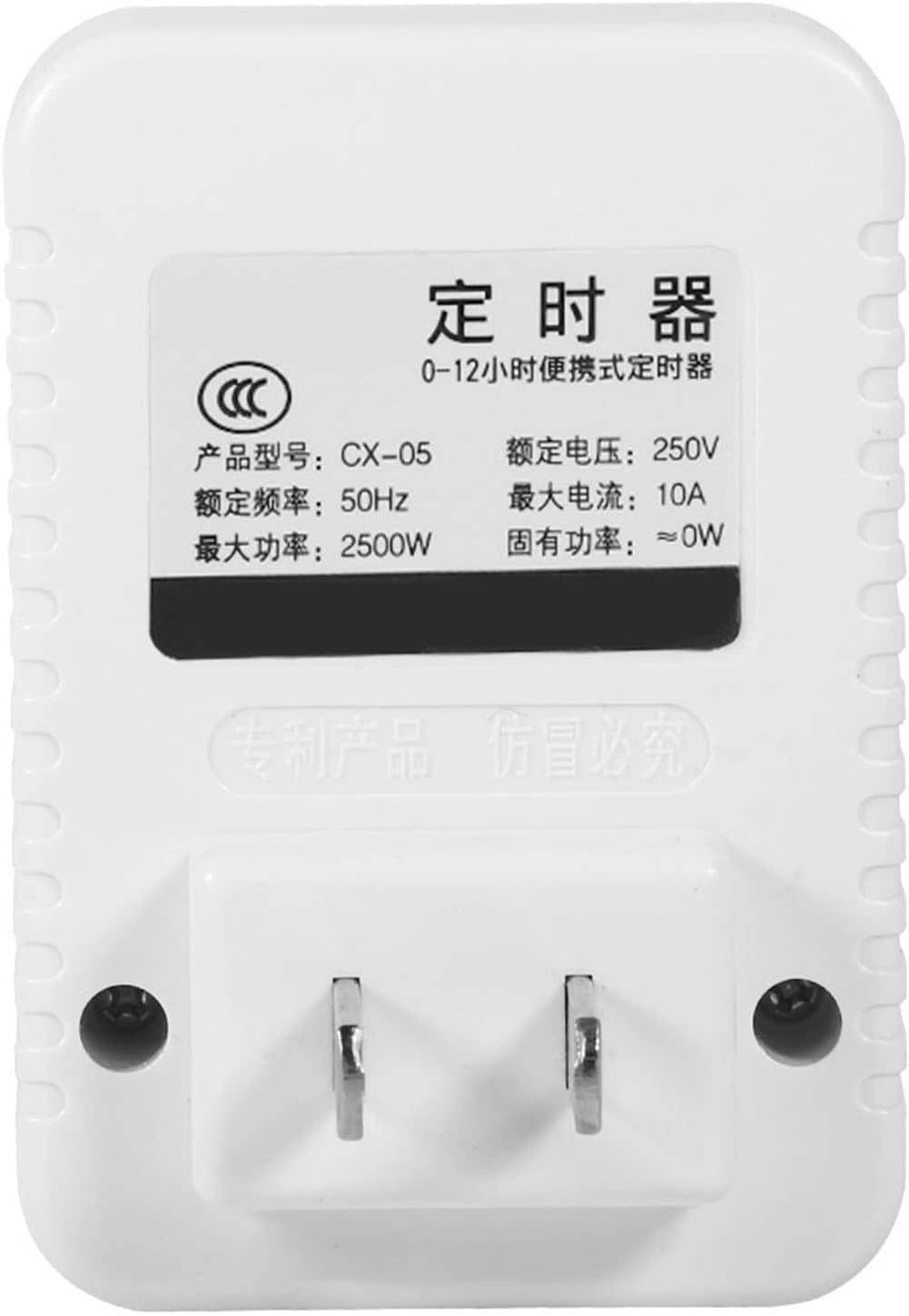
Obrázek: Zpět view of the timer showing the product label with electrical specifications.
Záruka a podpora
Walfront products are manufactured to high-quality standards. While specific warranty details are not provided in this manual, please retain your proof of purchase for any warranty claims. For technical support, troubleshooting assistance, or inquiries regarding your Walfront 12-Hour Mechanical Outlet Timer, please refer to the contact information provided with your purchase or visit the official Walfront webmísto.
Pro další pomoc můžete navštívit Walfront Store on Amazon.
Ask a question about this manual
Ask about setup, troubleshooting, compatibility, parts, safety, or missing instructions. Manuals+ will review the question and use this page’s manual context to help answer it.