
Amazon Fire TV Stick HD
Uživatelská příručka Amazon Fire TV Stick HD
Model: Fire TV Stick HD
Zavedení
Welcome to the user manual for your new Amazon Fire TV Stick HD. This guide provides detailed instructions on how to set up, operate, maintain, and troubleshoot your device, ensuring you get the most out of its streaming and smart home capabilities.

Image: The Amazon Fire TV Stick HD and its accompanying Alexa Voice Remote. The stick is compact and plugs directly into an HDMI port, while the remote features dedicated buttons for navigation, voice control, and popular streaming services.
Co je v krabici
Upon unboxing your Fire TV Stick HD, you should find the following components:
- Fire TV Stick HD device
- Hlasové dálkové ovládání
- Napájecí kabel a napájecí adaptér
- HDMI prodlužovač
- 2 AAA batteries (for the remote)
- Rychlý průvodce

Image: The retail packaging for the Amazon Fire TV Stick HD, showing the device, remote, and box. This illustrates all the items included in the product package.
Průvodce nastavením
Follow these steps to set up your Fire TV Stick HD:
- Připojení Fire TV Stick: Plug the Fire TV Stick HD directly into an available HDMI port on your high-definition television. If space is limited or for better Wi-Fi reception, use the included HDMI extender.
- Zapnutí: Připojte napájecí kabel k zařízení Fire TV Stick a poté zapojte napájecí adaptér do zásuvky ve zdi.
- Vložení baterií do dálkového ovladače: Otevřete přihrádku na baterie na zadní straně hlasového ovladače Alexa a vložte dvě baterie AAA, dbejte na správnou polaritu.
- Vyberte vstup HDMI: Turn on your TV and select the correct HDMI input source where the Fire TV Stick is connected.
- Postupujte podle pokynů na obrazovce: The Fire TV Stick will guide you through the initial setup process, including connecting to your Wi-Fi network and logging into your Amazon account.
- Spárování dálkového ovladače (pokud je to nutné): If your remote does not automatically pair, press and hold the Home button on the remote for 10 seconds until it pairs with your Fire TV Stick.
Operating Your Fire TV Stick HD
Hlasové ovládání pomocí Alexa
The Alexa Voice Remote allows you to control your Fire TV Stick using voice commands. Press and hold the microphone button on the remote, then speak your command. You can search for content, launch apps, control playback, and more.

Image: The Alexa Voice Remote, highlighting its voice control button and dedicated app buttons for services like Prime Video and Netflix. This remote simplifies content discovery and access.
Streamování obsahu
Access a vast library of movies, TV shows, and live TV from various streaming services. The Fire TV Stick HD supports Full HD (1080p) resolution for a clear viewzkušenosti.
- Filmy a televizní pořady: Stream from popular services like Netflix, Prime Video, Disney+, Vix, and many more. Subscription fees may apply for certain services.
- Bezplatný obsah: Enjoy over 50,000 free movies and TV episodes from ad-supported streaming apps such as Vix, Tubi, and Pluto TV.
- Hudba: Listen to millions of songs from Amazon Music, Spotify, Pandora, and other music streaming platforms.
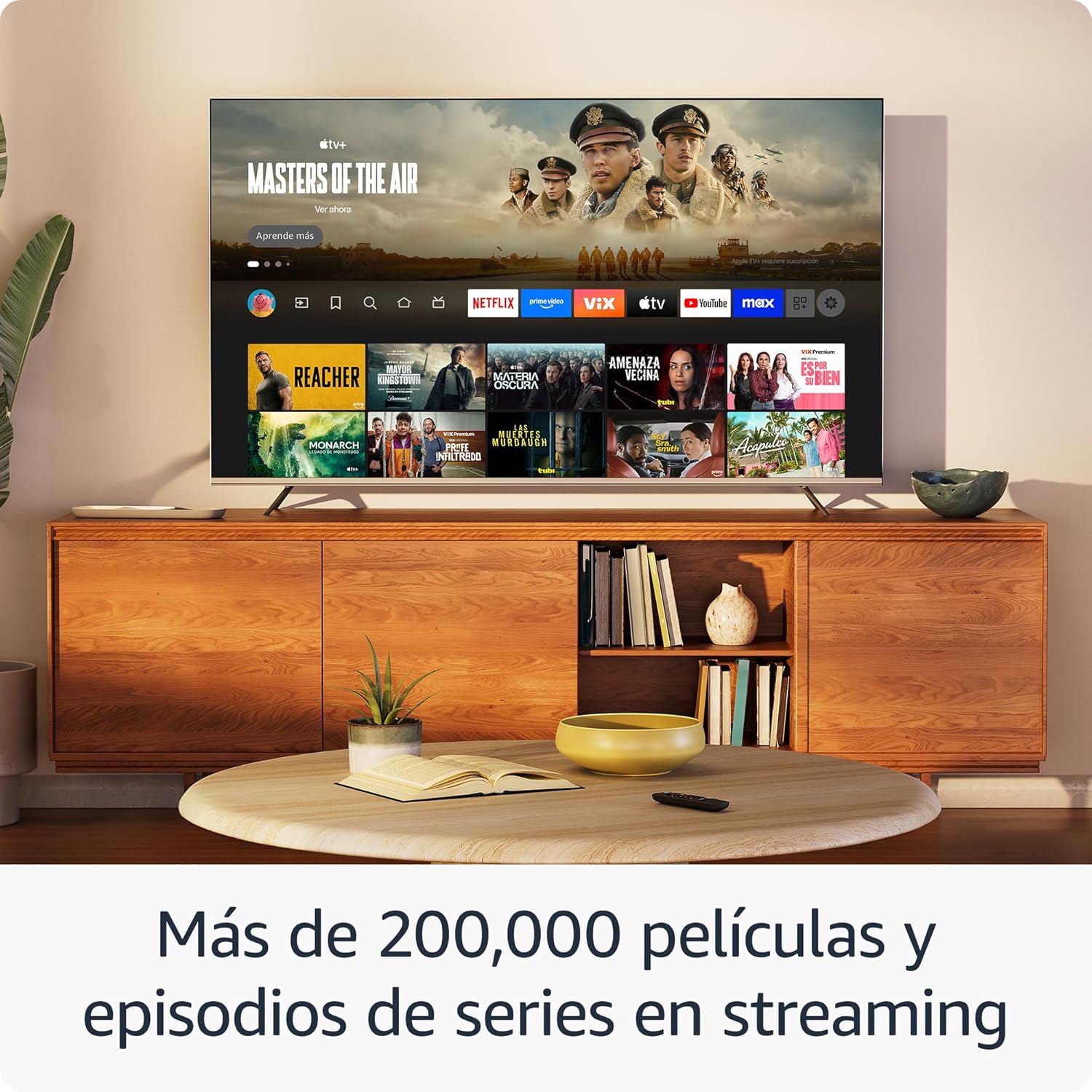
Obrázek: Televizní showasing the Fire TV interface with various streaming applications like Netflix, Prime Video, and Disney+. This demonstrates the wide range of entertainment options available.

Image: A visual comparison illustrating the difference in picture quality between Standard Definition (SD), High Definition (HD), and 4K resolution. The Fire TV Stick HD delivers content in crisp HD.
Smart Home Control
Use your Fire TV Stick HD and Alexa Voice Remote to control compatible smart home devices. You can ask Alexa to check the weather, dim lights, view live camera feeds, and more.

Image: A television screen displaying the smart home control dashboard, showing icons for thermostat, smart camera, and light. This illustrates how the Fire TV Stick can integrate with and manage smart home devices.
Údržba
To ensure the longevity and optimal performance of your Fire TV Stick HD:
- Čištění: Gently wipe the device and remote with a soft, dry, lint-free cloth. Avoid using liquid cleaners or aerosols.
- Prostředí: Uchovávejte zařízení v dobře větraném prostoru, mimo dosah přímého slunečního záření, zdrojů tepla a vlhkosti.
- Aktualizace softwaru: The device automatically receives software security updates. Ensure your device is connected to the internet to receive these updates.
Odstraňování problémů
If you encounter issues with your Fire TV Stick HD, try the following solutions:
- Bez napájení/Žádný displej:
- Ensure the power cable is securely connected to both the Fire TV Stick and the power adapter, and the adapter is plugged into a working wall outlet.
- Verify your TV is on the correct HDMI input channel.
- Zkuste na televizoru jiný port HDMI.
- Dálkové ovládání nereaguje:
- Vyměňte baterie AAA v dálkovém ovladači.
- Re-pair the remote by pressing and holding the Home button for 10 seconds.
- Ensure there are no obstructions between the remote and the Fire TV Stick.
- Problémy s připojením Wi-Fi:
- Restartujte Wi-Fi router a modem.
- Go to Settings > Network on your Fire TV Stick and try reconnecting to your Wi-Fi network.
- Ensure your Fire TV Stick is within range of your Wi-Fi router.
- Partial Incompatibility with Roku TVs (as reported by some users):
- Some Roku TV models may not automatically switch to the Fire TV Stick's HDMI input upon power-on. You may need to manually select the HDMI input using your Roku TV's remote.
Specifikace
| Funkce | Specifikace |
|---|---|
| Dimensions (Stick) | 86 x 30 x 13 mm (3.4" x 1.2" x 0.5") |
| Weight (Stick) | 32.0 g (1.1 oz) |
| Procesor | Čtyřjádrový 1.7 GHz |
| Interní úložiště | 8 GB |
| Wi-Fi připojení | Dual-band, dual-antenna Wi-Fi (MIMO) compatible with 802.11a/b/g/n/ac |
| Bluetooth | Bluetooth 5.0 a Bluetooth Low Energy |
| Voice Compatibility | Alexa Voice Remote (included) or free Fire TV app |
| Ovládání infračerveného zařízení | Controls TV, soundbar, AV receiver (power, volume) via included Alexa Voice Remote |
| Cloudové úložiště | Free cloud storage for digital content purchased from Amazon |
| Porty | HDMI output; Micro USB for power only |
| Podpora zvuku | Dolby encoded audio (AC-3, E-AC-3) HDMI pass-through |
| Video formáty | HDR10, HDR10+, HLG, H.265, H.264, Vp9 |
| Výstupní rozlišení | 1080p a 720p až 60 fps |
| Systémové požadavky | HD TV with HDMI input, Wi-Fi internet connection, power outlet |
| Compatible TVs | HD TVs with HDMI and 1080p or 720p at 60/50 Hz capability |
| Funkce usnadnění | HlasView screen reader, Closed Captions (not for all content) |
| Dálkové rozměry | 38.68 x 141.3 x 17.6 mm |
| Hmotnost na dálku | 45 g (bez baterií) |
| Dálkové baterie | 2 baterie AAA (součástí balení) |
| Vzdálená kompatibilita | Fire TV Stick HD, Fire TV Stick 4K (1st Gen and later) |
Záruka a podpora
Your Amazon Fire TV Stick HD comes with a 1letá omezená záruka and included service. For detailed terms and conditions regarding the use of your Fire TV Stick, please refer to the official Amazon webmísto.
Aktualizace zabezpečení softwaru: This device is guaranteed to receive software security updates for at least four years after it is no longer available for purchase as a new unit on Amazon websites. For more information on your specific device's updates, you can check your Amazon account's "Manage Your Content and Devices" section.
For further assistance or support, please visit the official Amazon support pages or contact Amazon customer service.
Ask a question about this manual
Ask about setup, troubleshooting, compatibility, parts, safety, or missing instructions. Manuals+ will review the question and use this page’s manual context to help answer it.