
Zavedení
Thank you for choosing the VOOMY 3-in-1 Wireless Charging Station. This device is designed to provide convenient and efficient charging for your compatible smartphone, smartwatch, and wireless earbuds simultaneously. It also features an integrated LED desk lamp with adjustable brightness and an additional USB-A port for wired charging.
Please read this manual carefully before use to ensure proper operation and to maximize the lifespan of your product.
Konec produktuview
The VOOMY 3-in-1 Wireless Charging Station combines multiple functionalities into a single, elegant unit.

Image: The VOOMY 3-in-1 Wireless Charging Station, showcasing a smartphone charging vertically, a smartwatch on its dedicated pad, and wireless earbuds on the base, alongside the included power adapter.
Klíčové vlastnosti:
- 3-in-1 Wireless Charging: Simultaneously charge a smartphone, smartwatch, and wireless earbuds.
- Rychlé bezdrátové nabíjení 15W: Optimized for quick charging of compatible devices.
- Integrated LED Desk Lamp: Features 3 adjustable brightness levels for versatile use.
- Additional USB-A Output: For charging other devices via a wired connection.
- Univerzální kompatibilita: Supports Qi-enabled devices, MagSafe compatible phones, Apple Watch, and AirPods.
- Pokročilé bezpečnostní funkce: Built-in protection against overcharge, overvoltage, short-circuit, and lightning.

Image: An illustration highlighting the station's capabilities: three wireless charging zones, 15W fast charging, and a 3-position LED light.
Obsah balení
- VOOMY 3-in-1 Wireless Charging Station
- Nabíjecí kabel USB-C
- Uživatelská příručka
Note: A power adapter (wall charger) is required and may be included depending on your purchase. Ensure the adapter provides sufficient power (e.g., 9V/2A or 12V/1.5A) for optimal performance.
Pokyny pro nastavení
- Připojte napájení: Insert the USB-C end of the provided charging cable into the USB-C input port on the back of the charging station. Plug the other end of the cable into a compatible power adapter (not always included) and then into a wall outlet.
- Zapnutí: The LED indicator on the base will briefly light up, indicating the station is powered on and ready for use.

Obrázek: Podrobný view of the charging station's side, showing the USB-C input port for power and an additional USB-A output port for wired charging.
Návod k obsluze
1. Charging Your Smartphone:
- Place your MagSafe-compatible smartphone onto the vertical charging stand. The phone will magnetically align.
- Ensure the phone screen displays the charging indicator.
- The stand supports both vertical and horizontal (landscape) charging orientations.

Image: A smartphone charging on the MagSafe-compatible stand, demonstrating both vertical and horizontal charging positions.
2. Charging Your Smartwatch:
- Place your compatible smartwatch onto the dedicated magnetic charging pad located on the side of the stand.
- The smartwatch should magnetically snap into place and begin charging.

Image: A close-up of a smartwatch being wirelessly charged on its designated magnetic pad on the station.
3. Charging Your Wireless Earbuds:
- Place your Qi-compatible wireless earbud case onto the charging pad located on the base of the station.
- Ensure the earbud case is centered on the charging area for optimal contact.

Image: A wireless earbud case placed on the charging base of the station, indicating wireless charging in progress.
4. Using the LED Desk Lamp:
- The charging station features a touch-sensitive control for the LED light.
- Zapnutí/vypnutí: Lightly tap the touch control area on the base.
- Nastavení jasu: Tap the control area repeatedly to cycle through the 3 brightness levels (Dim, Medium, Bright) and off.

Image: A hand touching the designated area on the charging station's base, indicating the touch-controlled LED light function.

Image: A visual representation of the three adjustable brightness levels of the integrated LED light: Dim, Medium, and Bright.
5. Using the USB-A Output Port:
- Connect any device that charges via a standard USB-A cable (e.g., fitness trackers, older phones) to the USB-A output port on the side of the charging station.
- This port provides an additional option for wired charging.
Údržba
- Čištění: Disconnect the power before cleaning. Use a soft, dry cloth to wipe the surface of the charging station. Do not use abrasive cleaners, solvents, or immerse the device in water.
- Skladování: When not in use for extended periods, store the charging station in a cool, dry place away from direct sunlight and extreme temperatures.
- Péče o kabely: Avoid bending or crimping the charging cable excessively.
Odstraňování problémů
| Problém | Možná příčina | Řešení |
|---|---|---|
| Zařízení se nenabíjí bezdrátově. |
|
|
| LED světlo nefunguje. |
|
|
| Pomalé nabíjení. |
|
|
Specifikace
| Funkce | Detail |
|---|---|
| Značka | VOOMY |
| Číslo modelu | VOOMY 3-in-1 Wireless Charger (B0CQ5DMWTY) |
| Barva | Černý |
| Vstupní objemtage | 240 Volts (via USB-C) |
| Vstupní konektor | USB typ C |
| Výstupní konektor | USB Type A (1 port) |
| Bezdrátový nabíjecí výstup | Up to 15W (Phone), 5W (Earbuds), 2.5W (Smartwatch) |
| Speciální funkce | Auto-stop, Fast charging, Wireless charging, MagSafe compatible, LED Desk Lamp (3 levels), Braided cable (for included cable) |
| Kompatibilní zařízení | Qi-enabled smartphones (iPhone 8-15 series, Samsung Galaxy S series), Apple Watch (Ultra/SE/8/7/6/5/4), AirPods (2/3/Pro), other Qi-compatible earbuds, devices charging via USB-A. |
| Certifikace | CE-ROHS |

Image: A visual comparison illustrating that 15W charging is 2.5 times faster than 5W charging, reaching 50% charge in 30 minutes.
Bezpečnostní informace
Your VOOMY 3-in-1 Wireless Charging Station is designed with multiple safety features to protect your devices and ensure safe operation.
- Ochrana proti přebití: Prevents damage to batteries from excessive charging.
- Přepětítage ochrana: Ochranné prvky proti přepětí.
- Ochrana proti zkratu: V případě zkratu automaticky vypne napájení.
- Ochrana před bleskem: Offers defense against electrical spikes.
- Chraňte zařízení před vodou, vlhkostí a vysokými teplotami.
- Nerozebírejte ani se nepokoušejte zařízení sami opravovat. Požádejte o pomoc zákaznickou podporu.
- Use only the provided or a certified compatible power adapter and cable.
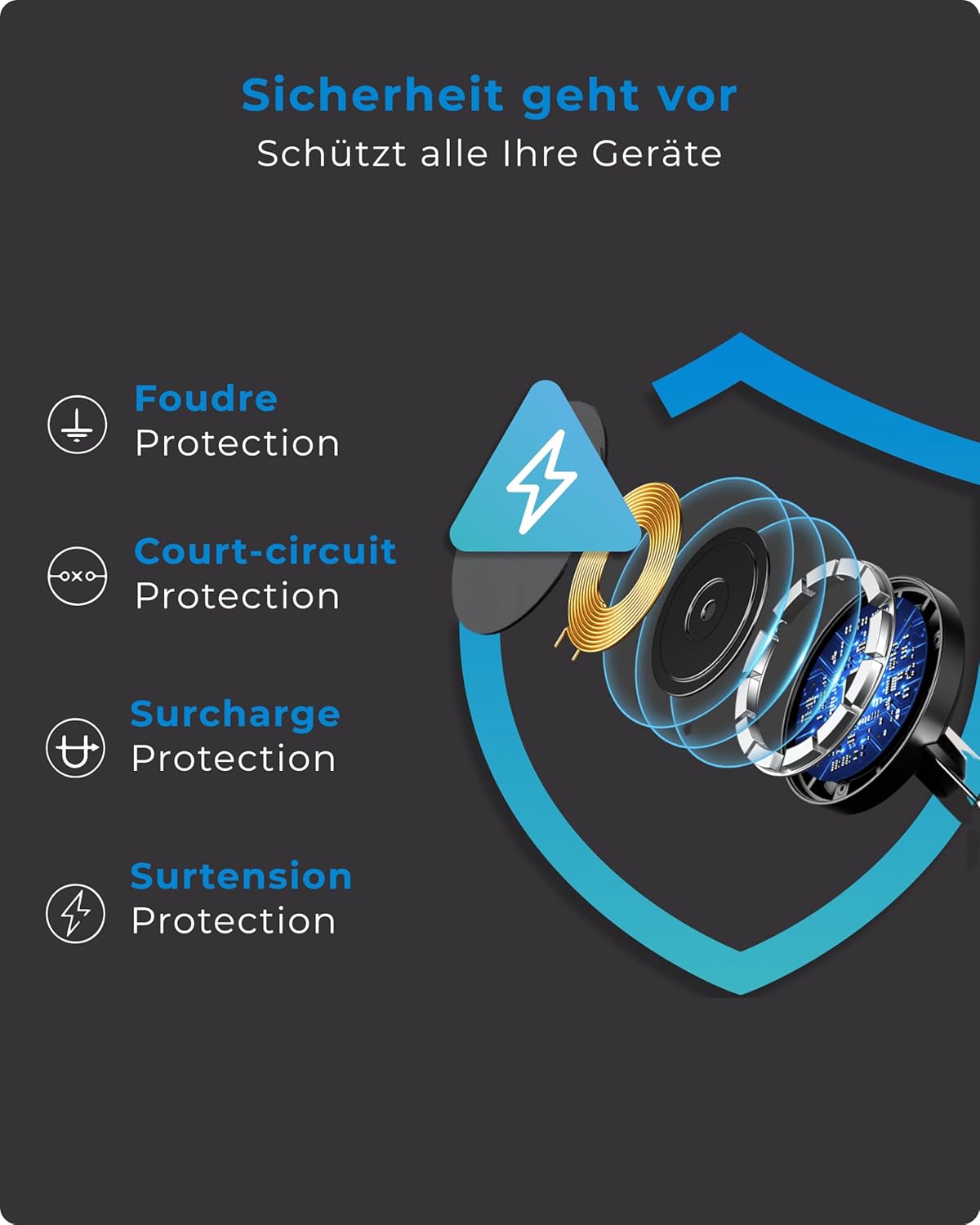
Image: An infographic detailing the built-in safety mechanisms of the charging station, including protection against lightning, short-circuits, overcharging, and overvoltage.
Záruka a podpora
VOOMY products are designed for reliability and performance. For warranty information or technical support, please refer to the warranty card included with your purchase or visit the official VOOMY webmísto.
If you encounter any issues not covered in this manual, please contact VOOMY customer service for assistance.