
1. Úvod
Děkuji za nákupasing the amazon basics 90W RMS 2.1 Channel Soundbar with Wired Subwoofer. This manual provides essential information for setting up, operating, and maintaining your new audio system. Please read it thoroughly before use and retain it for future reference.
2. Bezpečnostní informace
- Nevystavujte jednotku dešti, vlhkosti ani extrémním teplotám.
- Zajistěte dostatečné větrání kolem soundbaru a subwooferu.
- Neblokujte žádné ventilační otvory.
- Používejte pouze napájecí adaptér dodaný s jednotkou.
- Neotevírejte casing; veškerý servis svěřte kvalifikovanému personálu.
- Udržujte výrobek mimo dosah silných magnetických polí.
- Čistěte pouze suchým hadříkem.
3. Obsah balení
Ověřte, zda jsou v balení přítomny všechny položky:
- amazon basics Soundbar
- Kabelový subwoofer
- Dálkové ovládání
- Uživatelská příručka (tento dokument)
- Odnímatelný napájecí kabel

Image: The soundbar, wired subwoofer, and remote control included in the package.
4. Vlastnosti produktu
- Výkon 90 W RMS: Poskytuje silný a čistý zvuk.
- 2.1kanálový systém: Soundbar with a dedicated wired subwoofer for enhanced bass.
- Více možností připojení: Bluetooth v5.3, HDMI (ARC), Optical, AUX, and USB.
- Dálkové ovládání: Plně funkční dálkový ovladač pro pohodlné ovládání.
- Tenký a lehký design: Space-saving and easy to integrate into any setup.
- Více režimů ekvalizéru: Optimalizovaný zvuk profiles for Music, Movies, and News.

Image: Graphic highlighting the 90W RMS power for an immersive sound experience.
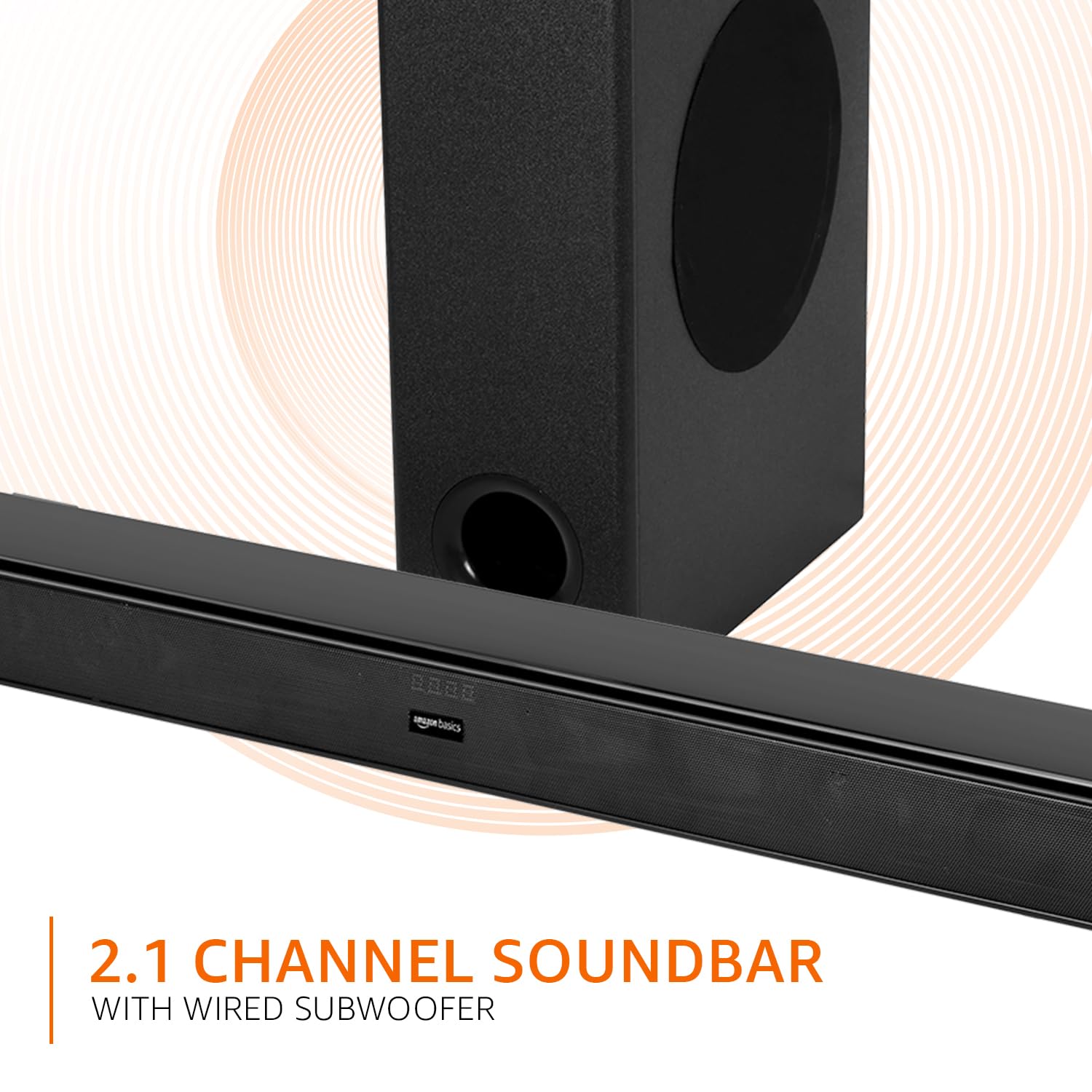
Image: Graphic illustrating the 2.1 channel soundbar system with a wired subwoofer.

Obrázek: Detail view of the soundbar, emphasizing its slim and space-saving design.
5. Průvodce nastavením
5.1 Umístění
- Soundbar: Place the soundbar on a stable, flat surface directly in front of your TV, or mount it on the wall below your TV. Ensure it is not obstructing the TV's remote sensor.
- subwoofer: Position the wired subwoofer on the floor near the soundbar. For optimal bass, experiment with different locations in the room.
5.2 Připojení
Before making any connections, ensure both the soundbar and your audio source (TV, PC, etc.) are powered off.
- Wired Subwoofer Connection: Connect the subwoofer cable from the subwoofer to the dedicated subwoofer output port on the soundbar.
- Zvukový vstup: Pro připojení zdroje zvuku vyberte jednu z následujících metod:
- HDMI (ARC): Connect an HDMI cable from the HDMI ARC port on the soundbar to the HDMI ARC port on your TV. This allows audio to be sent from the TV to the soundbar and often enables TV remote control of the soundbar volume.
- Optický: Connect an optical cable from the OPTICAL port on the soundbar to the optical output port on your TV or other audio device.
- AUX: Connect a 3.5mm audio cable from the AUX port on the soundbar to the headphone jack or audio output port on your device.
- USB: Insert a USB drive into the USB port on the soundbar for direct audio playback.
- Připojení napájení: Connect the detachable power cable to the soundbar's power input, then plug it into a wall outlet.

Image: An illustration showing the soundbar and subwoofer positioned in front of a television, demonstrating a typical setup.
6. Návod k obsluze
6.1 Zapnutí/vypnutí
Stiskněte tlačítko Moc tlačítko na soundbaru nebo dálkovém ovladači pro zapnutí nebo vypnutí jednotky.
6.2 Výběr vstupu
Stiskněte tlačítko Vstup button on the soundbar or the remote control repeatedly to cycle through available input sources: HDMI (ARC), Optical, AUX, USB, and Bluetooth.
6.3 Ovládání hlasitosti
Použijte Hlasitost + a Hlasitost - buttons on the soundbar or remote control to adjust the master volume.
6.4 Režimy ekvalizéru (EQ)
Stiskněte tlačítko ZPRÁVY, FILMnebo HUDBA buttons on the remote control to select the desired sound mode. Each mode optimizes audio for specific content.

Image: Graphic showing the soundbar and subwoofer with text indicating 'Multiple EQ Modes: Music, Movies & News'.
6.5 Párování Bluetooth
- Turn on the soundbar and select the Bluetooth input mode. The LED indicator will flash, indicating pairing mode.
- Povolte Bluetooth na svém mobilním zařízení (chytrém telefonu, tabletu atd.).
- Hledat "amazon basics" in your device's Bluetooth list and select it to pair.
- Once paired, the LED indicator on the soundbar will stop flashing and remain solid.
7. Možnosti připojení
The soundbar offers various ways to connect to your audio sources:
- Bluetooth v5.3: For wireless audio streaming from compatible devices within a 10-meter range.
- HDMI (ARC): Audio Return Channel for simplified connection with ARC-enabled TVs.
- Optický: Digital audio input for high-quality sound from TVs, gaming consoles, etc.
- AUX: Analog audio input for connecting devices with a 3.5mm audio output.
- USB: Pro přehrávání zvuku files přímo z paměťového zařízení USB.

Obrázek: Podrobný view of the soundbar's rear panel, highlighting the HDMI (ARC), USB, AUX, and Optical input ports.
8. Funkce dálkového ovládání
The included remote control provides full command over your soundbar. Ensure batteries are correctly inserted.

Image: A close-up of the remote control, showing all buttons and their labels.
| Tlačítko | Funkce |
|---|---|
| Moc | Zapne nebo vypne soundbar. |
| Ztlumit | Vypne nebo vypne zvuk. |
| Input (H-ARC, OPTICAL, BT, AUX, USB) | Vybere zdroj audio vstupu. |
| Hlasitost + / - | Upravuje hlavní úroveň hlasitosti. |
| Předchozí další | Skips to the previous or next track (USB/Bluetooth mode). |
| Přehrát / Pozastavit | Plays or pauses audio playback (USB/Bluetooth mode). |
| ZPRÁVY | Activates News EQ mode. |
| FILM | Activates Movie EQ mode. |
| HUDBA | Activates Music EQ mode. |
9. Údržba
- Čištění: Wipe the surfaces of the soundbar and subwoofer with a soft, dry cloth. Do not use liquid cleaners or aerosols.
- Skladování: Pokud budete přístroj skladovat delší dobu, odpojte jej ze zásuvky a uložte jej na chladném a suchém místě.
- Větrání: Ujistěte se, že větrací otvory nejsou zablokovány prachem nebo nečistotami.
10. Řešení problémů
| Problém | Možné řešení |
|---|---|
| Žádná síla | Check if the power cable is securely connected to the soundbar and the wall outlet. Ensure the outlet is functional. |
| Žádný zvuk | Verify the correct input source is selected. Check volume levels on both the soundbar and the connected device. Ensure cables are properly connected. If using HDMI ARC, confirm ARC is enabled on your TV. |
| Dálkové ovládání nefunguje | Check and replace batteries. Ensure there are no obstructions between the remote and the soundbar's sensor. |
| Problémy s párováním pomocí rozhraní Bluetooth | Ensure the soundbar is in Bluetooth pairing mode. Disable and re-enable Bluetooth on your device. Move your device closer to the soundbar. |
| Zkreslený zvuk | Reduce the volume. Check audio source quality. Ensure cables are not damaged. |
11. Specifikace
| Funkce | Specifikace |
|---|---|
| Název modelu | AB-SBW-090 |
| Typ reproduktoru | Soundbar s kabelovým subwooferem |
| Celkový výstupní výkon | 90W RMS |
| Kanály | 2.1 |
| Konektivita | Bluetooth v5.3, HDMI (ARC), Optical, AUX, USB |
| Dosah Bluetooth | 10 Metres (approx. 33 feet) |
| Průměr subwooferu | 5.25 palce |
| Rozměry produktu (soundbar) | 7.3H x 82Š x 6.8V centimetrů |
| Hmotnost položky | 4.9 kg |
| Zdroj napájení | Elektrický kabel |
| Odstup signálu od šumu | 70 dB |
| Impedance | 4 Ohmy |
| Materiál | Plast |
12. Záruka a podpora
This amazon basics soundbar comes with a 1letá omezená záruka from the date of purchase. This warranty covers manufacturing defects and workmanship under normal use. It does not cover damage caused by misuse, accidents, unauthorized modifications, or external causes.
For warranty claims, technical support, or service inquiries, please contact amazon basics customer support through your purchase platform or visit the official amazon basics webmísto.
Pro více informací navštivte: amazon basics Store