
1. Úvod
Thank you for choosing the Claiks Electric Standing Desk. This manual provides essential information for the safe and efficient use of your new desk. Please read it thoroughly before assembly and operation, and keep it for future reference.
Electric standing desks are increasingly adopted in modern workplaces for their ergonomic benefits. They allow users to alternate between sitting and standing positions, which can help alleviate discomfort in the back and hips often associated with prolonged sitting, and improve focus and productivity. Experience a healthier and more efficient work style with your Claiks standing desk.

Image: Claiks Electric Standing Desk in a modern office setting, showcasing its sleek design and functionality.
2. Vlastnosti produktu
- Nastavitelná výška: The desk offers a height adjustment range from 72cm to 118cm, with a lifting speed of 20mm/s. This allows for flexible use as a gaming desk, office desk, or study table, adapting to various user needs.
- Funkce paměti: Store up to 3 preferred height settings for quick and easy one-touch adjustments between sitting and standing positions.
- Vysoký výkon a nosnost: Equipped with reinforced steel legs and a high-performance motor, ensuring excellent load-bearing capacity and durability. The maximum load capacity is 80kg, accommodating multiple monitors and gaming equipment.
- Safe and Durable Tabletop: The tabletop is made from environmentally friendly materials with low indoor air pollutant emissions. It features melamine resin, making it resistant to water, heat, and stains, and easy to clean.
- Tichý provoz: Designed for extremely quiet operation, allowing you to enjoy a peaceful working environment.

Image: The Claiks Electric Standing Desk illustrating its adjustable height range from 72cm to 118cm.
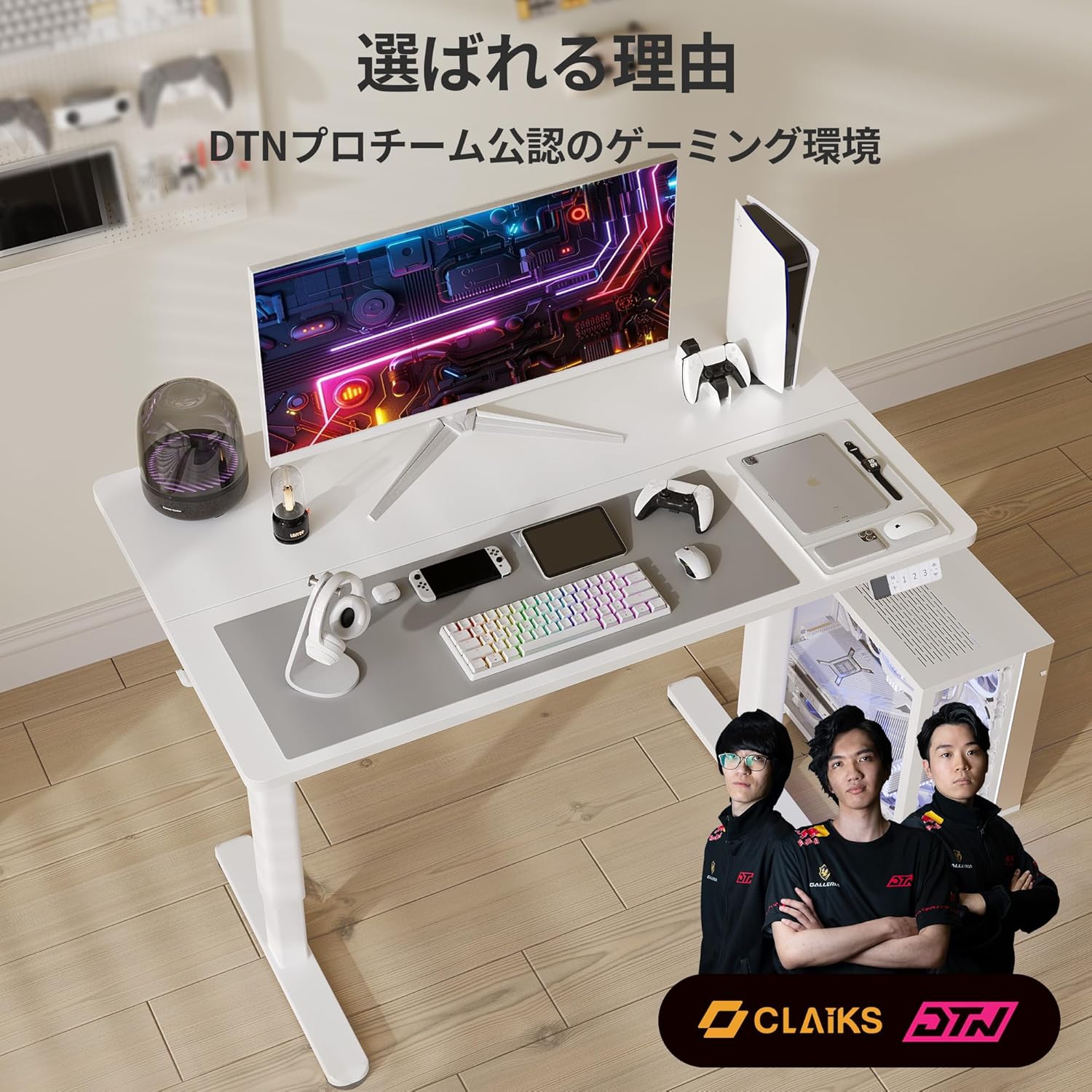
Image: A person sitting on the Claiks Electric Standing Desk, demonstrating its robust 80kg load capacity.

Image: Visual representation of the Claiks Electric Standing Desk's quiet operation, indicating a noise level of approximately 45dB.
3. Nastavení a montáž
Before starting assembly, please ensure all parts are present and undamaged. Refer to the parts list below and the assembly videos for detailed instructions.

Obrázek: Explodoval view showing all components included with the Claiks Electric Standing Desk for assembly.
Montážní videa:
ErGear Electric Standing Desk Assembly Guide
Video: A comprehensive assembly guide for the ErGear Electric Standing Desk, demonstrating step-by-step installation of components.
Anovara Standing Desk Assembly Video
Video: An assembly video for the Anovara Standing Desk, providing visual instructions for putting the desk together.
Dripex Electric Standing Desk Assembly and Usage
Video: This video demonstrates the assembly process and various usage scenarios for the Dripex Electric Standing Desk.
4. Návod k obsluze
The Claiks Electric Standing Desk features an intuitive control panel for easy height adjustment and memory settings.

Image: The multi-functional control panel of the Claiks Electric Standing Desk, featuring an LED display, memory buttons (1, 2, 3), and up/down adjustment buttons.
4.1. Nastavení výšky
- Použijte Nahoru (▲) a Dolů (▼) šipkami na ovládacím panelu zvedněte nebo snižte stůl do požadované výšky.
- Aktuální výška se zobrazí na LED displeji.
4.2. Nastavení předvoleb paměti
Stůl umožňuje uložit až tři preferovaná nastavení výšky:
- Nastavte stůl do požadované výšky pomocí tlačítek Nahoru/Dolů.
- Stiskněte tlačítko M button. The LED display will show "S-".
- Během 3 sekund stiskněte jedno z číselných tlačítek (1, 2nebo 3) to save the current height to that preset. The display will show "S-1", "S-2", or "S-3" to confirm.
4.3. Using Memory Presets
- Jednoduše stiskněte odpovídající číselné tlačítko (1, 2nebo 3) pro automatické přesunutí stolu do uložené výšky.
4.4. Funkce Reset
- If the desk encounters an issue or needs to be recalibrated, press and hold the Dolů (▼) button until the desk reaches its lowest position and then slightly rises. This performs a full reset.
5. Údržba
- Čištění: Desku stolu a rám otřete měkkým hadříkem.amp hadříkem. Nepoužívejte abrazivní čisticí prostředky ani agresivní chemikálie, které by mohly poškodit povrch.
- Pravidelné kontroly: Pravidelně kontrolujte všechny šrouby a spoje, zda jsou pevně utažené. V případě potřeby je dotáhněte pro zachování stability.
- Správa kabelů: Utilize the integrated cable clips and hooks to keep cables tidy and prevent them from interfering with the desk's movement.
6. Řešení problémů
| Problém | Možná příčina | Řešení |
|---|---|---|
| Stůl se nehýbe. | Power cable disconnected, overload, or motor error. | Check power connection. Reduce load on the desk. Perform a reset (see 4.4). |
| Nerovnoměrné nastavení výšky. | Synchronization issue between legs. | Perform a reset (see 4.4). Ensure all screws are tightened. |
| Zobrazený chybový kód. | Specifická systémová chyba. | Perform a reset (see 4.4). If the error persists, contact customer support. |
7. Specifikace

Image: A diagram illustrating the dimensions of the Claiks Electric Standing Desk, including width, depth, and height range.
| Funkce | Detail |
|---|---|
| Značka | Claiky |
| Číslo modelu | P1.01.001.0009.JP |
| Typ stolu | Elektrický stojící stůl |
| Barva | Bílý |
| Rozměry (D x Š x V) | 60cm x 140cm x 70cm (initial height) |
| Rozsah nastavení výšky | 72 až 118 cm |
| Rychlost zvedání | 20 mm/s |
| Maximální nosnost | 80 kg |
| Základní materiál | Uhlíková ocel |
| Povrchová úprava stolu | Laminate (Melamine Resin) |
| Speciální funkce | Compact, Scratch Resistant, Memory Function |
8. Záruka a podpora
Claiks is committed to providing high-quality products and excellent customer service. All Claiks electric standing desks come with a 3letá záruka výrobce.
During the warranty period, we offer free repair or replacement services for any manufacturing defects. Our customer support team is available to assist you in multiple languages, including Japanese and English. Please feel free to contact us anytime for assistance.