
ES-28ML-BK
RENPHO ES-28ML-BK Smart Scale User Manual
Model: ES-28ML-BK | Brand: Generic
1. Úvod
This user manual provides detailed instructions for the RENPHO ES-28ML-BK Bluetooth Body Fat Smart Scale. This digital bathroom scale is designed to help you monitor various body composition metrics, including weight, body fat percentage, BMI, muscle mass, and bone mass, through its accompanying smartphone application.

Obrázek 1: Přední strana view of the RENPHO ES-28ML-BK Smart Scale, displaying its sleek black tempered glass surface and digital readout.
2. Klíčové vlastnosti
- Comprehensive Body Composition Analysis: Measures weight, Body Fat%, BMI, Muscle Mass, Bone Mass, and more.
- Integrace aplikace pro chytré telefony: Syncs data with the RENPHO app, which displays progress graphs and allows for unlimited user accounts.
- Fitness App Compatibility: Seamlessly syncs with popular fitness applications such as Samsung Health, Apple Health, Google Fit, and Fitbit APP.
- USB dobíjecí baterie: Features a long-lasting lithium battery that charges in 3-4 hours for 2-3 months of use, eliminating the need for disposable batteries.
- Vysoce přesné senzory: Equipped with auto-calibrated high-precision sensors and 4 sensitive electrodes for accurate measurements.
- Odolný design: Constructed with a 6mm tempered glass platform, making it easy to clean, lightweight, and portable.
- Offline Measurement Sync: Allows weighing without the app open; data syncs automatically once the app is connected.

Figure 2: The RENPHO Smart Scale positioned next to a smartphone displaying the RENPHO app interface, illustrating the seamless data synchronization and detailed measurement readouts.
3. Průvodce nastavením
3.1 Vybalení
Carefully remove the scale from its packaging. Ensure all components, including the USB charging cable, are present and undamaged.
3.2 Nabíjení váhy
Before first use, fully charge the scale. The charging port is located on the side of the device.
- Connect the provided USB charging cable to the scale's USB charging port.
- Plug the other end of the USB cable into any standard USB power source (e.g., AC adapter, desktop PC, notebook, portable power bank).
- Displej bude ukazovat stav nabíjení. Úplné nabití obvykle trvá 3–4 hodiny.

Obrázek 3: Detail view of the RENPHO Smart Scale, highlighting the USB charging port and the reset button, along with various compatible charging modes.
3.3 Instalace aplikace
The RENPHO scale requires the RENPHO app for full functionality and data tracking.
- Hledat "RENPHO" in the Apple App Store (for iOS devices) or Google Play Store (for Android devices).
- Download and install the official RENPHO app.
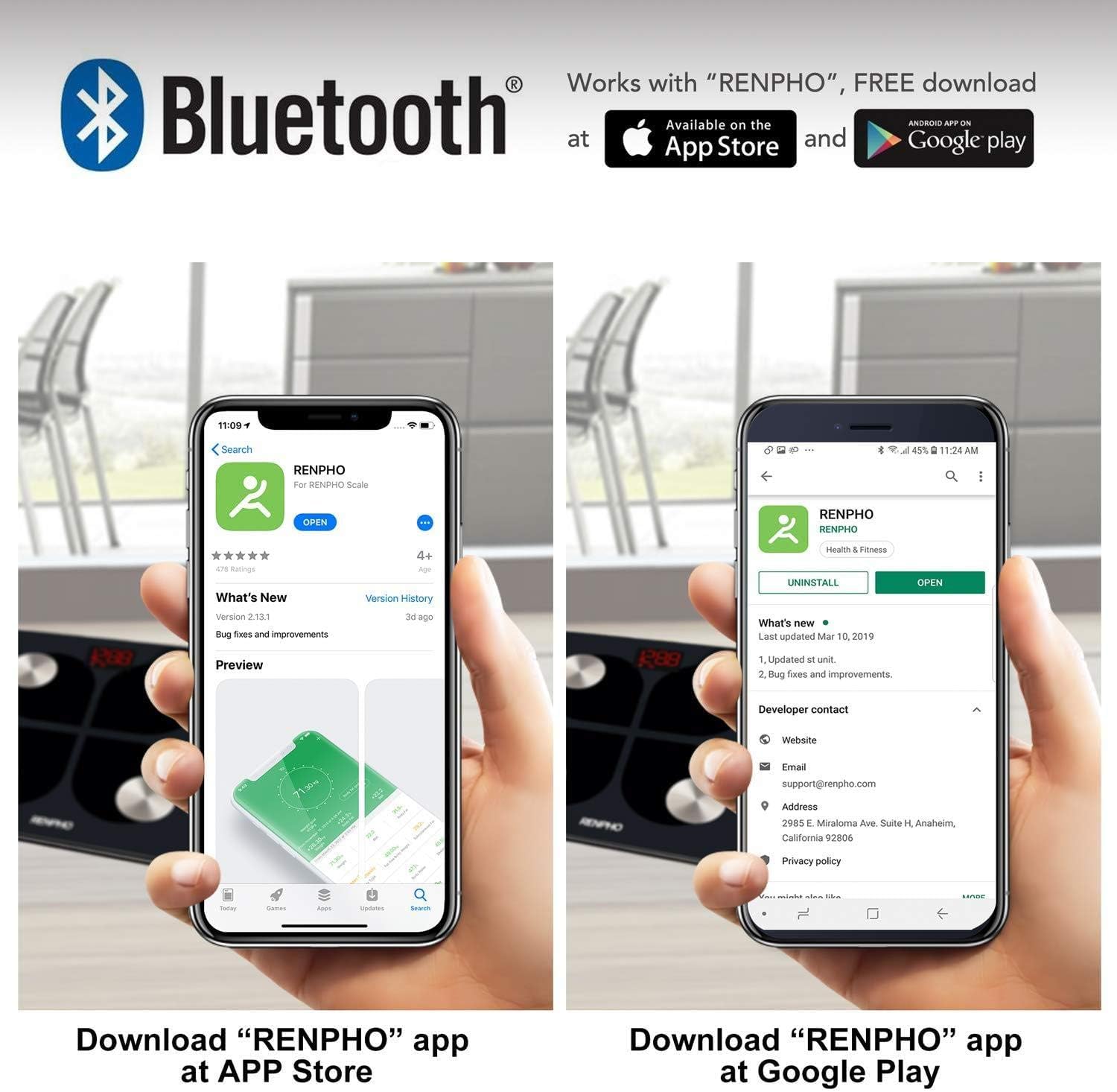
Figure 4: Visual guide showing how to download the RENPHO app from both the Apple App Store and Google Play Store, emphasizing Bluetooth connectivity.
3.4 Počáteční párování
- Ujistěte se, že je na vašem smartphonu povoleno Bluetooth.
- Open the RENPHO app and create a user profile nebo se přihlaste.
- Pro aktivaci váhy krátce stoupněte na ni. Displej se rozsvítí.
- The app should automatically detect and connect to the scale. Follow any on-screen prompts within the app to complete the pairing process.
4. Návod k obsluze
4.1 Provedení měření
- Umístěte váhu na tvrdý, rovný povrch. Vyhněte se kobercům nebo nerovným podlahám.
- Ujistěte se, že máte nohy čisté a suché.
- Step onto the scale barefoot, placing your feet on the four metal electrodes. Stand still until your weight is displayed and stabilized.
- If the app is open and connected, your measurements will automatically sync. If not, the data will sync the next time the app is opened and connected.
4.2 Understanding Measurements
The RENPHO app provides a detailed breakdown of your body composition:
- Hmotnost: Vaše celková tělesná hmotnost.
- Procento tělesného tukutage (%): Podíl tuku k celkové tělesné hmotnosti.
- BMI (index tělesné hmotnosti): Měření tělesného tuku na základě výšky a hmotnosti.
- Svalová hmota: Celková hmotnost svalů ve vašem těle.
- Kostní hmota: Celková hmotnost kostí ve vašem těle.
- Additional metrics may include Body Water, Visceral Fat, Protein, BMR, and Metabolic Age.
4.3 Používání aplikace
The RENPHO app is your central hub for tracking progress and managing users.
- řídicí panel: View your latest measurements and a summary of your progress.
- Trendy: Access historical data and graphs for each metric to visualize changes over time.
- Správa uživatelů: Add unlimited user accounts, making it suitable for the whole family. Each user's data is kept separate.
- Synchronizace s fitness aplikacemi: Configure the app to automatically transfer your data to Samsung Health, Apple Health, Google Fit, or Fitbit APP.

Figure 5: An illustration demonstrating the RENPHO app's capability to synchronize body measurement data with various popular health platforms, including Samsung Health, Fitbit App, Google Fit, and Apple Health.
5. Údržba a péče
- Čištění: Otřete povrch váhy reklamouamp hadříkem a jemným čisticím prostředkem. Nepoužívejte abrazivní čisticí prostředky ani váhu neponořujte do vody.
- Skladování: Váhu skladujte na chladném a suchém místě. Nevystavujte extrémním teplotám ani přímému slunečnímu záření.
- Péče o baterie: Recharge the scale when the battery indicator is low. Avoid completely draining the battery for extended periods.
- Zacházení: Handle the scale with care. Avoid dropping it or subjecting it to strong impacts, as this may damage the sensors or glass platform.
6. Řešení problémů
| Problém | Možná příčina | Řešení |
|---|---|---|
| Váha se nezapne. | Slabá baterie. | Nabijte váhu pomocí dodaného USB kabelu. |
| Measurements are inaccurate or inconsistent. | Váha na nerovném povrchu; nožičky nejsou správně umístěny; váha potřebuje kalibraci. | Place scale on a hard, flat surface. Ensure bare feet are centered on electrodes. Step on and off the scale quickly to re-calibrate to zero before weighing. |
| Aplikace se nepřipojuje k váze. | Bluetooth off; app not open; scale not activated. | Ensure Bluetooth is on. Open the RENPHO app. Step on the scale to activate it. Restart app/phone if necessary. |
| Body composition data not showing in app. | Not weighing barefoot; profile neúplný. | Ensure you are weighing barefoot with feet on electrodes. Check your profile in the app for complete height, age, and gender information. |
7. Specifikace produktu
| Funkce | Detail |
|---|---|
| Číslo modelu | ES-28ML-BK |
| Typ | Digitální inteligentní váha |
| Konektivita | Bluetooth |
| Maximální nosnost | 180 kg (396 lb) |
| Zdroj napájení | USB Rechargeable Lithium Battery |
| Typ zobrazení | Digitální LED |
| Materiál platformy | Tvrzené sklo 6 mm |
| Speciální funkce | Body Fat, Muscle Mass, Bodyweight, BMI, Bone Mass, App Sync |
| Barva | Černý |
8. Záruka a podpora
For warranty information and customer support, please refer to the product packaging or contact the retailer from whom you purchased the RENPHO ES-28ML-BK Smart Scale. You may also find support resources on the official RENPHO webmísto.
Ask a question about this manual
Ask about setup, troubleshooting, compatibility, parts, safety, or missing instructions. Manuals+ will review the question and use this page’s manual context to help answer it.