
FIFINE K688W
FIFINE AmpliTank K688W Dynamic USB/XLR Microphone User Manual
Model: K688W | Brand: FIFINE
1. Úvod
Děkuji za nákupasing the FIFINE AmpliTank K688W Dynamic USB/XLR Microphone. This microphone is designed for high-quality audio capture in various applications, including gaming, streaming, podcasting, and professional recording. Please read this manual carefully to ensure proper setup and operation.

Obrázek: FIFINE AmpliTank K688W microphone demonstrating its sound capture capabilities with a visual representation of sound waves.
2. Obsah balení
Ověřte, zda jsou v balení obsaženy všechny níže uvedené položky:
- FIFINE AmpliTank K688W Microphone Body
- USB-C to USB-A Cable (2.5m)
- Šroubový adaptér z 3/8" na 5/8"
- Uživatelská příručka (japonština)
Note: A microphone stand and XLR cable are not included and must be purchased separately.

Obrázek: FIFINE AmpliTank K688W microphone and its included accessories: USB cable and screw adapter, alongside the user guide.
3. Konec produktuview (Components and Controls)
Seznamte se s komponenty a ovládacími prvky mikrofonu:

Obrázek: Zadní view z FIFINE AmpliTank K688W microphone, highlighting the XLR output terminal and USB connection port.
- XLR Output Terminal: For connecting to audio interfaces, mixers, or other professional audio equipment.
- USB Connection Port (USB Type-C): For direct connection to computers or game consoles.
- 3.5mm konektor pro sluchátka: Pro monitorování zvuku v reálném čase.
- Microphone Volume Control (Gain Knob): Adjusts the microphone's input sensitivity. (USB mode only)
- Headphone Jack Volume Control: Adjusts the monitoring volume through the 3.5mm headphone jack. (USB mode only)
- Tlačítko ztlumení s LED indikátorem: Toggles microphone mute. LED indicates mute status. (USB mode only)
4. Nastavení
4.1 Připojení USB
For direct connection to a computer (Windows/Mac OS) or game console (PS4/PS5):
- Connect the USB-C end of the provided USB cable to the microphone's USB port.
- Connect the USB-A end of the cable to an available USB port on your computer or game console.
- The device will automatically recognize the microphone.
- Select "FIFINE K688W" as your input and output device in your system's sound settings or application settings.

Obrázek: FIFINE AmpliTank K688W microphone connected to a laptop via its USB-C port, illustrating plug-and-play functionality.
4.2 XLR Connection
For connecting to professional audio equipment (audio interfaces, mixers):
- Connect a standard XLR cable (not included) to the XLR output terminal on the microphone.
- Druhý konec kabelu XLR připojte k XLR vstupu na audio rozhraní nebo mixážním pultu.
- Ensure your audio interface or mixer is properly configured to receive input from the connected XLR channel.
- Adjust gain levels on your audio interface/mixer as needed.

Obrázek: Podrobný view z FIFINE AmpliTank K688W's connectivity panel, showing both USB and XLR ports for versatile audio setups.
5. Návod k obsluze
5.1 Gain Control (USB Mode Only)
The gain knob on the microphone allows you to adjust the input sensitivity. Rotate the knob clockwise to increase gain and counter-clockwise to decrease it. Adjust this to achieve an optimal recording level without clipping or distortion.
5.2 Mute Function (USB Mode Only)
Press the touch-sensitive mute button on top of the microphone to instantly mute or unmute the audio input. The LED indicator will change color to show the microphone's status (e.g., green for active, red for muted).
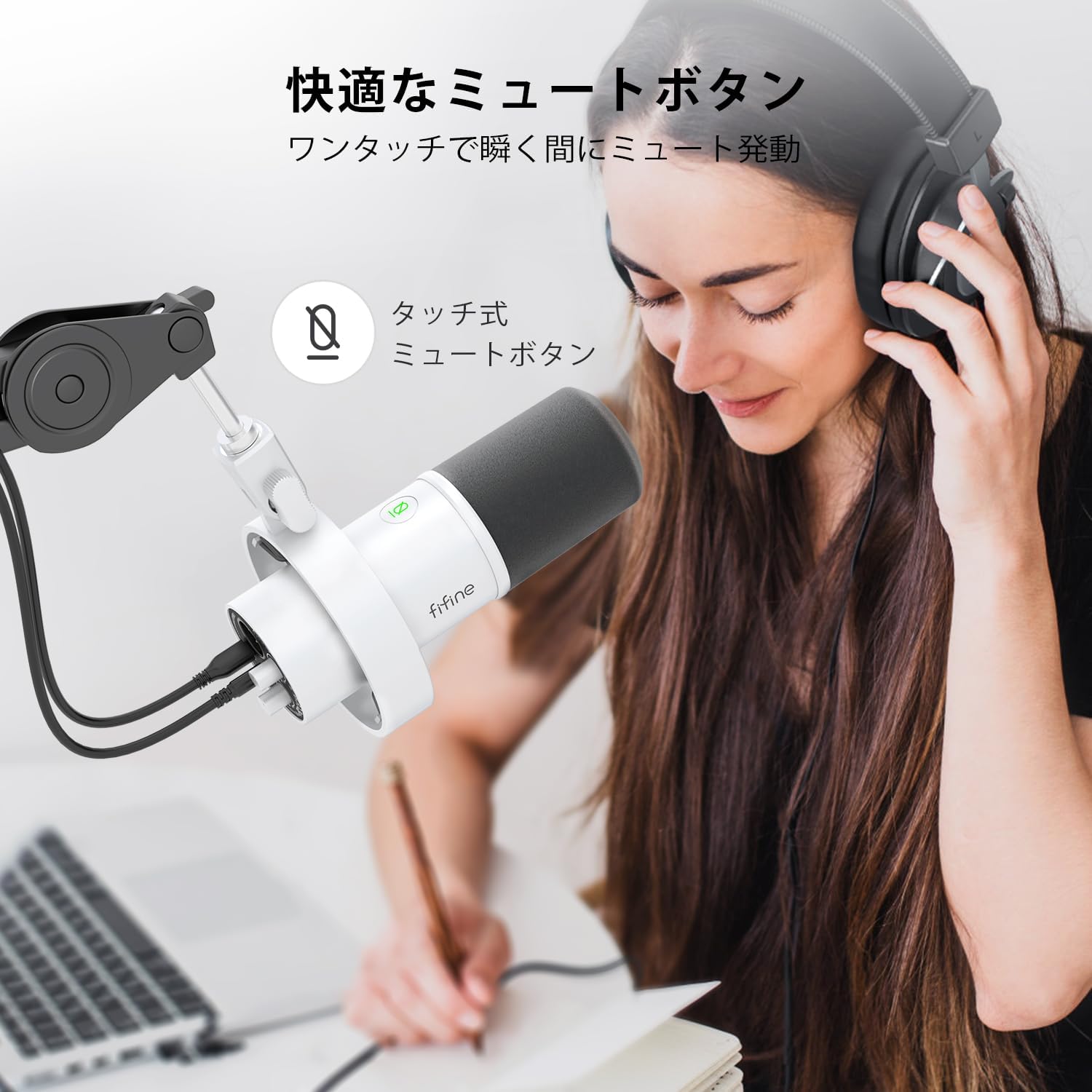
Image: A user interacting with the touch-sensitive mute button on the FIFINE AmpliTank K688W microphone, demonstrating its ease of use.
5.3 Headphone Monitoring (USB Mode Only)
Connect your headphones to the 3.5mm headphone jack on the microphone to monitor your audio in real-time with zero latency. Use the dedicated headphone volume knob to adjust the monitoring level to your preference.
6. Údržba
- Udržujte mikrofon čistý otíráním měkkým, suchým hadříkem.
- Nevystavujte mikrofon extrémním teplotám, vlhkosti nebo přímému slunečnímu záření.
- Když mikrofon nepoužíváte, uložte jej do ochranného pouzdra, abyste zabránili prachu a poškození.
- Nepokoušejte se mikrofon rozebírat, jinak ztratíte záruku.

Obrázek: FIFINE AmpliTank K688W microphone mounted on a boom arm, showcasing its integrated metal body design suitable for various recording environments.
7. Řešení problémů
| Problém | Možná příčina | Řešení |
|---|---|---|
| Žádný zvukový výstup (USB) |
|
|
| Žádný zvukový výstup (XLR) |
|
|
| Zkreslený zvuk |
|
|
| Nadměrný hluk na pozadí |
|
|
8. Specifikace
| Funkce | Detail |
|---|---|
| Model | K688W |
| Značka | FIFINE |
| Typ mikrofonu | Dynamický |
| Polární vzor | Jednosměrný (kardioidní) |
| Konektivita | USB (Type-C), XLR |
| Frekvenční odezva | 70Hz - 15KHz |
| Poměr signálu k šumu (S/N) | 75 dB |
| Typ napájení | Elektrický s kabelem (napájený z USB) |
| Kompatibilní zařízení | PC (Windows/Mac OS), Game Consoles (PS4/PS5), Audio Mixers, Audio Interfaces, Smartphones (with adapter, not included) |
| Speciální funkce | Volume Control, Mute Function, Headphone Monitoring |
| Barva | Bílý |
| Materiály | Plast, kov |
| UPC | 850052511821 |
9. Záruka a podpora
9.1 Informace o záruce
Tento produkt je dodáván s a 1letá záruka výrobce from the date of purchase. The warranty covers defects in materials and workmanship under normal use.
Záruka se nevztahuje na:
- Škoda způsobená nesprávným použitím, zneužitím, nehodou nebo nedbalostí.
- Poškození způsobené neoprávněnými opravami nebo úpravami.
- Běžné opotřebení.
9.2 Zákaznická podpora
Pokud narazíte na jakékoli problémy s vaším zařízením FIFINE AmpliTank K688W microphone, such as packaging damage, color discrepancies, or product defects, please contact FIFINE Japan customer support immediately. Provide your purchase details and a description of the issue for prompt assistance.
For further support, please visit the official FIFINE webmísto.

Image: Information regarding FIFINE's customer support process, including steps to contact them via Amazon and their operating hours.
Ask a question about this manual
Ask about setup, troubleshooting, compatibility, parts, safety, or missing instructions. Manuals+ will review the question and use this page’s manual context to help answer it.