
1. Úvod
The Polarduck BT1818 Bluetooth Camera Remote Control allows you to capture photos and videos wirelessly from a distance. This device is designed for convenience, enabling hands-free operation of your smartphone or tablet camera.
This manual provides detailed instructions for setting up, operating, and maintaining your remote control, along with troubleshooting tips.
2. Obsah balení
Ověřte, zda jsou v balení přítomny všechny položky:
- Bluetooth Remote Control (Battery Included) x 1
- Adjustable Wrist Strap x 1
- Návod k použití x 1

Image: Two black Polarduck Bluetooth remote controls are shown alongside two black adjustable wrist straps. Each remote has a single camera button and a blue LED indicator.
3. Konec produktuview
Familiarize yourself with the components of your Polarduck Bluetooth Remote Control:

Image: A diagram illustrating the Polarduck Bluetooth remote control. Key parts are labeled: LED indicator, ON/OFF switch, main button (with camera icon), battery compartment, and battery cover.
- LED indikátor: Displays pairing status and operation.
- Přepínač ON/OFF: Aktivuje nebo deaktivuje dálkové ovládání.
- Tlačítko: Triggers the camera shutter or video recording.
- Přihrádka na baterie: Obsahuje baterii CR2032.
- Kryt baterie: Chrání baterii.

Image: A hand holds the compact Polarduck Bluetooth remote control, highlighting its small size and portability.
4. Setup: Pairing with Your Device
Follow these steps to pair your Polarduck Bluetooth Remote Control with your smartphone or tablet:
- Turn On the Remote: Locate the ON/OFF switch on the side of the remote control and slide it to the "ON" position. The LED indicator will begin to flash, indicating it is in pairing mode.
- Aktivujte Bluetooth na svém zařízení: On your smartphone or tablet, go to your device's settings and enable Bluetooth.
- Hledat Zařízení: Your device will scan for available Bluetooth devices. Look for "AB Shutter3" or the model number "BT1818" in the list of devices.
- Připojit: Select "AB Shutter3" or "BT1818" to connect. Once successfully paired, the LED indicator on the remote will stop flashing or turn solid blue (depending on the remote version), and your device will show it as "Connected".
- Otevřete aplikaci Fotoaparát: Open your device's native camera application.
Poznámka: The remote only needs to be paired once. It will automatically connect to your device on subsequent uses if Bluetooth is enabled on your device and the remote is turned on.
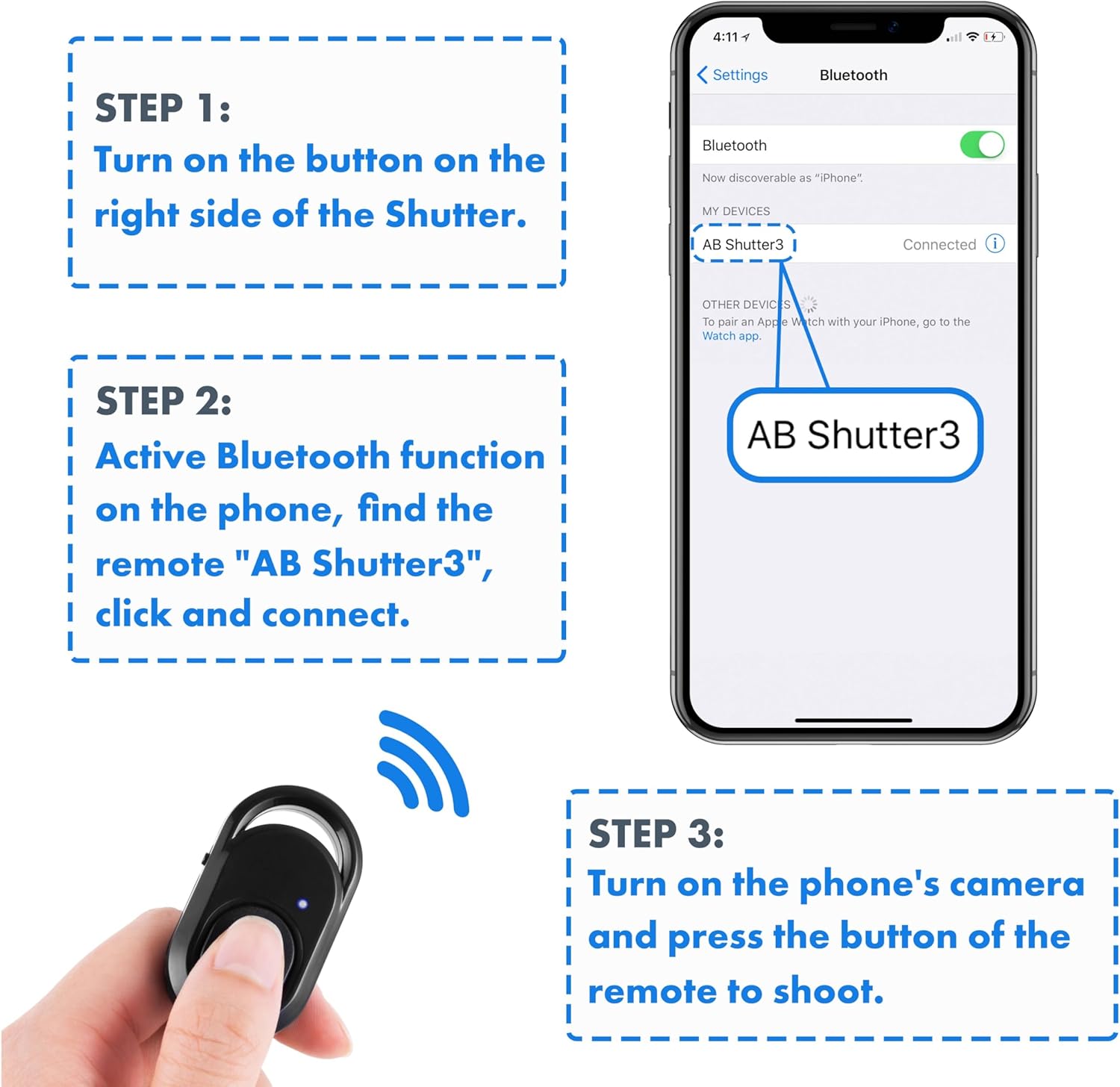
Image: A visual guide showing three steps for pairing: 1. Turn on the remote. 2. Activate Bluetooth and connect to "AB Shutter3". 3. Open the camera app and press the remote button to shoot.
5. Návod k obsluze
Once paired, using your Polarduck Bluetooth Remote Control is straightforward:
- Fotit: With your camera app open, simply press the main button on the remote control to capture a photo.
- Záznam videa:
- For iPhone and Most Android Phones: Switch your native camera app to video mode. Press the remote button once to start recording, and press it again to stop recording.
- For Samsung Android Phones or Other Android Phones with Volume Key Functionality: If the remote does not initiate video recording directly, go to your camera settings and set the "Volume keys function" to "Record video". This will allow the remote to control video recording.
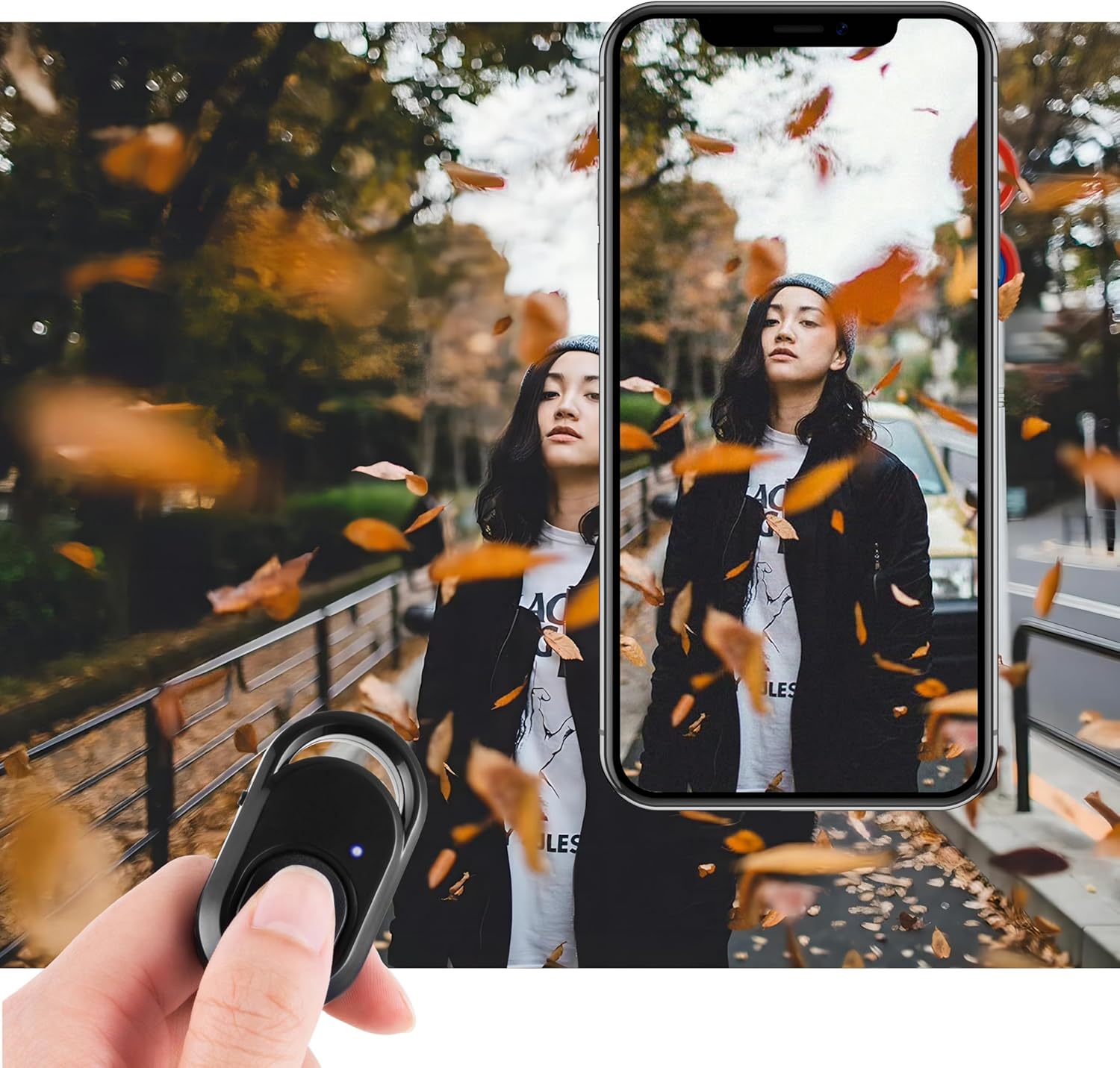
Image: A hand holds the remote control, with a finger pressing the button, while a smartphone screen displays a photo being taken, demonstrating the remote's function.
6. Kompatibilita
The Polarduck BT1818 Bluetooth Remote Control is compatible with a wide range of devices:
- Operační systémy:
- Apple iOS 8.0 and up
- Android 7.0 OS and up
- Kompatibilní zařízení zahrnují:
- iPhone models (e.g., 15 Pro Max, 15 Pro, 15, 14, 13, 12, 11, X, 9, 8)
- iPad models (e.g., Pro, Air, Mini)
- Samsung Galaxy models (e.g., S23 Ultra, S23+, S23, S23 FE, S22, S21, S20)
- HUAWEI models (e.g., Mate 60 RS, Mate 60 Pro+, Mate 60, P60 Pro, P60, nova 11)
- Other Android devices from brands like Xiaomi, OnePlus, BLU, etc.

Image: Four different types of selfie equipment (tripods and selfie sticks) are shown with smartphones attached, indicating the remote's broad compatibility with such accessories.
7. Specifikace
| Funkce | Detail |
|---|---|
| Sdělení | Bluetooth |
| Rozměry | 48 mm x 30 mm x 10 mm (2 x 1.2 x 0.4 palce) |
| Hmotnost | 8 g (0.634 uncí) |
| Maximální dosah | 30 stop (10 m) |
| Frekvence | 2.4 GHz–2.4835 GHz |
| Typ baterie | CR2032 (součástí balení) |
| Přibližná výdrž baterie | 6 months (based on 10 uses/day) |
| Číslo modelu | BT1818 |

Image: A technical drawing showing the precise dimensions of the Polarduck Bluetooth remote control in both centimeters and inches.
8. Řešení problémů
Pokud narazíte na problémy s dálkovým ovladačem, podívejte se na následující běžná řešení:
- Dálkové ovládání se nespáruje:
- Ensure the remote's ON/OFF switch is in the "ON" position.
- Verify Bluetooth is enabled on your smartphone or tablet.
- Check if the remote appears as "AB Shutter3" or "BT1818" in your device's Bluetooth settings. If you previously paired it with another device, you might need to "forget" it on the old device first.
- Restart both the remote (turn off and on) and your device's Bluetooth.
- Remote Not Taking Photos/Videos:
- Confirm the remote is successfully paired and connected to your device.
- Ensure your native camera app is open and active.
- For video recording on certain Android phones (e.g., Samsung), adjust the camera settings to assign "Record video" to the volume keys function.
- Zkontrolujte stav baterie v dálkovém ovladači.
- Omezený rozsah:
- Ensure there are no significant obstructions between the remote and your device.
- Vyhněte se prostředí se silným elektromagnetickým rušením.
- The maximum effective range is approximately 30 feet (10m).
9. Údržba
Pro zajištění optimálního výkonu a dlouhé životnosti vašeho dálkového ovladače:
- Výměna baterie: The remote uses a CR2032 coin cell battery. When the remote's performance degrades or the LED indicator does not light up, it may be time to replace the battery. Carefully open the battery cover (refer to the Product Overview diagram) and insert a new CR2032 battery with the correct polarity.
- Čištění: Otřete dálkový ovladač měkkým suchým hadříkem. Vyhněte se používání agresivních chemikálií nebo abrazivních materiálů.
- Skladování: Dálkový ovladač skladujte na chladném a suchém místě mimo dosah přímého slunečního záření a extrémních teplot.
10. Záruka a podpora
For warranty information or technical support, please refer to the contact details provided with your purchase or visit the official Polarduck webwebu. Uschovejte si účtenku jako doklad o koupi.