
Polarduck BT1818
Uživatelská příručka k dálkovému ovládání Polarduck Bluetooth BT1818
Model: BT1818
Zavedení
The Polarduck Bluetooth Remote Control BT1818 is designed to provide a convenient way to capture photos and videos remotely using your smartphone or tablet. This wireless shutter allows you to take selfies, group photos, and record videos from a distance, offering greater flexibility in your photography.
Obsah balení
- Bluetooth Remote Control (Battery Included) x 1
- Adjustable Wrist Strap x 1
- Návod k použití x 1
Konec produktuview
Familiarize yourself with the components of your Polarduck Bluetooth Remote Control.

Image: Components of the Polarduck Bluetooth Remote Control, including the LED indicator, ON/OFF switch, camera button, and battery compartment.
Pokyny pro nastavení
1. Instalace baterie
The Polarduck Bluetooth Remote Control comes with a CR2032 battery pre-installed. If replacement is needed, refer to the Maintenance section.
2. Párování Bluetooth
- Krok 1: Turn on the remote control by sliding the ON/OFF switch located on the side of the device. The blue LED indicator will flash.
- Krok 2: On your smartphone or tablet, activate the Bluetooth function. Hledat available devices and select "AB Shutter3" from the list.
- Krok 3: Once connected, the blue LED on the remote will stop flashing and remain solid for a moment, then turn off. The device will be automatically recognized for future use after the initial pairing.
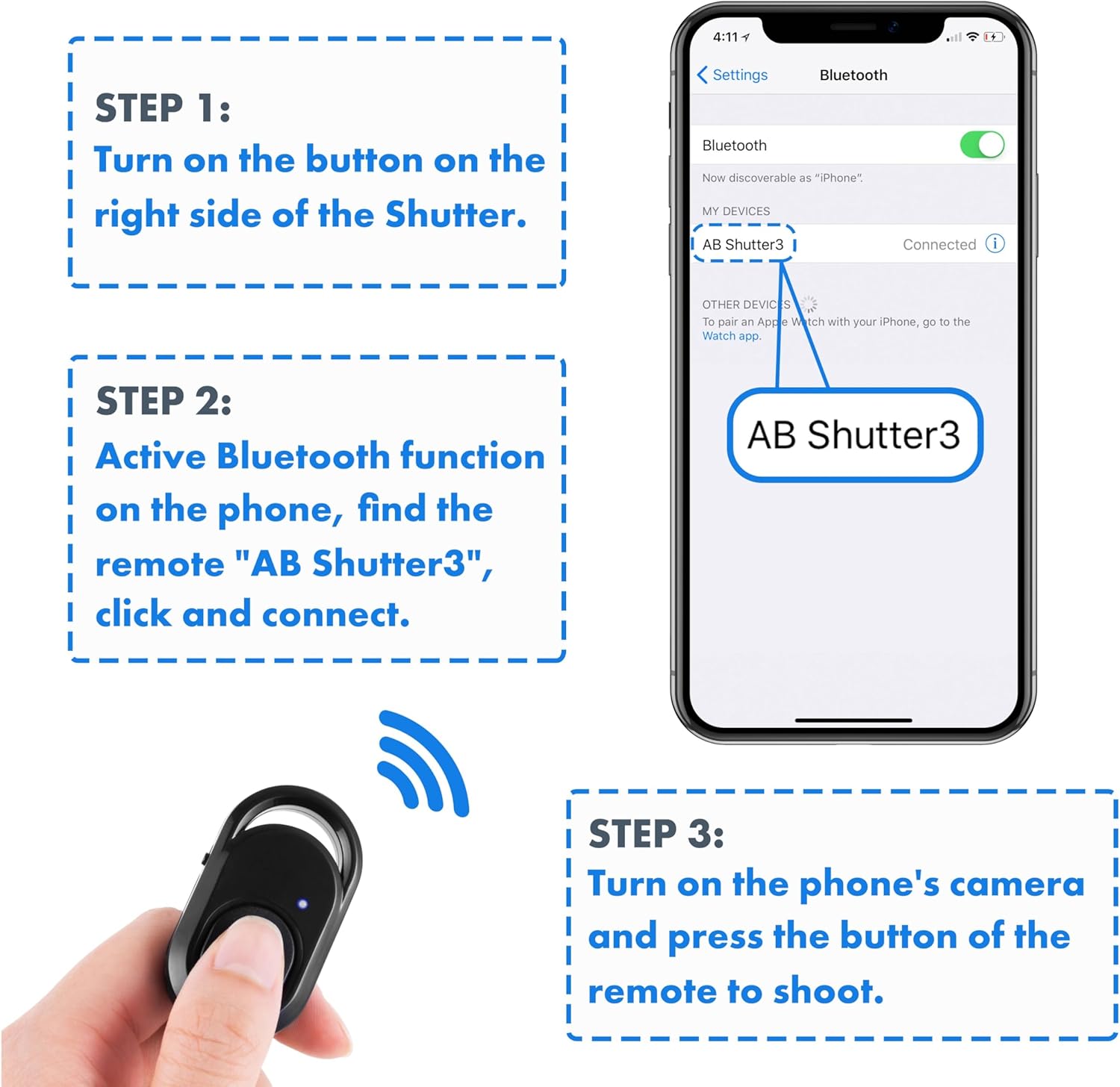
Image: Visual instructions demonstrating how to turn on the remote, enable Bluetooth on a phone, and connect to "AB Shutter3".
Návod k obsluze
Fotografování
After successful pairing, open your device's native camera application. Press the main button on the Polarduck Bluetooth Remote Control to capture a photo.
Nahrávání videí
- For iPhone and most Android phones: Switch your native camera app to video mode. Press the remote's button once to start recording, and press it again to stop recording.
- For Samsung Android Phones or other Android phones with video recording issues: Navigate to your camera settings and locate the "Volume keys function" option. Set this function to "Record video". This will enable the remote to control video recording.
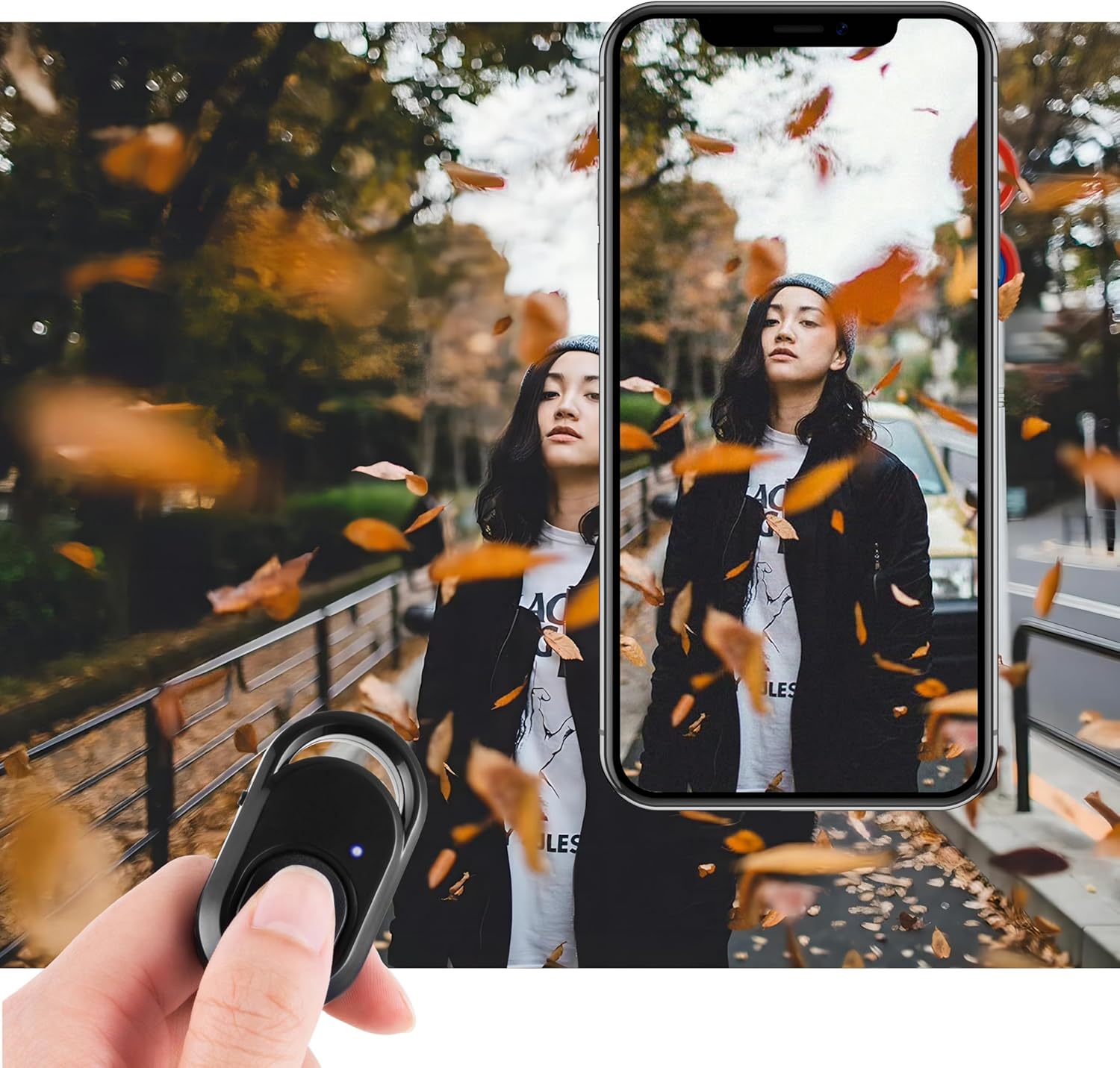
Image: Demonstrates the remote control being used to trigger a smartphone camera for photography.
Kompatibilita
The Polarduck Bluetooth Remote Control is compatible with most smartphones and tablets running:
- Apple iOS 8.0 and up (e.g., iPhone 15 Pro Max, 15 Pro, 15, 14, 13, 12, 11, X, 9, 8; iPad Pro, Air, Mini)
- Android 7.0 OS and up (e.g., Samsung Galaxy S23 Ultra, S23+, S23, S23 FE, S22, S21, S20; HUAWEI Mate 60 RS, Mate 60 Pro+, Mate 60, P60 Pro, P60, nova 11; Xiaomi, Oneplus, BLU)

Image: The remote control is compatible with various selfie equipment, including different types of tripods and phone mounts.
Údržba
Výměna baterie
The remote control uses one CR2032 coin cell battery. To replace the battery:
- Locate the battery cover on the back of the remote control (refer to the Product Overview diagram).
- Opatrně otevřete kryt baterie.
- Remove the old CR2032 battery and insert a new one, ensuring the positive (+) side faces upwards.
- Pevně zavřete kryt baterie.
Obecná péče
- Dálkový ovladač uchovávejte v suchu a mimo dosah extrémních teplot.
- Zařízení čistěte měkkým, suchým hadříkem. Nepoužívejte agresivní chemikálie ani abrazivní materiály.
- Store the remote in a safe place when not in use to prevent accidental activation or damage.
Odstraňování problémů
- Dálkové ovládání se nespáruje: Ensure the remote is turned on and the blue LED is flashing. Check that Bluetooth is enabled on your device and that "AB Shutter3" is selected. If previously paired with another device, ensure it's disconnected from that device.
- Remote not taking photos/videos: Confirm the remote is successfully paired. Check your device's camera app settings, especially for video recording on Android phones (refer to Operating Instructions). Ensure the remote's battery is not depleted.
- Omezený dosah: The maximum operating range is approximately 30 feet (10 meters). Obstacles or interference may reduce this range. Ensure there are no significant barriers between the remote and your device.
- LED nesvítí: The LED flashes during pairing and briefly after connection. If it does not light up at all, the battery may be dead or incorrectly installed. Replace the battery if necessary.
Specifikace
| Funkce | Specifikace |
|---|---|
| Číslo modelu | BT1818 |
| Sdělení | Bluetooth Camera Shutter Remote Control |
| Rozměry | 2 x 1.2 x 0.4 palce (48 mm x 30 mm x 10 mm) |
| Hmotnost | 0.317 unce (8 g) |
| Max Range | 30 stop (10 m) |
| Frekvence | 2.4 GHz–2.4835 GHz |
| Typ baterie | 1 x CR2032 (součástí balení) |
| Životnost baterie | Approx. 6 months (using 10x/day) |
| Barva | Černý |
| Kompatibilní zařízení | Android Tablet, Smartphone, iPad, iPhone |

Image: Detailed dimensions of the remote control, illustrating its compact size.
Záruka a podpora
For warranty information or technical support, please refer to the product packaging or contact Polarduck customer service through the retailer where the product was purchased. Keep your purchase receipt for warranty claims.
Ask a question about this manual
Ask about setup, troubleshooting, compatibility, parts, safety, or missing instructions. Manuals+ will review the question and use this page’s manual context to help answer it.