
Zavedení
Thank you for choosing the LIORQUE S7509 Projection Alarm Clock. This manual provides detailed instructions for setting up and operating your new device. Please read it carefully to ensure proper use and to fully utilize all features.
Obsah balení
Po vybalení se prosím ujistěte, že jsou přítomny všechny následující položky:
- LIORQUE S7509 Projection Alarm Clock
- Napájecí adaptér
- Napájecí kabel USB
- Uživatelská příručka

Image: The LIORQUE S7509 Projection Alarm Clock, its power adapter, USB cable, and user manual are displayed next to the product box. Product dimensions are indicated as 18cm (7.1in) width, 9.8cm (3.9in) height, and 5cm (2in) depth.
Vlastnosti produktu Overview
The LIORQUE S7509 Projection Alarm Clock is designed to enhance your daily routine with its versatile features:
- Otočný projekční úhel 180°: Project the time onto your ceiling or wall with adjustable brightness.
- Velký LED displej: Clear time display with 4 adjustable brightness levels.
- Duální budíky: Nastavte dva samostatné budíky pro různé plány.
- FM rádio: Enjoy your favorite radio stations with 15 preset memory slots and 15 adjustable volume levels.
- Funkce odložení: Poskytuje dalších 9 minut spánku.
- Časovač vypnutí: Automatically turns off the radio after a set duration (5-90 minutes).
- 12/24hodinový formát: Easily switch between time formats.
- Vestavěná baterie: Pro záložní napájení běhemtages.

Image: The LIORQUE S7509 Projection Alarm Clock is shown with its digital display set to 22:30. Surrounding icons highlight key features including 12/24 hour time, adjustable brightness, FM radio, snooze function, dual alarms, time projection, built-in battery, and a sleep timer.
Pokyny pro nastavení
1. Připojení napájení
Connect the provided USB power cable to the alarm clock and plug the adapter into a standard wall outlet. The display will light up, indicating the device is powered on.

Image: The LIORQUE S7509 Projection Alarm Clock is shown on a bedside table, connected to a wall outlet via its power adapter. The clock displays 8:30, illustrating its readiness for use after power connection.
2. Počáteční nastavení času
- Stiskněte a podržte NASTAVENÍ ČASU button (usually labeled with a clock icon) for 3 seconds to enter time setting mode.
- Použijte HODINA a MINUTA buttons (often labeled with '+' and '-' or arrows) to adjust the current time.
- Stiskněte NASTAVENÍ ČASU znovu pro potvrzení a ukončení.
3. 12/24 hodinový formát
While in time setting mode, or by a dedicated button (refer to specific button labels on your device), you can toggle between 12-hour (with AM/PM indicator) and 24-hour formats.
Návod k obsluze
1. Nastavení alarmů
Hodiny podporují dva nezávislé budíky (Budík 1 a Budík 2).
- Stiskněte a podržte POPLACH 1 or POPLACH 2 button for 3 seconds. The alarm time will flash.
- Použijte HODINA a MINUTA tlačítky nastavte požadovaný čas budíku.
- Stiskněte tlačítko POPLACH znovu stiskněte tlačítko pro potvrzení času.
- You can then select the alarm sound (buzzer or FM radio) and alarm volume.
- Stiskněte tlačítko POPLACH button one more time to save settings and activate the alarm. An alarm icon will appear on the display.

Image: Two LIORQUE S7509 Projection Alarm Clocks are displayed side-by-side. One shows an alarm set for 8:30, labeled 'Workday', and the other shows 10:00, labeled 'Weekend', demonstrating the dual alarm capability.
2. Projekční funkce
The projector allows you to display the time on your ceiling or wall.
- Aktivovat/deaktivovat: Stiskněte tlačítko PROJEKCE tlačítko (často označené ikonou projekce) pro zapnutí nebo vypnutí projekce.
- Upravit jas: Opakovaně stiskněte tlačítko PROJEKCE button to cycle through 3 brightness levels (Low, Medium, High) or turn it off.
- Otočit projekci: The projector lens can be physically rotated 180° to adjust the angle of the projected time.

Image: The LIORQUE S7509 Projection Alarm Clock is shown in a bedroom, projecting the time '22:30' onto the ceiling. Below, three smaller images illustrate the three adjustable brightness levels for the projection.

Image: The LIORQUE S7509 Projection Alarm Clock is depicted with its projection arm extended, casting the time '12:45' onto a nearby surface. This image demonstrates the adjustable angle and direction of the projection feature.
3. Zobrazte jas
Adjust the main display brightness to your preference.
- Stiskněte tlačítko DIMMER button (or similar, often labeled with a sun icon) to cycle through 4 levels of display brightness.
- The levels typically range from brightest to off, allowing for comfortable viewve dne nebo v noci.

Image: The LIORQUE S7509 Projection Alarm Clock shows the time 22:30. Below, four distinct panels illustrate the four adjustable levels of screen brightness, ranging from completely off to maximum illumination, allowing users to select the appropriate brightness for night vision.
4. FM rádio
Poslouchejte své oblíbené FM rozhlasové stanice.
- Zapnout/Vypnout: Stiskněte tlačítko RÁDIO tlačítko pro zapnutí nebo vypnutí FM rádia.
- Automatické skenování: Stiskněte a podržte RÁDIO button for 3 seconds to automatically scan and save up to 15 FM stations.
- Přestupní stanice: Použijte PŘEDCHOZÍ/DALŠÍ buttons (or '+' and '-') to switch between saved stations.
- Upravit hlasitost: Použijte OBJEM +/- buttons to adjust the radio volume through 15 levels.

Image: The LIORQUE S7509 Projection Alarm Clock displays 'FM 7.84' on its screen, surrounded by graphic representations of radio waves indicating different FM frequencies (e.g., FM90.2, FM95.6, FM96.8, FM97.5, FM98.5). The image also highlights that the device can store 15 favorite radio stations and has 15 adjustable volume levels.
5. Funkce odložení buzení
Když zazní alarm, stiskněte velké SNOOZE / SVĚTLO tlačítko na horní straně hodin. Budík se na 9 minut pozastaví a poté znovu zazvoní.
6. Časovač vypnutí
Časovač vypnutí umožňuje rádiu hrát po nastavenou dobu, než se automaticky vypne.
- Během přehrávání rádia stiskněte tlačítko SPÁT button (or similar).
- Opakovaně stiskněte tlačítko SPÁT button to cycle through preset sleep times (e.g., 5, 10, 15, 30, 60, 90 minutes).
- Rádio se po uplynutí zvoleného času automaticky vypne.
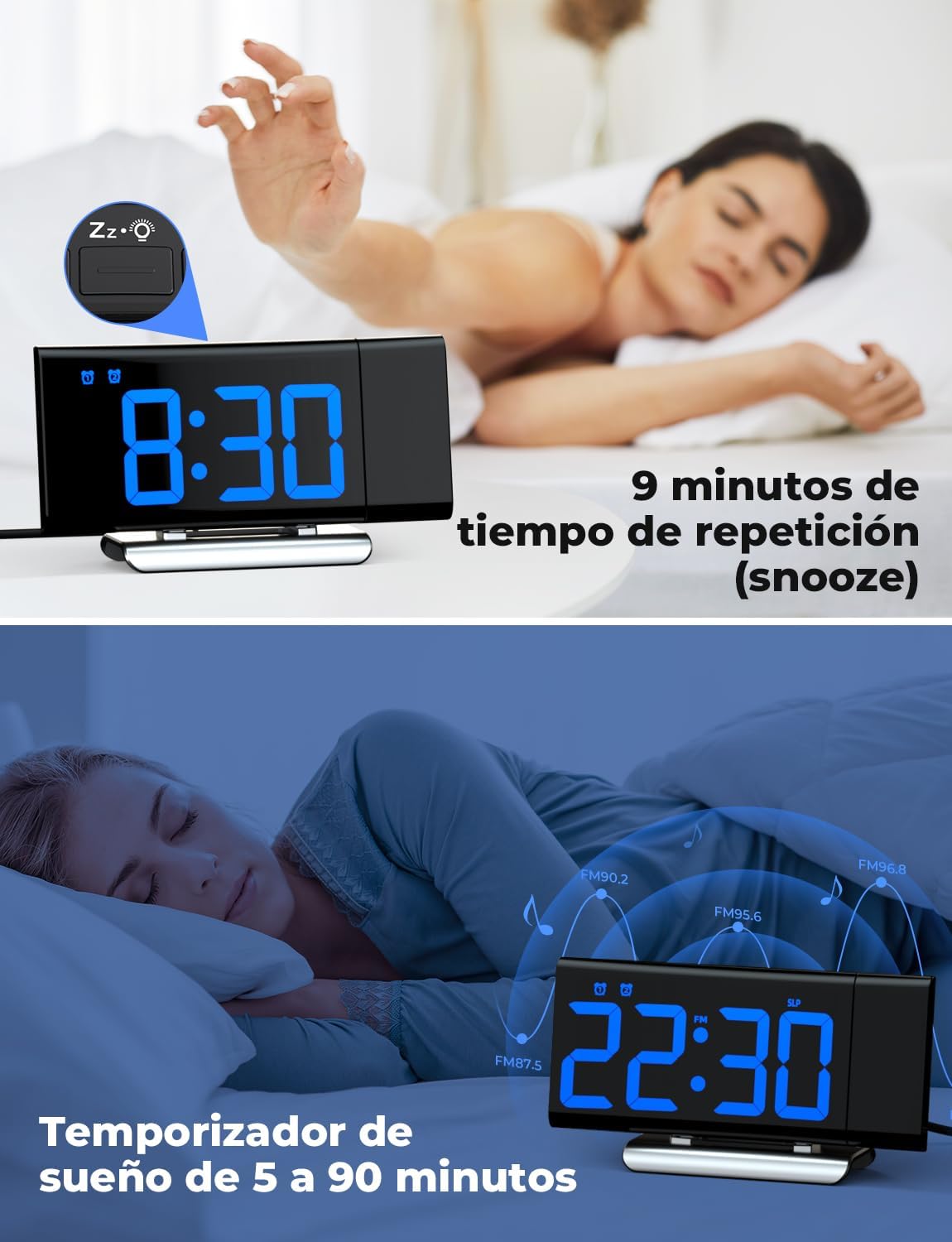
Image: The top section shows a person reaching for the snooze button on the LIORQUE S7509 Projection Alarm Clock, which displays 8:30, indicating a 9-minute snooze period. The bottom section features the clock displaying 22:30 with radio waves, illustrating the sleep timer function which can be set from 5 to 90 minutes, with a person sleeping peacefully in the background.
Údržba
To ensure the longevity and optimal performance of your LIORQUE S7509 Projection Alarm Clock, follow these simple maintenance guidelines:
- Čištění: Use a soft, dry cloth to wipe the surface of the clock. Do not use abrasive cleaners, solvents, or chemical sprays, as these can damage the finish and electronic components.
- Odstranění prachu: Gently wipe the projector lens with a soft, lint-free cloth to maintain clear projection quality.
- Umístění: Umístěte hodiny na stabilní, rovný povrch mimo dosah přímého slunečního záření, zdrojů tepla a nadměrné vlhkosti.
- Moc: Always use the provided power adapter. If the clock is not used for an extended period, you may unplug it. The built-in battery will retain settings for a short duration.
Odstraňování problémů
Pokud narazíte na jakékoli problémy s budíkem, podívejte se prosím na následující běžné problémy a jejich řešení:
| Problém | Možná příčina | Řešení |
|---|---|---|
| Displej hodin je prázdný. | Žádná síla ani sílatage. | Ensure the power adapter is securely plugged into the clock and a working outlet. Check if the display brightness is set to 'off'. |
| Projekce je rozmazaná nebo nejasná. | Incorrect focus or distance. | Adjust the distance of the clock from the projection surface. Ensure the projector lens is clean. |
| Alarm se nespustí. | Budík není aktivován nebo je hlasitost příliš nízká. | Verify that the alarm icon is displayed on the screen. Check the alarm volume setting. Ensure the alarm time is correctly set. |
| Špatný příjem FM rádia. | Slabý signál nebo poloha antény. | Extend the FM antenna fully. Reposition the clock to improve reception. |
| Tlačítka nereagují. | Dočasná softwarová závada. | Unplug the power adapter for a few seconds, then plug it back in to reset the device. |
Specifikace
| Funkce | Detail |
|---|---|
| Rozměry produktu | 10.5 x 3.81 x 6.2 cm; 340 g |
| Číslo modelu | S7509 |
| Značka | LIORQUE |
| Barva | Modrý |
| Typ zobrazení | Digitální |
| Zdroj napájení | Both: Battery and AC power (with adapter) |
| Tvar | Obdélníkový |
| Používání | Krytý |
| Materiál rámu | Kov |
| Baterie jsou součástí dodávky | Ano |
| Typ montáže | Stolní deska |
| Budík | Ano |
| Počet položek | 1 |
Záruka a podpora
The LIORQUE S7509 Projection Alarm Clock comes with a manufacturer's warranty. For specific details regarding warranty coverage and duration, please refer to the warranty card included in your package or contact LIORQUE customer support.
If you require further assistance, have questions, or encounter issues not covered in this manual, please contact LIORQUE customer support. Contact information can typically be found on the product packaging, the official LIORQUE webwebu nebo prostřednictvím svého prodejce.