
Zavedení
Thank you for choosing the LEXIP Madara Design Headset. This manual provides detailed instructions for setting up, operating, and maintaining your headset. Please read this manual thoroughly before use to ensure optimal performance and longevity of your device.
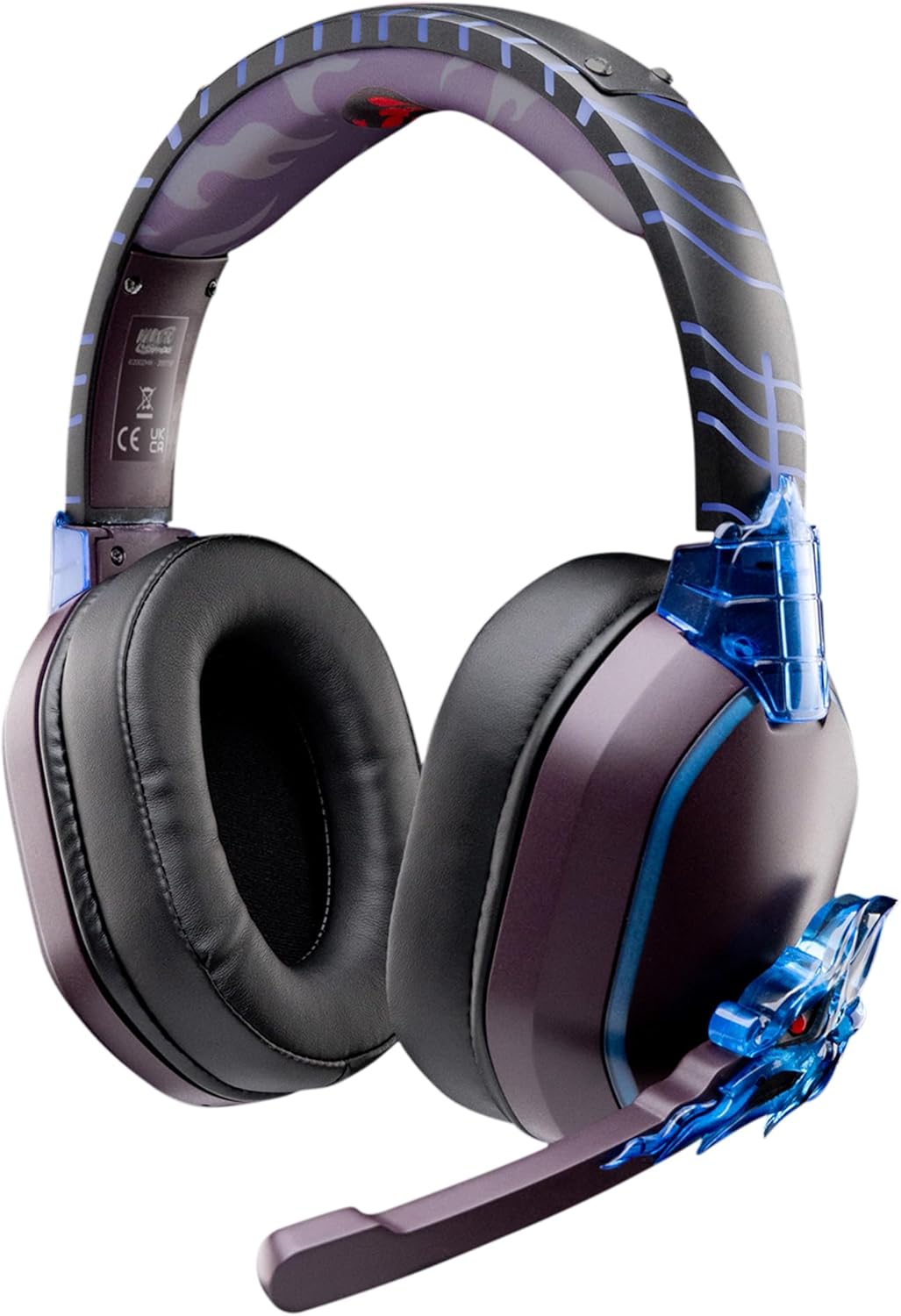
Image: The LEXIP Madara Design Headset, featuring a distinctive purple and blue color scheme with intricate design elements inspired by Madara.
Obsah balení
Ujistěte se, že v balení jsou přítomny všechny položky:
- LEXIP Madara Design Headset
- Odnímatelný mikrofon
- 3.5mm audio kabel
- USB nabíjecí kabel
- Uživatelská příručka
Konec produktuview
Seznamte se s komponenty a konstrukčními prvky vaší náhlavní soupravy.

Image: Close-up of the headset's ear cup, highlighting the intricate blue dragon design element.

Obraz: View of the soft earcups and adjustable headband, designed for comfort during extended use.
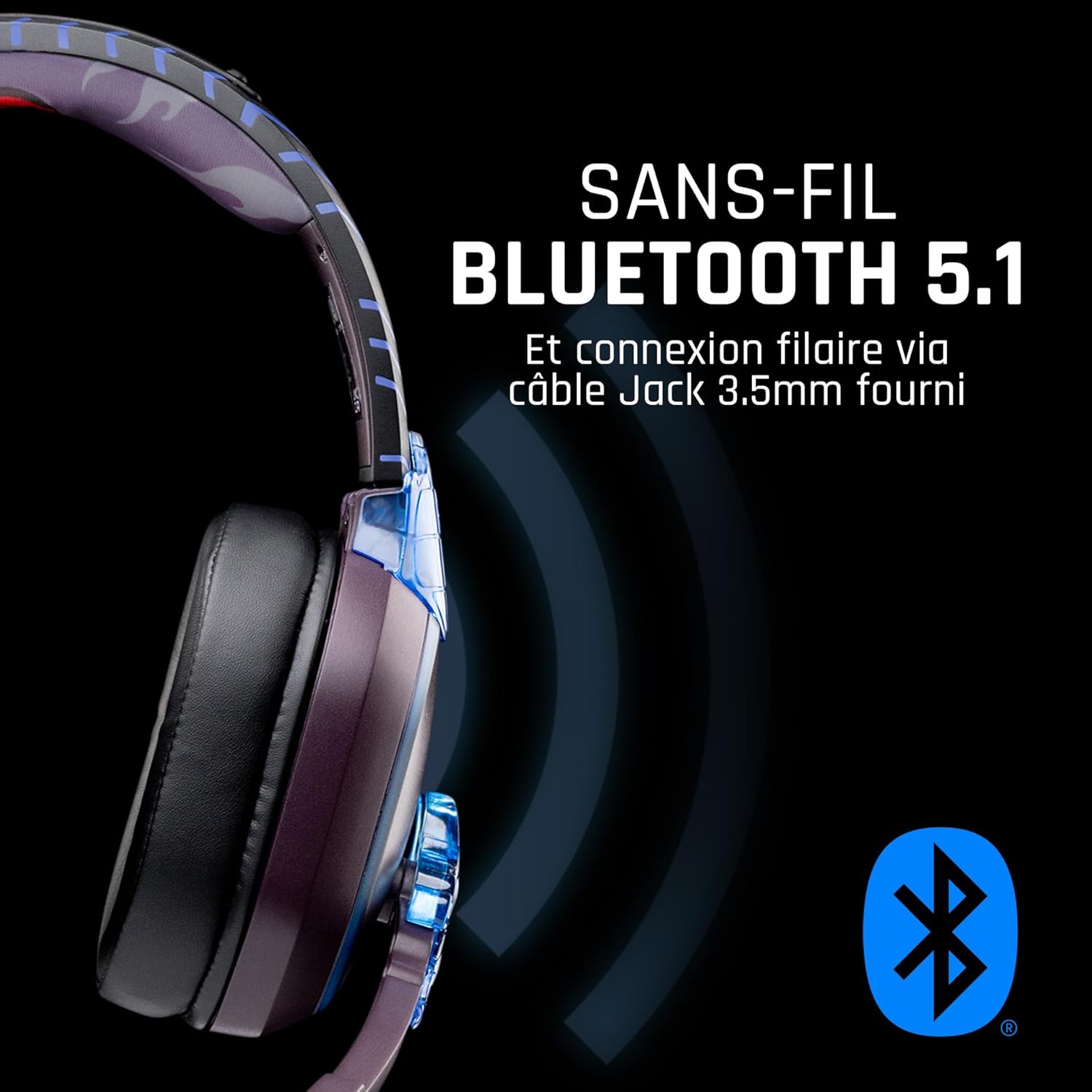
Obrázek: Boční view of the headset, illustrating its wireless Bluetooth 5.1 capability and connection points.

Image: The headset displayed on a stand, alongside a matching game controller, showcasing its gaming application.
Klíčové vlastnosti:
- Bezdrátové připojení Bluetooth 5.1: For seamless wireless audio.
- Kabelové připojení: Via the included 3.5mm Jack cable.
- Odnímatelný mikrofon: For clear communication and versatility.
- Ovládání hlasitosti: Integrované ovládací prvky pro snadné nastavení zvuku.
- Izolace hluku: Passive noise reduction for an immersive experience.
- Pohodlný design: Adjustable headband and over-ear form factor.
Nastavení
1. Nabíjení náhlavní soupravy
- Připojte nabíjecí kabel USB k nabíjecímu portu na sluchátkách.
- Druhý konec kabelu USB připojte ke kompatibilnímu zdroji napájení USB (např. k portu USB počítače, síťovému adaptéru USB).
- The LED indicator on the headset will show the charging status. A full charge typically takes approximately 2-3 hours.
2. Připevnění mikrofonu
- Locate the microphone input port on the headset, usually on the left earcup.
- Align the detachable microphone connector with the port and gently push it in until it clicks into place.
- Upravte polohu mikrofonu pro optimální snímání hlasu.
Návod k obsluze
1. Zapnutí/vypnutí
- Zapnutí: Stiskněte a podržte tlačítko napájení přibližně 3 sekundy, dokud se nerozsvítí LED indikátor.
- Vypnutí: Stiskněte a podržte tlačítko napájení přibližně 5 sekund, dokud nezhasne LED indikátor.
2. Párování Bluetooth (bezdrátový režim)
- Zkontrolujte, zda je náhlavní souprava vypnutá.
- Stiskněte a podržte tlačítko napájení po dobu přibližně 5–7 sekund, dokud LED indikátor nezačne rychle blikat, což signalizuje režim párování.
- On your device (Windows 10/11, Mac, PS5, PS4, Xbox Series X/S, Xbox One, Nintendo Switch, Android, iOS, tablets), navigate to Bluetooth settings.
- Hledat available devices and select "LEXIP Madara Headset" (or similar name).
- Po spárování přestane kontrolka LED blikat a zůstane svítit modře.
3. Drátové připojení (3.5mm konektor)
- Insert one end of the 3.5mm audio cable into the headset's audio jack.
- Insert the other end into the 3.5mm audio port of your desired device.
- The headset will operate in passive wired mode, even if the power is off.
4. Ovládání hlasitosti
- Use the volume control dial or buttons located on the headset to adjust the audio level.
Údržba
- Čištění: K čištění sluchátek s mikrofonem používejte měkký, suchý hadřík. Nepoužívejte abrazivní čisticí prostředky ani rozpouštědla.
- Skladování: Sluchátka skladujte na chladném a suchém místě mimo dosah přímého slunečního záření a extrémních teplot.
- Péče o baterie: Pro optimální výdrž baterie se vyvarujte častého úplného vybíjení sluchátek. Pravidelně je nabíjejte.
- Voděodolnost: Sluchátka nejsou vodotěsná. Zabraňte kontaktu s tekutinami.
Odstraňování problémů
| Problém | Možná příčina | Řešení |
|---|---|---|
| Z sluchátek se nehlásí žádný zvuk | Headset not powered on; Volume too low; Not paired/connected; Incorrect audio output selected on device. | Ensure headset is powered on and charged. Increase volume. Re-pair Bluetooth or check 3.5mm cable connection. Select headset as audio output on your device. |
| Nelze spárovat přes Bluetooth | Headset not in pairing mode; Device Bluetooth off; Too far from device; Interference. | Ensure headset is in pairing mode (flashing LED). Turn device Bluetooth off and on again. Move headset closer to device. Avoid strong Wi-Fi signals or other Bluetooth devices. |
| Mikrofon nefunguje | Microphone not properly attached; Muted on headset/device; Incorrect input selected on device. | Ensure microphone is securely attached. Check if microphone is muted. Select headset microphone as input device in your device's sound settings. |
| Krátká výdrž baterie | Headset not fully charged; Old battery. | Ensure headset is fully charged before use. Battery performance may degrade over time. |
Specifikace
| Číslo modelu | TSXLXHS0003 |
| Značka | Lexip |
| Technologie připojení | Bezdrátové (Bluetooth 5.1), Kabelové (3.5mm jack) |
| Frekvenční rozsah | 20 Hz - 20,000 XNUMX Hz |
| Impedance | 3 ohmů |
| Citlivost | 116 dB |
| Izolace hluku | Pasivní redukce šumu |
| Mikrofon | Odnímatelné |
| Ovládací prvky | Ovládání hlasitosti, Dálkové ovládání |
| Kompatibilní zařízení | Windows 10/11, Mac, PS5, PS4, Xbox Series X/S, Xbox One, Nintendo Switch, Android, iOS, tablets |
| Form Factor | Over-ear, Extra-aural |
| Materiál | Smíšené materiály |
| Věkové rozmezí | Dospělý |
| Úroveň odolnosti proti vodě | Není odolný vůči vodě |
| Baterie | 1 non-standard battery (included) |
Záruka a podpora
The LEXIP Madara Design Headset comes with a 2letá záruka výrobce od data nákupu. Tato záruka se vztahuje na vady materiálu a zpracování při běžném používání.
For warranty claims, technical support, or further assistance, please contact LEXIP customer service through their official website or the retailer where the product was purchased. Please have your proof of purchase and model number (TSXLXHS0003) ready when contacting support.
Poznámka: Informace o dostupnosti náhradních dílů a aktualizacích softwaru nejsou v současné době k dispozici.