
1. Úvod
This manual provides detailed instructions for the installation, operation, and maintenance of your BENEXMART Zigbee Hub T1. This smart home bridge is designed to connect various Tuya-compatible Zigbee devices, enabling centralized control and automation within your smart home ecosystem. Please read this manual thoroughly before use to ensure proper functionality and safety.
2. Co je v krabici
Po vybalení se prosím ujistěte, že jsou v balení všechny následující položky:
- BENEXMART Zigbee Hub T1
- Externí anténa
- Napájecí kabel USB Type-C
- Ethernetový kabel
- Uživatelská příručka (tento dokument)

Image: The BENEXMART Zigbee Hub T1 with its external antenna, power cable, and Ethernet cable.
3. Pokyny k nastavení
Follow these steps to set up your Zigbee Hub T1:
- Připojte externí anténu: Gently screw the external antenna into the designated port on the hub. Ensure it is securely attached for optimal signal strength.
- Zapnutí Hubu: Connect the provided USB Type-C power cable to the hub and then to a suitable power adapter (not included). The hub will power on.
- Připojit k síti: Use the provided Ethernet cable to connect the hub's LAN port to your home router. A wired connection ensures stable communication.
- Stáhněte si aplikaci: Download and install the "Tuya Smart" or "Smart Life" app from your mobile device's app store.
- Přidat zařízení do aplikace: Open the app, register or log in, and follow the in-app instructions to add a new device. Select "Gateway" or "Hub" and choose the Zigbee Gateway. The app will guide you through the pairing process.

Image: Illustration showing how to attach the external antenna to the hub.

Image: Close-up of the hub's ports, showing connections for the antenna, power (Type-C), and LAN.
Video: An unboxing and setup guide for the ZGMISMART Smart Tuya Zigbee Gateway, demonstrating the physical connections and initial app pairing process.
4. Návod k obsluze
4.1. Párování zařízení
Once the hub is set up and connected to the app, you can begin pairing your Tuya-compatible Zigbee devices. Refer to the individual device's manual for specific pairing instructions, which typically involve putting the device into pairing mode and then initiating a search within the Tuya Smart or Smart Life app.
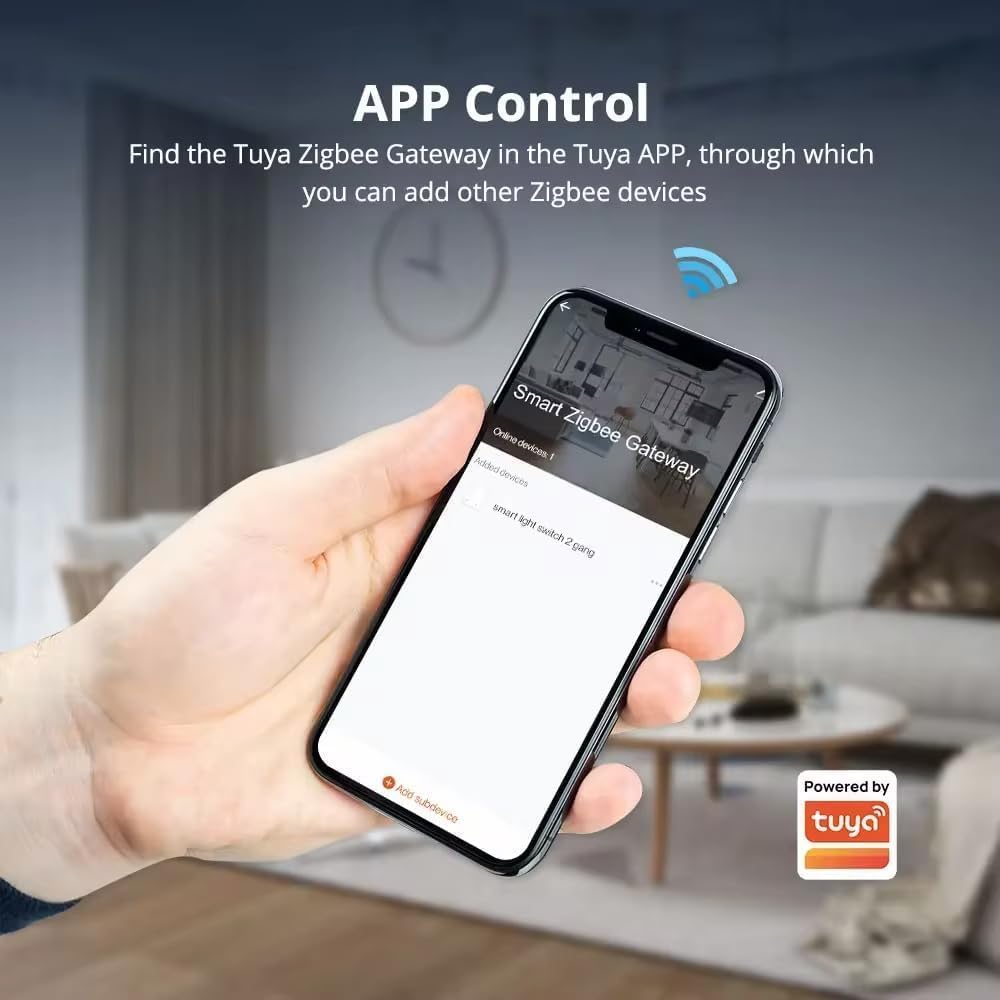
Image: Screenshot of the Tuya Smart Life app showing the "Smart Zigbee Gateway" and an option to "Add subdevice".
4.2. Group Control and Smart Scenes
The hub allows for unified control of multiple devices. You can group devices together and create smart scenes for automated actions. For example, a "Good Morning" scene could open blinds and turn on lights at a specific time.
- Skupinová zařízení: Combine multiple Zigbee devices (e.g., all lights in a room) for simultaneous control via the app.
- Vytvořit scény: Set up automated routines based on time, sensor triggers, or other conditions.

Image: A diagram showing the smart Zigbee gateway as a control center, enabling group control for various devices like smart curtains, lights, switches, and security systems.

Obrázek: Dva bývalíamples of intelligent linkage scenarios: one for a living room combining curtain, light, and gateway, and another for a bedroom combining sensor, switch, and gateway.
4.3. Integrace hlasového ovládání
The BENEXMART Zigbee Hub T1 supports voice control through Amazon Alexa and Google Home. Link your Tuya Smart or Smart Life account to your Alexa or Google Home app to control connected Zigbee devices using voice commands.

Image: Depiction of voice commands "Hey Google home, turn on the lights" and "Alexa, close the curtains" being used with Google Home and Amazon Echo devices, connected via the T1 hub.
5. Vlastnosti
- Universal Zigbee Compatibility: Works with thousands of Tuya-compatible Zigbee devices, including smart lights, plugs, switches, and sensors.
- Snadné nastavení: Simple power-on, connect via Tuya App or Smart Life App, and add devices.
- Wired Ethernet Connection: Ensures a stable and reliable 10/100Mbps connection for your smart home system.
- Externí anténa: Boosts signal strength and range, covering up to 2,000 sq. ft and improving penetration through walls and floors.
- Hlasové ovládání: Integrates with Amazon Alexa and Google Home for convenient voice commands.
- Inteligentní scény a plány: Create custom scenes and up to 8 daily schedules for automated home control.
- Ultra-Low Standby Power Consumption: Energy-efficient design with ≤0.5W standby power.
- Odolný design: Operates reliably in extreme environments from -10°C to +45°C (14°F to 113°F) and up to 90% humidity (non-condensing).
6. Specifikace
| Název produktu | Tuya Zigbee Gateway |
| Model produktu | T1 |
| Vstupní výkon | 5V ⎇ 1A (Direct Current) |
| Napájení v pohotovostním režimu | ≤0.5W |
| Internetový port | Ethernet 10/100 Mbps |
| Bezdrátový protokol | Zigbee |
| Pracovní teplota | -10 °C ~ +45 °C (14 °F ~ 113 °F) |
| Pracovní vlhkost | 10% až 90% RH (bez kondenzace) |
| Hmotnost položky | 8.1 unce |
| Rozměry produktu | 3.9 x 3.9 x 1.1 palce |

Image: Visual representation of the hub's dimensions and a table summarizing its technical specifications.
7. Údržba
- Čištění: Use a soft, dry cloth to clean the hub. Do not use liquid cleaners or aerosols.
- Aktualizace firmwaru: Regularly check the Tuya Smart or Smart Life app for available firmware updates to ensure optimal performance and security.
- Umístění: Place the hub in a central location within your home, away from large metal objects or other sources of interference, to maximize Zigbee signal range.
8. Řešení problémů
| Problém | Možná příčina | Řešení |
|---|---|---|
| Hub se nezapíná | Power cable not connected properly or power adapter faulty. | Ensure the USB Type-C cable is securely connected. Try a different power adapter. |
| Hub se nepřipojuje k síti | Ethernet cable loose, router issue, or network configuration problem. | Check Ethernet cable connection. Restart your router. Verify network settings in the app. |
| Zařízení Zigbee se nepárují | Device not in pairing mode, too far from hub, or interference. | Ensure the device is in pairing mode. Move the device closer to the hub. Remove potential sources of interference. Reset the device and try again. |
| Hlasové ovládání nefunguje | Incorrect linking with Alexa/Google Home, or device not recognized. | Verify that your Tuya Smart/Smart Life account is correctly linked to your voice assistant app. Ensure devices are discovered by the voice assistant. |
Pokud se setkáte s přetrvávajícími problémy, obraťte se na sekci podpory nebo kontaktujte zákaznický servis.
9. Záruka a podpora
The BENEXMART Zigbee Hub T1 comes with a standard manufacturer's warranty. For specific warranty terms and conditions, please refer to the product packaging or the official BENEXMART website. For technical support, troubleshooting assistance, or warranty claims, please contact BENEXMART customer service through their official channels.
Online podpora: Visit the BENEXMART store on Amazon: BENEXMART Store