
Zavedení
This manual provides detailed instructions for the assembly, operation, and maintenance of your Rfiver Rolling TV Stand with Power Outlet, Model DTF4003WHT. Please read this manual thoroughly before use to ensure safe and correct operation. Keep this manual for future reference.
Důležité bezpečnostní pokyny
- Nepřekračujte maximální nosnost 40 kg (88 liber).
- Ensure the TV size is between 32 and 70 inches and compatible with VESA patterns from 100x100mm to 400x400mm.
- Stojan sestavte na měkkém a čistém povrchu, abyste zabránili poškrábání.
- Always use the provided hardware. If any parts are missing or damaged, contact customer support.
- Během montáže držte děti a domácí zvířata mimo dosah.
- For electrical safety, ensure the power strip is ETL-certified and do not overload it. Unplug the stand from the wall outlet when not in use or during maintenance.
- Engage the wheel locks when the stand is in its desired position to prevent accidental movement.
Obsah balení
Before beginning assembly, verify that all components listed in the included parts diagram are present and undamaged. If any parts are missing or defective, please do not proceed with assembly and contact Rfiver customer service.
Montážní návod
Follow these steps carefully. It is recommended to have assistance during certain stages of assembly, especially when mounting the television.
- Attach the Base to the Support Pole: Securely fasten the wooden base to the main support pole using the provided screws and tools.
- Instalace montážního držáku televizoru: Attach the TV mounting bracket to the top of the support pole. Ensure it is oriented correctly according to the instructions.
- Attach TV Brackets to Your Television: Secure the vertical TV brackets to the back of your television using the appropriate VESA screws. Select screws that fit your TV's VESA pattern and depth.
- Mount the Television: Carefully lift your television and hook the attached TV brackets onto the mounting bracket on the stand. Ensure the TV is securely seated and engage any safety locks.
- Install the Media Shelf (Optional): If your model includes a media shelf, attach it to the support pole at your desired height.
- Connect the Power Strip: Route the power strip cable through the designated cable management channels on the support pole and connect it to the integrated power outlet.
- Uspořádejte kabely: Use the provided cable management clips to neatly route all TV and device cables along the support pole, minimizing clutter.
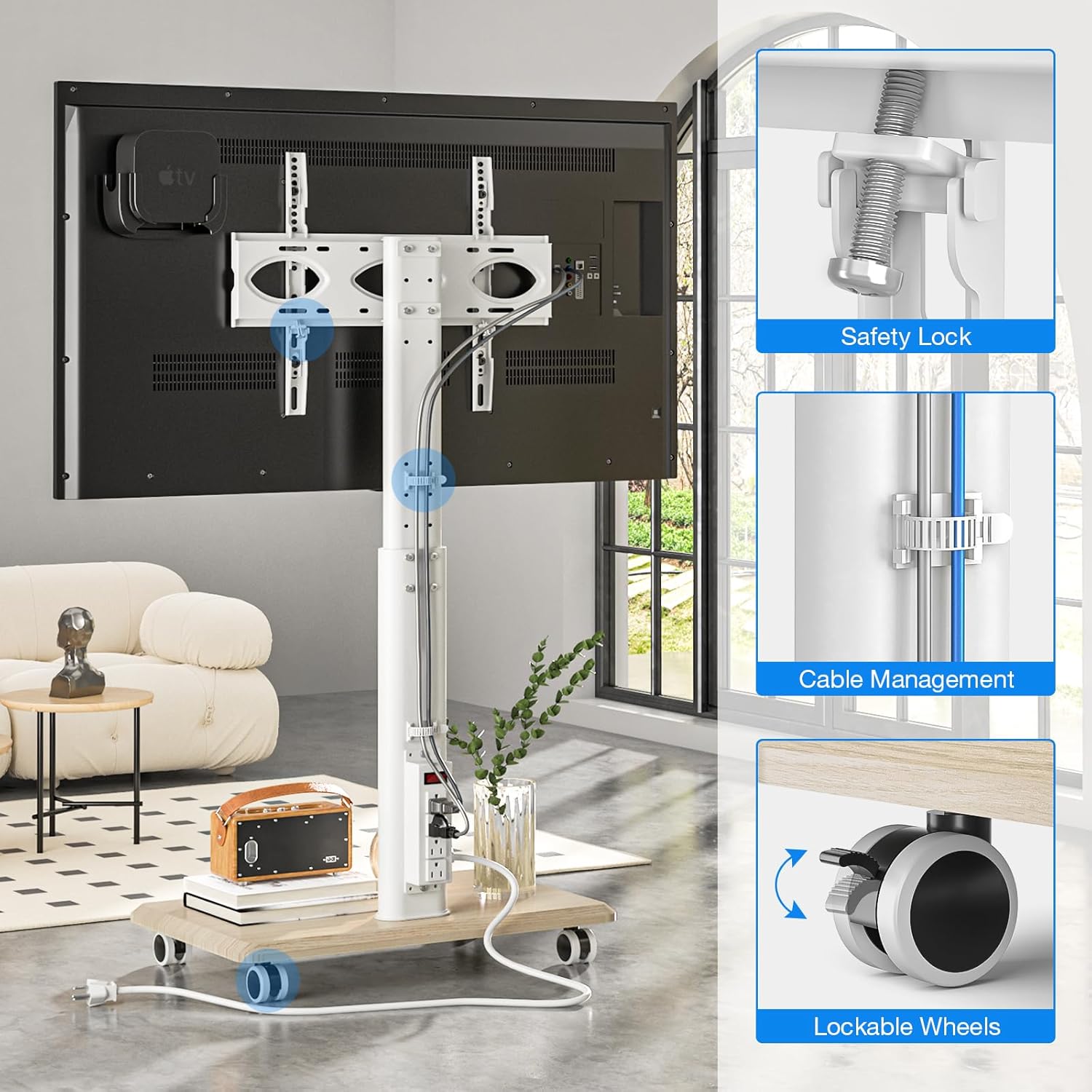
Image: Key features for secure setup, including the safety lock for the TV, integrated cable management, and lockable wheels on the base.
Návod k obsluze
Nastavení výšky
The TV stand features 8 levels of height adjustment. To adjust the TV height, loosen the securing bolts on the support pole, slide the TV mount to the desired position, and then firmly tighten the bolts. The TV can be positioned between a minimum height of 41.5 inches and a maximum of 53.3 inches (measured from the floor to the center of the TV).

Image: Visual representation of the TV stand's height adjustment range, from 41.5 inches to 53.3 inches.
Funkce otáčení
The TV mount allows for a 30-degree swivel to the left and 30-degree swivel to the right, providing a total 60-degree viewing angle adjustment. Gently rotate the television to achieve your optimal viewúhel.
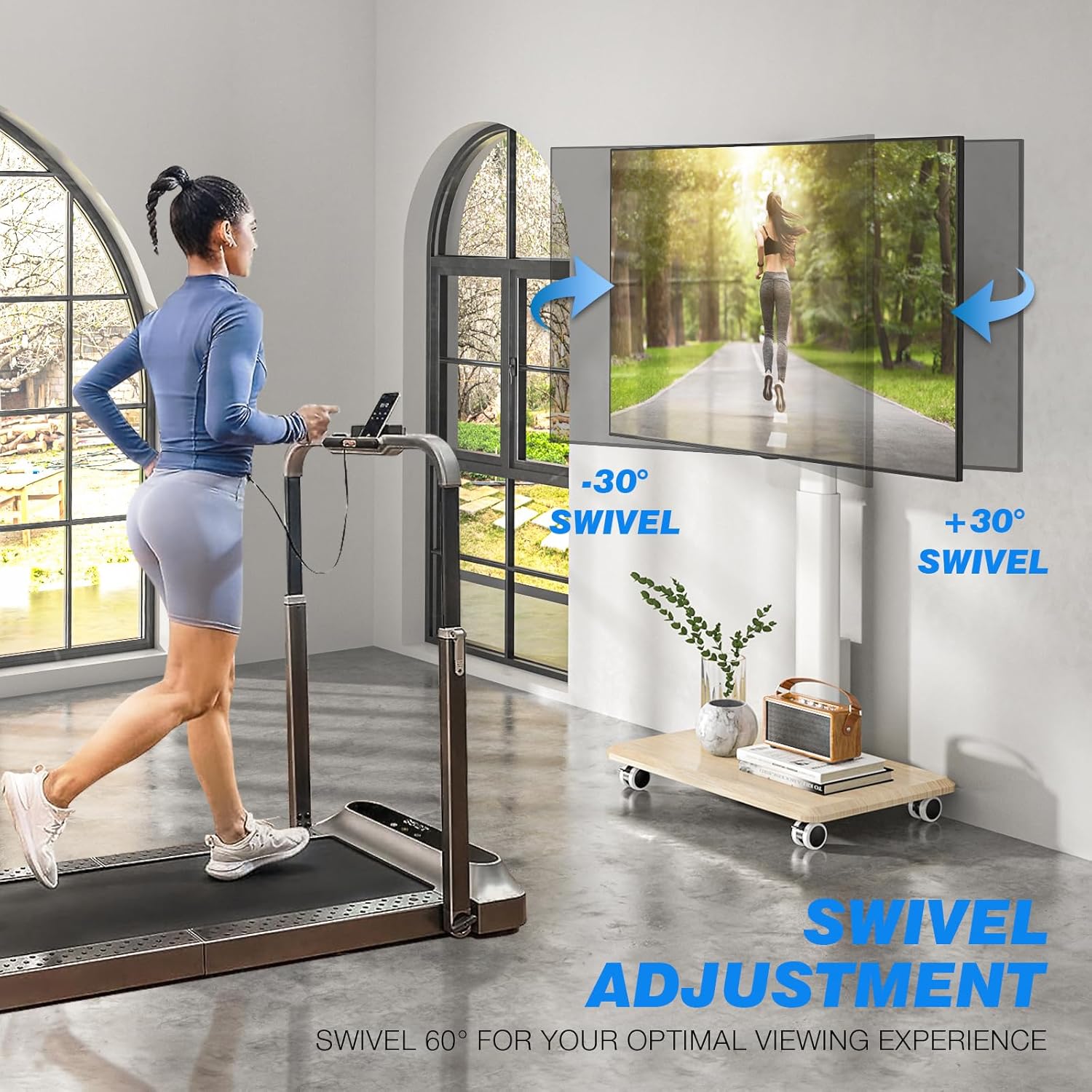
Image: Illustration of the TV stand's 60-degree swivel range for flexible viewIng.
Mobilita a aretační kolečka
The stand is equipped with four silent 360-degree rotating lockable wheels. To move the stand, ensure the wheels are unlocked. To secure the stand in a stationary position, press down on the locking mechanism on each wheel until it clicks into place.
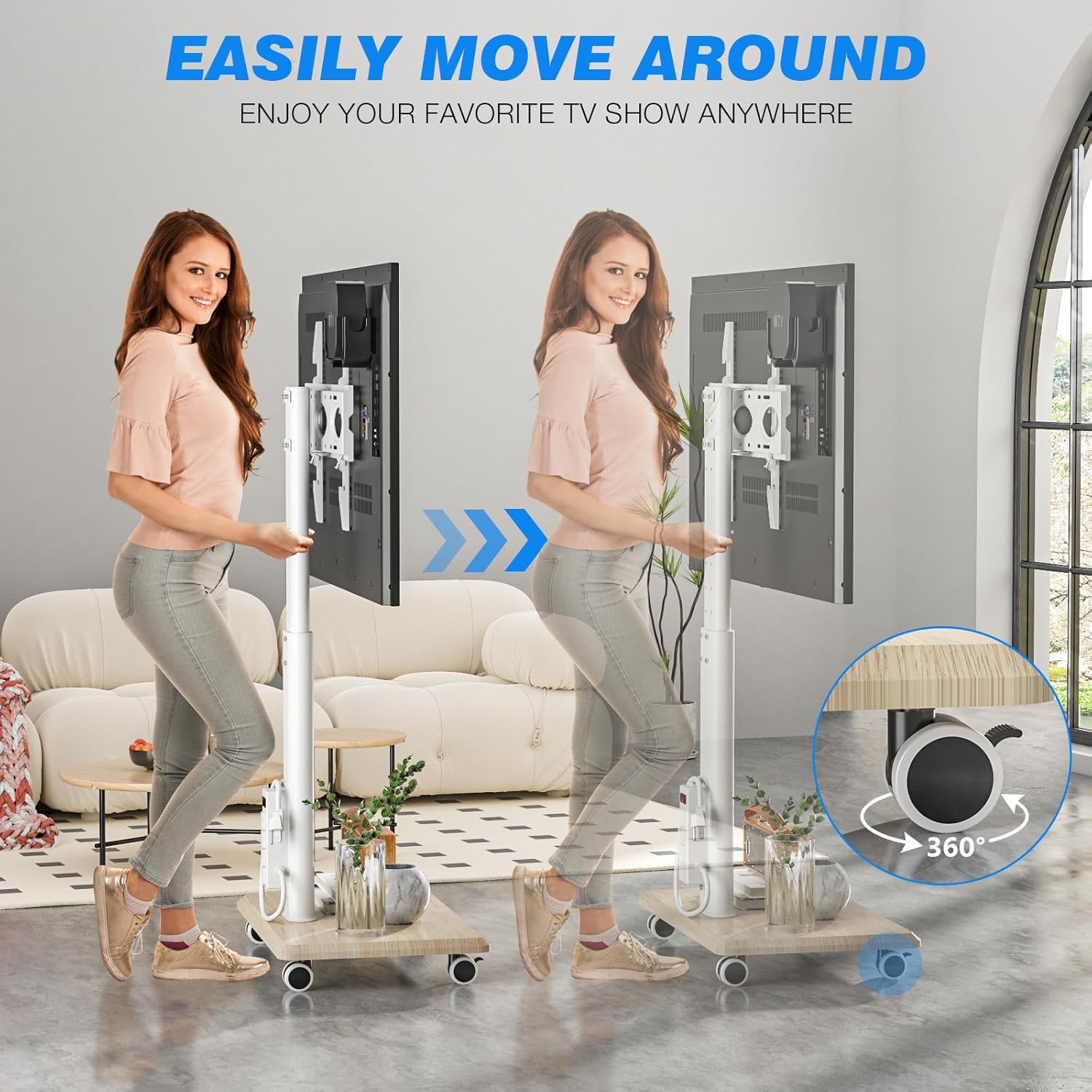
Image: Demonstrates the ease of moving the TV stand using its 360-degree rotating wheels.
Integrovaná zásuvka
The stand features an ETL-certified power strip with four AC outlets and a heavy-duty 6.5 ft 16-AWG pure copper extension cord. Connect your TV and other devices to these outlets. Use the one-button switch on the power strip to conveniently power all connected devices on or off.

Obrázek: Podrobný view of the integrated power strip, highlighting its specifications and one-button control.
Péče a údržba
- Čištění: Wipe the stand with a soft, dry cloth. Avoid using abrasive cleaners or harsh chemicals that may damage the finish.
- Zkontrolujte připojení: Pravidelně kontrolujte všechny šrouby a vruty, zda jsou pevně utažené. V případě potřeby je dotáhněte.
- Správa kabelů: Ujistěte se, že kabely jsou úhledně vedeny a nejsou přiskřípnuté ani napnuté.
- Údržba kola: Pro zajištění plynulého odvalování udržujte kola bez nečistot.
Průvodce řešením problémů
| Problém | Možná příčina | Řešení |
|---|---|---|
| TV is not stable or wobbles. | Loose connections; TV weight exceeds capacity; incorrect VESA mounting. | Check and tighten all screws and bolts. Verify TV weight and VESA compatibility. Ensure TV is correctly hooked onto the bracket. |
| Kola se neotáčejí hladce. | Kola jsou zablokovaná; nečistoty v kolech. | Odemkněte všechna kola. Očistěte kolečka od nečistot. |
| Zásuvka nefunguje. | Power strip switch is off; not plugged into wall; circuit breaker tripped. | Ensure the one-button switch on the power strip is on. Verify the main power cord is securely plugged into a functional wall outlet. Check your household circuit breaker. |
| Obtížné nastavení výšky nebo otáčení. | Securing bolts are too tight; mechanism is stiff. | Loosen height adjustment bolts before attempting to slide. Apply a small amount of silicone lubricant if the swivel mechanism is stiff. |
Specifikace produktu
- Číslo modelu: DTF4003WHT
- Kompatibilní velikosti televizorů: 32 - 70 palce
- Maximální nosnost: 88 lb (40 kg)
- Kompatibilita VESA: 100x100mm až 400x400mm
- Nastavení výšky: 8 levels, from 41.5 inches (min) to 53.3 inches (max)
- Rozsah otáčení: 60 degrees (30 degrees left, 30 degrees right)
- Materiál: Legovaná ocel, dřevo
- Napájecí proužek: ETL-certified, 4 AC outlets, 6.5 ft 16-AWG power cord
- Mobilita: Four 360-degree rotating lockable wheels
- Hmotnost položky: Přibližně 21 libry
- Rozměry balení: 27.3 x 17.3 x 4.4 palce
Záruka a zákaznická podpora
For detailed warranty information, please refer to the warranty card included with your product packaging or visit the official Rfiver website. If you require technical assistance, have questions about assembly, or need to report a missing/damaged part, please contact Rfiver customer service through the contact information provided on the product packaging or the official brand webmísto.