
1. Úvod
The WOLFANG Seeker One is a high-performance action camera designed to capture your adventures in stunning 4K 60FPS Ultra HD. Featuring a robust, waterproof design, dual color screens, and advanced image stabilization, it is suitable for various outdoor activities. This manual provides essential information for setting up, operating, and maintaining your camera.

Obrázek 1.1: The WOLFANG Seeker One Action Camera, showcasing its front lens and the vibrant front display screen.
2. Obsah balení
Ověřte, zda jsou v balení přítomny všechny položky:
- WOLFANG Seeker One Action Camera
- Dobíjecí lithium-iontová baterie (1200 mAh)
- Nabíjecí kabel USB-C
- Various Mounting Accessories (e.g., helmet mounts, adhesive mounts, bicycle mount)
- Uživatelská příručka

Obrázek 2.1: Konecview of the WOLFANG Seeker One camera and its comprehensive set of included mounting accessories.
3. Nastavení
3.1. Instalace a nabíjení baterie
- Na fotoaparátu vyhledejte přihrádku na baterie.
- Insert the 1200mAh Lithium-ion battery, ensuring correct polarity.
- Bezpečně uzavřete přihrádku na baterie.
- Connect the camera to a USB power source using the provided USB-C cable to charge. The charging indicator will illuminate.
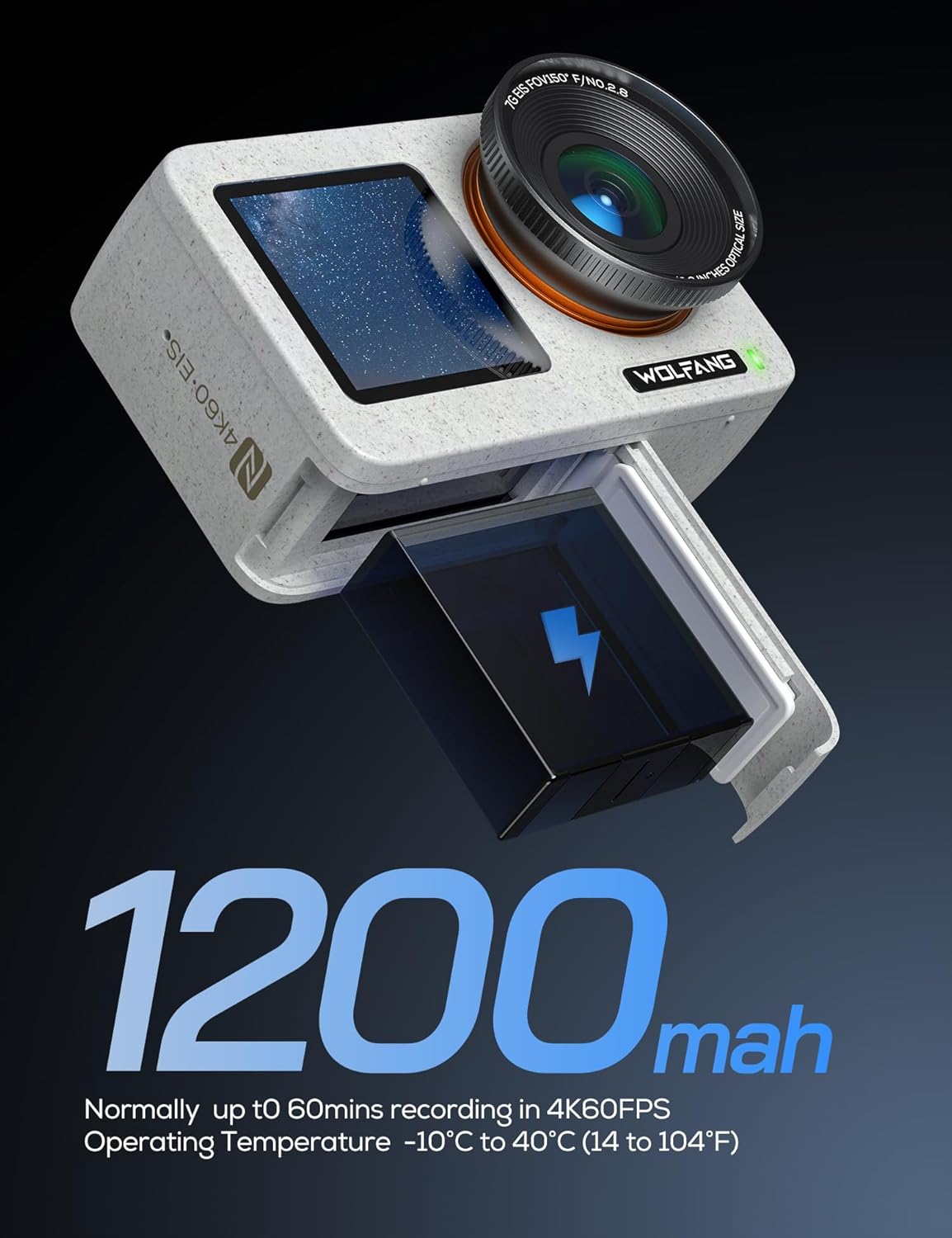
Obrázek 3.1: The WOLFANG Seeker One camera with its 1200mAh battery, illustrating the battery insertion process.
3.2. Vložení karty Micro SD
A Micro SD card (not included) is required for recording. Ensure the card is Class 10 or higher and formatted before first use.
- Open the Micro SD card slot cover.
- Insert the Micro SD card with the contacts facing the correct direction until it clicks into place.
- Zavřete kryt.
3.3. Zapnutí/vypnutí
- To power on: Press and hold the Power/Mode button.
- To power off: Press and hold the Power/Mode button again.
4. Ovládání fotoaparátu
4.1. Zobrazení na dvou obrazovkách
The Seeker One features a 2.45-inch rear IPS touchscreen and a 1.4-inch front screen. The front screen is ideal for vlogging and selfies, while the rear screen provides a larger view for framing and menu navigation.
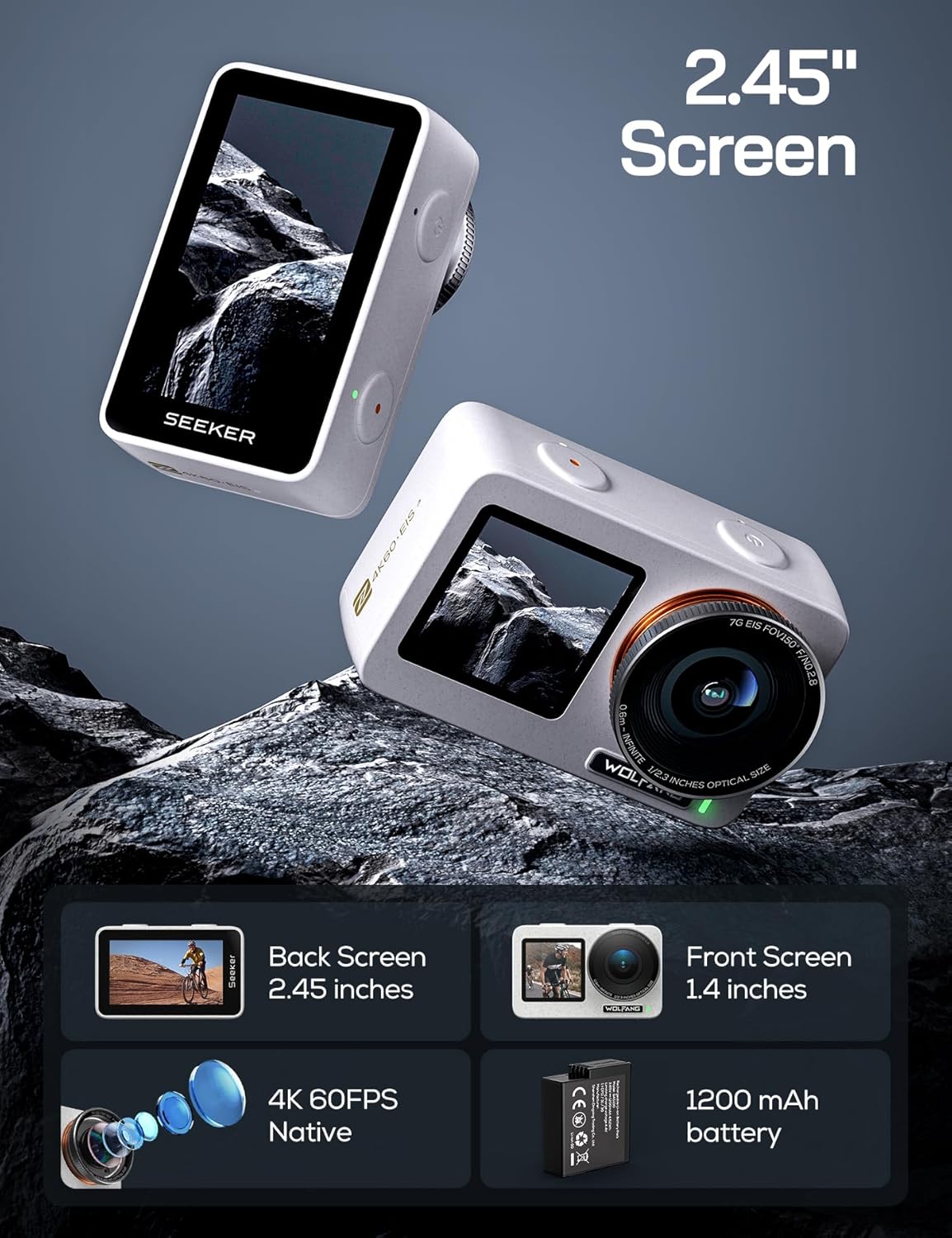
Obrázek 4.1: The WOLFANG Seeker One camera, illustrating its dual screen functionality, 4K 60FPS video capability, and 1200mAh battery.
4.2. Nahrávání videa
The camera supports native 4K video recording at 60 frames per second (4K/60FPS) with an Ambarella H22 chip, ensuring high-quality footage at 100 Mbps. It also features 4K HDR video mode for enhanced dynamic range.
- Select video mode using the Power/Mode button or touchscreen.
- Stisknutím tlačítka spouště spusťte nahrávání.
- Dalším stisknutím tlačítka spouště nahrávání zastavíte.

Obrázek 4.2: Detailní view of the WOLFANG Seeker One's lens, highlighting its capability for native 4K 60FPS video recording.
4.3. Fotografování
Capture high-resolution still images with an effective resolution of 8 Megapixels.
- Select photo mode.
- Stisknutím tlačítka spouště pořídíte fotografii.
4.4. Image Stabilization (Go APE Stabilization)
The camera incorporates "Go APE Stabilization" technology to reduce motion blur and noise, providing smoother footaga to i v dynamickém prostředí.
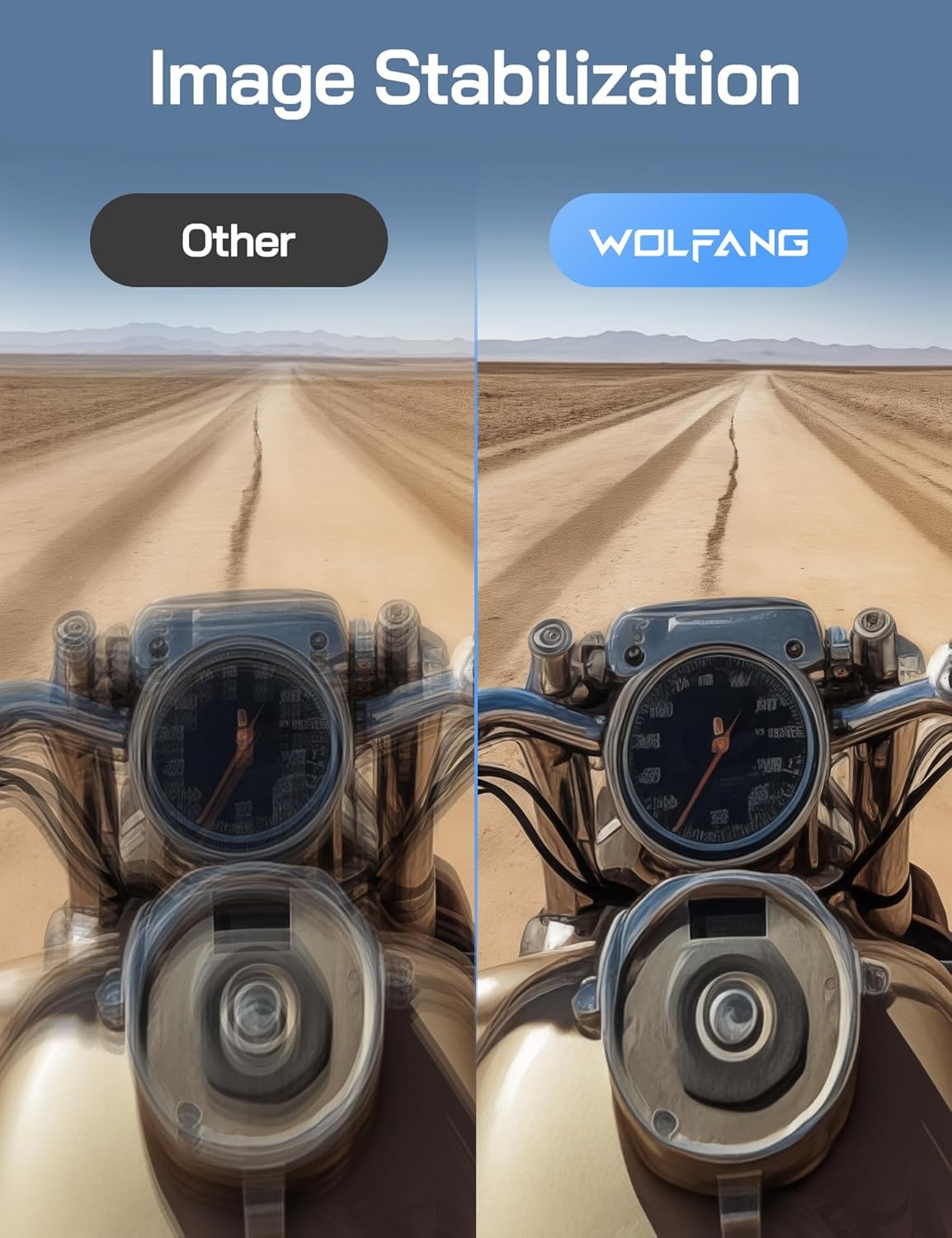
Obrázek 4.3: A visual comparison demonstrating the effectiveness of WOLFANG's Go APE Image Stabilization technology in reducing blur and noise in video recordings.
4.5. Voděodolnost
The Seeker One is designed to be waterproof up to 16 feet (approximately 5 meters) without an additional housing. For deeper underwater use, a separate protective frame is required (not included).
4.6. Connectivity and Go APE App
The camera supports Wi-Fi and NFC connectivity. Download the Go APE App to your smartphone or tablet to control the camera remotely, access creative modes, utilize AI auto-editing features, and share your content instantly.
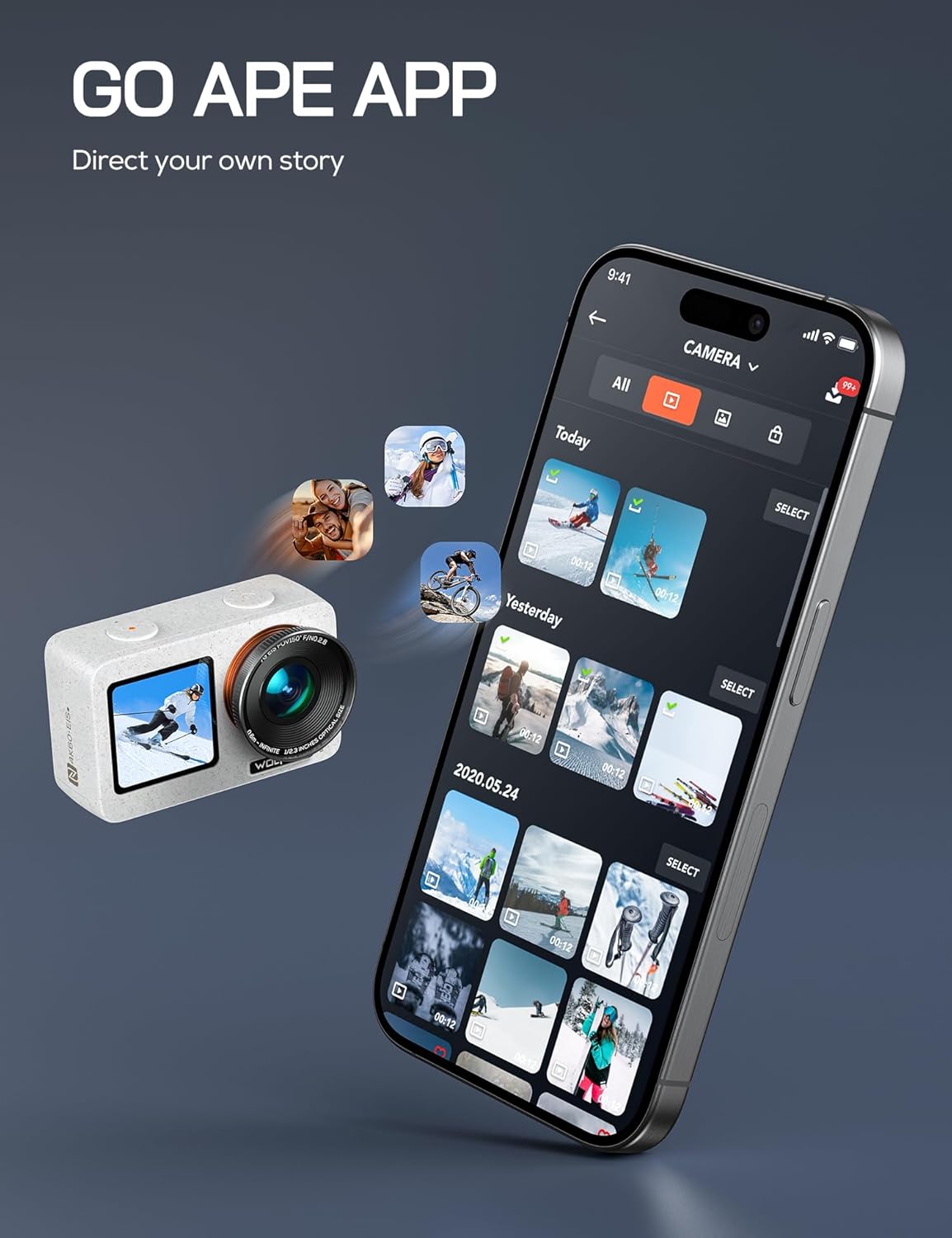
Obrázek 4.4: The WOLFANG Seeker One camera interacting with the Go APE mobile application, showing content management and sharing features.
4.7. Speciální funkce
- Časová prodleva: Zachycujte sekvence snímků v průběhu času a vytvářejte dynamická časosběrná videa.
- WebFunkce vačky: Connect the camera to your computer for use as a webvačka.
- Živé vysílání: Utilize the camera for live streaming capabilities.
5. Údržba
5.1. Čištění fotoaparátu
- K čištění těla fotoaparátu a obrazovky používejte měkký hadřík, který nepouští vlákna.
- Na čočky použijte speciální hadřík a roztok na čištění čoček. Vyhněte se abrazivním materiálům.
- Ensure all ports and covers are clean and free of debris, especially before using in wet conditions.
5.2. Péče o baterie
- Pokud baterie nepoužíváte, skladujte je na chladném a suchém místě.
- Abyste prodloužili životnost baterie, vyhněte se častému úplnému vybíjení.
- Nevystavujte baterie extrémním teplotám.
5.3. Skladování
When storing the camera for extended periods, remove the battery and store the camera in a protective case to prevent dust and damage.
6. Řešení problémů
6.1. Kamera se nezapíná
- Ujistěte se, že je baterie plně nabitá.
- Zkontrolujte, zda je baterie správně vložena.
- Pokud je k dispozici, zkuste jinou baterii.
6.2. Problémy se záznamem
- Verify that a Micro SD card is inserted and has sufficient free space.
- Ensure the Micro SD card is formatted correctly (FAT32 for cards up to 32GB, exFAT for cards over 32GB).
- Check the card's speed rating; a Class 10 or UHS-I (U1 or U3) card is recommended for 4K recording.
6.3. Connectivity Problems (Wi-Fi/NFC)
- Ensure Wi-Fi/NFC is enabled on both the camera and your mobile device.
- Restartujte obě zařízení.
- Make sure your mobile device is within range of the camera's Wi-Fi signal.
6.4. Problémy s kvalitou obrazu
- Vyčistěte čočku fotoaparátu.
- Zajistěte dostatečné světelné podmínky.
- Check camera settings for resolution, frame rate, and stabilization.
7. Specifikace
| Funkce | Specifikace |
|---|---|
| Značka | WOLFANG |
| Model | HLEDEJ JEDNA |
| Barva | BÍLÝ |
| Rozlišení videa | 4K (60 snímků za sekundu) |
| Efektivní rozlišení | 8 megapixelů |
| Stabilizace obrazu | Go APE Stabilization (True) |
| Obrazovky | Dual (Rear IPS Touchscreen 2.45", Front 1.4") |
| Vodotěsná úroveň | Až 16 stop (5 metrů) |
| Konektivita | Wi-Fi, NFC |
| Podporované úložiště | Micro SD (Class 10 or higher) |
| Typ baterie | Lithium-iontová (1200 mAh) |
| Digitální zoom | 6x |
| Otvor | f/2 |
| Formát záznamu videa | MP4 |
| Podporovaný formát zvuku | AAC |
| Hmotnost položky | 980 gramů |
| Záruka výrobce | 1 rok |
8. Záruka a podpora
8.1. Záruka výrobce
The WOLFANG Seeker One Action Camera comes with a 1letá záruka výrobce od data nákupu. Tato záruka se vztahuje na vady materiálu a zpracování při běžném používání. Uschovejte si prosím doklad o koupi pro případ uplatnění záruky.
8.2. Zákaznická podpora
For technical assistance, troubleshooting, or warranty inquiries, please contact WOLFANG customer support. You can also find additional resources, firmware updates, and community support through the Go APE App or official WOLFANG online channels.