
1. Úvod
This manual provides comprehensive instructions for the Hyperkin Pixel Art Bluetooth Controller, Tetris™ Edition (Model M01328-TETS). This limited-edition wireless controller is designed for use with various gaming platforms, offering a blend of retro aesthetics and modern functionality. Please read this manual thoroughly before use to ensure proper setup and operation.

Image 1.1: The Hyperkin Pixel Art Bluetooth Controller, Tetris™ Edition, showcasing its unique Tetris-themed design.
2. Obsah balení
Ověřte, zda jsou v balení přítomny všechny položky:
- Hyperkin Pixel Art Bluetooth Controller (Tetris™ Edition)
- Nabíjecí kabel USB-C
- Uživatelská příručka (tento dokument)
3. Rozložení ovladače
Seznamte se s tlačítky a funkcemi ovladače:

Obrázek 3.1: Přední strana view of the controller, displaying the D-pad, analog sticks, action buttons (A, B, X, Y), SELECT, START, and Tetris™ logo.
- D-Pad: Směrový vstup.
- Levé/pravé analogové páčky: Precise 360-degree movement.
- Akční tlačítka (A, B, X, Y): Hlavní interaktivní tlačítka.
- Tlačítko VYBRAT: Function varies by platform/game.
- Tlačítko Start: Function varies by platform/game.
- Ramenní knoflíky (L1, R1): Tlačítka namontovaná nahoře.
- Trigger Buttons (L2, R2): Bottom-mounted analog triggers.
- Tlačítko Domů: Returns to system menu (functionality varies by platform).
- Tlačítko Turbo: Activates/deactivates turbo function for selected buttons.
- Port USB-C: Pro nabíjení a kabelové připojení.

Obrázek 3.2: Zadní strana view of the controller, showing the ergonomic grip and product label.
4. Nastavení
4.1. Nabíjení regulátoru
Before initial use, fully charge the controller. Connect the included USB-C charging cable to the controller's USB-C port and the other end to a USB power source (e.g., computer, USB wall adapter). The charging indicator light will show charging status and turn off when fully charged.
4.2. Párování Bluetooth
The controller supports wireless connection via Bluetooth up to 30 feet. Follow these general steps for pairing:
- Ujistěte se, že je ovladač nabitý.
- Turn on the controller (specific method may vary, typically holding the Home button).
- Activate pairing mode on the controller (refer to specific platform instructions below, usually a combination of buttons or a dedicated pairing button). The indicator lights will flash rapidly.
- On your device (Nintendo Switch, PC, Mac, Android, iOS), navigate to the Bluetooth settings.
- Hledat available devices and select "Hyperkin Pixel Art Controller" or similar.
- Once paired, the indicator lights on the controller will become solid.
4.2.1. Pairing with Nintendo Switch/OLED Model
- From the HOME Menu, select "Controllers" > "Change Grip/Order."
- While on this screen, press and hold the pairing button on the Hyperkin controller until the indicator lights flash.
- Once paired, the controller will appear on the screen, and the player indicator will light up.
4.2.2. Pairing with PC (Windows 10/11)
- Go to "Settings" > "Devices" > "Bluetooth & other devices."
- Turn on Bluetooth and click "Add Bluetooth or other device."
- Select "Bluetooth" and then choose "Hyperkin Pixel Art Controller" from the list.
4.2.3. Pairing with Mac
- Open "System Settings" (or "System Preferences") > "Bluetooth."
- Ensure Bluetooth is on. The controller should appear in the list of devices.
- Click "Connect" or "Pair" next to "Hyperkin Pixel Art Controller."
4.2.4. Pairing with Android/iOS Devices
- Go to your device's "Settings" > "Bluetooth."
- Turn on Bluetooth. The controller should appear in the list of available devices.
- Tap on "Hyperkin Pixel Art Controller" to pair.

Image 4.1: The controller demonstrating wireless connectivity with a Nintendo Switch console, highlighting its Bluetooth capability.
5. Návod k obsluze
5.1. Základní ovládací prvky
The controller functions as a standard gamepad. Button mapping may vary depending on the game and platform. Refer to your game's instructions for specific control schemes.
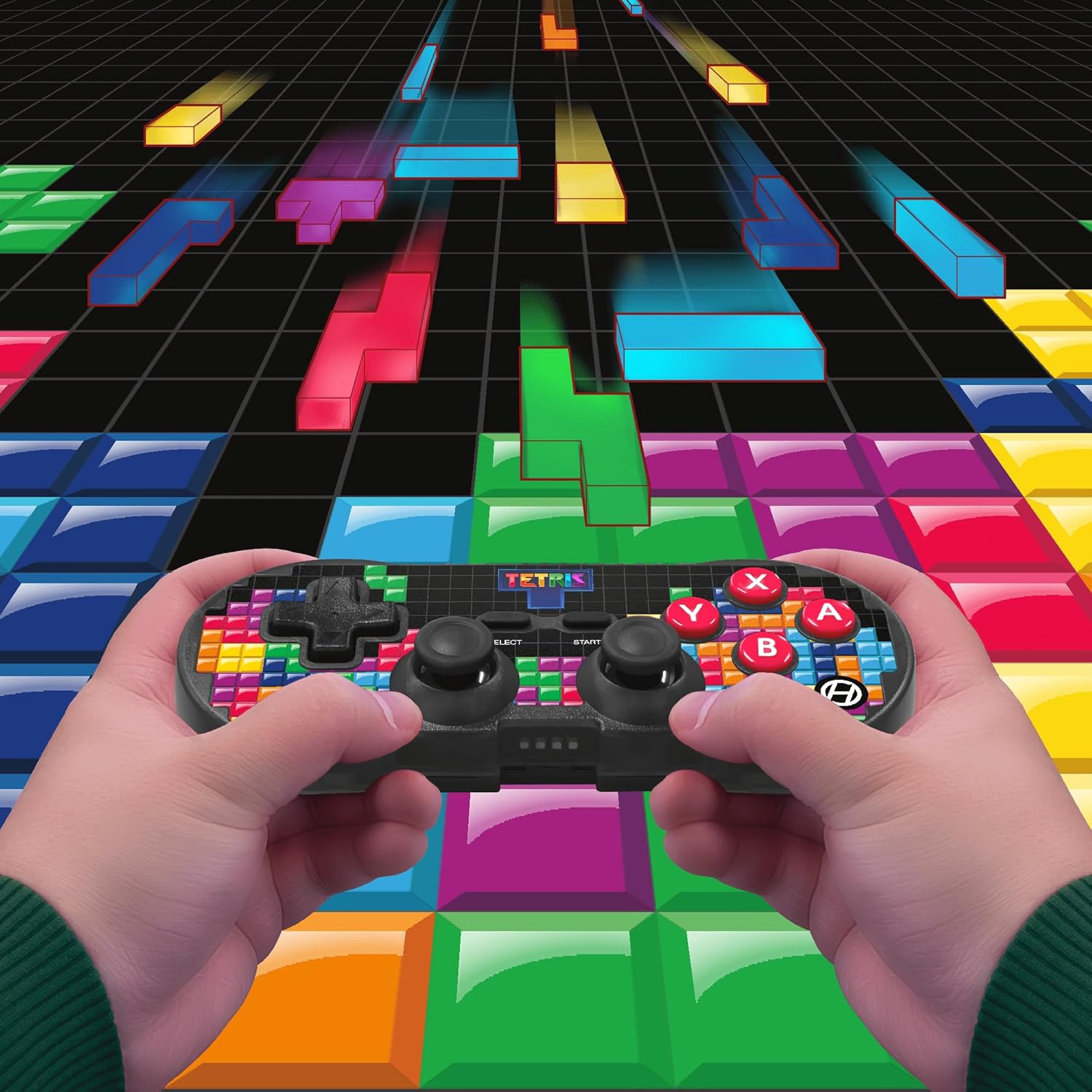
Image 5.1: A user holding the controller, illustrating its use during gameplay.
5.2. Funkce Turbo
The controller features a turbo function for rapid button presses. To activate or deactivate turbo for a specific button:
- Stiskněte a podržte Tlačítko Turbo.
- While holding the Turbo button, press the desired akční tlačítko (A, B, X, Y, L1, R1, L2, R2) you wish to apply turbo to.
- Release both buttons. The selected action button will now have turbo enabled.
- To disable turbo for that button, repeat the process.
6. Kompatibilita
The Hyperkin Pixel Art Bluetooth Controller is compatible with a wide range of platforms:
- Nintendo Switch
- Nintendo Switch OLED Model
- PC s Windows 10/11
- Mac
- Zařízení Android
- iOS zařízení
- Pára
- Raspberry Pi
- Amazon Games
- Amazonka Luna
- Tesla

Image 6.1: Visual representation of the controller's broad compatibility across multiple gaming and computing platforms.
7. Údržba
Pro zajištění dlouhé životnosti a optimálního výkonu vašeho ovladače:
- Čištění: K čištění ovladače používejte měkký, suchý hadřík. Nepoužívejte abrazivní čisticí prostředky ani rozpouštědla.
- Skladování: Regulátor skladujte na chladném a suchém místě mimo dosah přímého slunečního záření a extrémních teplot.
- Péče o baterie: Do not attempt to replace the internal Lithium Polymer battery. Avoid fully discharging the battery for extended periods.
- Vyhněte se kapkám: Chraňte ovladač před pády a nárazy, které by mohly poškodit vnitřní součásti.
8. Řešení problémů
If you encounter issues with your Hyperkin Pixel Art Bluetooth Controller, refer to the following common problems and solutions:
| Problém | Možné řešení |
|---|---|
| Ovladač se nezapne. | Ujistěte se, že je ovladač plně nabitý. Připojte jej ke zdroji napájení pomocí kabelu USB-C. |
| Controller does not pair via Bluetooth. |
|
| Input lag or dropped connection. |
|
| Tlačítka nereagují nebo jsou zaseknutá. | Clean around the buttons with a soft, dry cloth. Avoid liquid cleaners. If the issue persists, contact support. |
9. Specifikace
| Funkce | Detail |
|---|---|
| Číslo modelu | M01328-TETS |
| Konektivita | Bluetooth (Wireless up to 30 ft.), USB-C (Wired) |
| Kompatibilita | Nintendo Switch/OLED, Windows 10/11 PC, Mac, Android, iOS, Steam, Raspberry Pi, Amazon Games, Amazon Luna, Tesla |
| Speciální funkce | Turbo function, Retro design with modern ergonomics, High-quality symmetrical sticks, Responsive action buttons, Reliable triggers |
| Typ baterie | 1 Lithium Polymer battery (internal) |
| Rozměry balení | 7.24 x 5 x 2.48 palce |
| Hmotnost položky | 9.9 unce |
| Výrobce | Hyperkin |
10. Záruka a podpora
For warranty information and technical support, please visit the official Hyperkin webnebo se obraťte na jejich zákaznický servis. Uschovejte si doklad o koupi pro případ reklamace.
Hyperkin Official Webmísto: www.hyperkin.com