

Zavedení
Thank you for choosing the FREEWOLF K8 Tri-Mode Mechanical Gaming Keyboard. This keyboard offers versatile connectivity options including Bluetooth, 2.4 GHz wireless, and USB-C wired modes, along with a hot-swappable design for personalized switch customization. With its vibrant RGB backlighting and long-lasting battery, the K8 is designed to enhance your gaming, programming, and general computing experience across both Mac and Windows systems. Please read this manual carefully to ensure proper setup and operation.
Obsah balení
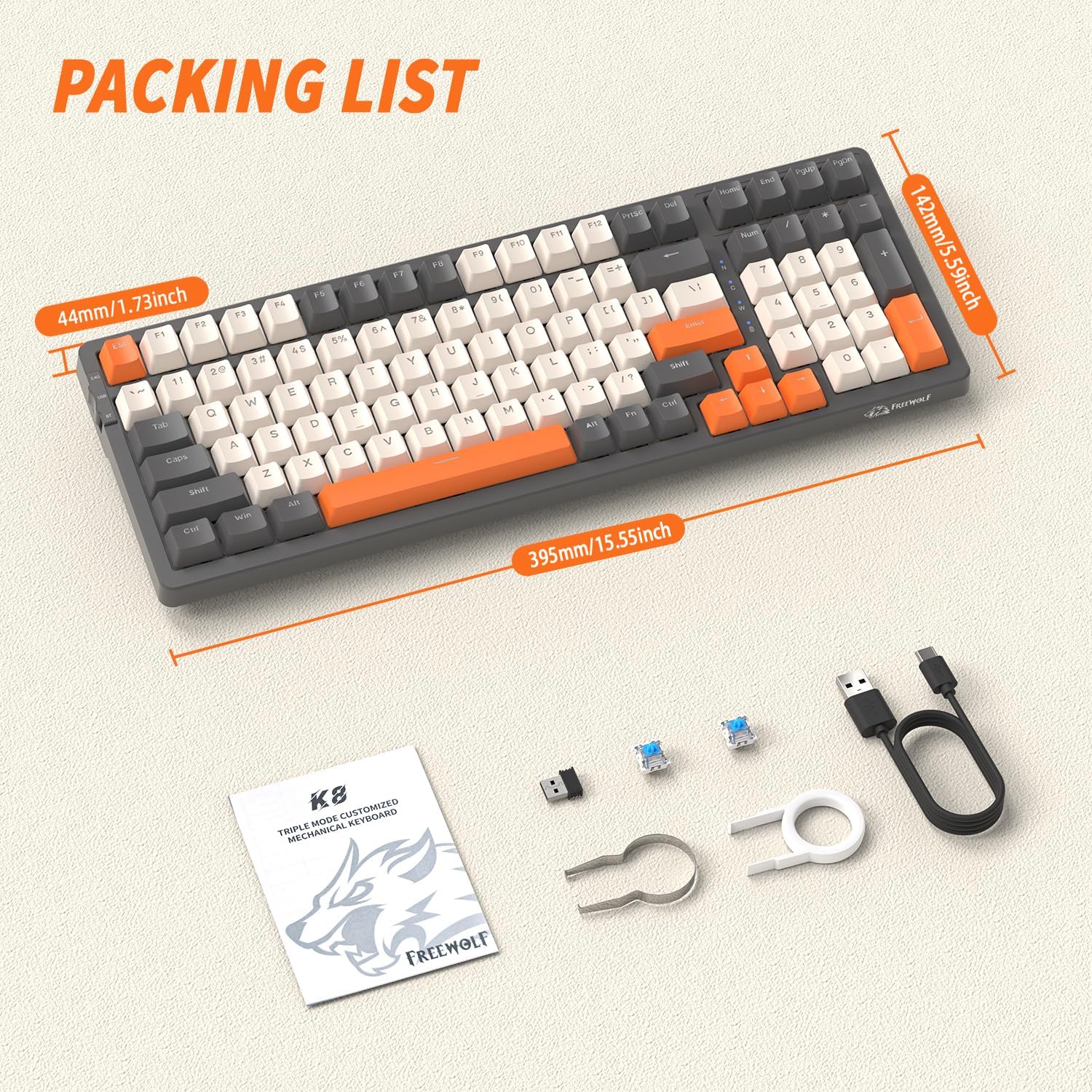
Upon opening your FREEWOLF K8 keyboard package, please verify that all the following items are included:
- FREEWOLF K8 Mechanical Gaming Keyboard
- Kabel USB-C na USB-A
- 2.4 GHz USB Wireless Receiver
- Nástroj na vytahování krytek kláves
- Nástroj na vytahování spínačů
- Two (2) Spare Mechanical Switches
- Uživatelská příručka (tento dokument)
Nastavení a připojení
Počáteční nabíjení
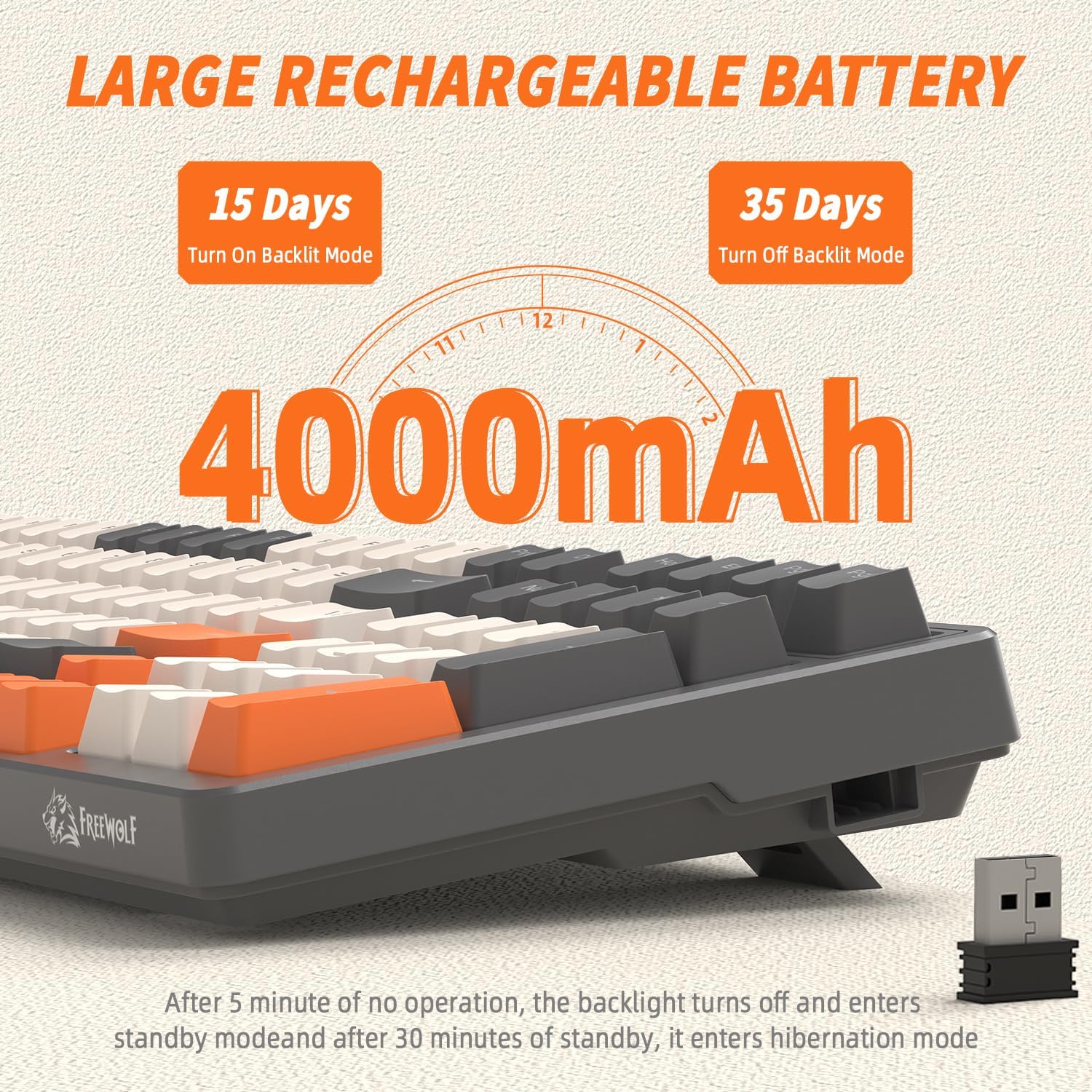
Before first use, it is recommended to fully charge the keyboard. Connect the provided USB-C cable to the keyboard's USB-C port and the other end to a USB power source (e.g., computer USB port, wall adapter). The indicator light will show charging status and turn off when fully charged. The keyboard features a 4000mAh battery for extended use.
Režimy připojení
The K8 keyboard supports three connection modes: USB-C Wired, 2.4 GHz Wireless, and Bluetooth.

1. Drátový režim USB-C
- Ensure the mode switch on the keyboard (usually on the back or side) is set to 'USB' or 'Wired'.
- Connect the USB-C cable to the keyboard and the USB-A end to your computer's USB port.
- Klávesnice bude automaticky rozpoznána a připravena k použití.
2. 2.4 GHz Wireless Mode
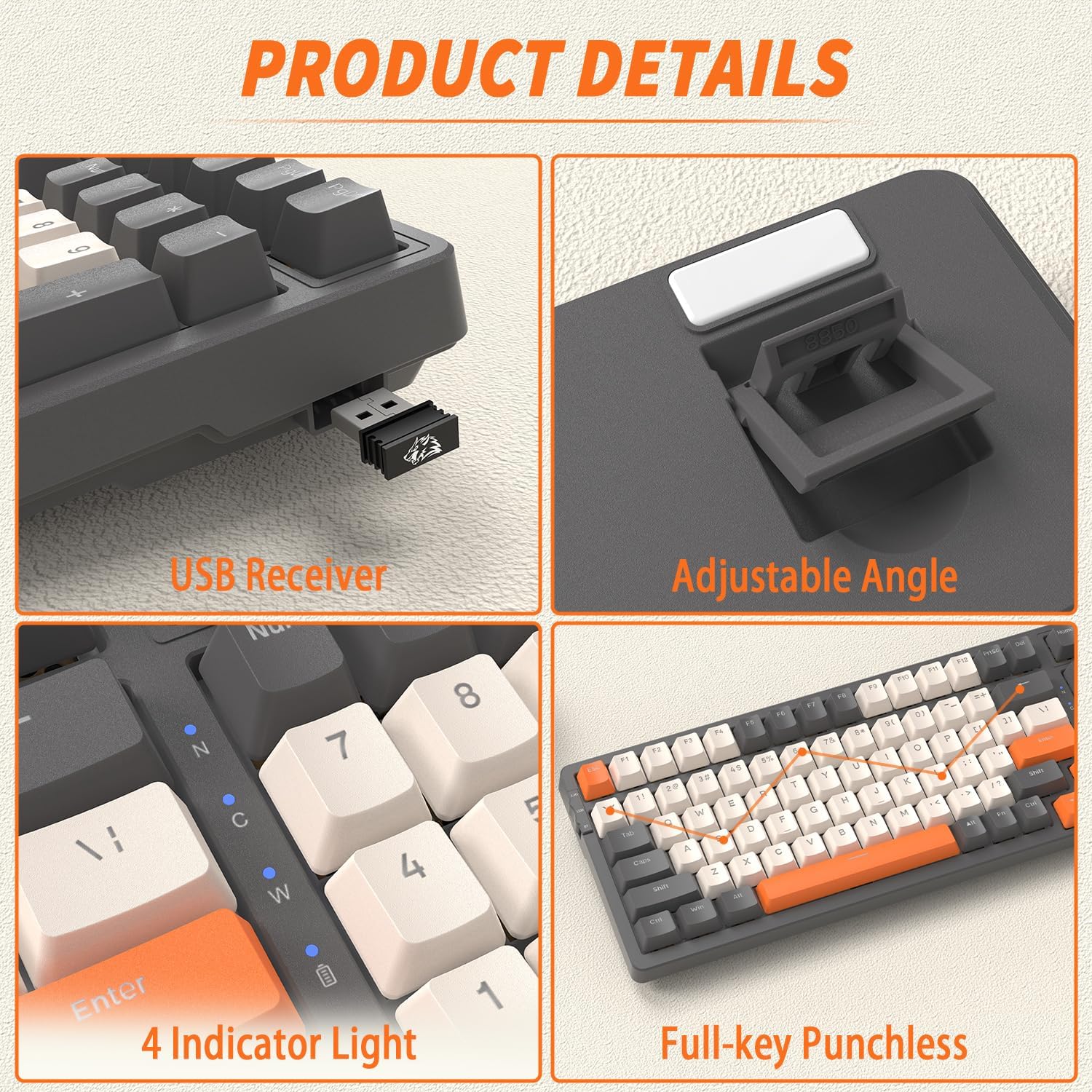
- Locate the 2.4 GHz USB receiver, typically stored in a slot on the keyboard's underside or side.
- Zapojte USB přijímač do volného USB portu na vašem počítači.
- Nastavte přepínač režimů na klávesnici na „2.4 G“.
- Klávesnice by se měla připojit automaticky. Pokud ne, stiskněte FN + R. pro zahájení párování.
3. Režim Bluetooth
The K8 keyboard supports up to three Bluetooth devices.
- Nastavte přepínač režimů na klávesnici do polohy „BT“.
- To enter pairing mode for a specific Bluetooth channel, press and hold FN+Q (pro BT1), FN + W (pro BT2), nebo FN + E (for BT3) for 3-5 seconds until the corresponding indicator light flashes rapidly.
- Na svém zařízení (počítači, tabletu, chytrém telefonu) povolte Bluetooth a vyhledejte nová zařízení.
- Select 'FREEWOLF K8' from the list of available devices to pair.
- Po spárování přestane kontrolka blikat a zůstane svítit.
- Chcete-li přepínat mezi spárovanými zařízeními Bluetooth, jednoduše stiskněte FN+Q, FN + Wnebo FN + E.
System Compatibility (Win/Mac)
The K8 keyboard is compatible with both Windows and Mac operating systems. To switch between layouts, press FN + A for Windows mode or FN + S for Mac mode.
Návod k obsluze
Nastavení úhlu klávesnice
The keyboard features adjustable kickstands on the underside. Flip them out to achieve a more ergonomic typing angle, or fold them in for a flatter profile.
Ovládání podsvícení RGB
The K8 keyboard offers over 20 RGB backlight effects and customizable gaming backlights.

- Změna režimu podsvícení: Stiskněte FN + | to cycle through 19 different RGB lighting effects.
- Customized Gaming Backlights: The keyboard has three pre-set gaming backlight modes that can be customized:
- FN + 1! (FPS Mode): Lights up W/A/S/D and arrow keys.
- FN + 2@ (LOL Mode): Lights up Q/W/E/R/D/F/G/V/B/Tab/Space/1-6/Esc keys.
- FN + 3# (Office Mode): Lights up A-Z/[/]/;/'/,/.// and arrow keys.
- Record Custom Backlight: To record your own custom backlight for FN+1!, FN+2@, or FN+3#, first select the desired mode (e.g., FN+1!), then press FN + ~. The indicator light will flash. Press the keys you wish to light up. Press FN + ~ znovu uložit.
- Upravit jas: Stiskněte FN + ↑ pro zvýšení jasu a FN + ↓ ke snížení jasu.
- Upravit rychlost: Stiskněte FN + ← to decrease effect speed and FN + → pro zvýšení rychlosti efektu.
Funkce úspory energie
To conserve battery life, the K8 keyboard implements the following power-saving measures:
- The backlight will turn off after 5 minutes of inactivity.
- After 30 minutes of no operation, the keyboard will enter deep sleep (hibernation) mode.
- To wake the keyboard from sleep, press any key twice.
Údržba
Čištění klávesnice
Pravidelné čištění pomáhá udržovat funkčnost a vzhled klávesnice.
- Před čištěním odpojte klávesnici od všech zdrojů napájení.
- Použijte měkký hadřík, který nepouští vlákna dampKlávesy a šasi otřete vodou nebo jemným čisticím roztokem.
- Pro odstranění prachu a nečistot mezi klávesami použijte stlačený vzduch nebo malý kartáč.
- Vyhněte se používání agresivních chemikálií nebo abrazivních materiálů.
Přepínače s možností výměny za provozu
The FREEWOLF K8 is a hot-swappable keyboard, allowing you to change mechanical switches without soldering. It supports most 3-pin switches.
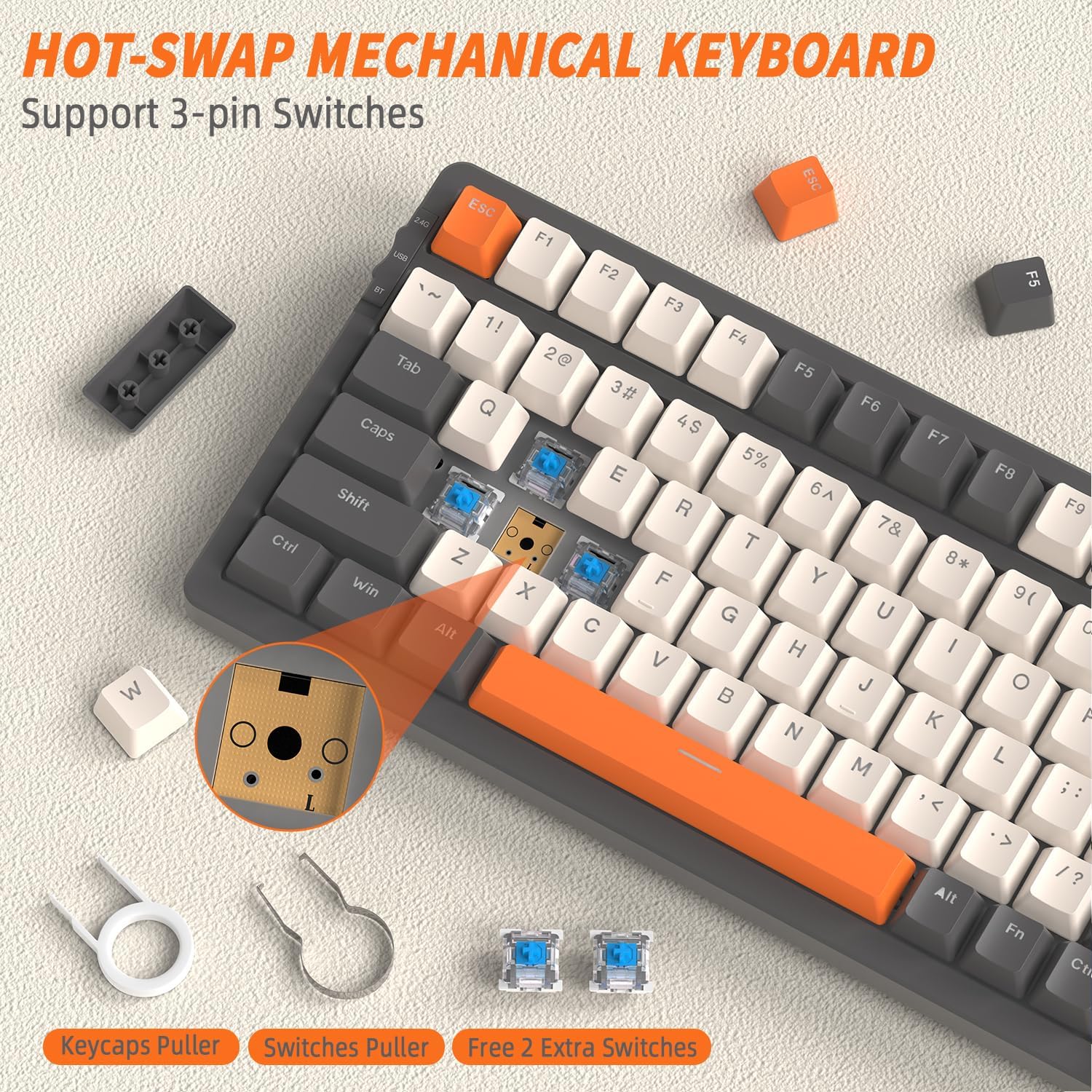
- Odstranění krytky kláves: Use the included keycap puller tool to gently pull up the desired keycap.
- Odstraňte přepínač: Use the included switch puller tool to grasp the top and bottom clips of the switch. Gently pull the switch straight up to remove it from the PCB.
- Instalace nového přepínače: Align the pins of the new 3-pin mechanical switch with the holes on the PCB. Gently push the switch straight down until it clicks into place. Ensure the pins are not bent.
- Reinstall Keycap: Place the keycap back onto the new switch and press down firmly.
Odstraňování problémů
| Problém | Možná příčina | Řešení |
|---|---|---|
| Klávesnice nereaguje (kabelová) | Volné připojení kabelu, nesprávný režim. | Ensure USB-C cable is securely connected. Verify mode switch is set to 'USB' or 'Wired'. Try a different USB port or cable. |
| Klávesnice nereaguje (2.4 GHz) | Přijímač není zapojen, nesprávný režim, problém s párováním. | Ensure 2.4 GHz receiver is plugged into a USB port. Verify mode switch is set to '2.4G'. Press FN + R. to re-pair. Move keyboard closer to receiver. |
| Klávesnice nereaguje (Bluetooth) | Incorrect mode, not paired, out of range, device Bluetooth off. | Verify mode switch is set to 'BT'. Ensure Bluetooth is enabled on your device. Re-enter pairing mode (FN + Q/W/E) and re-pair. Move keyboard closer to device. |
| Podsvícení nefunguje nebo je slabé | Backlight off, brightness too low, low battery. | Stiskněte FN + | to cycle modes. Increase brightness with FN + ↑. Charge the keyboard. |
| Specific keys not responding | Loose or faulty switch, debris under keycap. | Remove keycap and switch. Clean any debris. Reinstall switch firmly. If issue persists, replace the switch with a spare or new one. |
| Klávesnice se často odpojuje | Interference, low battery, too far from receiver/device. | Charge the keyboard. Reduce distance to receiver/device. Avoid strong electromagnetic interference. |
Specifikace
| Funkce | Popis |
|---|---|
| Model | K8 |
| Značka | SVOBODNÝ VLK |
| Konektivita | USB-C Wired, 2.4 GHz Wireless, Bluetooth (BT1, BT2, BT3) |
| Rozložení klávesnice | 80 % (100 klíčů) |
| Typ přepínače | Mechanical (Hot-swappable, supports 3-pin switches) |
| Podsvícení | RGB (19 effects, 3 customizable gaming modes) |
| Kapacita baterie | 4000 XNUMX mAh |
| Kompatibilní systémy | Windows, macOS |
| Klíčenky | PBT Double Injection |
| Speciální funkce | Hot-swappable, Adjustable Angle, Full-key Punchless (N-key rollover) |
| Barva | Grey/Orange - Blue Switch (variant specific) |
Záruka a podpora
For warranty information, technical support, or service inquiries, please refer to the FREEWOLF official website or contact your point of purchase. This manual does not contain specific warranty details or support contact information.