
Zavedení
Thank you for choosing the EKSA USB Gaming Headset E900Pro. This headset is designed to provide an immersive audio experience for gaming across multiple platforms. It features 7.1 virtual surround sound (PC only via USB), a detachable noise-cancelling microphone, and comfortable earcups for extended use. Please read this manual carefully to ensure proper setup and optimal performance of your new headset.
Obsah balení
Upon opening your EKSA E900Pro headset package, you should find the following items:
- EKSA E900Pro Gaming Headset
- Odnímatelný mikrofon s potlačením hluku
- USB-C to USB-A Cable (for PC 7.1 surround sound)
- 3.5mm Audio Cable (for console and mobile devices)
- Uživatelská příručka
- Carrying Pouch/Bag

Image: The EKSA E900Pro Gaming Headset in yellow, along with its detachable microphone and connection cables.
Nastavení
1. Připevnění mikrofonu
Locate the detachable microphone. Align the microphone's 3.5mm jack with the port on the left earcup of the headset. Gently push until it clicks into place. The microphone is flexible and can be adjusted to your preferred position.

Image: A close-up of the detachable noise-cancelling microphone being inserted into the headset's earcup.
2. Připojení náhlavní soupravy
The EKSA E900Pro offers dual connectivity options:
- For PC (USB-C to USB-A Cable): Connect the USB-C end to the headset and the USB-A end to an available USB port on your PC. This connection enables 7.1 virtual surround sound and LED lighting.
- For Consoles (PS4, PS5, Xbox One, Nintendo Switch) & Mobile Devices (3.5mm Audio Cable): Connect the 3.5mm audio cable to the headset's 3.5mm port and the other end to your device's 3.5mm audio jack. Note that 7.1 virtual surround sound is not available via 3.5mm connection.
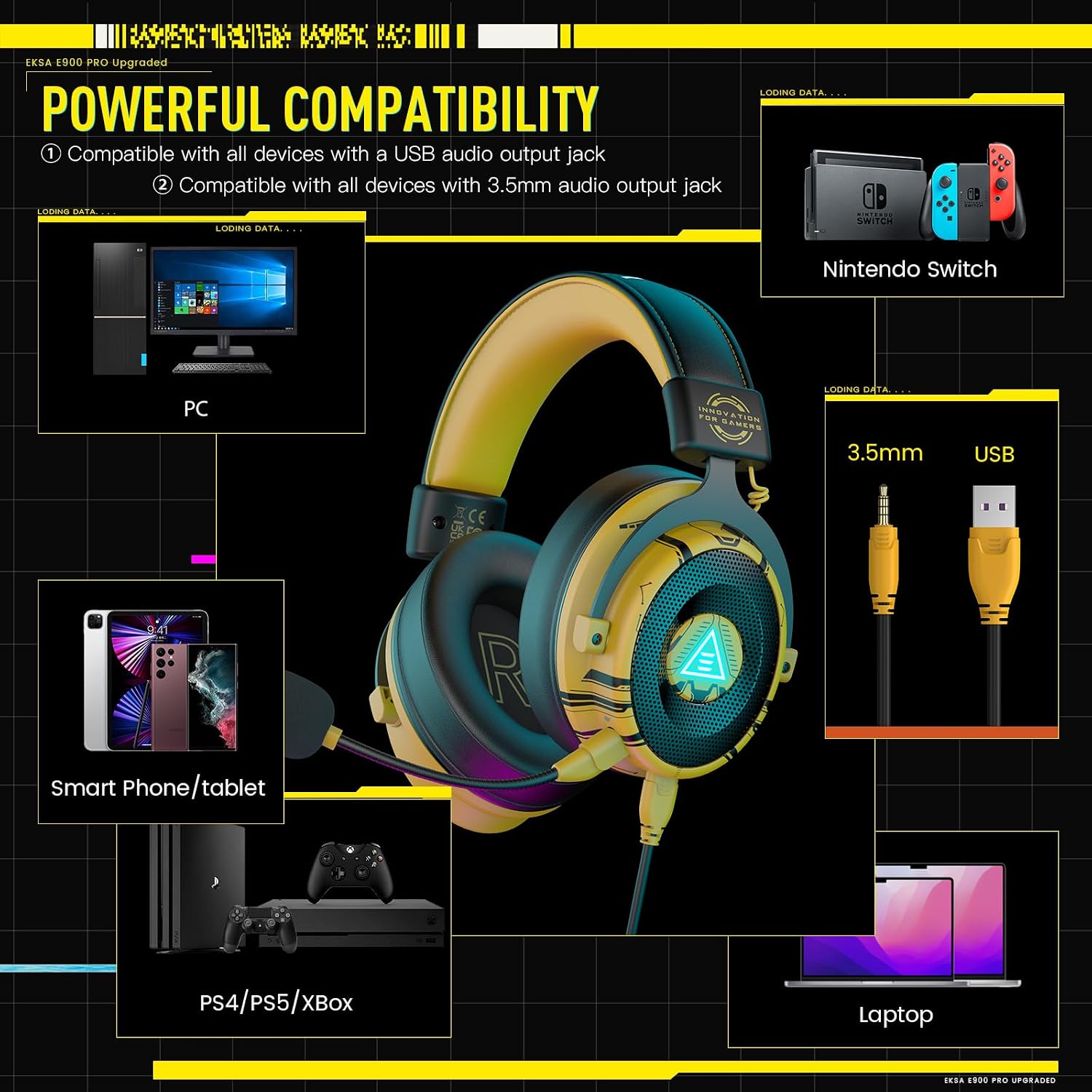
Image: The EKSA E900Pro headset connected to a PC via USB and a smartphone via 3.5mm cable, illustrating multi-platform compatibility.
3. Driver Installation (for PC 7.1 Surround Sound)
For 7.1 virtual surround sound functionality on PC, driver installation is required. Please visit the official EKSA webweb (www.eksa.net) to download the latest drivers for the E900Pro model. Follow the on-screen instructions to complete the installation.

Image: A computer screen displaying the EKSA SoundBase Software, used for managing 7.1 virtual surround sound settings.
Návod k obsluze
Ovládání náhlavní soupravy
The EKSA E900Pro headset features intuitive controls located on the left earcup:
- Kolečko ovládání hlasitosti: Otáčením nahoru nebo dolů upravte hlasitost zvuku.
- Přepínač ztlumení mikrofonu: Přepnutím ztlumíte nebo zapnete mikrofon.
- Tlačítko LED osvětlení ON/OFF: Press to turn the headset's LED lighting on or off.

Obrázek: Podrobný view of the control buttons and ports on the left earcup of the EKSA E900Pro headset.
7.1 Virtual Surround Sound (PC Only)
After installing the EKSA SoundBase software and connecting via USB, you can activate and customize the 7.1 virtual surround sound. This feature enhances positional audio, providing a more immersive gaming experience by allowing you to pinpoint sound sources from various directions.
Funkce Overview
- Immersive 7.1 Virtual Surround Sound: Experience detailed and pronounced audio cues, crucial for competitive gaming. (PC only via USB connection with driver installation).
- Odnímatelný mikrofon s potlačením hluku: High-sensitive, unidirectional microphone effectively reduces background noise for clear communication. Features a one-key mic mute switch.
- 50MM Audio Drivers: Equipped with powerful 50mm drivers for high-fidelity sound, delivering clear highs and lows for games, music, and voice chat.
- Celodenní pohodlí: Adjustable headband and soft memory protein earmuffs ensure comfort during long gaming sessions by balancing weight distribution and reducing clampsíla.
- Removable Dual Interfaces: Includes both USB and 3.5mm audio cables for broad compatibility with PC, PS4, PS5, Xbox One, Nintendo Switch, laptops, and mobile devices.

Image: A visual representation of 7.1 virtual surround sound in a gaming environment, highlighting directional audio.

Image: An illustration of the headset's 50mm high magnetic speaker, emphasizing sound quality.

Image: A person wearing the EKSA E900Pro headset, showcasing its ergonomic design, adjustable headband, and soft memory foam earcups.
Údržba
To ensure the longevity and optimal performance of your EKSA E900Pro headset, follow these maintenance guidelines:
- Čištění: K čištění sluchátek s mikrofonem používejte měkký, suchý hadřík. Nepoužívejte agresivní chemikálie ani abrazivní materiály.
- Skladování: When not in use, store the headset in the provided carrying pouch to protect it from dust and scratches.
- Péče o kabely: Vyhněte se ostrým ohybům nebo nadměrnému tahání za kabely, abyste předešli jejich poškození.
- Teplota: Nevystavujte sluchátka extrémním teplotám ani vlhkosti.
Odstraňování problémů
Pokud narazíte na jakékoli problémy s náhlavní soupravou, podívejte se na následující běžná řešení:
- Žádný zvuk:
- Check if the volume control wheel on the headset is turned up.
- Ujistěte se, že je sluchátko správně připojeno k vašemu zařízení.
- Verify audio output settings on your device (PC, console, mobile) are set to the headset.
- For PC, check if the EKSA SoundBase software is correctly installed and configured.
- Mikrofon nefunguje:
- Ujistěte se, že je mikrofon bezpečně připojen k headsetu.
- Check if the microphone mute switch on the headset is in the 'unmute' position.
- Verify microphone input settings on your device are set to the headset.
- 7.1 Surround Sound Not Active (PC):
- Confirm the headset is connected via the USB-C to USB-A cable.
- Ensure the EKSA SoundBase software is installed and the 7.1 feature is enabled within the software.
If these steps do not resolve your issue, please contact EKSA customer support for further assistance.
Specifikace
| Značka | EKSA |
| Číslo modelu | E900Pro |
| Barva | Wired Yellow |
| Umístění uší | Přes ucho |
| Velikost ovladače | 50 mm |
| Frekvenční rozsah | 20 Hz - 20,000 XNUMX Hz |
| Technologie připojení | Wired (USB, 3.5 mm Jack) |
| Typ mikrofonu | Detachable Noise-Cancelling |
| Speciální funkce | 7.1 Virtual Surround Sound (PC only), Adjustable Headband, All-Day Comfort |
| Kompatibilní zařízení | Computers, Gaming Consoles (PS4, PS5, Xbox One, Nintendo Switch), Mobile Devices |
| Hmotnost položky | 480 gramů |
Záruka a podpora
Your EKSA E900Pro Gaming Headset comes with a 2-letá záruka, ensuring peace of mind regarding product quality and performance. Additionally, EKSA offers an unconditional 30denní záruka vrácení peněz. If you have any questions, suggestions, or require technical assistance, please do not hesitate to contact EKSA customer support. For the most up-to-date support information and contact details, please visit the official EKSA webmísto.