
1. Úvod
This manual provides essential information for the safe and efficient operation of your BLUETTI AC70 Portable Power Station. Please read this manual thoroughly before using the product and keep it for future reference. The BLUETTI AC70 is a versatile power solution designed for various applications, including outdoor activities, emergency backup, and mobile power needs.
2. Bezpečnostní pokyny
Pro zajištění bezpečného provozu vždy dodržujte tyto pokyny:
- Jednotku nerozebírejte, neopravujte ani neupravujte.
- Chraňte jednotku před ohněm, vodou a extrémními teplotami.
- Používejte pouze příslušenství a nabíjecí kabely schválené společností BLUETTI.
- Během používání a nabíjení zajistěte dostatečné větrání, aby nedošlo k přehřátí.
- Uchovávejte mimo dosah dětí a domácích zvířat.
- Zabraňte pádu jednotky na zem nebo jejímu vystavení silným nárazům.
3. Obsah balení
Ověřte, zda je v balení obsaženo vše:
- Přenosná elektrárna BLUETTI AC70
- 100W Solar Panel (Ships Separately)
- AC nabíjecí kabel
- Nabíjecí kabel do auta
- Solární nabíjecí kabel
- Uživatelská příručka

Figure 1: BLUETTI AC70 Portable Power Station with its standard accessories.
4. Konec produktuview
4.1 Přední panel
The front panel features the main display, input/output ports, and control buttons.
- LCD displej: Zobrazuje stav baterie, vstupní/výstupní proudtage, remaining runtime, and error indicators.
- Vstup DC/FV: For connecting solar panels or other DC charging sources.
- Stejnosměrný výstup (12 V/10 A): Standard car-style outlet.
- USB-C Ports (100W): Two ports for fast charging compatible devices.
- USB-A Ports (12W): Two ports for standard USB charging.
- Zásuvky střídavého proudu (120 V/1000 W): Two standard AC outlets.
- Vypínač: Zapíná/vypíná jednotku.
- Tlačítko stejnosměrného výstupu: Activates/deactivates DC output.
- Tlačítko výstupu střídavého proudu: Aktivuje/deaktivuje střídavý výstup.

Figure 2: Front panel layout of the BLUETTI AC70.
4.2 Zadní panel
The rear panel includes the AC input port and ventilation.
- AC vstup: For connecting the AC charging cable.
- Ventilační mřížky: Zajišťuje správné proudění vzduchu pro chlazení.
4.3 Horní panel
The top panel features a sturdy handle for portability.

Figure 3: Top handle for easy portability.
5. Nastavení
5.1 Počáteční nabíjení
Before first use, fully charge the BLUETTI AC70. Connect the AC charging cable to the AC input port on the rear of the unit and plug it into a wall outlet. The LCD display will show the charging status. A full charge from 0% to 100% typically takes about 1.5 hours.
5.2 Připojení solárních panelů
If using the included 100W solar panel, unfold it and position it in direct sunlight. Connect the solar charging cable to the solar panel and then to the DC/PV input port on the front of the AC70. The display will indicate solar input wattage.
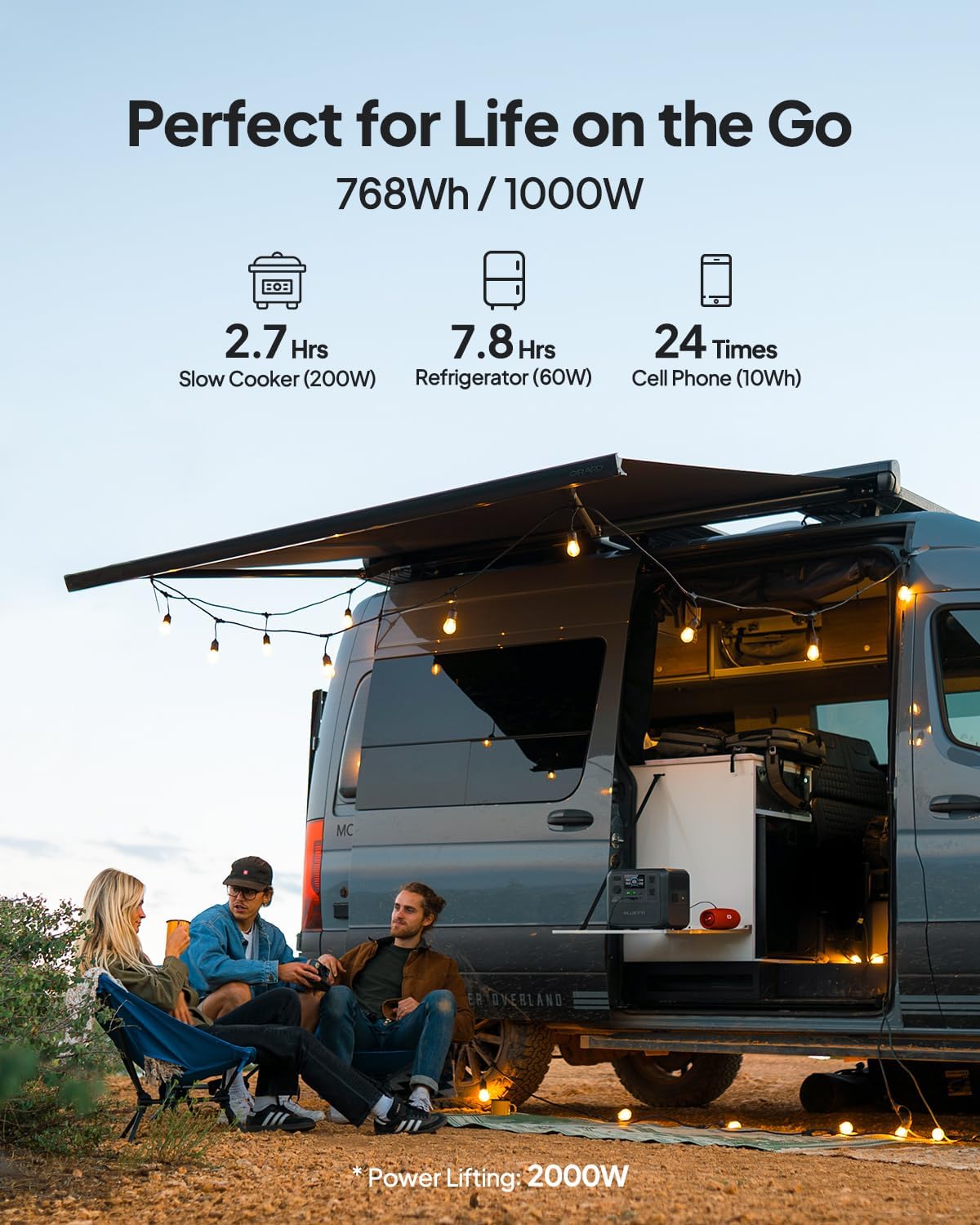
Figure 4: Connecting the BLUETTI AC70 to a solar panel.
6. Návod k obsluze
6.1 Zapnutí/vypnutí
Press and hold the main Power Button for 2-3 seconds to turn the unit on or off.
6.2 Použití výstupů
Press the respective DC Output Button or AC Output Button to activate the desired output ports. The corresponding icons on the LCD display will illuminate.

Figure 5: Various output ports of the BLUETTI AC70 in use.
6.3 BLUETTI APP Control
Download the BLUETTI APP from your smartphone's app store. Connect your AC70 via Bluetooth to monitor its status, adjust settings (like charging mode), and update firmware remotely.

Figure 6: Monitoring and controlling the AC70 using the BLUETTI App.
6.4 Režim Power Lift
The Power Lifting mode allows the AC70 to handle high-power resistive loads up to 2000W, exceeding its rated 1000W output. This is particularly useful for devices like hair dryers or electric kettles. Activate this mode via the BLUETTI APP.
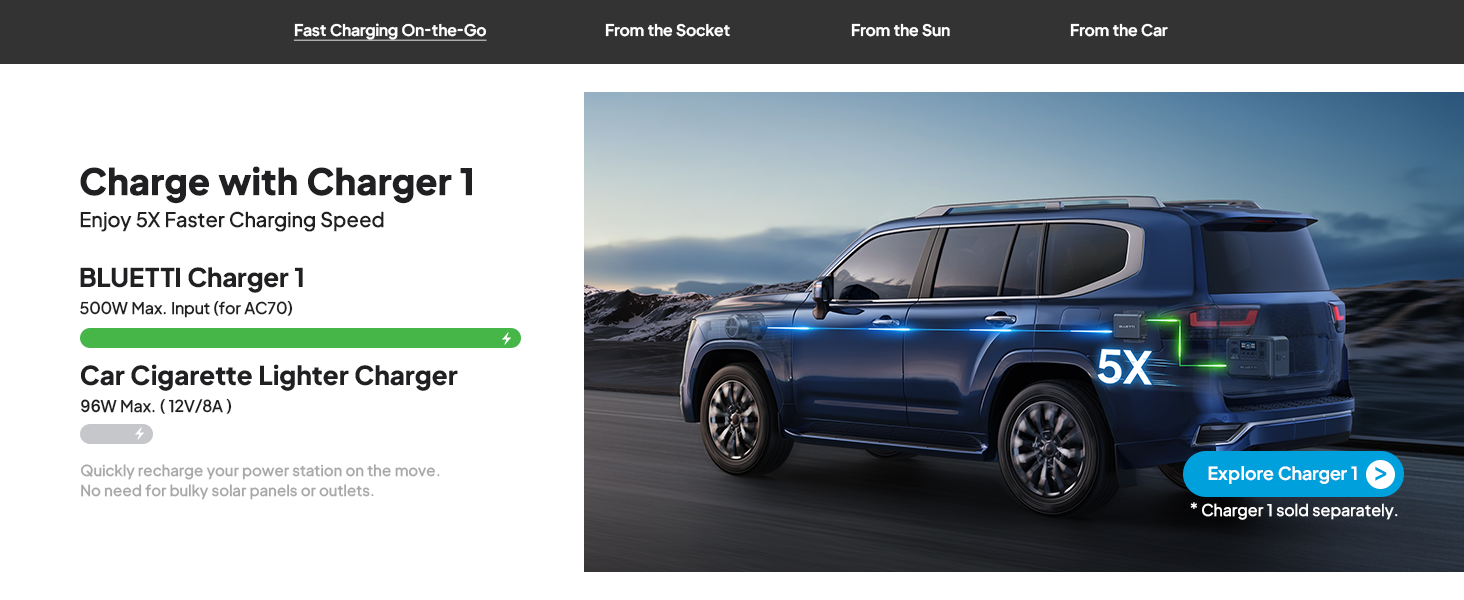
Figure 7: AC70 utilizing Power Lifting mode for higher wattage spotřebiče.
6.5 Funkce UPS
The AC70 features an Uninterruptible Power Supply (UPS) function with a switching time of ≤20ms. When connected to a wall outlet and powering devices, it can automatically switch to battery power in the event of a power outage. zajištění nepřetržitého provozu připojené elektroniky.
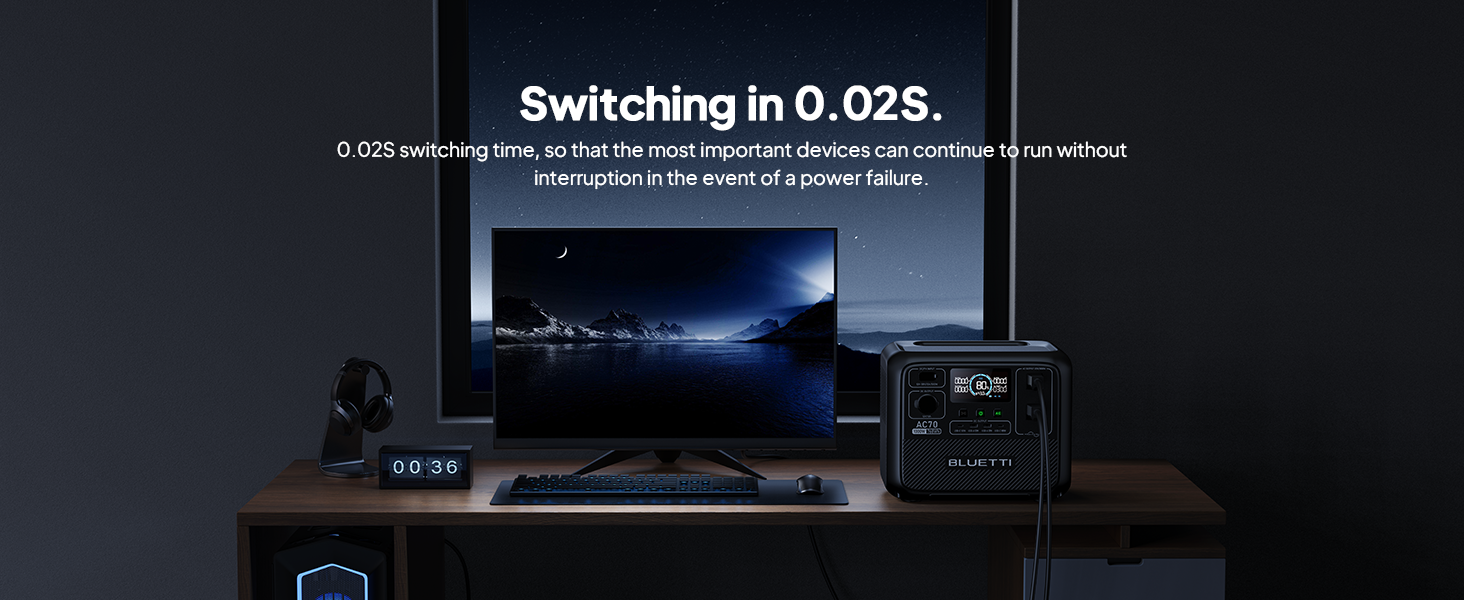
Figure 8: AC70 acting as an Uninterruptible Power Supply (UPS).
7. Charging the AC70
7.1 Nabíjení AC
Connect the AC charging cable to the AC input port and a wall outlet. The AC70 supports up to 950W fast charging, reaching 80% in 45 minutes and 100% in 1.5 hours.

Figure 9: AC70 charging from a standard wall outlet.
7.2 Solární nabíjení
Connect compatible solar panels (up to 500W) to the DC/PV input port using the solar charging cable. The AC70 can be fully charged via solar power in 1.9-2.4 hours under optimal sunlight conditions.

Figure 10: AC70 charging using solar panels.
7.3 Nabíjení auta
Use the car charging cable to connect the AC70 to your vehicle's 12V/24V cigarette lighter port. This allows for convenient charging while on the go, with a full charge taking approximately 3.2-7 hours.
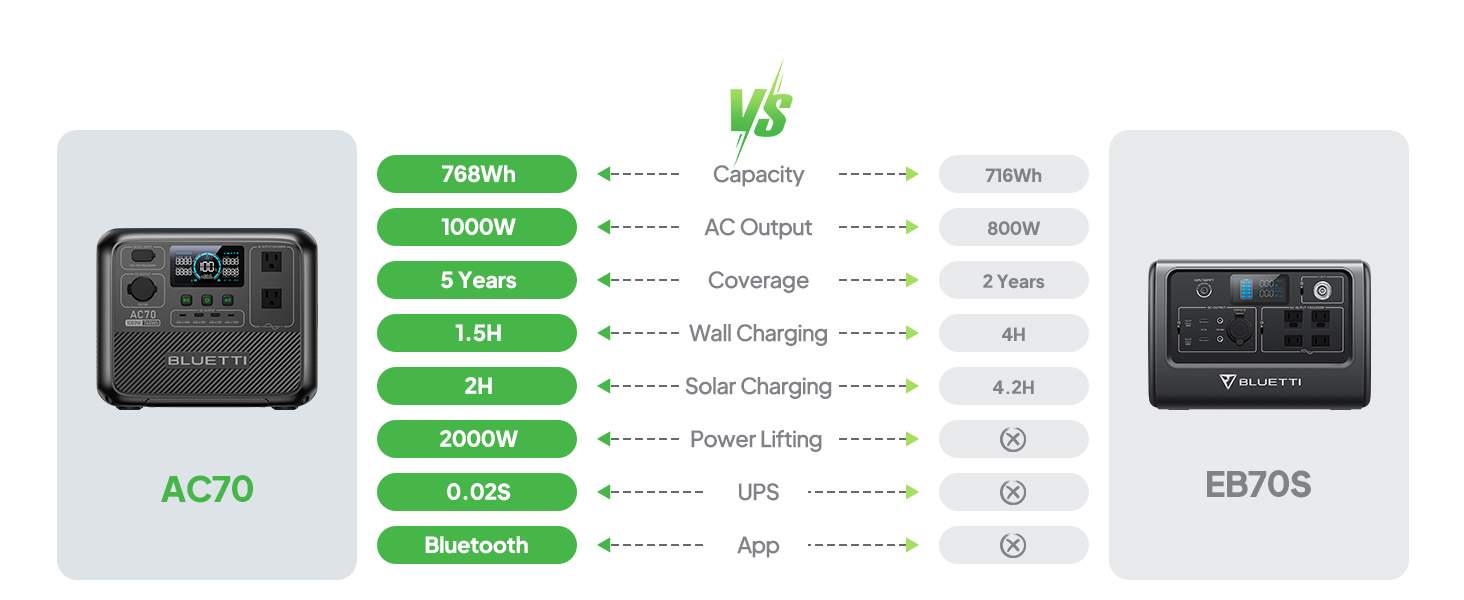
Figure 11: AC70 charging from a vehicle's 12V/24V outlet.
8. Údržba
Proper maintenance ensures the longevity and performance of your AC70:
- Jednotku skladujte na chladném a suchém místě mimo dosah přímého slunečního záření.
- Recharge the unit every 3-6 months if not in regular use to maintain battery health.
- Clean the exterior with a dry, soft cloth. Do not use harsh chemicals or abrasives.
- Udržujte větrací otvory čisté od prachu a nečistot.
9. Řešení problémů
If you encounter issues with your AC70, refer to the following common problems and solutions:
| Problém | Možná příčina | Řešení |
|---|---|---|
| Jednotka se nezapne | Low battery or unit is off. | Charge the unit. Press and hold the power button for 2-3 seconds. |
| AC výstup nefunguje | AC output is off or overloaded. | Press the AC output button. Reduce the load or check for short circuits. |
| Solární nabíjení nefunguje | Insufficient sunlight, incorrect connection, or incompatible panel. | Ensure direct sunlight, check cable connections, verify panel compatibility. |
| APP se nepřipojuje | Bluetooth is off or unit is too far. | Ensure Bluetooth is enabled on your phone and AC70. Move closer to the unit. |
10. Specifikace
| Funkce | Detail |
|---|---|
| Značka | BLUETTI |
| Název modelu | AC70 |
| Kapacita baterie | 768 Wh (LiFePO4) |
| AC výstup | 2 x 1000 W (2000 W zdvihací síla) |
| DC výstup | 1 x 12V/10A |
| Výstup USB-C | 2 x 100W Max |
| Výstup USB-A | 2 x 12W Max |
| AC vstup | 950W Max (0-80% in 45 min, 0-100% in 1.5 hrs) |
| Solární vstup | 500W Max (0-100% in 1.9-2.4 hrs) |
| Nabíjení auta | 12V/24V, 10A (0-100% in 3.2-7 hrs) |
| Cykly baterie | 3000+ až 80% kapacity |
| Čas přepínání UPS | ≤20 ms |
| Hmotnost položky | 22.5 liber |
| Rozměry produktu | 12.4 cm D x 8.2 cm Š x 10.1 cm V |
11. Záruka a podpora
The BLUETTI AC70 Portable Power Station comes with a 5-year warranty. For technical support, troubleshooting assistance, or warranty claims, please contact BLUETTI customer service through their official website or the BLUETTI APP.
Video 1: Official BLUETTI AC70 product overview highlighting its features and portability.