
inBEKEA YG320
Uživatelská příručka k mini projektoru YG320
Model: YG320 | Brand: inBEKEA
Zavedení
This manual provides comprehensive instructions for the safe and efficient operation of your inBEKEA YG320 Mini Projector. Please read this manual thoroughly before using the device and retain it for future reference. The YG320 is a portable LED projector designed for home media playback, supporting 1080P resolution via USB and featuring 3.5mm audio output.
Průvodce nastavením
1. Vybalení a umístění
Carefully remove the projector and all accessories from the packaging. Place the projector on a stable, flat surface. Ensure there is adequate ventilation around the device to prevent overheating. For optimal projection, position the projector perpendicular to the screen or wall.
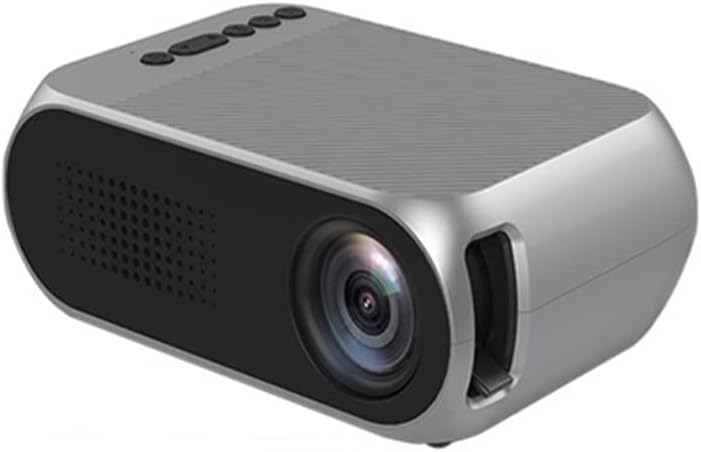
Obrázek 1: Přední strana view of the YG320 Mini Projector, showing the lens and ventilation grilles.
2. Připojení napájení
Connect the provided power adapter to the 'DCIN' port on the rear of the projector. Plug the other end of the power adapter into a suitable electrical outlet.
3. Připojení vstupních zařízení
The YG320 Mini Projector supports various input sources:
- HDMI: Connect an HDMI cable from your source device (e.g., laptop, game console, set-top box) to the HDMI port on the projector.
- USB: Vložte USB flash disk do USB portu pro přímé přehrávání médií.
- AV: Use an AV cable (not always included, check package contents) to connect older devices to the AV video hole.
- TF karta: Vložte kartu TF (MicroSD) do slotu pro kartu TF pro přehrávání médií.
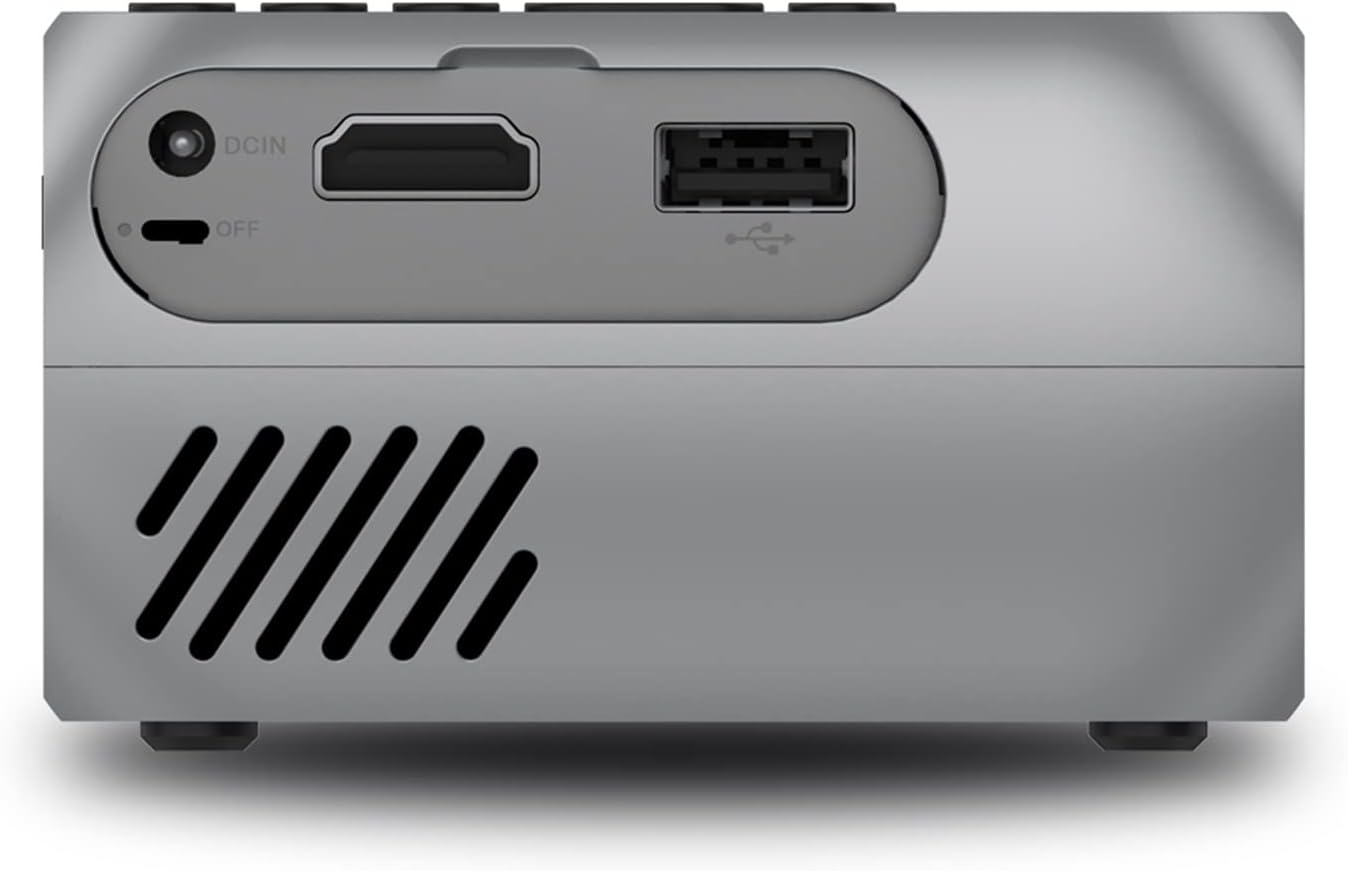
Figure 2: Rear panel of the projector, highlighting the DCIN, HDMI, and USB input ports.

Figure 3: Compatibility diagram illustrating various devices that can be connected to the YG320 projector.
Návod k obsluze
1. Zapnutí/vypnutí
To power on the projector, ensure it is connected to power, then slide the 'OFF' switch to the 'ON' position or press the power button on the top panel. To power off, slide the switch back to 'OFF' or press the power button again.
2. Nastavení zaostření
Otáčejte zaostřovacím kroužkem umístěným v blízkosti objektivu, dokud se promítaný obraz nebude jevit jasný a ostrý.
3. Menu Navigation and Input Source Selection
Use the control buttons on the top of the projector to navigate the on-screen menu. Press the 'home key' to access the main menu. Use the 'forward/backward key' to scroll through options and the 'Enter' button to confirm selections. To change the input source (e.g., HDMI, USB, AV, TF Card), navigate to the input source option in the menu and select your desired source.

Obrázek 4: Detailní view of the projector's top panel controls and side ports, including navigation buttons and various input/output connections.
4. Zvukový výstup
The projector features a 3.5mm headphone hole. You can connect external speakers or headphones to this port for enhanced audio experience.
5. Přehrávání médií
When a USB drive or TF card is inserted, the projector's media player interface will typically appear. Navigate through your filea vyberte požadované video, zvuk nebo obrázek file for playback. The projector supports 1080P playback.
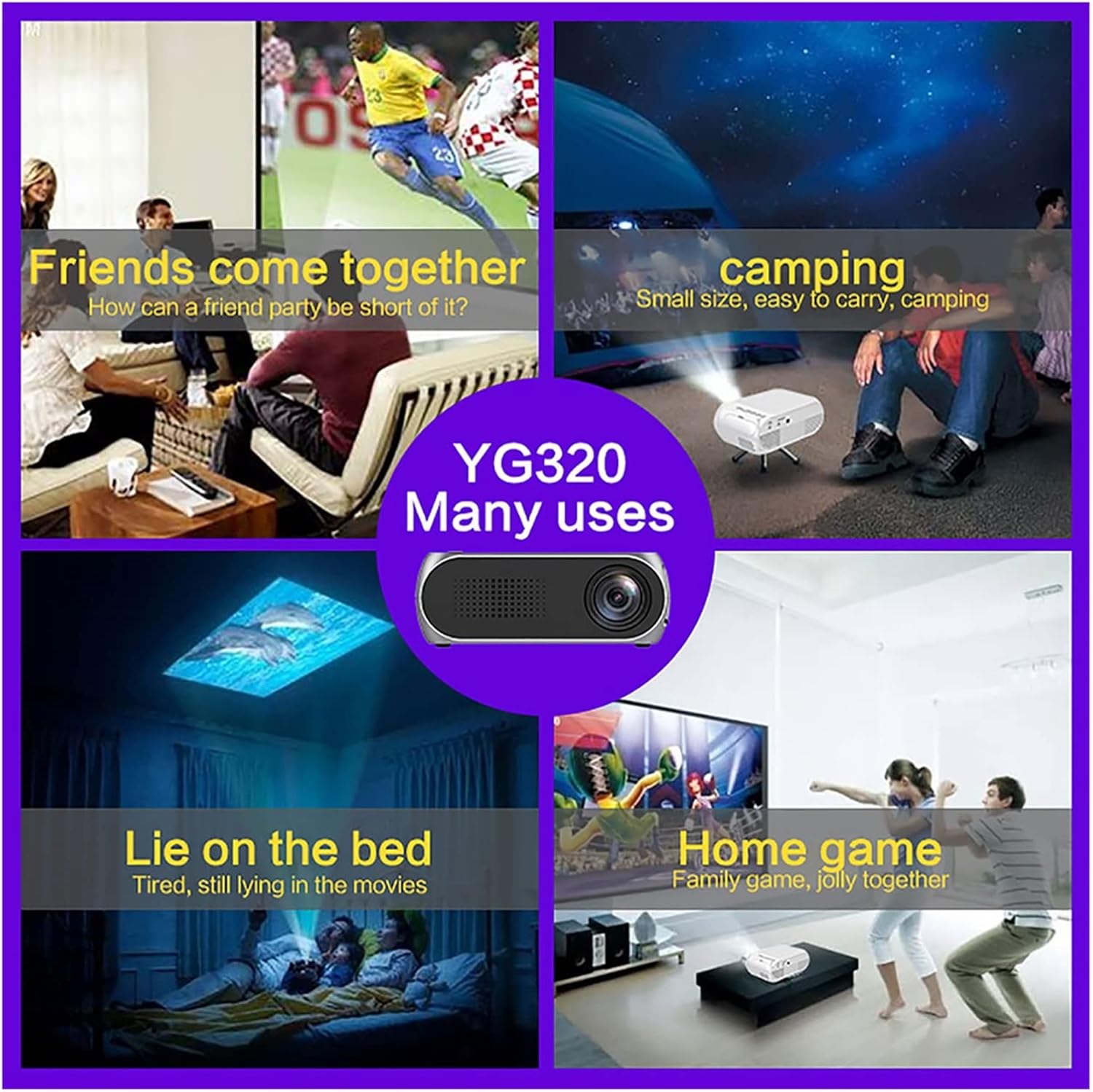
Obrázek 5: Přamples of how the YG320 Mini Projector can be used in various settings, such as social gatherings, outdoor activities, and personal entertainment.
Údržba
1. Čištění čočky
K jemnému otření čočky projektoru použijte měkký hadřík bez žmolků, speciálně určený pro optické čočky. Nepoužívejte abrazivní čisticí prostředky ani nadměrnou sílu, mohlo by dojít k poškrábání čočky.
2. Čištění větracích otvorů
Periodically clean the ventilation grilles to ensure proper airflow and prevent overheating. Use a soft brush or a can of compressed air to remove dust accumulation.
3. Skladování
Pokud projektor delší dobu nepoužíváte, skladujte jej na chladném, suchém a bezprašném místě. Doporučuje se použít originální obal nebo ochranné pouzdro.
Odstraňování problémů
| Problém | Možná příčina | Řešení |
|---|---|---|
| Žádná síla | Napájecí kabel není připojen; Vadná zásuvka; Vypínač je vypnutý. | Ensure power cable is securely connected. Test the outlet with another device. Confirm the power switch is in the 'ON' position. |
| Žádný obrázek | Incorrect input source selected; Input cable loose or faulty; Source device not outputting signal. | Select the correct input source (HDMI, USB, AV, TF). Check and re-connect input cables. Ensure your source device is powered on and configured to output video. |
| Rozmazaný obrázek | Není nastavené zaostření; Projektor je příliš blízko/daleko od promítací plochy. | Rotate the focus ring until the image is sharp. Adjust the distance of the projector from the screen. |
| Žádný zvuk | Volume too low; External audio device not connected or faulty; Source device audio settings. | Increase projector volume. If using external speakers, ensure they are connected correctly and powered on. Check audio settings on your source device. |
Specifikace
- Model: YG320
- Technologie displeje: LED
- Podporované rozlišení: Up to 1080P Playback
- Vstupní porty: HDMI, USB, AV, TF Card
- Zvukový výstup: 3.5mm jack pro sluchátka
- Přenosnost: Mini, Portable Design
- Používání: Home Media Player
Informace o záruce
Specific warranty terms for the inBEKEA YG320 Mini Projector may vary by region and retailer. Please refer to the warranty card included with your product or contact your point of purchase for detailed warranty information. Retain your proof of purchase for any warranty claims.
Zákaznická podpora
For technical assistance, troubleshooting beyond this manual, or inquiries regarding your product, please contact inBEKEA customer support through the contact information provided on their official website or through your retailer. When contacting support, please have your product model (YG320) and purchase details ready.
Ask a question about this manual
Ask about setup, troubleshooting, compatibility, parts, safety, or missing instructions. Manuals+ will review the question and use this page’s manual context to help answer it.