
1. Úvod
Thank you for choosing the EMANER Smart Security Light Motion Sensor. This device combines advanced motion detection with smart control features, offering adjustable brightness, color temperature, and seamless integration with smart home systems like Alexa and Google Home. This manual provides detailed instructions for safe installation, configuration, and operation of your new security light.

Image 1.1: EMANER Smart Security Lights with smart home integration.
2. Bezpečnostní informace
WARNING: Risk of electric shock. Installation should be performed by a qualified electrician or a person with electrical knowledge. Disconnect power at the fuse box or circuit breaker before installation or servicing.
- Před instalací se ujistěte, že je vypnuté napájení.
- Follow all local electrical codes and ordinances.
- Nepokoušejte se výrobek upravovat.
- Udržujte výrobek mimo dosah hořlavých materiálů.
- This product is designed for outdoor use and is water-resistant. However, do not submerge it in water.
3. Obsah balení
Před zahájením instalace ověřte, zda jsou všechny komponenty přítomny:
- EMANER Smart Security Light (2 units for 2-Pack)
- Montážní materiál (šrouby, matice, montážní deska)
- Návod k použití (tento dokument)
4. Specifikace
| Funkce | Detail |
|---|---|
| Značka | EMANER |
| Název modelu | EMR-8030 |
| Světelný výkon | 2800 lumenů (max.) |
| Teplota barev | 2700K-6500K (laditelné) |
| Stmívatelné | 1% to 100% via App |
| Zdroj napájení | Elektrický kabel (120 V) |
| Konektivita | 2.4 GHz Wi-Fi |
| Kontrolní metody | App (Smart Life/Tuya Smart), Voice (Alexa, Google Assistant) |
| Rozsah snímače pohybu | Až 26 stop (nastavitelné) |
| Trvání světla | 5 sekundy až 60 minut (nastavitelné) |
| Materiál | Plast |
| Rozměry | 12 cm D x 6.7 cm Š x 6 cm V |
| Voděodolnost | Water Resistant (Weatherproof) |

Image 4.1: Product dimensions and adjustable light heads.
5. Nastavení
5.1. Instalace
- Vypnout napájení: Před zahájením se ujistěte, že je napájení rozvodné skříně vypnuto jističem.
- Příprava montáže: Attach the mounting plate to your outdoor junction box using the provided screws.
- Kabelová připojení: Connect the light's wires to your household wiring:
- Black wire (Live) to Black wire (Live)
- White wire (Neutral) to White wire (Neutral)
- Green/Bare Copper wire (Ground) to Green/Bare Copper wire (Ground)
- Montážní přípravek: Carefully tuck the wires into the junction box and secure the light fixture to the mounting plate.
- Nastavení světelných hlav: The three light heads and the motion sensor are rotatable. Adjust them to cover your desired area.
- Obnovit napájení: Znovu zapněte napájení na jističi.
5.2. App Connection (Smart Life / Tuya Smart)
The EMANER Smart Security Light connects via 2.4GHz Wi-Fi to the Smart Life or Tuya Smart app.
- Stáhnout aplikaci: Stáhněte si aplikaci „Smart Life“ nebo „Tuya Smart“ z obchodu s aplikacemi pro váš chytrý telefon (iOS nebo Android).
- Registrace/Přihlášení: Otevřete aplikaci a zaregistrujte si nový účet, nebo se přihlaste, pokud již nějaký máte.
- Přidat zařízení:
- Ujistěte se, že je váš telefon připojen k síti Wi-Fi 2.4 GHz.
- V aplikaci klepněte na ikonu „+“ v pravém horním rohu pro přidání zařízení.
- Select "Lighting" or "Security & Sensor" and then "Light Source (Wi-Fi)" or "Floodlight (Wi-Fi)".
- Follow the in-app instructions to put the light into pairing mode. This usually involves turning the light off and on a few times until it blinks rapidly.
- Po zobrazení výzvy zadejte heslo k síti Wi-Fi.
- Wait for the app to discover and connect to the device. Once connected, you can rename the light.
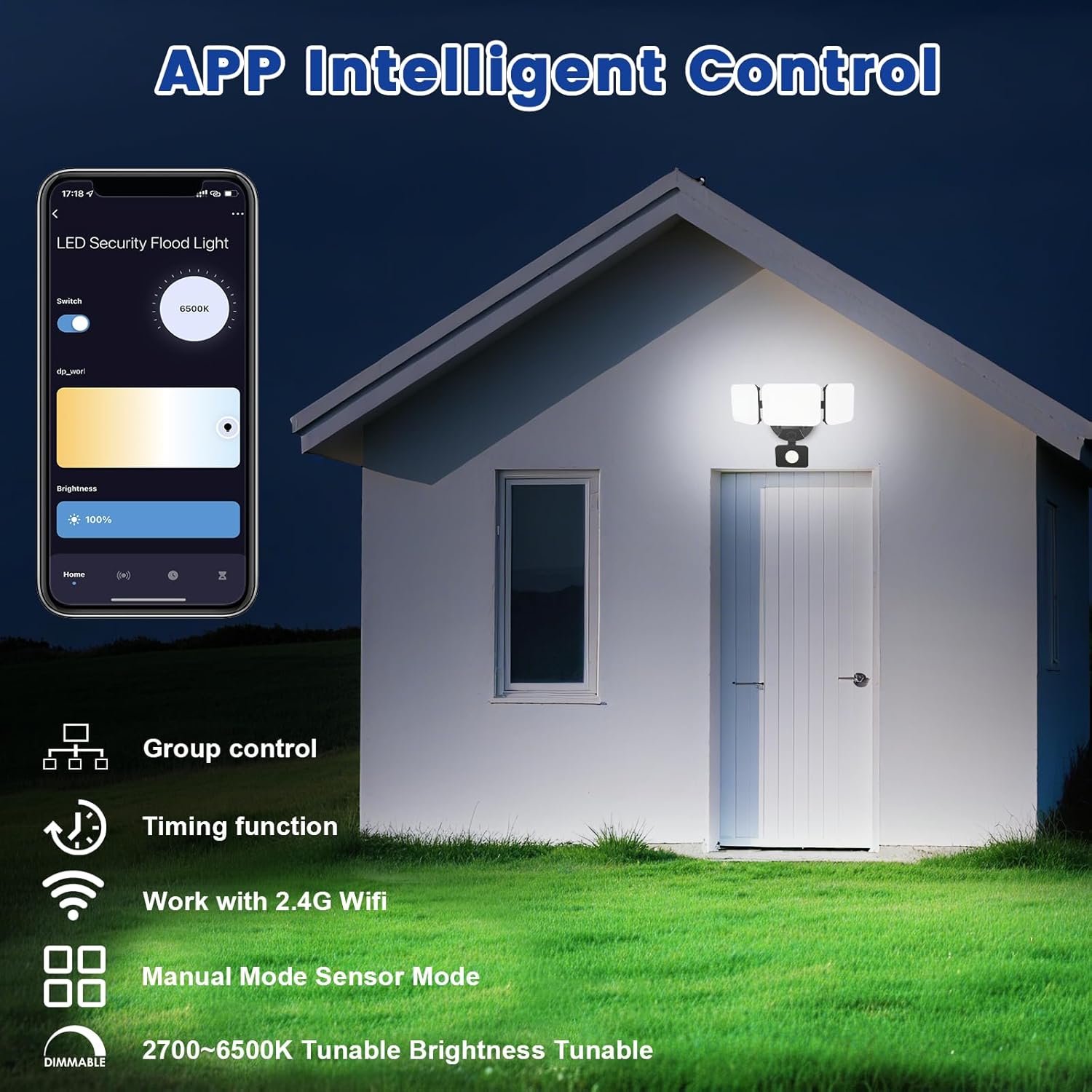
Image 5.1: App interface for intelligent control.
6. Návod k obsluze
6.1. Ovládání aplikací
Once connected, use the Smart Life/Tuya Smart app to control your security light:
- Nastavení jasu: Upravte intenzitu světla od 1 % do 100 %.
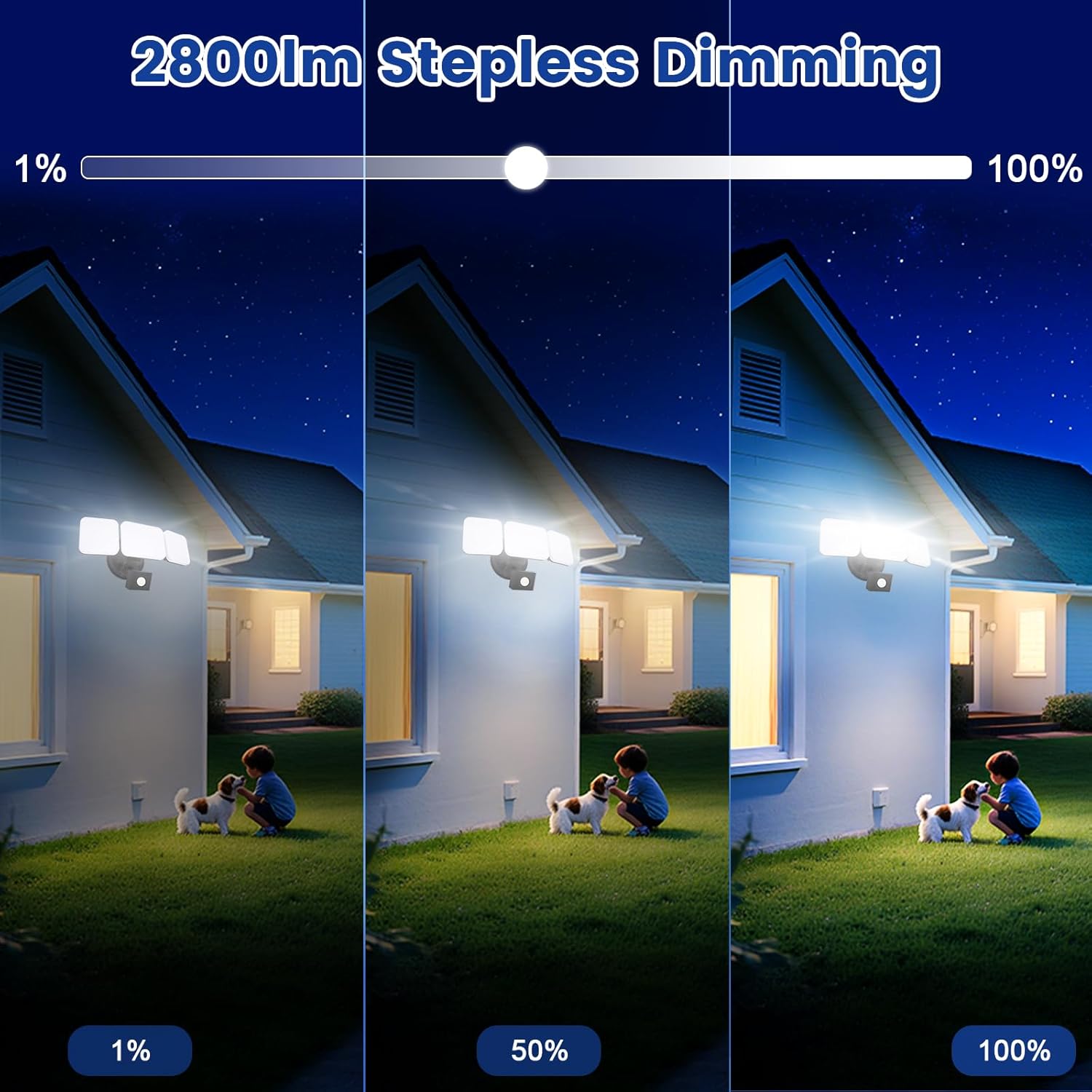
Image 6.1: Stepless dimming from 1% to 100% brightness.
- Nastavení teploty barev: Change the light color from warm white (2700K) to daylight white (6500K).
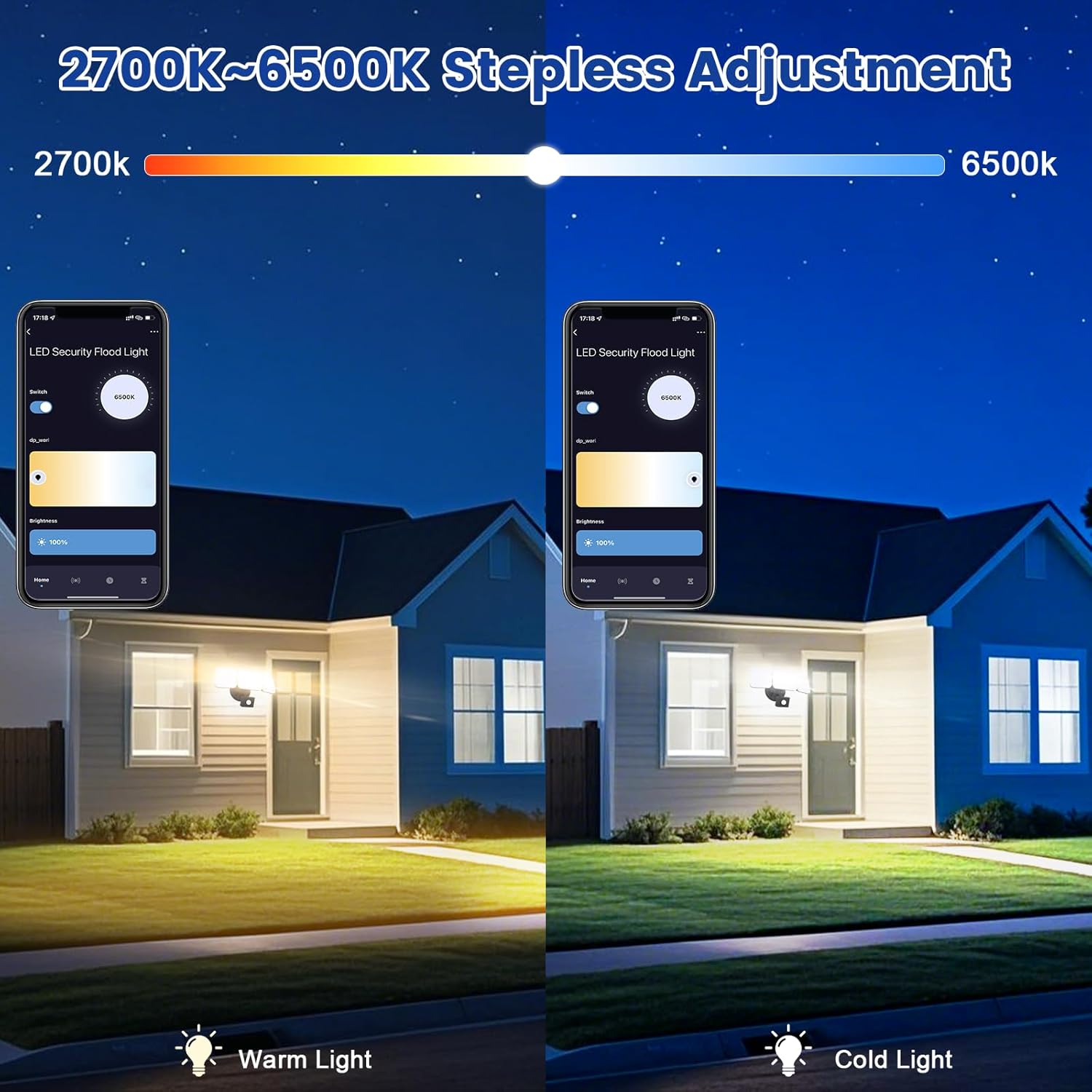
Image 6.2: Tunable white from 2700K (Warm) to 6500K (Daylight).
- Provozní režimy:
- Manuální režim: Functions as a regular light. You can set it to turn on/off at specific times and adjust brightness/color temperature.
- Režim senzoru: Activates the motion sensor. Customize sensor settings like sensitivity and light duration.
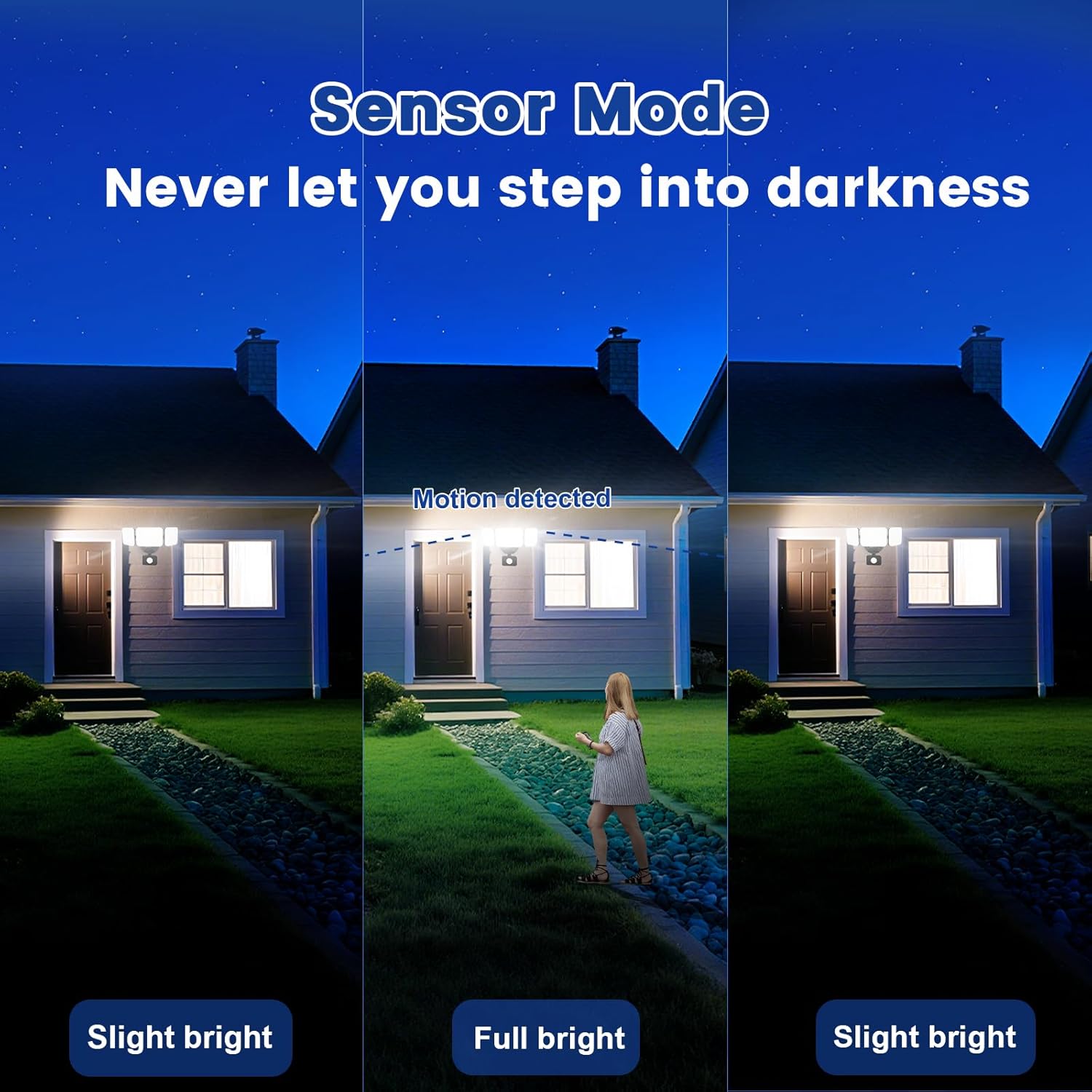
Image 6.3: Sensor Mode operation, detecting motion and adjusting brightness.
- Nastavení pohybového senzoru: Adjust the detection range (up to 26ft) and the duration the light stays on after motion is detected (5 seconds to 60 minutes).

Image 6.4: Adjustable full light duration time.
- Plánování: Nastavte si plány pro zapnutí nebo vypnutí světla v konkrétní časy.

Image 6.5: Time scheduling and delay settings.
- Ovládání skupiny: Group multiple EMANER smart lights together for simultaneous control.
6.2. Voice Control (Alexa / Google Assistant)
Integrate your EMANER Smart Security Light with Amazon Alexa or Google Assistant for convenient voice commands.
- Propojit účet: V aplikaci Alexa nebo Google Home povolte dovednost/službu „Smart Life“ nebo „Tuya Smart“ a propojte svůj účet.
- Objevte zařízení: Ask Alexa or Google Assistant to "Discover devices."
- Hlasové příkazy: Použijte příkazy jako například:
- „Alexo, rozsviť bezpečnostní světlo.“
- "Hey Google, set the security light to 50% brightness."
- "Alexa, change the security light to warm white."
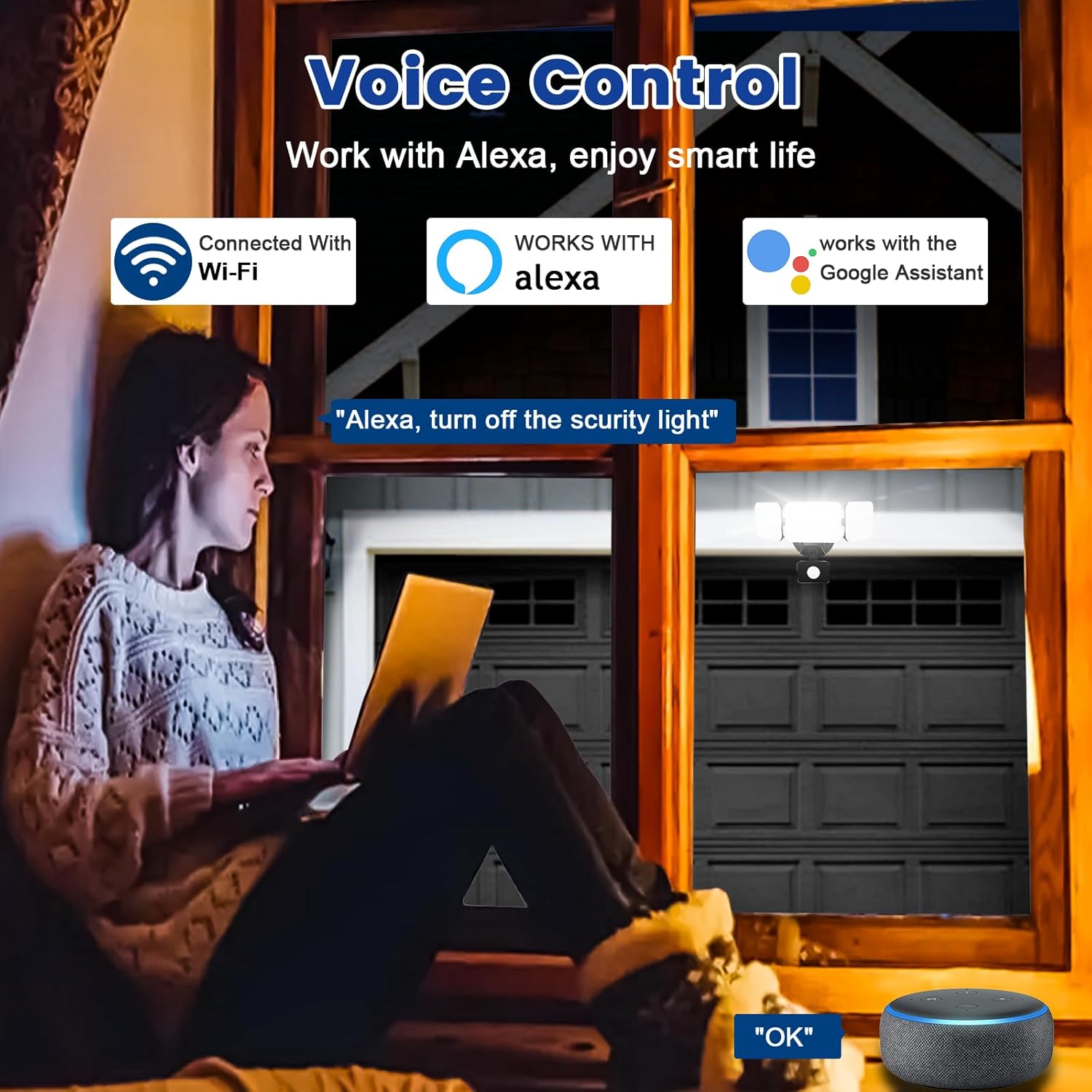
Image 6.6: Voice control integration with Alexa and Google Assistant.
7. Údržba
- Čištění: Svítidlo pravidelně čistěte měkkým hadříkemamp tkanina. Nepoužívejte abrazivní čisticí prostředky nebo rozpouštědla.
- Inspekce: Regularly check for any loose wiring or damage to the fixture.
- Aktualizace firmwaru: Keep the Smart Life/Tuya Smart app updated to ensure your device receives the latest firmware for optimal performance and security.
8. Řešení problémů
| Problém | Možná příčina | Řešení |
|---|---|---|
| Světlo se nerozsvítí. | Žádný proud, uvolněné zapojení, vadné zařízení. | Check circuit breaker. Ensure all wiring connections are secure. Contact support if issue persists. |
| Nelze se připojit k Wi-Fi. | Incorrect Wi-Fi band (not 2.4GHz), wrong password, light not in pairing mode, weak signal. | Ensure your router is broadcasting 2.4GHz Wi-Fi. Verify password. Put light into pairing mode (turn off/on several times). Move router closer or use a Wi-Fi extender. |
| Pohybový senzor nefunguje nebo je příliš citlivý. | Incorrect settings in app, obstruction, environmental factors. | Adjust sensitivity and detection range in the Smart Life/Tuya Smart app. Ensure sensor is not obstructed. Avoid aiming at heat sources or reflective surfaces. |
| Hlasové ovládání nereaguje. | App account not linked, device not discovered, incorrect commands. | Ensure Smart Life/Tuya Smart skill is enabled and linked in Alexa/Google Home app. Ask to "Discover devices." Use correct voice commands. |
9. Záruka a podpora
EMANER provides a Lifetime Warranty for this product, ensuring quality and customer satisfaction. For technical support, warranty claims, or any questions regarding your EMANER Smart Security Light, please contact EMANER customer service through the retailer's platform or visit the official EMANER webstránky pro kontaktní informace.
Online zdroje:
- For app-related issues, refer to the help section within the Smart Life or Tuya Smart application.
- Navštivte EMANER Store on Amazon pro informace o produktech a podporu.