
1. Úvod
This manual provides detailed instructions for the TRIGKEY Green G4 Mini PC, featuring the Intel Alder Lake-N100 processor. It covers initial setup, operation, maintenance, and troubleshooting to ensure optimal performance and user experience. Please read this manual thoroughly before using your device.
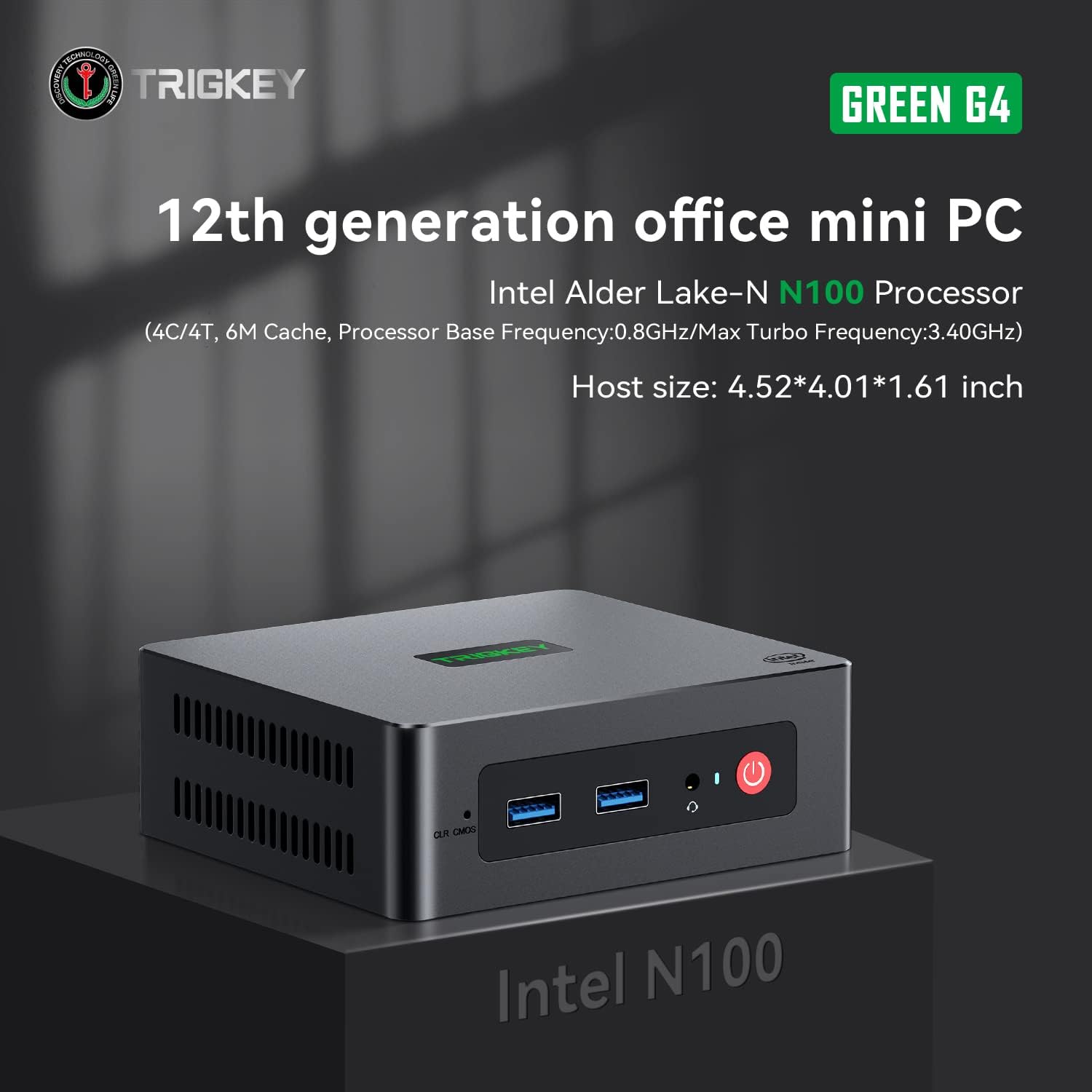
Image: TRIGKEY Green G4 Mini PC, highlighting its compact design and front panel.
2. Konec produktuview
2.1 Klíčové vlastnosti
- Procesor: Intel Alder Lake-N100 (4 Cores/4 Threads, up to 3.4GHz)
- Paměť: 16 GB DDR4 RAM (rozšiřitelná)
- Skladování: 500GB NVMe SSD (expandable up to 2TB)
- Grafika: Intel UHD Graphics (24EUs)
- Konektivita: WiFi 6, Bluetooth 5.2, 1000MB/s LAN
- Výstup displeje: Dual 4K HDMI (60Hz)
- Kompaktní design: Host size approximately 4.52 x 4.01 x 1.61 inches
2.2 Porty a rozhraní

Image: Front and rear interfaces of the Mini PC.
| Port/rozhraní | Popis |
|---|---|
| Tlačítko napájení | Zapíná/vypíná zařízení. |
| Indikátor napájení | Indikuje stav napájení. |
| RTC Key (CLR CMOS) | Používá se k vymazání nastavení CMOS. |
| USB 3.2 Gen2 (10 Gb/s) | Vysokorychlostní porty pro přenos dat. |
| Jack pro sluchátka | Zvukový výstup pro sluchátka. |
| LAN (1000M) | Gigabitový ethernetový port pro kabelové síťové připojení. |
| 4K 60Hz HDMI | Dual HDMI ports for high-definition video output. |
| DC Power Adapter Port | Připojuje se k napájecímu zdroji. |
| Zamykací slot | Pro bezpečnostní zámek. |
3. Nastavení
3.1 Počáteční připojení
- Připojte monitor(y) k portům HDMI na zadní straně Mini PC.
- Připojte klávesnici a myš k dostupným USB portům.
- For wired internet, connect an Ethernet cable to the LAN port. For wireless, ensure the WiFi antenna is connected (if external) or that the internal WiFi is enabled.
- Connect the power adapter to the DC power port and then plug it into a power outlet.
- Stiskněte tlačítko napájení na přední straně Mini PC pro jeho zapnutí.
3.2 První spuštění
Upon first boot, the system may guide you through the initial setup of the operating system (e.g., Windows 11). Follow the on-screen prompts to configure language, region, network, and user accounts.
4. Návod k obsluze
4.1 Základní obsluha
- Zapnutí/vypnutí: Press the power button once to turn on. To shut down, use the operating system's shutdown option. A short press on the power button can also put the PC to sleep. A long press (5-7 seconds) will force a shutdown.
- Restartovat: Použijte možnost restartu operačního systému.
- Připojení periferií: Use the available USB ports for external devices like printers, external drives, or webvačky.
- Síťové připojení: Connect to a wired network via the LAN port or a wireless network using the built-in WiFi 6.
- Duální displej: Connect two monitors to the HDMI ports for an extended or duplicated desktop experience.

Image: Mini PC supporting dual screen display for enhanced productivity.
4.2 Video Playback and Productivity
The Mini PC supports 4K high-definition output, suitable for media consumption and office tasks. Its compact size and efficient performance make it suitable for various applications, from home theater setups to general office work.
Video: TRIGKEY Mini PC G4 N100 product overview, showcasinjeho funkce a kompaktní design.
5. Údržba a modernizace
5.1 Storage Expansion (2.5-inch HDD/SSD)
The TRIGKEY Green G4 Mini PC allows for additional storage expansion by installing a 2.5-inch HDD or SSD. Follow these steps carefully:
- Vypnout: Ensure the Mini PC is completely powered off and disconnected from the power supply.
- Unscrew Bottom Panel: Locate and unscrew the screws on the bottom panel of the Mini PC.
- Open Back Panel: Carefully open the back panel to reveal the internal components and the storage bay.
- Insert SSD/HDD: Align the 2.5-inch SSD or HDD with the slot in the back panel and gently insert it.
- Zabezpečený disk: Use the provided screws to secure the SSD/HDD to the back panel.
- Reinstall Bottom Panel: Close the back panel and reinstall the bottom screws to secure it.

Image: M.2 PCIe SSD, demonstrating the internal storage component.
Video: Hard disk installation tutorial, demonstrating the steps to install an additional 2.5-inch HDD/SSD.
5.2 Rozšíření RAM
The Mini PC supports single-channel DDR4 memory. While it comes with 16GB, it can be upgraded depending on the memory type. Consult the product specifications for maximum supported RAM capacity and type before attempting an upgrade.

Image: SO-DIMM DDR4 memory module.
6. Řešení problémů
6.1 Bez napájení
- Ujistěte se, že je napájecí adaptér bezpečně připojen k Mini PC i k funkční zásuvce.
- Ověřte funkčnost elektrické zásuvky zapojením jiného zařízení.
- Zkontrolujte napájecí adaptér, zda nevykazuje viditelné poškození.
6.2 Žádný displej
- Ověřte, zda jsou kabely HDMI bezpečně připojeny k Mini PC i monitoru.
- Ujistěte se, že je monitor zapnutý a nastavený na správný vstupní zdroj (HDMI 1, HDMI 2 atd.).
- Try connecting to a different monitor or using a different HDMI cable to rule out external issues.
6.3 Operating System Installation Issues
If you encounter difficulties installing or reinstalling an operating system, especially when using custom installation media, note that some Mini PCs may require specific tools or methods for USB boot media creation. Refer to the manufacturer's support resources for guidance on creating compatible installation media.
6.4 Hluk ventilátoru
The Mini PC features active cooling. While designed to be quiet, a slight fan whine may be noticeable under heavy load or in very quiet environments. This is generally normal operation. Ensure the vents are not obstructed to allow for proper airflow.
7. Specifikace
| Funkce | Detail |
|---|---|
| Značka | TRIGKEY |
| Číslo modelu | N100 |
| Model CPU | Intel Alder Lake-N100 (Celeron) |
| Rychlost CPU | Až 3.4 GHz |
| Počet procesorů | 4 |
| Velikost mezipaměti | 6 MB |
| Velikost nainstalované paměti RAM | 16 GB |
| Typ RAM | DDR4 SDRAM |
| Rychlost paměti | 3200 MHz |
| K dispozici paměťové sloty | 1 |
| Popis pevného disku | 500 GB NVMe SSD |
| Rozhraní pevného disku | NVMe |
| Grafický koprocesor | Grafika Intel UHD |
| Video výstupní rozhraní | HDMI (2 ports) |
| Maximální rozlišení displeje | 3840 x 2160 pixelů (4K) |
| Bezdrátová technologie | Wi-Fi 6 (802.11ax), Bluetooth 5.2 |
| Technologie připojení | Ethernet (1000M) |
| Celkový počet portů USB | 6 (USB 3.2 Gen2) |
| Spotřeba energie | 6 wattů (typicky) |
| Barva | Zelený |
8. Záruka a podpora
TRIGKEY is committed to providing excellent customer service and support for your Mini PC.
8.1 Informace o záruce
- Zásady vrácení: 30 dní bez důvodu k vrácení.
- Nahrazení: Výměna možná do 12 měsíců od zakoupení.
- Technická podpora: Doživotní poprodejní servis a technická podpora.
8.2 Kontaktovat podporu
For any inquiries, technical assistance, or warranty claims, please contact TRIGKEY customer support. Response is typically provided within 24 hours.
- E-mailová podpora: Refer to your product packaging or the official TRIGKEY webstránky pro kontaktní e-mail.
- Online Consultation: Visit the TRIGKEY official website for online chat or support forms.
- Website Resources: Explore the TRIGKEY website for FAQs, drivers, and additional product information.