
1. Úvod
This manual provides detailed instructions for the setup, operation, and maintenance of your edaiser Swivel Keyboard Case. Please read this manual thoroughly before using the product to ensure proper function and longevity. This keyboard case is designed to enhance your iPad mini experience by providing a physical keyboard and trackpad, along with robust protection and versatile viewing úhly.
2. Obsah balení
- edaiser Swivel Keyboard Case
- Nabíjecí kabel USB-C
- Uživatelská příručka
3. Kompatibilita
Toto pouzdro s klávesnicí je speciálně navrženo pro následující modely iPadů:
- 2021 iPad mini 6th Generation (8.3-inch): Model Numbers A2567, A2568, A2569
- 2024 iPad mini 7th Generation (8.3-inch): Model Numbers A2993, A2995, A2996
To verify your iPad model number, check the back of your iPad or go to Settings > General > About > Model Number.

Image: Compatible iPad models and their model numbers.
4. Vlastnosti produktu
4.1 Otáčení a rotace
The keyboard case features a 360-degree rotatable hinge and 180-degree fold, allowing for multiple viewing and typing modes:
- Režim notebooku: Standard laptop-like setup for typing.
- Režim stojanu: Ideal for watching videos or presentations.
- Režim stanu: Suitable for touch-based interactions or drawing.
- Režim tabletu: Fold the keyboard back for a traditional tablet experience.

Image: iPad mini in laptop mode, demonstrating swivel and rotation.

Image: Different usage modes of the keyboard case.
4.2 RGB Backlit Keyboard and Trackpad
The integrated keyboard features RGB backlighting for comfortable typing in low-light conditions. The precision trackpad supports multi-touch gestures for enhanced navigation within iPadOS.
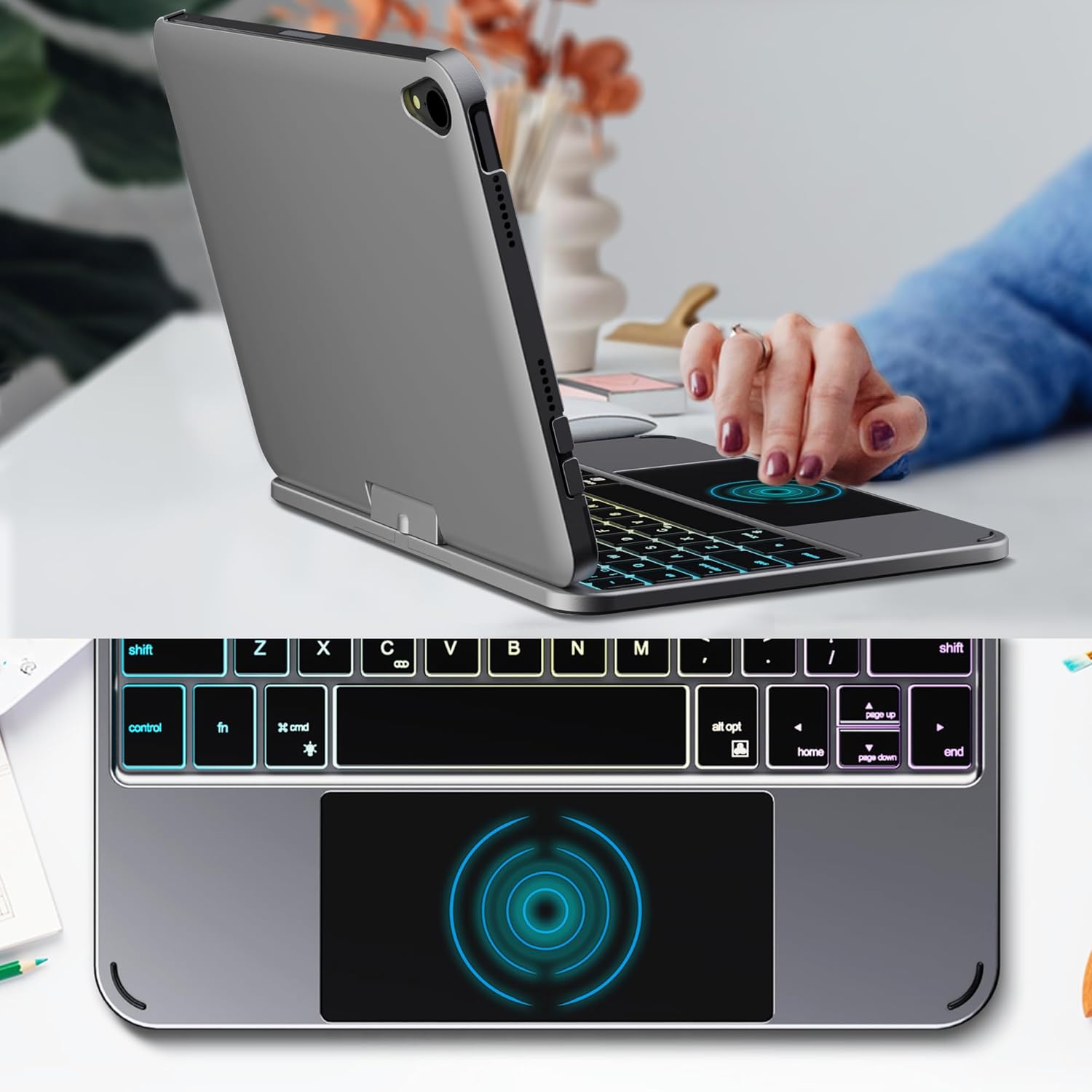
Image: Backlit keyboard and trackpad in use.

Image: Keycap and touchpad dimensions, and available colors.
4.3 Protection and Design
The case provides comprehensive protection for your iPad mini, safeguarding it from scratches and minor impacts. It features precise cutouts for the camera, charging port, and speakers.

Image: Case features and drop protection illustration.
5. Pokyny k nastavení
5.1 Installing Your iPad mini
- Gently align your iPad mini with the case.
- Press the iPad firmly into the case until it is securely seated. Ensure all edges are properly covered and ports/buttons are accessible.
Video: Demonstrates the installation of the iPad mini into the keyboard case, followed by usage in laptop mode, trackpad interaction, and backlight activation.
5.2 Párování Bluetooth
- Zapněte klávesnici: Locate the power button on the keyboard and press it to turn on the device.
- Activate Bluetooth on the keyboard: Press the "Fn" key and the "C" key simultaneously to activate Bluetooth pairing mode. The Bluetooth indicator light will flash.
- Otevřete Nastavení iPadu: Na iPadu přejděte na Nastavení > Bluetooth.
- Připojit: In the Bluetooth device list, find "iPad keyboard" and tap to connect. A pairing request may appear; confirm it.
- The Bluetooth indicator light on the keyboard will stop flashing once successfully paired.
Video: Demonstrates the rotation of the iPad within the case, various usage modes, and the Bluetooth pairing process for the keyboard.
6. Návod k obsluze
6.1 Funkce klávesnice
The keyboard includes standard keys and function keys specific to iPadOS:
- Fn+C: Aktivuje režim párování Bluetooth.
- Fn + ikona žárovky: Toggles keyboard backlight on/off and cycles through brightness levels.
- Fn + RGB icon: Changes backlight color (if multiple colors are supported).
- Klíč domů: Returns to the iPad home screen.
- Vyhledávací klíč: Activates iPad search.
- Tlačítka hlasitosti: Adjusts iPad volume.
- Klávesy pro ovládání médií: Play/Pause, Previous Track, Next Track.
6.2 Trackpad Gestures
The trackpad supports various multi-touch gestures for efficient navigation:
- Klepnutí jedním prstem: Left-click.
- Klepnutí dvěma prsty: Right-click (context menu).
- Posouvání dvěma prsty: Scroll up/down or left/right.
- Přejeďte třemi prsty nahoru: Go to the home screen.
- Three-finger swipe up and hold: Open the App Switcher.
- Three-finger swipe left/right: Switch between open apps.
- Přiblížením přiblížíte: Zoom in/out on content.
7. Nabíjení a baterie
The keyboard case is powered by a built-in rechargeable battery. Use the provided USB-C cable to charge the keyboard.
- Kapacita baterieKapacita: 500 mAh
- Pohotovostní doba: Až 90 dní
- Pracovní doba: Up to 180 hours (without backlight)
- Indikátor nabíjení: The LED indicator will show charging status.
Connect the USB-C cable to the charging port on the keyboard and the other end to a USB power adapter (not included).

Image: Battery specifications and charging port location.
8. Údržba
- Chraňte kryt klávesnice před tekutinami a extrémními teplotami.
- Očistěte kryt a klávesnici měkkým hadříkemamp tkanina. Vyhněte se agresivním chemikáliím.
- Nepokoušejte se výrobek rozebírat.
9. Řešení problémů
9.1 Klávesnice se nepřipojuje přes Bluetooth
- Ujistěte se, že je klávesnice zapnutá a plně nabitá.
- Ujistěte se, že máte na iPadu povoleno Bluetooth.
- Press "Fn" + "C" on the keyboard to enter pairing mode.
- Zapomeňte na zařízení v nastavení Bluetooth na iPadu a zkuste jej znovu spárovat.
- Restartujte iPad i klávesnici.
9.2 Klávesy nereagují
- Check the battery level of the keyboard.
- Ujistěte se, že je klávesnice správně připojena přes Bluetooth.
- Vyčistěte okolí kláves, abyste odstranili veškeré nečistoty.
9.3 Trackpad Not Working
- Ujistěte se, že je klávesnice připojena přes Bluetooth.
- Zkontrolujte nastavení iPadu: Nastavení > Generál > Trackpad & Mouse to ensure it's enabled and sensitivity is adjusted.
- Restartujte iPad i klávesnici.
10. Specifikace
| Funkce | Specifikace |
|---|---|
| Značka | edaiser |
| Číslo modelu | edaiser Swivel 83ATS |
| Kompatibilní modely | Apple iPad mini 6th Gen (8.3-inch), iPad mini 7th Gen (A17 Pro) |
| Konektivita | Bluetooth |
| Typ klávesnice | Compact with RGB Backlight |
| Trackpad | Integrated, Multi-touch |
| Zdroj napájení | Napájení z baterie |
| Kapacita baterie | 500 XNUMX mAh |
| Pohotovostní doba | Až 90 dní |
| Pracovní doba | Až 180 hodin (bez podsvícení) |
| Nabíjecí port | USB-C |
| Počet klíčů | 64 |
| Keycap Size | Rozměr 11.5 mm x 12.9 mm |
| Touchpad Size | Rozměr 98.4 mm x 49.7 mm |
11. Záruka a podpora
For warranty information and customer support, please refer to the official edaiser webnebo se obraťte přímo na jejich zákaznický servis. Uschovejte si doklad o koupi pro případ reklamace.