
Zavedení
This manual provides detailed instructions for the Edifier W210BT Wireless Neckband Headphones. Please read this manual thoroughly before using the product to ensure proper operation and to maximize your listening experience.
Obsah balení
- Edifier W210BT Wireless Neckband Headphones (Black)
Konec produktuview

Edifier W210BT Wireless Neckband Headphones

Přední view of Edifier W210BT Wireless Neckband Headphones

Close-up of Edifier W210BT earbud with ear fin
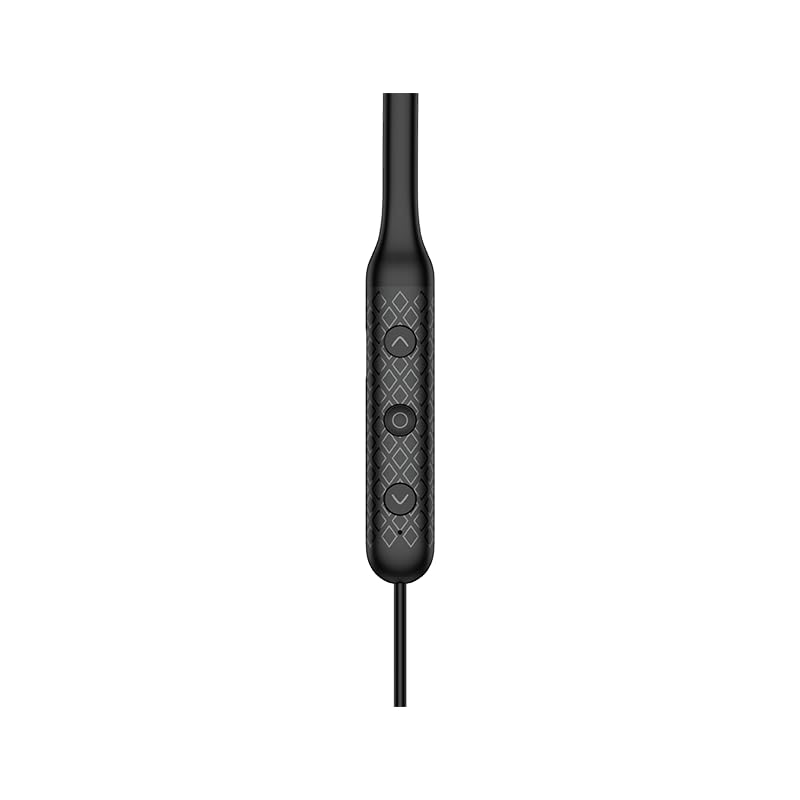
Close-up of the three-button control panel on the neckband
Nastavení a první použití
Nabíjení sluchátek
Before first use, fully charge the headphones. Connect the provided USB-C cable to the charging port on the neckband and to a power source. A full charge takes approximately 1 hour.
Zapnutí/vypnutí
To power on, press and hold the multi-function button until the indicator light illuminates. To power off, press and hold the multi-function button until the indicator light turns off.
Párování pomocí Bluetooth
- Ujistěte se, že jsou sluchátka vypnutá.
- Press and hold the multi-function button until the indicator light flashes rapidly, indicating pairing mode.
- Na svém zařízení (chytrém telefonu, tabletu atd.) povolte Bluetooth a vyhledejte dostupná zařízení.
- Select "Edifier W210BT" from the list of found devices to connect.
- Po připojení přestane kontrolka blikat a zůstane svítit.
Aplikace Edifier Connect
Download the Edifier Connect App from your device's app store. The app allows for:
- Monitorování baterie
- Auto shutdown settings
- Sleep music functionality
- Přizpůsobitelné nastavení EQ
Návod k obsluze
Základní ovládací prvky
The Edifier W210BT features a three-button control panel for easy management of audio and calls.
- Multifunkční tlačítko (střední): Power on/off, play/pause music, answer/end calls.
- Tlačítko zvýšení hlasitosti (+): Increase volume, next track (long press).
- Tlačítko snížení hlasitosti (-): Decrease volume, previous track (long press).
Zvukové funkce
The W210BT headphones support advanced audio technologies:
- Hi-Res Wireless Audio Certification: Provides enhanced audio quality, revealing more detail in your music.
- LDAC Audio Codec: Enables high-resolution audio transmission up to 990kbps for near-lossless sound quality. Ensure LDAC is enabled on your source device for optimal performance.
- AI Call Noise Cancellation: Reduces background noise during calls, ensuring clear voice transmission.
- Herní režim: Offers ultra-low latency (80ms) for synchronized audio and video, enhancing gaming experiences. Activate via the Edifier Connect App.

Edifier W210BT headphones displaying Hi-Res Audio Wireless certification
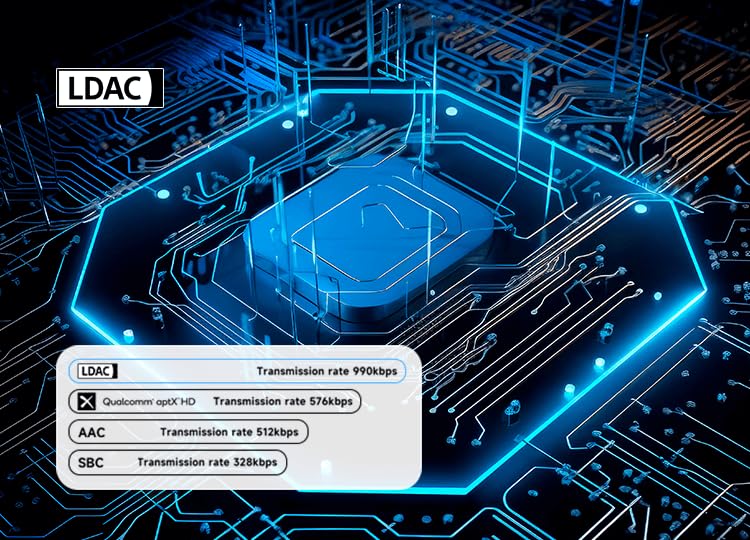
Diagram illustrating LDAC audio codec transmission rates compared to other codecs

Edifier W210BT headphones shown with a smartphone displaying a game, illustrating low latency game mode
Údržba a péče
Dust and Sweat Resistance
The headphones are rated IP55 for dust and sweat resistance, making them suitable for sports and outdoor activities. Avoid submerging the headphones in water.
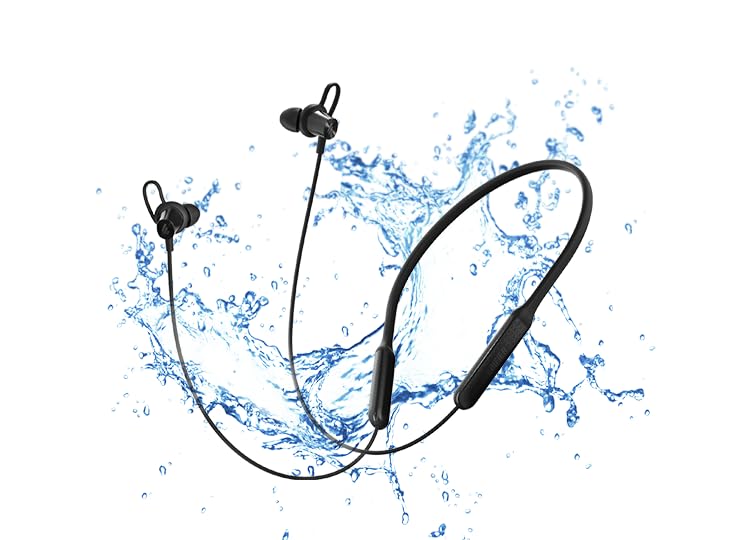
Edifier W210BT headphones with water splashes, symbolizing IP55 dust and sweat resistance
Čištění
Wipe the headphones with a soft, dry cloth. Do not use abrasive cleaners or solvents. Regularly clean the ear tips to maintain hygiene and sound quality.
Antibacterial Ear Adapters
The specially designed ear adapters and ear fins have an antibacterial rate of over 99%, inhibiting bacterial growth in the ear canal.
Skladování
Sluchátka skladujte na chladném a suchém místě mimo dosah přímého slunečního záření a extrémních teplot. Nepokládejte na ně těžké předměty.

Woman wearing Edifier W210BT headphones during exercise, checking her smartwatch
Odstraňování problémů
Žádný zvuk/nízká hlasitost
- Ujistěte se, že jsou sluchátka zapnutá a nabitá.
- Zkontrolujte úroveň hlasitosti na sluchátkách i na připojeném zařízení.
- Verify that the headphones are correctly paired and connected to your device.
- Zkuste znovu spárovat sluchátka se zařízením.
Problémy s párováním
- Ujistěte se, že je na vašem zařízení povoleno Bluetooth a sluchátka jsou v režimu párování.
- Move the headphones closer to your device and away from other wireless interference sources.
- Clear the Bluetooth pairing history on your device and attempt to pair again.
Špatná kvalita hovoru
- Ujistěte se, že mikrofon není nijak zakrytý.
- Přejděte do tiššího prostředí, abyste snížili hluk v pozadí.
- Check the signal strength of your connected device.
Specifikace
| Funkce | Detail |
|---|---|
| Název modelu | W210BT |
| Verze Bluetooth | V5.3 |
| Prázdno | Přibl. 18 hodin |
| Nabíjecí port | USB-C (Typ-C) |
| Doba nabíjení | Přibl. 1 hodina |
| Audio kódování | SBC, LDAC |
| Řidič | Φ10mm Dynamic Drivers |
| Frekvenční odezva | 20Hz - 40KHz |
| Hodnocení IP | IP55 |
| Hmotnost položky | 28 gramů |
| Materiál | Plast |
| Formát mikrofonu | Vestavěný |
Záruka a podpora
Informace o záruce
The Edifier W210BT Wireless Neckband Headphones come with a 1-year warranty from the date of purchase. Please retain your proof of purchase for warranty claims.
Kontaktní informace
For technical support or warranty inquiries, please contact Edifier customer service:
- E-mail: care@nikitadistributors.com
- Telefon: 18002668571
Manufacturer/Importer Address: Green Terrace Building, Lane Number 5, South Koregaon Park, Pune 411001, MH, India.