
1. Konec produktuview
The LETSUNG GoLite 11 Mini PC is a compact and powerful computing solution designed for daily office tasks, home entertainment, and entry-level industrial applications. Powered by an Intel Celeron N4020C processor, it offers reliable performance in a small form factor. This manual provides essential information for setting up, operating, maintaining, and troubleshooting your device.

Obrázek 1: Přední a boční view of the LETSUNG GoLite 11 Mini PC, highlighting its compact design and various ports.
2. Průvodce nastavením
2.1 Obsah balení
Ujistěte se prosím, že balení obsahuje všechny položky:
- LETSUNG GoLite 11 Mini PC
- Napájecí adaptér
- VESA Mount Bracket and Screws
- Uživatelská příručka (tento dokument)
2.2 Počáteční nastavení
Pro nastavení Mini PC postupujte podle těchto kroků:
- Připojení periferií: Connect your keyboard, mouse, and other USB devices to the available USB 3.2 ports.
- Připojení displeje: Connect your monitor(s) to the HDMI ports. The device supports up to two displays simultaneously.
- Připojit k síti: For wired connection, connect an Ethernet cable to the RJ45 LAN port. For wireless connection, ensure your Wi-Fi network is available.
- Připojte napájení: Insert the power adapter into the DC jack on the Mini PC, then plug the adapter into a power outlet.
- Zapnutí: Stiskněte tlačítko napájení, které se nachází na přední straně Mini PC.

Obrázek 2: Detailní view of the Mini PC's ports, including USB 3.2, HDMI, LAN, 3.5mm headphone jack, DC jack, and power button.
3. Návod k obsluze
3.1 Zapnutí/vypnutí
- Zapnutí: Stiskněte jednou tlačítko napájení.
- Vypnout: From the Windows 11 Pro desktop, click the Start button, then Power, and select "Shut down."
- Restartovat: From the Windows 11 Pro desktop, click the Start button, then Power, and select "Restart."
3.2 Připojení displejů
The GoLite 11 supports dual display output via its two HDMI 1.4 ports, allowing for a resolution of up to 1920x1080@60Hz on each screen. Simply connect your HDMI cables from the Mini PC to your monitors.

Figure 3: The LETSUNG GoLite 11 Mini PC supporting a dual display setup for enhanced productivity.
3.3 Rozšíření úložiště
The Mini PC comes with a 128GB M.2 SATA SSD. For additional storage, the device supports expansion up to 512GB. Refer to the detailed instructions for M.2 SSD installation if you wish to upgrade the storage capacity.

Figure 4: Visual representation of the 128GB M.2 2280 SATA SSD, which can be expanded up to 512GB.
3.4 Síť a konektivita
The Mini PC supports Dual WiFi 5 for high-speed wireless internet access and Bluetooth 4.2 for connecting wireless peripherals such as keyboards, mice, and headphones.
4. Údržba
4.1 Čištění
To maintain optimal performance and appearance, regularly clean the exterior of the Mini PC with a soft, dry cloth. Avoid using liquid cleaners or abrasive materials. Ensure the ventilation openings are free from dust and debris.
4.2 Chladicí systém
The GoLite 11 features a low-power, low-noise cooling system designed for steady, long-lasting operation. Ensure adequate airflow around the device by not blocking the ventilation holes.
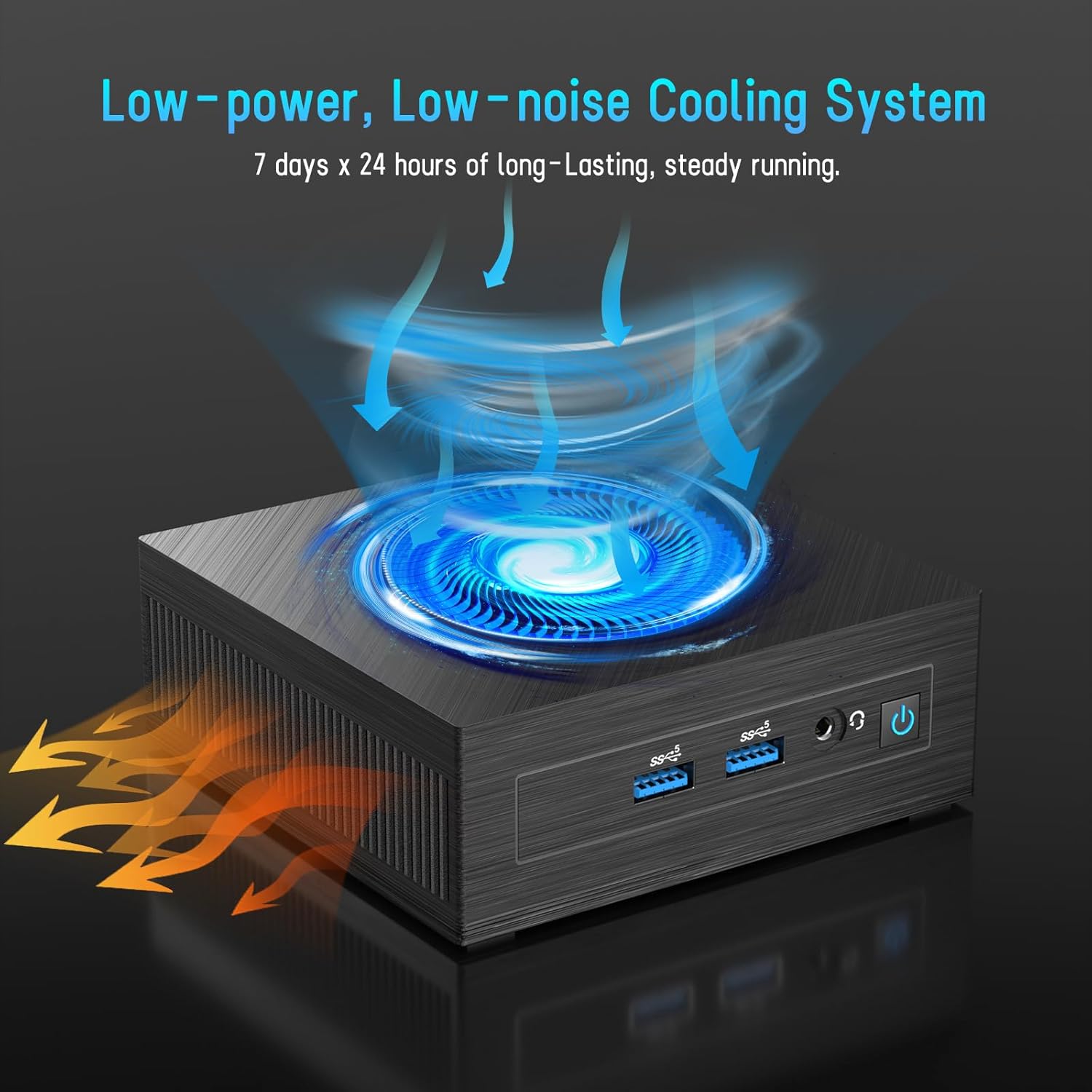
Figure 5: Illustration of the efficient low-power, low-noise cooling system integrated into the Mini PC.
5. Řešení problémů
If you encounter issues with your LETSUNG GoLite 11 Mini PC, refer to the common problems and solutions below:
- Žádný výstup na displej:
- Ensure the HDMI cables are securely connected to both the Mini PC and the monitor.
- Verify the monitor is set to the correct input source (HDMI 1, HDMI 2, etc.).
- Try connecting to a different monitor or using different HDMI cables.
- Problémy s napájením:
- Check if the power adapter is properly connected to the Mini PC and the power outlet.
- Ujistěte se, že zásuvka je funkční.
- If the device does not power on, try a different power outlet.
- Problémy s připojením k síti:
- For Wi-Fi, ensure the Wi-Fi adapter is enabled in Windows settings and you are connected to the correct network.
- For wired LAN, check the Ethernet cable connection. Note that the LAN port on this model supports up to 100 Mbps, not Gigabit Ethernet.
- Restartujte router/modem.
- Pomalý výkon:
- Zavřete nepotřebné aplikace běžící na pozadí.
- Ensure Windows 11 Pro is up to date.
- Zkontrolujte, zda je na SSD disku dostatek volného místa.
6. Technické specifikace
| Funkce | Specifikace |
|---|---|
| Procesor | Intel Celeron N4020C (Dual-Core, up to 2.8 GHz) |
| Grafika | Grafická karta Intel UHD Graphics 600 |
| BERAN | 6GB LPDDR4 (Integrated, Dual Channel) |
| Skladování | 128GB M.2 SATA SSD (Expandable up to 512GB) |
| Operační systém | Windows 11 Pro (Pre-installed) |
| Video výstup | 2 x HDMI 1.4 (Supports Dual Display up to 1920x1080@60Hz) |
| USB porty | 4x USB 3.2 |
| Síť | Dual WiFi 5, RJ45 LAN (100 Mbps) |
| Bluetooth | Bluetooth 4.2 |
| Zvuk | 1 x 3.5 mm konektor pro sluchátka |
| Vstup napájení | DC Jack |
| Rozměry | 4.53 x 4.43 x 1.61 palce (115 mm x 112 mm x 41 mm) |
| Hmotnost | Přibližně 9.66 unce (274 g) |
7. Záruka a podpora
The LETSUNG GoLite 11 Mini PC comes with a jednoletá záruka od data nákupu. Tato záruka se vztahuje na výrobní vady a zajišťuje, že výrobek splňuje stanovené vlastnosti. Uschovejte si prosím doklad o koupi pro případné reklamace.
For any questions, technical assistance, or troubleshooting not covered in this manual, LETSUNG customer support is available 24/7 to assist you. Please refer to the contact information provided with your product packaging or visit the official LETSUNG webstránky pro podrobnosti o podpoře.