
Cuifati Cuifati7b3fxose1g-12
Cuifati TWS B11 Language Translation Earbuds User Manual
Model: Cuifati7b3fxose1g-12
Značka: Cuifati
Zavedení
The Cuifati TWS B11 Language Translation Earbuds are advanced wireless headphones designed for seamless real-time communication across language barriers. Featuring Bluetooth 5.3 connectivity, these earbuds support translation for 74 languages and 70 accents, offering high accuracy and low latency. This manual provides detailed instructions for setup, operation, maintenance, and troubleshooting to ensure optimal performance of your device.

Image: The TWS B11 Language Translation Earbuds and their charging case.
Klíčové vlastnosti
- Vícejazyčný překlad: Supports 74 languages and 70 accents, covering over 90% of the global population, with up to 97% accuracy using four leading translation engines.
- Překlad v reálném čase: Interprets almost simultaneously with a low latency of 0.5 seconds, supported by 15 global servers.
- Four Translation Modes: Includes Touch Mode, External Mode (Speaker Mode), Free Talk Mode, and Offline Mode to suit various communication scenarios.
- Silný výkon baterie: Each earbud features a 40 mAh battery, providing 4 hours of continuous operation. The 350 mAh charging case extends usage, offering up to 120 hours of standby time.
- Ergonomický design: Designed to conform to the human ear shape for a compact and comfortable fit, ensuring no discomfort during prolonged use.
- Redukce šumu: High-precision noise reduction for clear audio quality.

Obrázek: Overview of the B11 Translator Earbuds' functional generalization, highlighting features like simultaneous interpretation, premium sound quality, 144 online translation languages, and long-lasting battery.

Image: Illustration of the high-precision noise reduction feature, showing how it enhances audio quality.

Image: Demonstrates the ergonomic design of the earbuds, ensuring a comfortable and secure fit for most users.
Nastavení
Nabíjení sluchátek a pouzdra
Before first use, fully charge the earbuds and the charging case. The charging case has a built-in 350 mAh lithium-ion battery, and each earbud has a 40 mAh lithium-ion battery.
- Vložte obě sluchátka do nabíjecího pouzdra.
- Connect the charging case to a power source using a compatible USB cable (not specified, assume standard USB-C or Micro-USB).
- The digital display on the charging case will indicate the charging status. Ensure both earbuds and the case are fully charged before use.
Spárování se zařízením
The earbuds use Bluetooth V5.3 for stable and efficient connection.
- Ensure the earbuds are charged and taken out of the charging case. They should automatically enter pairing mode.
- On your smartphone or tablet, go to Bluetooth settings and turn Bluetooth on.
- Hledat available devices. The earbuds should appear as "TWS B11" or similar.
- Select the earbuds to pair. Once connected, you will hear an audio prompt.
Installing the Companion Application
To utilize the translation features, you will need to download and install the dedicated companion application on your smartphone. Refer to the QR code in the product packaging or search for "TWS B11 Translator" (or similar) in your device's app store (Google Play Store for Android, Apple App Store for iOS).
- Stáhněte a nainstalujte aplikaci.
- Open the application and follow the on-screen instructions to connect your earbuds to the app. This usually involves confirming the Bluetooth connection.
Provozní režimy
The TWS B11 earbuds offer four distinct translation modes to cater to various communication needs:
1. Touch Mode
Ideal for close conversations, such as with acquaintances or friends. Two people each wear an earbud, and translation occurs in real-time by touching the earbud.
- Each person wears one earbud.
- Tap the earbud to speak, and the translation will be heard by the other person.

Image: The app interface displaying the four translation modes, with a focus on Touch Mode.
2. Speaker Mode (External Mode)
Suitable for situations where one person wears the earbuds and the other person speaks into the smartphone. This mode is convenient for interacting with strangers or in situations where sharing earbuds is not practical.
- One person wears the earbuds.
- The other person speaks into the smartphone's microphone.
- The translation is played through the earbuds for the wearer and through the phone's speaker for the other person.
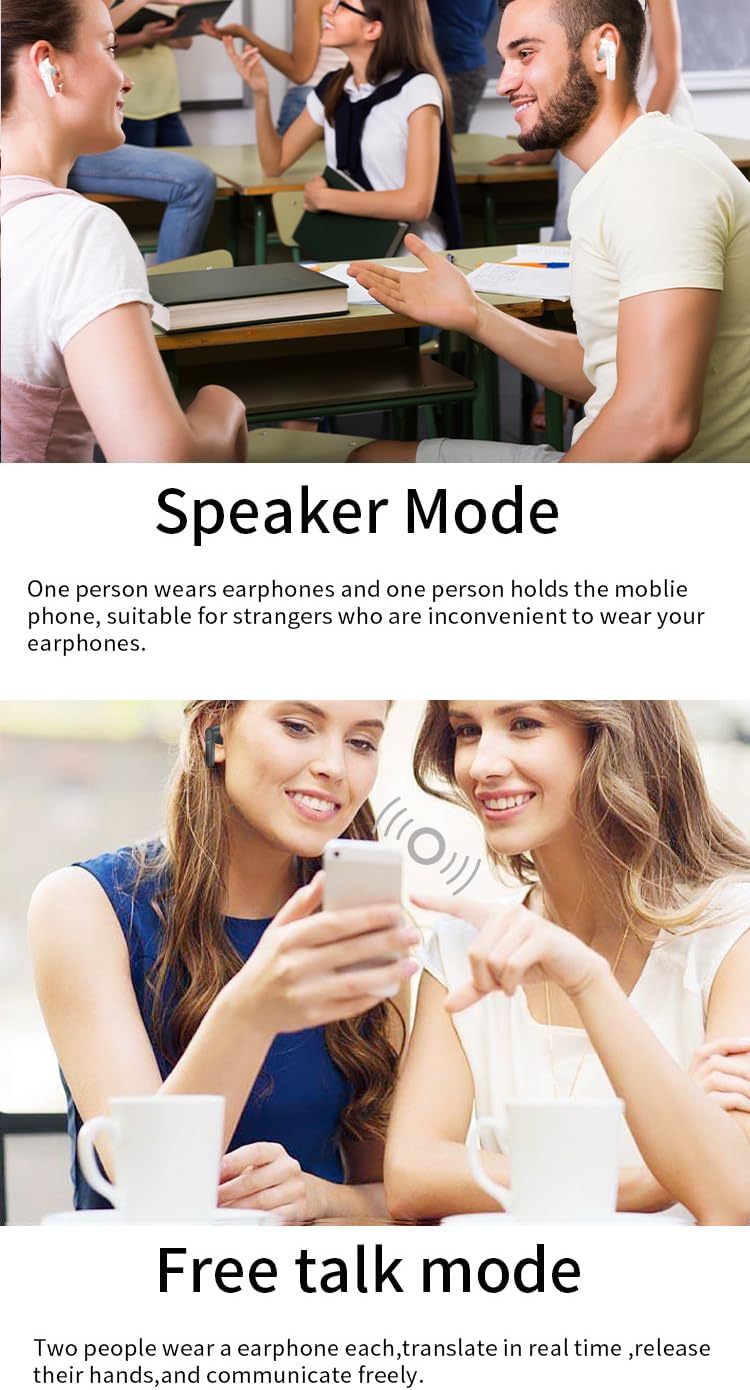
Image: Depiction of Speaker Mode in use, where one person wears the earbuds and another speaks into a phone.
3. Free Talk Mode
Designed for natural, flowing conversations. Both participants wear an earbud, and the system automatically translates speech in real-time without the need for manual input, allowing for hands-free communication.
- Both participants wear an earbud.
- Speak naturally; the earbuds will automatically detect and translate speech.

Image: Free Talk Mode in action, enabling natural, hands-free conversation between two people.
4. Offline Mode
Allows translation without an internet connection. This mode supports real-time offline voice translation for specific languages, making it ideal for travel or areas with limited connectivity.
- Ensure the required offline language packs are downloaded via the companion app when connected to the internet.
- Activate Offline Mode in the app.
- Speak as usual; translation will occur without network access.
- Supported offline languages include Chinese, English, Japanese, Korean, Russian, German, French, and Spanish.

Image: Demonstrates the Offline Mode, allowing translation without an internet connection for supported languages.
Specifikace
| Funkce | Detail |
|---|---|
| Číslo modelu | Cuifati7b3fxose1g-12 |
| Značka | Cuifati |
| Typ baterie do uší | Built-in 40 mAh Lithium-ion Battery x 2 |
| Nabíjecí pouzdro Typ baterie | Built-in 350 mAh Lithium-ion Battery |
| Verze Bluetooth | V5.3 |
| Přenosová vzdálenost | Až 32.8 stop (10 metrů) |
| Podporované jazyky | 74 Languages, 70 Accents (Total 144 variations) |
| Přesnost překladu | až 97 % |
| Translation Latency | 0.5 sekund |
| Earbud Continuous Use Time | 4 hodiny (plně nabitá) |
| Pohotovostní doba | 120 hodin |
| Barva | BÍLÝ |
| Materiál | ABS |
Image: A comprehensive list of the 74 languages and 70 accents supported by the earbuds.

Image: Visual representation of the earbuds' high translation accuracy and low latency.
Údržba
Proper maintenance ensures the longevity and optimal performance of your TWS B11 earbuds.
- Čištění: Pravidelně čistěte sluchátka a nabíjecí pouzdro měkkým, suchým hadříkem, který nepouští vlákna. Nepoužívejte abrazivní čisticí prostředky, alkohol ani chemická rozpouštědla.
- Tipy do uší: Pravidelně sundejte ušní nástavce a čistěte jeamp hadříkem. Před opětovným připevněním se ujistěte, že jsou zcela suché.
- Kontakty pro nabíjení: Gently wipe the charging contacts on both the earbuds and inside the case to ensure a good connection.
- Skladování: Pokud sluchátka nepoužíváte, uložte je do nabíjecího pouzdra, aby byly chráněny před prachem a poškozením. Skladujte na chladném a suchém místě mimo dosah přímého slunečního záření a extrémních teplot.
- Vystavení vodě: Sluchátka nejsou vodotěsná. Zabraňte vystavení vodě, potu nebo vysoké vlhkosti.
Odstraňování problémů
If you encounter issues with your TWS B11 earbuds, refer to the following common solutions:
| Problém | Možná příčina / řešení |
|---|---|
| Sluchátka se nespárují |
|
| Žádný zvuk ze sluchátek |
|
| Překlad nefunguje |
|
| Špatná kvalita zvuku / šum |
|
| Sluchátka se nenabíjejí |
|
Záruka a podpora
Záruka výrobce
The Cuifati TWS B11 Language Translation Earbuds come with a 1letá záruka na vady výrobceTato záruka se vztahuje na vady materiálu a zpracování při běžném používání. Nevztahuje se na škody způsobené nesprávným použitím, nehodami, neoprávněnými úpravami nebo běžným opotřebením.
Uschovejte si prosím doklad o koupi pro uplatnění záruky.
Zákaznická podpora
For technical assistance, warranty claims, or any other inquiries regarding your Cuifati TWS B11 earbuds, please contact Cuifati customer support. Refer to the product packaging or the official Cuifati webstránky pro kontaktní informace.
When contacting support, please have your product model number (Cuifati7b3fxose1g-12) and purchase details ready.
Ask a question about this manual
Ask about setup, troubleshooting, compatibility, parts, safety, or missing instructions. Manuals+ will review the question and use this page’s manual context to help answer it.