
Zavedení
Thank you for choosing Micool T35 Open Ear Headphones. These headphones are designed to provide a comfortable and safe listening experience, allowing you to enjoy high-quality audio while remaining aware of your surroundings. Featuring Bluetooth 5.3 connectivity, IPX6 waterproofing, and a long-lasting battery, they are ideal for sports and daily use.
Obsah balení
Zkontrolujte prosím balení, zda neobsahuje následující položky:
- Micool T35 Open Ear Headphones
- Bezdrátové nabíjecí pouzdro
- Nabíjecí kabel USB typu C.
- Uživatelská příručka
Konec produktuview
The Micool T35 headphones feature an open-ear design with earhooks for secure and comfortable wear. The charging case protects and recharges your headphones.

Image: Micool T35 Open Ear Headphones and Charging Case. The image displays the charging case with one earbud inside and the other earbud placed next to it, showcasing the open-ear design and earhook.
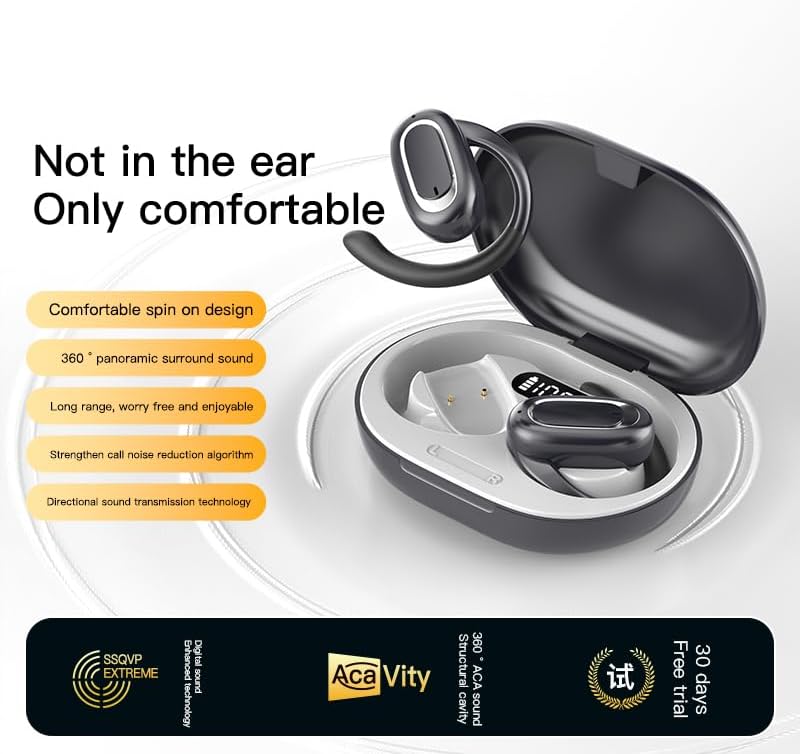
Image: Micool T35 Open Ear Headphones. This image shows both left and right earbuds with their earhooks, highlighting their ergonomic shape.
Klíčové vlastnosti:
- Otevřený design ucha: Rests gently on the ear without blocking the ear canal, reducing ear fatigue and maintaining environmental awareness.
- Bluetooth 5.3: Zajišťuje stabilní a efektivní bezdrátové připojení.
- Ergonomic Earhooks: Provides a secure and comfortable fit, even during extended use or physical activity.
- IPX6 Vodotěsnost: Odolné vůči potu a postříkání, vhodné pro sport.
- Dlouhá výdrž baterie: Up to 12 hours of playback on a single charge, extended to 34 hours with the charging case.
- Směrový přenos zvuku: Minimizes sound leakage while delivering clear audio.
Nastavení
1. Nabíjení sluchátek a pouzdra
Před prvním použitím sluchátka a nabíjecí pouzdro plně nabijte.
- Vložte sluchátka do nabíjecího pouzdra.
- Připojte kabel USB typu C k nabíjecímu portu na pouzdře a ke zdroji napájení.
- Nabíjecí pouzdro se plně nabije přibližně za 1–2 hodiny.
- A full charge provides up to 12 hours of listening time for the headphones, with the charging case extending total playback to 34 hours.
2. Párování Bluetooth
To connect your Micool T35 headphones to a device:
- Ujistěte se, že jsou sluchátka nabitá a vložená do nabíjecího pouzdra.
- Open the charging case. The headphones will automatically enter pairing mode, indicated by a flashing LED light on the earbuds.
- Na svém zařízení (chytrém telefonu, tabletu atd.) přejděte do nastavení Bluetooth.
- Hledat available devices and select "Micool T35" from the list.
- Once connected, the LED indicator on the headphones will stop flashing.
- Sluchátka se po vyjmutí z pouzdra automaticky znovu připojí k poslednímu spárovanému zařízení, pokud je na zařízení povoleno Bluetooth.
Návod k obsluze
1. Nošení sluchátek
The Micool T35 headphones are designed for an open-ear fit with rotatable earhooks.
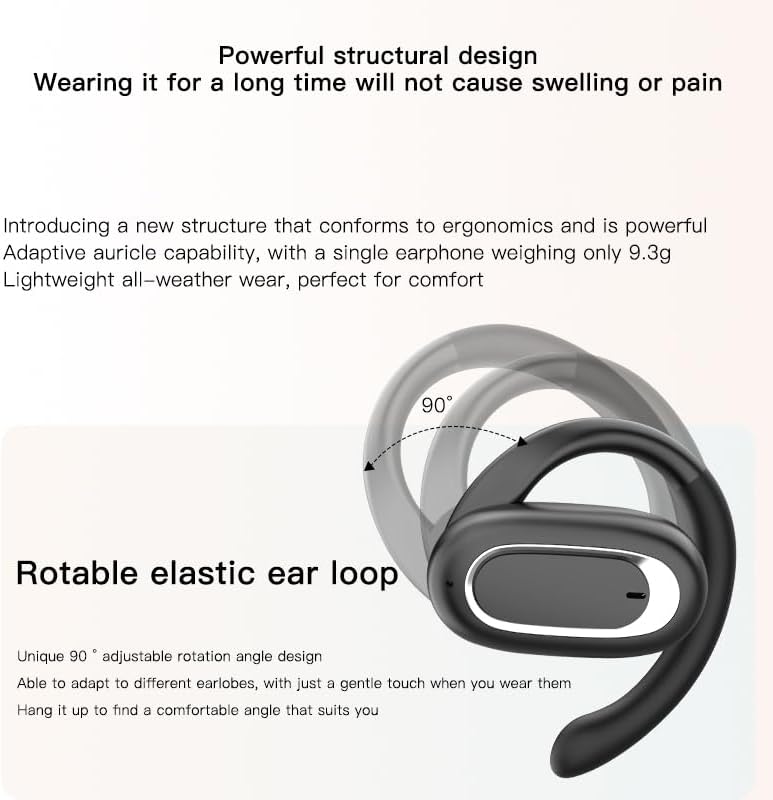
Image: Micool T35 Headphones: Rotatable Earhook Adjustment. The image illustrates the 90-degree rotation capability of the earhook for a customized fit.
- Gently place the earbud on your ear, ensuring the earhook wraps securely around the back of your ear.
- Adjust the rotatable earhook to find the most comfortable and stable position for your earlobe.
- The open-ear design ensures comfort and allows you to hear your surroundings.

Image: Micool T35 Headphones: Usage Scenarios. This image shows individuals using the headphones in various settings: during fitness activities, in an office environment, outdoors while running, and during leisure time.
2. Stiskněte Ovládací prvky
The Micool T35 headphones feature intuitive touch controls on each earbud.
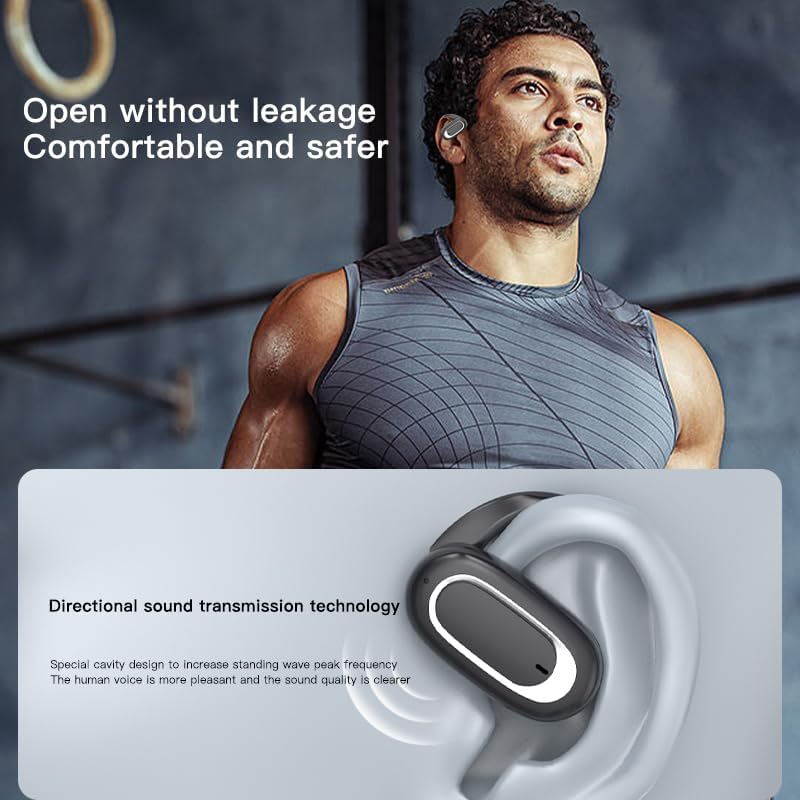
Image: Micool T35 Headphones: Touch Controls Diagram. This diagram illustrates the touch-sensitive area on the earbud and lists the corresponding functions for single tap, double tap, triple tap, and long press.
- Music Playback/Pause: Tap the function key once.
- Přijmout/ukončit hovor: Click the function key.
- Přivolání hlasového asistenta: Long press the function key for 2 seconds.
- Odmítnutí hovoru: Long press the function key for 2 seconds during an incoming call.
- Switching Up/Down Tracks: Triple click the left/right ear function keys.
- Zvýšení/snížení hlasitosti: Double click the right/left ear function keys.
3. Herní režim
The Micool T35 headphones support a low-latency game mode for improved audio-video synchronization.

Image: Micool T35 Headphones: Low Latency Game Mode. The image shows a smartphone displaying a mobile game, indicating the headphones' capability for synchronized audio and video during gaming.
To activate game mode, refer to the specific instructions provided in the quick start guide or product packaging, as this feature often requires a specific touch gesture or setting within the connected device.
Údržba
Správná údržba zajistí dlouhou životnost a výkon vašich sluchátek.
- Čištění: K čištění sluchátek a nabíjecího pouzdra používejte měkký, suchý hadřík, který nepouští vlákna. Nepoužívejte abrazivní čisticí prostředky ani rozpouštědla.
- Voděodolnost: The headphones are IPX6 waterproof, meaning they are resistant to strong jets of water. They are suitable for use during workouts and in light rain, but should not be submerged in water. Dry them thoroughly before placing them back in the charging case.
- Skladování: Pokud sluchátka nepoužíváte, uložte je do nabíjecího pouzdra, aby byla chráněna před prachem a poškozením. Skladujte na chladném a suchém místě mimo dosah extrémních teplot.
- Péče o baterie: To preserve battery life, charge the headphones regularly, even if not used for extended periods. Avoid fully discharging the battery frequently.
Odstraňování problémů
If you encounter issues with your Micool T35 headphones, try the following solutions:
- Žádný zvuk:
- Ujistěte se, že jsou sluchátka nabitá.
- Zkontrolujte, zda jsou sluchátka správně spárována s vaším zařízením.
- Upravte hlasitost na sluchátkách i na zařízení.
- Zkuste přehrát zvuk z jiné aplikace nebo zdroje.
- Selhání párování:
- Vypněte Bluetooth na svém zařízení a znovu jej zapněte.
- Forget "Micool T35" from your device's Bluetooth list and attempt to pair again.
- Ujistěte se, že sluchátka jsou v režimu párování (LED bliká).
- Přesuňte sluchátka blíže k zařízení.
- Problémy s nabíjením:
- Ujistěte se, že je nabíjecí kabel bezpečně připojen k pouzdru i ke zdroji napájení.
- Zkuste jiný kabel USB typu C nebo napájecí adaptér.
- Očistěte nabíjecí kontakty na sluchátkách a uvnitř pouzdra suchým vatovým tamponem.
- Špatná kvalita hovoru:
- Ujistěte se, že mikrofon není nijak zakrytý.
- Přesuňte se do oblasti s menším množstvím hluku z okolí.
- Zkontrolujte síťový signál vašeho zařízení.
Specifikace
| Značka | Micool |
| Název modelu | T35 |
| Technologie připojení | Bezdrátové připojení (Bluetooth 5.3) |
| Umístění uší | Otevřete ucho |
| Form Factor | Na uši (s háčky na uši) |
| Hodnocení voděodolnosti | IPX6 |
| Doba přehrávání | Up to 12 hours (single charge), 34 hours (with charging case) |
| Nabíjecí port | USB Type-C |
| Typ ovládání | Ovládání médií (dotykové) |
| Materiál | Plast |
| Kompatibilní zařízení | Mobilní telefony |
Záruka a podpora
Micool T35 Open Ear Headphones come with a 1-year limited warranty from the date of purchase. This warranty covers manufacturing defects and workmanship under normal use.
For technical support, warranty claims, or any questions regarding your product, please contact Micool customer service through the retailer where you purchased the product or visit the official Micool brand store:
Please have your purchase receipt and product model number (T35) ready when contacting support.