
HP 15.6'' FHD Everyday Laptop User Manual
Model: 15.6'' FHD Everyday Laptop (Intel Core i5-1135G7)
Zavedení
This manual provides essential information for setting up, operating, maintaining, and troubleshooting your HP 15.6'' FHD Everyday Laptop. Please read this manual thoroughly to ensure proper use and to maximize the performance and longevity of your device.
1. Nastavení
1.1 Vybalení
Opatrně vyjměte všechny součásti z obalu. Zkontrolujte, zda jsou přítomny všechny níže uvedené položky:
- HP 15.6'' FHD Everyday Laptop
- Napájecí adaptér
- Napájecí kabel
- 32GB USB Card (Bonus Accessory)
- Stručný průvodce (pokud je k dispozici)
1.2 Počáteční zapnutí
- Connect the AC power adapter to the laptop's AC smart pin port.
- Zapojte napájecí kabel do elektrické zásuvky.
- Otevřete víko notebooku.
- Stisknutím tlačítka napájení, které se obvykle nachází na klávesnici, zapněte notebook.
- Postupujte podle pokynů na obrazovce a dokončete proces nastavení systému Windows 11 Home. To zahrnuje výběr regionu, připojení k síti Wi-Fi a vytvoření uživatelského účtu.

Obrázek 1: HP 15.6'' FHD Everyday Laptop powered on, displaying Windows 11. The image highlights 12GB RAM, 512GB SSD, Intel Iris Xe Graphics, and Intel Core i5 processor.
2. Ovládání notebooku
2.1 Klávesnice a touchpad
The laptop features a full-size keyboard with a numeric keypad for efficient data entry. The integrated touchpad allows for precise cursor control and multi-touch gestures.
- Numerická klávesnice: Located on the right side of the keyboard for quick number input.
- Funkční klávesy: Použijte Fn key in combination with the F1-F12 keys for various functions like adjusting brightness, volume, or toggling Wi-Fi.
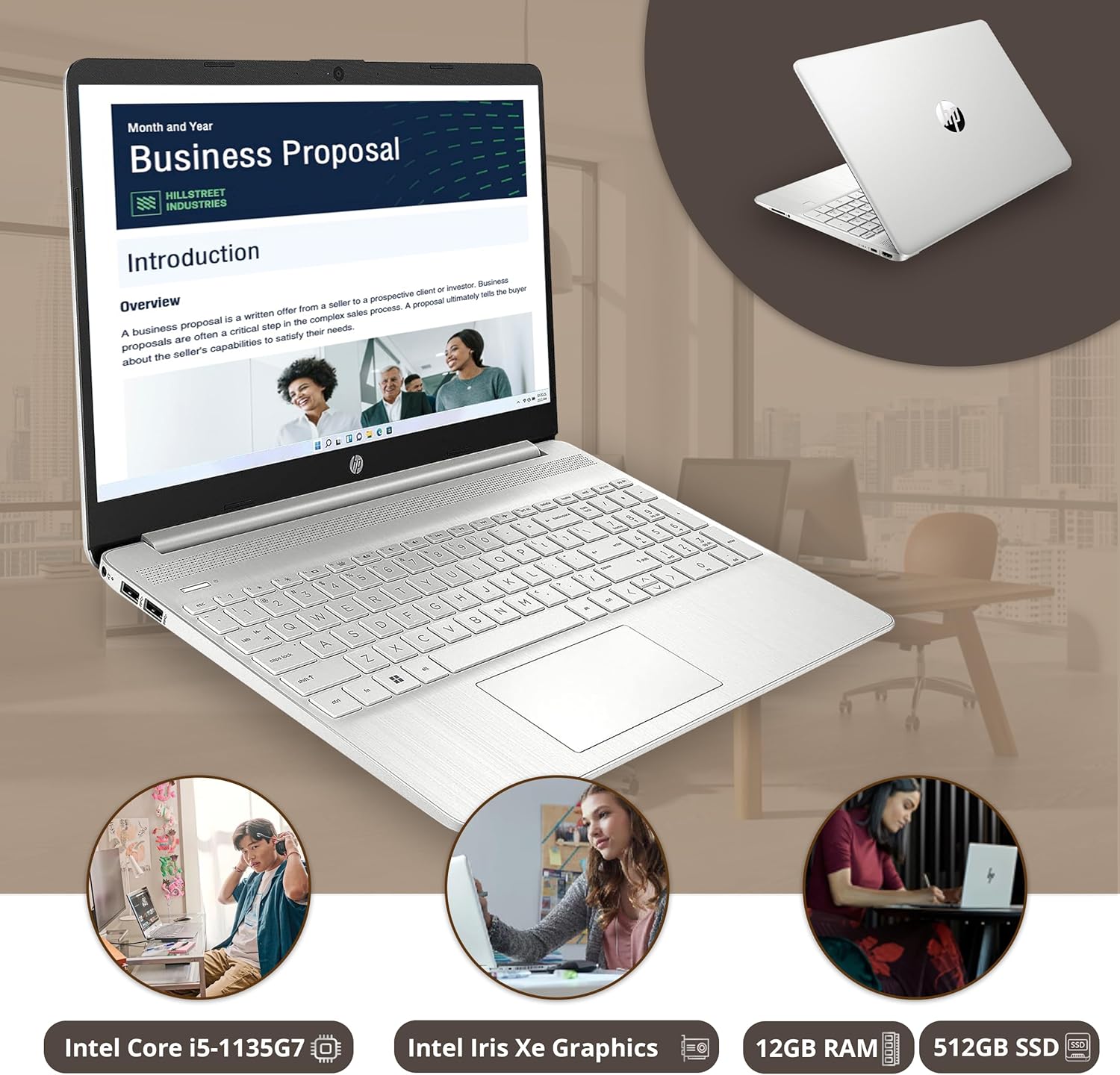
Obrázek 2: HP laptop in use, displaying a business proposal document. This image illustrates the laptop's design and screen clarity for productivity tasks.
2.2 Připojení periferních zařízení
Váš notebook je vybaven různými porty pro připojení externích zařízení:
- SuperSpeed USB Type-A (x2): Pro standardní USB zařízení, jako jsou myši, klávesnice nebo externí disky.
- SuperSpeed USB Type-C (x1): A versatile port for data transfer, charging, and video output (with compatible adapters).
- HDMI 1.4: Připojení k externím displejům nebo projektorům.
- Kombinovaný konektor pro sluchátka/mikrofon: Pro audio vstup/výstup.
- Čtečka SD karet s více formáty: Pro čtení SD karet.
- Chytrý PIN pro AC: Pro připojení napájecího adaptéru.

Obrázek 3: Detailní view of the HP laptop's multi-ports, including SD Card Reader, Headphone jack, SuperSpeed USB Type-C, HDMI 2.1, AC smart pin, and SuperSpeed USB Type-A.
2.3 Bezdrátové připojení
The laptop supports Wi-Fi 6 and Bluetooth for wireless connections.
- Wi-Fi 6: Provides faster and more reliable internet connectivity. Access Wi-Fi settings via the Windows taskbar network icon.
- Bluetooth: For connecting wireless headphones, speakers, and other Bluetooth-enabled devices. Manage Bluetooth devices through Windows Settings > Bluetooth & devices.

Obrázek 4: HP laptop screen displaying Wi-Fi and Bluetooth connectivity icons, indicating stable connections and convenient features.
2.4 Multitasking a zábava
The laptop's Intel Core i5 processor and 12GB RAM enable smooth multitasking across various applications. The 15.6-inch FHD display with Intel Iris Xe Graphics provides a clear and vibrant visual experience for both work and entertainment.

Obrázek 5: HP laptop demonstrating effortless multitasking with multiple applications open simultaneously, including a video streaming service and a messaging app.

Obrázek 6: Přehlídka notebooků HPasing dynamic visualization with a nature documentary playing on its 1920 x 1080 resolution screen, highlighting stunning clarity and vibrant colors.

Obrázek 7: HP laptop positioned on a desk, illustrating comfortable entertainment with a video call or streaming content displayed on the screen.
2.5 Využití baterie
The laptop is designed for extended battery life, allowing you to work or enjoy content throughout the day without constant recharging.

Obrázek 8: A user working on the HP laptop in a cafe, demonstrating the ability to power through the day with uninterrupted collaboration and increased productivity.
3. Údržba
3.1 Čištění
Pro zachování vzhledu a funkčnosti notebooku:
- K čištění obrazovky a vnějších povrchů používejte měkký hadřík, který nepouští vlákna.
- Na odolné šmouhy lehceamphadřík vodou nebo čisticím prostředkem na obrazovky.
- Nestříkejte tekutiny přímo na notebook.
- Pravidelně čistěte klávesnici a touchpad od prachu a nečistot.
3.2 Aktualizace softwaru
Keep your Windows operating system and drivers updated to ensure optimal performance and security.
- Aktualizace systému Windows: Přejděte do Nastavení > Windows Update a zkontrolujte a nainstalujte aktualizace.
- Aktualizace ovladačů: HP provides driver updates through their support website or HP Support Assistant software.
3.3 Péče o baterii
Chcete -li prodloužit životnost baterie:
- Vyhněte se extrémním teplotám.
- Nevybíjejte baterii často úplně.
- Pokud notebook skladujete delší dobu, nabijte baterii na přibližně 50–70 %.
4. Řešení problémů
4.1 Problémy s napájením
- Notebook se nezapne: Ujistěte se, že je napájecí adaptér bezpečně připojen k notebooku i k funkční elektrické zásuvce. Zkuste jinou zásuvku.
- Baterie se nenabíjí: Verify the power adapter is functioning. Check for any physical damage to the adapter or charging port.
4.2 Problémy se zobrazením
- Prázdná obrazovka: Connect an external monitor to check if the display output is working. If the external monitor works, there might be an issue with the laptop's internal display.
- Blikající obrazovka: Aktualizujte ovladače grafické karty. Upravte obnovovací frekvenci displeje v nastavení systému Windows.
4.3 Problémy s připojením
- Nelze se připojit k Wi-Fi: Ensure Wi-Fi is enabled. Restart your router and the laptop. Check network settings in Windows.
- Zařízení Bluetooth se nespáruje: Ensure the Bluetooth device is in pairing mode. Check Bluetooth settings on the laptop and restart the Bluetooth service if necessary.
5. Specifikace
| Funkce | Detail |
|---|---|
| Název modelu | HP 15.6'' FHD Everyday Laptop |
| Procesor | Intel Core i5-1135G7 (up to 4.2 GHz, 8 MB L3 cache, 4 cores) |
| Grafika | Grafika Intel Iris Xe |
| Zobrazit | 15.6-inch FHD (1920 x 1080) micro-edge, anti-glare |
| BERAN | 12GB DDR4 SDRAM |
| Skladování | 512GB PCIe NVMe M.2 SSD |
| Operační systém | Windows 11 Home |
| Bezdrátové připojení | Wi-Fi 6 (802.11ax) and Bluetooth Combo |
| Porty | 2x SuperSpeed USB Type-A, 1x SuperSpeed USB Type-C, 1x HDMI 1.4, 1x Headphone/Microphone Combo, 1x Multi-format SD Media Card Reader, 1x AC Smart Pin |
| Fotoaparát | HP True Vision 720p HD Camera with integrated dual array digital microphones |
| Rozměry (DxŠxV) | 14.11 x 9.02 x 0.73 palce |
| Hmotnost | 3.75 libry |
| Barva | Přírodní stříbro |

Obrázek 9: HP laptop highlighting its ultra-portability with dimensions of 14.11 inches length, 9.53 inches width (approx), and 0.71 inches thickness.
6. Záruka a podpora
6.1 Záruka na produkt
This product is sold as a renewed item. Please refer to the specific warranty terms provided by the seller or Amazon Renewed program at the time of purchase. Typically, renewed products come with a limited warranty.
6.2 Technická podpora
Pro technickou pomoc, stažení ovladačů nebo další podporu navštivte oficiální stránky podpory HP. website or contact their customer service. Have your product model and serial number ready when seeking support.
For issues related to your renewed purchase, contact the seller directly or Amazon Renewed support.
6.3 Zásady vrácení
This product is subject to a 30-day refund/replacement return policy from the date of purchase. Please consult your purchase documentation for full details.