
ATTACK SHARK X2 Pro
Uživatelská příručka k bezdrátové herní myši ATTACK SHARK X2 Pro
Comprehensive guide for setup, operation, and maintenance of your X2 Pro Wireless Gaming Mouse.
1. Konec produktuview
The ATTACK SHARK X2 Pro is a versatile tri-mode wireless gaming mouse designed for high performance and user convenience. It features 2.4G wireless, Bluetooth, and wired connectivity options, a transparent shell with vibrant RGB lighting, a magnetic charging dock, and adjustable DPI settings. The integrated display shows the battery level, ensuring you are always aware of your mouse's power status.

Image: The ATTACK SHARK X2 Pro mouse and its charging dock, illustrating key features such as tri-mode connection, charging dock, silent clicks, 3D RGB lighting, visible battery level, and 4000 DPI max.
Klíčové vlastnosti:
- Třírežimové připojení: Bezproblémově přepínejte mezi bezdrátovým připojením 2.4G, Bluetooth a kabelovým připojením USB-C.
- Magnetic RGB Charging Dock: Provides convenient and rapid charging, with adjustable RGB lighting.
- Visible Battery Level: An integrated screen on the mouse displays the current power level.
- Transparent Shell & 3D RGB Lighting: Unique design showcasing internal components with customizable RGB effects.
- Tlačítka s tichým klikáním: Reduces click noise by up to 90% for a quieter user experience.
- Nastavitelné DPI: Five customizable DPI levels (1200/1600/2000/2400/4000) for precise control.
- Smart Auto-sleep: Funkce úspory energie pro prodloužení výdrže baterie.
2. Obsah balení
Prosím, ověřte, zda jsou v balení přítomny všechny položky:
- ATTACK SHARK X2 Pro Wireless Gaming Mouse
- Magnetic RGB Charging Dock
- Nabíjecí kabel USB-C
- 2.4G USB přijímač
- Uživatelská příručka (tento dokument)
3. Nastavení
3.1. Parts of the Mouse

Image: A diagram illustrating the key components of the ATTACK SHARK X2 Pro mouse, including the USB-C charging cable port, RGB switch button, mode switch button, and USB receiver storage slot.
- Nabíjecí port USB-C: Located at the front of the mouse for wired connection and charging.
- RGB Switch Button: On the bottom of the mouse, used to cycle through RGB lighting effects.
- Tlačítko pro přepnutí režimu: On the bottom of the mouse, used to select 2.4G, Bluetooth, or OFF mode.
- Úložiště USB přijímače: A compartment on the bottom of the mouse to store the 2.4G USB receiver when not in use.
- Zobrazení stavu baterie: A small screen at the rear of the mouse showing the current battery percentage.
3.2. Nabíjení myši
The X2 Pro mouse can be charged using the included magnetic RGB charging dock or directly via the USB-C cable.
- Connect the USB-C charging cable to the magnetic RGB charging dock and a power source (e.g., computer USB port, USB wall adapter).
- Place the mouse onto the charging dock. The magnetic connection will secure it, and the dock's RGB lights will illuminate.
- Alternatively, connect the USB-C cable directly from a power source to the mouse's USB-C port for wired charging and use.
A 10-minute charge provides approximately 5 hours of playtime. The battery level is visible on the mouse's integrated display.
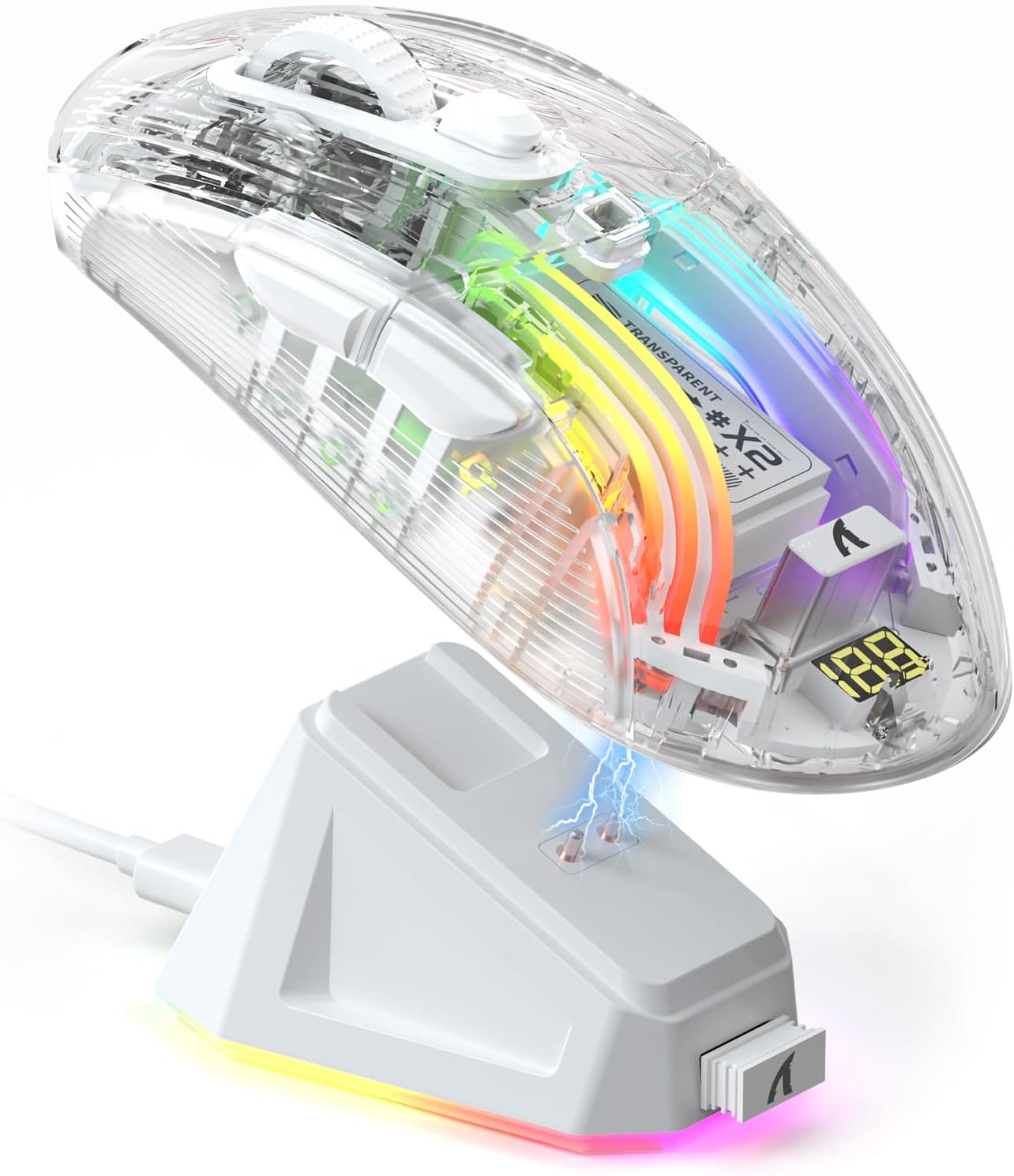
Image: The ATTACK SHARK X2 Pro mouse being charged wirelessly on its magnetic RGB charging dock, with a visible lightning bolt icon indicating charging status.

Image: Two ATTACK SHARK X2 Pro mice, one white and one black, on their respective charging docks, with their integrated displays showing battery levels.
3.3. Connecting the Mouse (Tri-Mode)
The X2 Pro offers three connection modes: 2.4G Wireless, Bluetooth, and Wired.
Video: Overview demonstrating the features of the ATTACK SHARK X2 Pro Wireless Gaming Mouse, including its tri-mode connectivity, magnetic charging dock, visible battery level, and RGB lighting effects.
3.3.1. Bezdrátový režim 2.4G
- Vyhledejte 2.4G USB přijímač uložený v přihrádce na spodní straně myši.
- Zapojte 2.4G USB přijímač do volného USB portu v počítači.
- Slide the mode switch button on the bottom of the mouse to the "2.4G" position.
- Myš se automaticky připojí k vašemu zařízení.
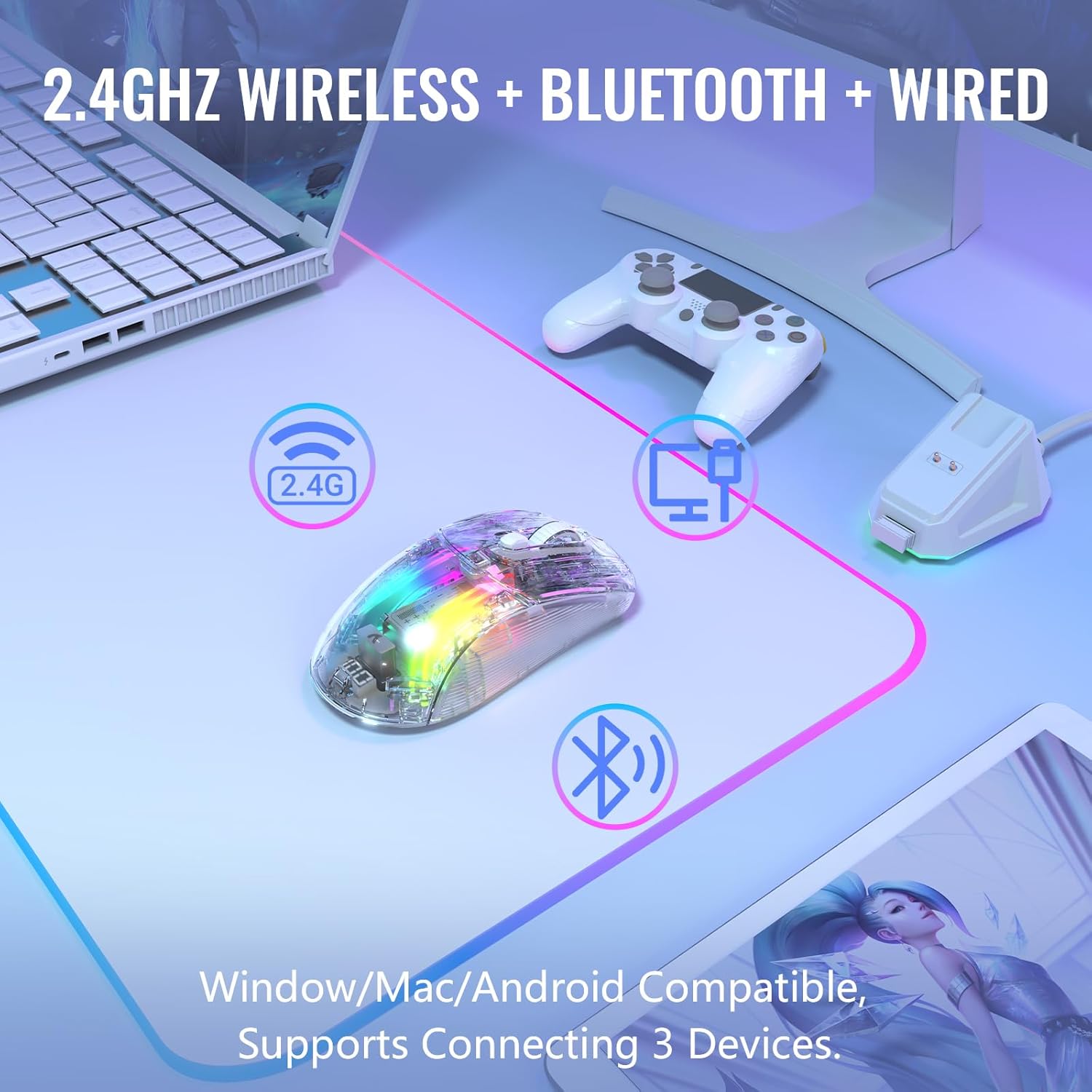
Image: The ATTACK SHARK X2 Pro mouse demonstrating its 2.4GHz wireless, Bluetooth, and wired connectivity options, compatible with Windows, Mac, and Android devices, supporting connection to three devices simultaneously.
3.3.2. Režim Bluetooth
- Slide the mode switch button on the bottom of the mouse to the "BT" (Bluetooth) position.
- The mouse's RGB lighting will flash, indicating it is in pairing mode.
- Na svém zařízení (počítači, tabletu, chytrém telefonu) přejděte do nastavení Bluetooth a vyhledejte nová zařízení.
- Select "ATTACK SHARK X2 Pro" from the list of available devices to pair.
- Once paired, the mouse's RGB lighting will become steady.
3.3.3. Drátový režim
- Connect the USB-C charging cable directly to the mouse's USB-C port and the other end to your computer's USB port.
- Myš se automaticky přepne do kabelového režimu a začne se nabíjet.
- You can also slide the mode switch button to "OFF" when using wired mode to conserve battery if desired.
4. Ovládání myši
4.1. Nastavení DPI
The X2 Pro mouse features 5 adjustable DPI levels to suit your precision needs for gaming or productivity. The default DPI is 1200.
- Úrovně DPI: 1200/1600/2000/2400/4000
- To cycle through DPI settings, press the DPI button located behind the scroll wheel. Each press will switch to the next DPI level.

Image: A visual representation of the five adjustable DPI levels (1200, 1600, 2000, 2400, 4000) available on the ATTACK SHARK X2 Pro mouse, with 1200 DPI as the default setting.
4.2. Ovládání RGB osvětlení
The transparent shell of the X2 Pro mouse enhances its 3D RGB lighting effects. You can customize the lighting to match your setup or mood.
- To change the RGB lighting effect, press the RGB switch button on the bottom of the mouse.
- The mouse supports 16.8 million color lighting and 11 different lighting effects.

Image: The ATTACK SHARK X2 Pro mouse displaying its vibrant 3D RGB lighting, highlighting the transparent shell design.
The magnetic charging dock also features adjustable RGB lights. Use the lighting mode switch on the dock to cycle through its lighting effects.
4.3. Battery Level Visibility
The X2 Pro mouse is equipped with a small screen at its rear that displays the current battery percentage, což vám umožňuje sledovat úrovně výkonu na první pohled.
4.4 Funkce tichého kliknutí
The left and right mouse buttons are designed for silent clicks, reducing noise by up to 90%. This feature is ideal for quiet environments or late-night use.

Image: A hand gripping the ATTACK SHARK X2 Pro mouse, emphasizing its ergonomic design and silent click capability, indicated by a speaker icon with a mute symbol and a keystroke count.
5. Údržba
Proper maintenance ensures the longevity and optimal performance of your ATTACK SHARK X2 Pro mouse.
5.1. Čištění
- Use a soft, dry, lint-free cloth to wipe the surface of the mouse and charging dock.
- Na odolné šmouhy lehce otřeteampOmyjte hadřík vodou nebo jemným, neabrazivním čisticím prostředkem. Zabraňte nadměrné vlhkosti.
- Do not use harsh chemicals, abrasive pads, or solvents, as these can damage the transparent shell and oleophobic coating.
- Clean the optical sensor on the bottom of the mouse periodically with a cotton swab to ensure accurate tracking.
5.2. Péče o baterie
- The mouse features a Smart Auto-sleep function to conserve power. It will enter sleep mode after 2 minutes of inactivity and can be woken by clicking any button or moving the mouse.
- Abyste prodloužili životnost baterie, vyhněte se častému úplnému vybíjení.
- Pokud myš delší dobu nepoužíváte, skladujte ji na chladném a suchém místě.
6. Řešení problémů
If you encounter issues with your ATTACK SHARK X2 Pro mouse, please refer to the following common solutions:
| Problém | Možná příčina | Řešení |
|---|---|---|
| Myš nereaguje v režimu 2.4G. | USB receiver not properly connected or mouse not in 2.4G mode. | Ensure the USB receiver is securely plugged into a working USB port. Slide the mode switch on the mouse to "2.4G". Try a different USB port. |
| Nelze spárovat přes Bluetooth. | Mouse not in Bluetooth pairing mode or device's Bluetooth is off. | Slide the mode switch to "BT". Ensure your device's Bluetooth is enabled and visible. Remove previous pairings and try again. |
| Myš se nenabíjí. | Charging dock/cable not connected, or mouse not properly seated on dock. | Verify the USB-C cable is connected to the dock and a power source. Ensure the mouse is correctly placed on the magnetic dock. Try charging directly with the USB-C cable. |
| RGB osvětlení nefunguje nebo se zaseklo. | Lighting effect frozen or turned off. | Press the RGB switch button on the bottom of the mouse to cycle through effects. Ensure the mouse has sufficient battery. |
| Inaccurate tracking or cursor lag. | Dirty optical sensor or low battery. | Clean the optical sensor. Charge the mouse fully. Ensure you are using the mouse on a suitable surface. |
Pokud problém přetrvává i po vyzkoušení těchto řešení, kontaktujte zákaznickou podporu.
7. Specifikace
| Funkce | Detail |
|---|---|
| Model | X2 Pro |
| Konektivita | Bezdrátové 2.4G, Bluetooth, Kabelové (USB-C) |
| Úrovně DPI | 1200 / 1600 / 2000 / 2400 / 4000 (Nastavitelné) |
| Tlačítka | Silent Click Left/Right, Scroll Wheel, DPI Button, Mode Switch, RGB Switch |
| Osvětlení | 3D RGB Backlit, 16.8 Million Colors, 11 Lighting Effects |
| Nabíjení | Magnetic RGB Charging Dock, USB-C Cable |
| Životnost baterie | Approx. 5 hours playtime with 10 minutes charge |
| Speciální funkce | Transparent Shell, Oleophobic Coating, Visible Battery Level, Smart Auto-sleep, Ergonomic Design |
| Hmotnost položky | 9.1 unce |
| Rozměry balení | 7.01 x 4.61 x 2.13 palce |
| Výrobce | ÚTOČNÉHO ŽRALOKA |
| Země původu | Čína |
8. Záruka a podpora
8.1. Informace o záruce
The ATTACK SHARK X2 Pro Wireless Gaming Mouse comes with a standard manufacturer's warranty. Please refer to the warranty card included in your package or visit the official ATTACK SHARK webpodrobné záruční podmínky naleznete na webu.
8.2. Zákaznická podpora
For technical assistance, troubleshooting beyond this manual, or warranty claims, please contact ATTACK SHARK customer support. Contact information can typically be found on the product packaging, the official ATTACK SHARK webwebu nebo prostřednictvím svého prodejce.
You can visit the official ATTACK SHARK Store on Amazon for more information: ATTACK SHARK Store
Ask a question about this manual
Ask about setup, troubleshooting, compatibility, parts, safety, or missing instructions. Manuals+ will review the question and use this page’s manual context to help answer it.