
FLEXISPOT B0CKW8222V
FLEXISPOT Electric Standing Desk User Manual
Model: B0CKW8222V
Zavedení
Thank you for choosing the FLEXISPOT Electric Standing Desk. This manual provides essential information for the safe assembly, operation, and maintenance of your new adjustable height desk. Please read this manual thoroughly before beginning assembly or operation to ensure proper use and to maximize the lifespan of your product.
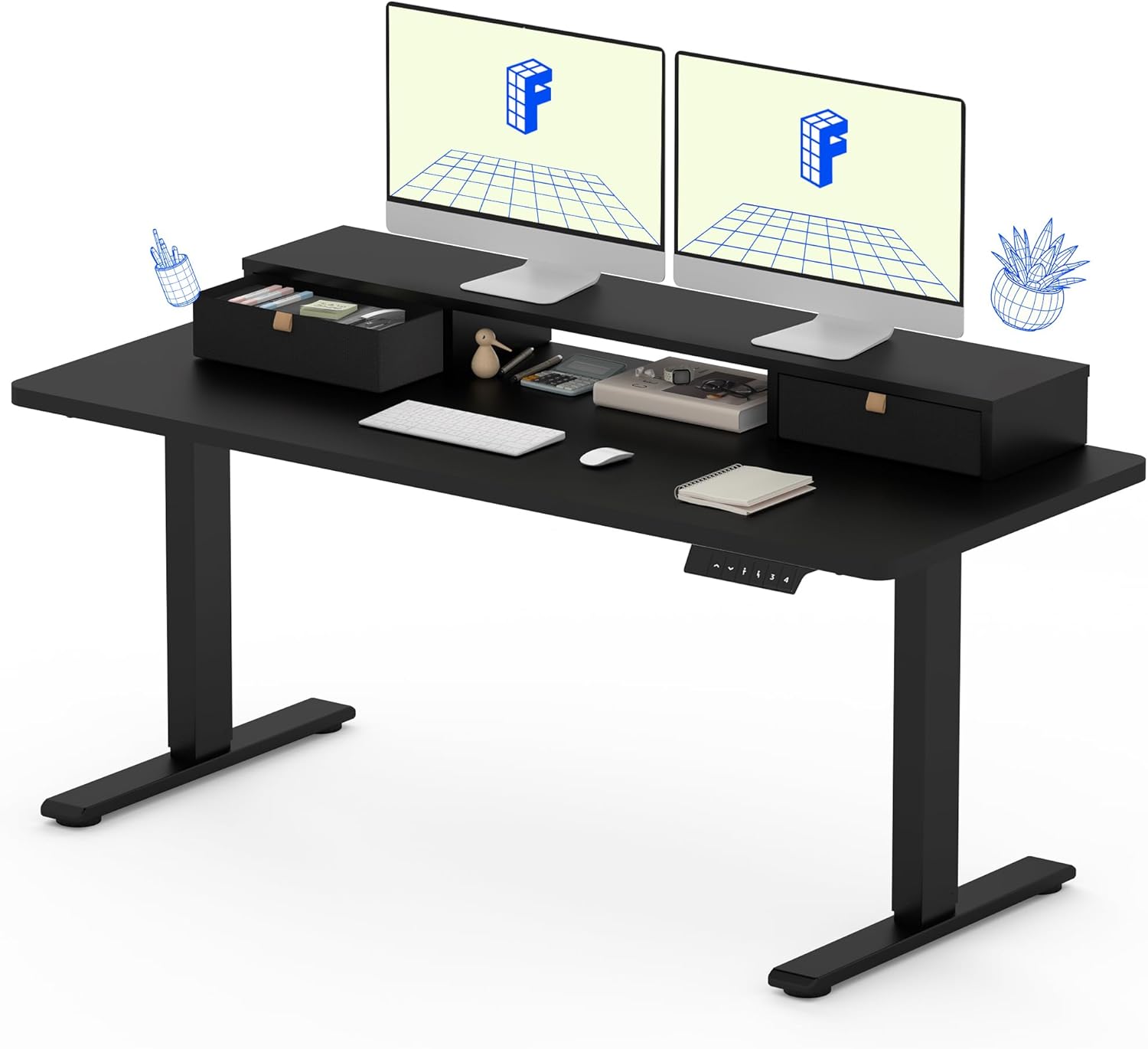
The FLEXISPOT Electric Standing Desk, featuring a solid one-piece top, integrated storage, and an ergonomic monitor stand.
Bezpečnostní informace
Pro vaši bezpečnost a abyste zabránili poškození produktu, dodržujte prosím následující pokyny:
- Vždy pečlivě dodržujte montážní pokyny.
- Use appropriate tools for assembly. A drill may be required for some steps and is not included with the product.
- Keep the work area clear of debris and other hazards during assembly and use.
- Před obsluhou stolu se ujistěte, že jsou všechna připojení bezpečná.
- Nepřetěžujte stůl. Maximální doporučená hmotnost je 150 liber (66 kg).
- Během práce držte děti a domácí zvířata v dostatečné vzdálenosti od stolu, abyste předešli zranění.
- Avoid placing liquids directly on the desk surface without proper coasters or protection.
Obsah balení
Your FLEXISPOT Electric Standing Desk will be shipped in two separate packages, which may arrive at different times. Please verify all components are present before beginning assembly.

The desk components are shipped in two separate boxes, which may arrive independently.
Mezi očekávané komponenty patří:
- Desktop (Solid One-Piece) with integrated monitor stand and drawers
- Rám stolu (nohy a příčka)
- Elektromotor a řídicí skříň
- Control Panel (Keypad)
- Napájecí kabel
- Montážní materiál (šrouby, imbusové klíče atd.)
- Návod k použití
Montážní návod
Assembly typically requires one person, but having a second person can be helpful for certain steps, especially when handling the desktop. Ensure you have a clear, flat workspace.
- Rozbalte komponenty: Carefully remove all parts from the packaging. Check against the package contents list to ensure nothing is missing or damaged.
- Sestavení rámu stolu: Follow the detailed diagrams in the included instruction manual to assemble the desk legs and crossbar. Ensure all screws are tightened securely.
- Připojit plochu: Carefully place the desktop upside down on a soft, protected surface. Align the assembled desk frame with the pre-drilled holes on the underside of the desktop. Secure the frame to the desktop using the provided screws. Note that the desktop is a seamless, solid one-piece design for enhanced stability.
- Instalace řídicí jednotky a motoru: Mount the electric motor and control box to the designated areas on the desk frame, following the manual's instructions. Connect all necessary cables.
- Montáž ovládacího panelu: Attach the control panel (keypad) to the front edge of the desktop in the specified location. Connect its cable to the control box.
- Správa kabelů: Organize and secure all cables using any provided cable ties or clips to prevent tangling and ensure smooth operation.
- Zapnutí a testování: Connect the power cable to the control box and then to a power outlet. Test the desk's height adjustment functions to ensure it operates smoothly.

The FLEXISPOT desk features a smooth, single-piece desktop for enhanced stability compared to two-piece designs.
Návod k obsluze
Your FLEXISPOT Electric Standing Desk offers smooth and precise height adjustment, along with memory presets for convenience.
Nastavení výšky
Použijte nahoru (▲) a dolů (▼) arrows on the control panel to adjust the desk height. The desk can be adjusted freely within the range of 28.1 inches to 45.7 inches.
Předvolby paměti
The control panel allows you to save up to four favorite height settings. To save a preset:
- Nastavte stůl do požadované výšky pomocí šipek nahoru/dolů.
- Press the "M" button (Memory) followed by one of the numbered preset buttons (1, 2, 3, or 4). The display will confirm the setting is saved.
- To recall a saved height, simply press the corresponding numbered preset button. The desk will automatically move to that height.

The control panel features an LCD screen and four memory buttons for convenient height adjustments.
Integrated Storage and Monitor Stand
The desk is equipped with two drawers and a two-tier shelf stand, providing ample storage and an ergonomic way to view your monitors. The monitor stand can easily hold dual monitors.

The integrated storage includes dual drawers and an open cubicle, with the top serving as a monitor riser.
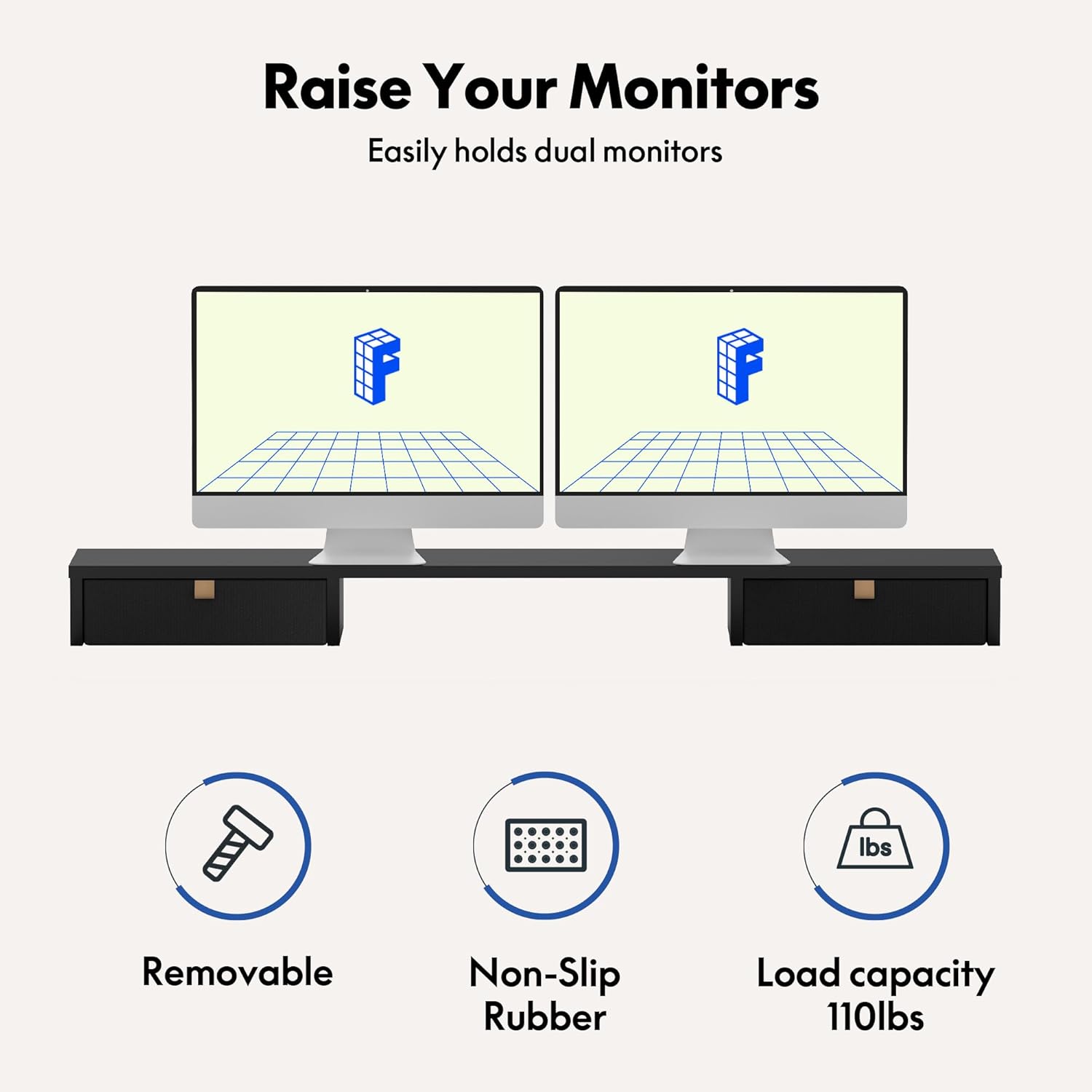
The monitor riser is designed to hold up to 110 lbs and features non-slip rubber for stability.
Údržba
Regular maintenance will help ensure the longevity and smooth operation of your FLEXISPOT Electric Standing Desk.
- Čištění: Otřete povrch stolu a rám měkkým hadříkemamp hadříkem. Nepoužívejte agresivní chemikálie ani abrazivní čisticí prostředky, které by mohly poškodit povrchovou úpravu.
- Zkontrolujte připojení: Periodically check all screws and electrical connections to ensure they are secure. Tighten any loose fasteners.
- Správa kabelů: Ensure cables remain tidy and are not pinched or tangled, which could affect desk movement or cause damage.
- Péče o motor: The enhanced motor is designed for durability, having undergone over 20,000 cycle tests. No specific user maintenance is required for the motor itself.

The desk's motor is built for durability, tested for over 20,000 cycles.
Odstraňování problémů
If you encounter issues with your FLEXISPOT Electric Standing Desk, refer to the following common problems and solutions:
| Problém | Možná příčina | Řešení |
|---|---|---|
| Stůl se nehýbe ani nereaguje na ovládací prvky. | Power cable disconnected, control box issue, or motor overload. | Check power cable connection. Ensure it's plugged into a working outlet. Unplug and replug the control box. Reduce weight on the desk if overloaded. |
| Stůl se pohybuje nerovnoměrně nebo vydává neobvyklé zvuky. | Loose connections, uneven load, or obstruction. | Check all assembly screws and tighten if loose. Redistribute weight evenly on the desktop. Check for any obstructions under or around the desk legs. |
| Height presets are not working correctly. | Presets not saved properly or control panel malfunction. | Re-save your desired height presets following the operating instructions. If the issue persists, try resetting the desk (refer to the full manual for specific reset procedures if available). |
If these solutions do not resolve the issue, please contact FLEXISPOT customer support for further assistance.
Specifikace
Key specifications for your FLEXISPOT Electric Standing Desk (Model: B0CKW8222V):
| Funkce | Detail |
|---|---|
| Značka | FLEXISPOT |
| Číslo modelu | B0CKW8222V |
| Rozměry produktu | 55"H x 24"Š x 33.2"V |
| Barva | Black Frame/Black Top |
| Styl | Elektrický |
| Základní materiál | Legovaná ocel |
| Typ horního materiálu | Umělé dřevo |
| Hmotnost položky | 100 libry |
| Minimální výška | 28.1 palce |
| Maximální výška | 45.7 palce |
| Doporučená maximální hmotnost | 150 libry |
| Počet zásuvek | 2 |
| Počet polic | 2 (Monitor Stand) |
| Požadovaná montáž | Ano |
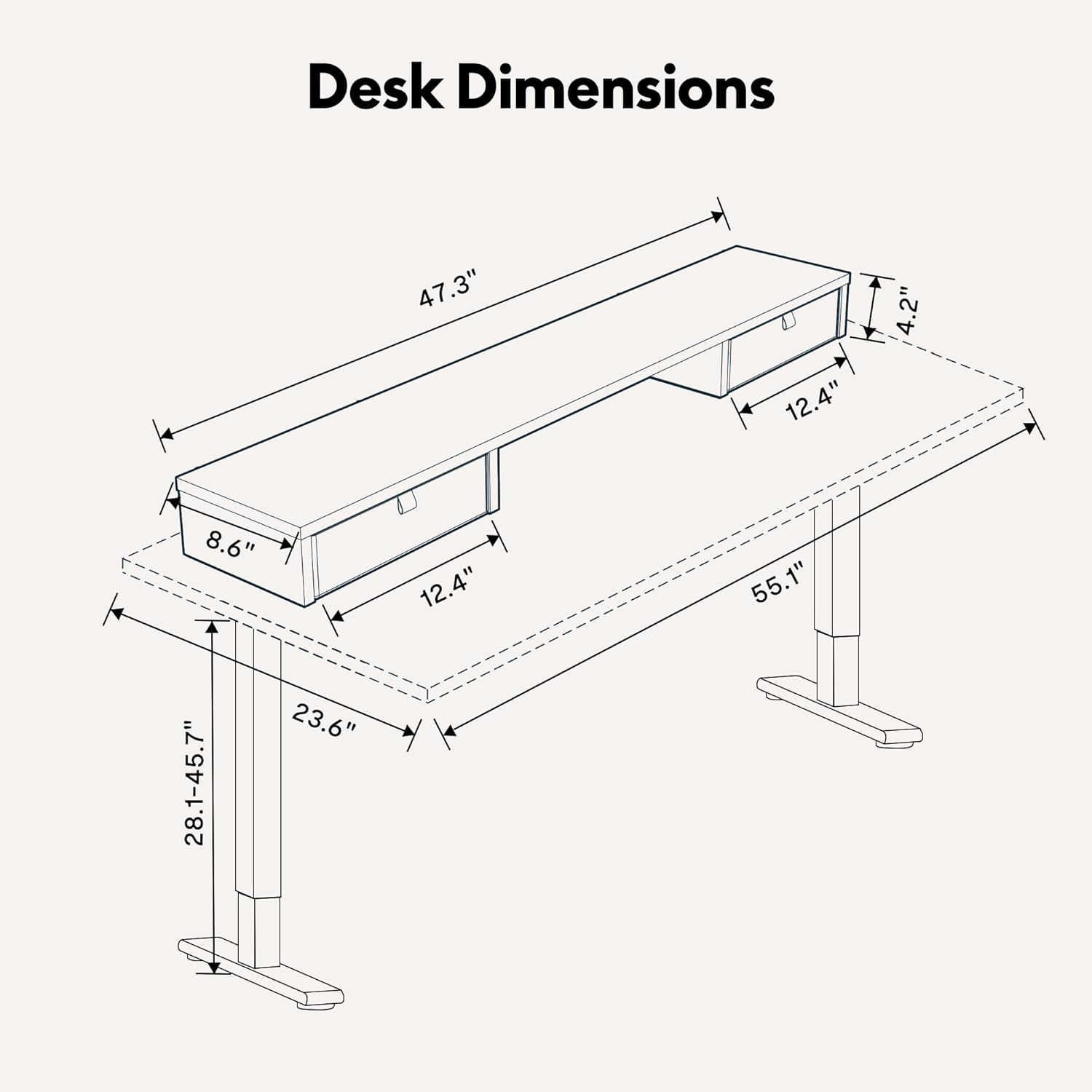
Detailed dimensions of the FLEXISPOT Electric Standing Desk.

The desk frame and desktop are certified for stability and safety.
Záruka a podpora
Your FLEXISPOT Electric Standing Desk comes with a Limited Warranty. For specific terms and conditions, please refer to the warranty card included with your product or visit the official FLEXISPOT webmísto.
For customer support, technical assistance, or warranty claims, please contact FLEXISPOT directly through their official website or the contact information provided in your product packaging. When contacting support, please have your model number (B0CKW8222V) and purchase date ready.
You can visit the official FLEXISPOT store on Amazon for more information and products: Obchod FLEXISPOT
Ask a question about this manual
Ask about setup, troubleshooting, compatibility, parts, safety, or missing instructions. Manuals+ will review the question and use this page’s manual context to help answer it.