
Zavedení
This manual provides comprehensive instructions for the setup, operation, and maintenance of your SYLVOX Smart Outdoor TV. Designed for outdoor use, this television features 4K Ultra HD resolution, Dolby Atmos sound, and an IP55 waterproof rating, ensuring year-round entertainment in various weather conditions. It is powered by the Google TV platform, offering a wide range of applications and smart features.

Přední view of the SYLVOX Smart Outdoor TV, highlighting its display and branding.
Co je v krabici
Ověřte, zda balení obsahuje všechny následující položky:
- 43 inch Outdoor Smart TV
- Hlasové dálkové ovládání
- Uživatelská příručka
- Záruční list
- Napájecí kabel

An illustration showing the television's dimensions and all included accessories in the packaging.
Nastavení
Fyzická instalace
Možnosti montáže
The SYLVOX Outdoor TV is designed for versatile installation, including wall mounting or placement on a mobile stand. Ensure the mounting solution is compatible with VESA standards.

Boční profíkfile of the television, showing its robust metal casing.

Zadní view of the television, showing the mounting points and sealed back panel.
Připojení periferií
The TV features a sealed back panel to protect ports from outdoor elements. To access the ports, carefully unscrew the back cover.
| Typ portu | Popis |
|---|---|
| HDMI | 3 HDMI Inputs (HDMI1, HDMI2, HDMI3) for connecting external devices like gaming consoles, Blu-ray players, or streaming sticks. |
| RJ45 | Ethernetový port pro kabelové připojení k síti. |
| Optický výstup | Digital audio output for connecting to soundbars or audio receivers. |
| Koaxiální | Antenna/Cable input for receiving broadcast signals. |
| USB | 2 USB-A ports for connecting USB devices (e.g., flash drives for media playback). |

Detailní záběr view of the TV's sealed back panel, showing the various input and output ports.
Počáteční zapnutí a nastavení sítě
Upon first power-on, follow the on-screen prompts to connect to your Wi-Fi network and complete the initial Google TV setup. This includes signing into your Google account for personalized content and app access.
Ovládání televizoru
Google TV OS Overview
Your SYLVOX Outdoor TV runs on the upgraded Google TV platform, providing a user-friendly interface with personalized recommendations and easy access to a vast library of apps.

A visual comparison highlighting the user interface and features of Google TV compared to Android TV.
Oficiální video s produktemasing the smart features and outdoor capabilities of the Sylvox Deck Pro 2.0 TV.
Funkce dálkového ovládání
The included voice remote control uses Bluetooth for seamless operation and features dedicated buttons for popular streaming services and Google Assistant.

Detailní view of the voice remote control, showing its buttons for power, volume, channel, and quick access to streaming apps.
Nastavení obrazu a zvuku
Adjust picture modes (Standard, Dynamic, Movie, ECO, Gentle, Vivid, Sport, Game, Personal) and sound settings, including Dolby Atmos, to optimize your viewzkušenosti.
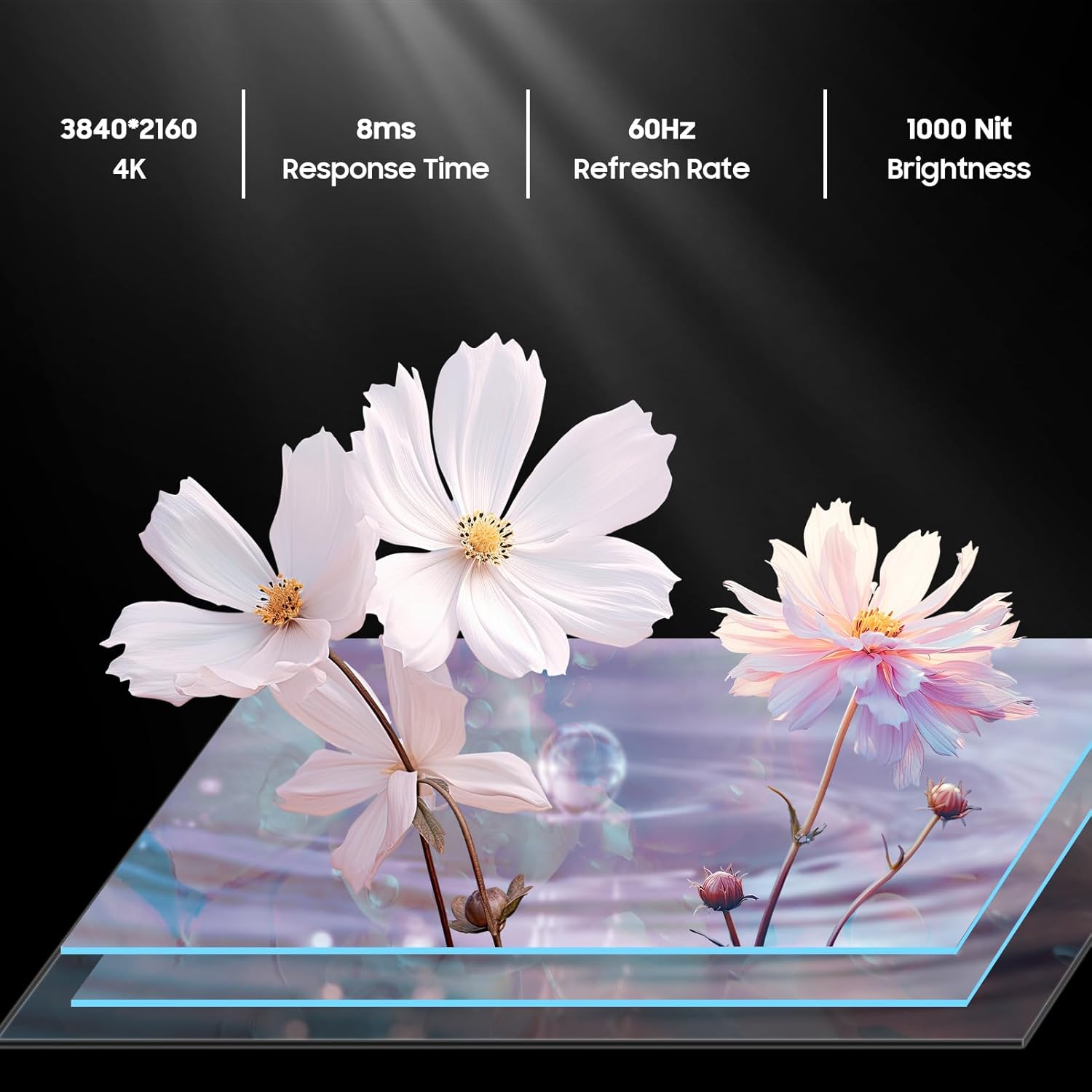
An image detailing the display specifications including 4K resolution, 8ms response time, 60Hz refresh rate, and 1000 nit brightness.
Casting & Screen Mirroring
Utilize the built-in Chromecast feature to easily stream content from your mobile devices directly to the TV.

An image demonstrating the Chromecast Built-in feature, showing content being streamed from a smartphone to the TV.
Official product video highlighting the smart features of the Sylvox Google Outdoor TV, including app access and voice control.
Údržba
Odolnost vůči povětrnostním vlivům
The SYLVOX Deck Pro 2.0 is built with a durable all-metal casing and an IP55 waterproof rating, making it suitable for year-round outdoor use. It can withstand various weather conditions including rain and snow.

The TV mounted outdoors during a rain shower, illustrating its IP55 waterproof capability.
Čištění
Čištění obrazovky a casing, použijte měkký, damp cloth. Avoid harsh chemicals or abrasive materials that could damage the finish or screen coating.
Odstraňování problémů
Žádná síla
- Ujistěte se, že je napájecí kabel bezpečně připojen k televizoru i k funkční zásuvce.
- Zkontrolujte, zda je elektrická zásuvka funkční.
Žádný signál
- Check all HDMI or coaxial cable connections.
- Ensure the connected device (e.g., cable box, gaming console) is powered on and set to the correct input source on the TV.
Problémy s připojením k síti
- Verify your Wi-Fi router is on and functioning correctly.
- Restartujte televizor a router.
- Ujistěte se, že je televizor v dosahu signálu Wi-Fi.
Specifikace
| Funkce | Detail |
|---|---|
| Název značky | SYLVOX |
| Hmotnost položky | 53.8 libry |
| Rozměry produktu | 3.45 x 38.4 x 22.56 palce |
| Baterie | Vyžaduje 2 AAA baterie. (v ceně) |
| Název barvy | Černý |
| Speciální funkce | IP55 Vodotěsný |
| Velikost zobrazení na stojící obrazovce | 43 palce |
| Poměr stran | 16:9 |
| Velikost obrazovky | 43 palce |
| Technologie displeje | LED |
| Rezoluce | 4K |
| Obnovovací frekvence | 60 Hz |
| Zahrnuté komponenty | Voice Remote Control, Power Cord, Warranty Card, User's Manual, 43 inch Outdoor Smart TV |
| Technologie připojení | Ethernet,Wireless,Bluetooth,WiFi,HDMI,USB |
Záruka a podpora
The SYLVOX Smart Outdoor TV comes with a one-year warranty. For technical assistance or customer service, please contact SYLVOX customer support, available 24/7.
Podrobný návod k použití (PDF) je také k dispozici ke stažení: Uživatelská příručka (PDF)